Posted on

Data Center Cabling Above and Below – Raised vs Concrete Floors

Feature - Data Center Cabling Above and Below - Raised vs Concrete Floors - Cable Management Blog

It used to be that data centers were simply built with raised flooring. This was for several reasons: to allow for airflow, power and other cable routing, and flexibility during moves and changes. However, for most modern data centers, concrete floors, or slabs, have become a more common choice, with cables and even cooling running above rather than below.

But what is best for data centers, and is there still room for raised flooring in new and more modern data centers?


Key Takeaways

By the end of this article, you’ll know:

  • Why concrete floors are increasingly preferred in modern data centers.
  • The contextual usefulness of raised floors in data centers.
  • How advancements in cabling and rack technology have influenced.

Jump to Section:

Feature – Data Center Cabling Above and Below – Raised vs Concrete Floors – Cable Management Blog

The Reasons for Concrete Flooring

First, let’s look at why some data centers might choose concrete floors or a slab rather than a raised floor during construction, including power density, cooling, and more.

First, today’s high power density data centers need a lot of cooling, and a raised floor may not be up to the task. New fresh air systems and “hot aisle” containment systems do a better job than air routing under the floor.

Second, data centers are getting larger and denser at the same time. Components are actually getting larger, and cables are getting thicker. As the need for storage capacity rises, so does the demand on a particular data center. These larger data centers need more sophisticated cooling, not to mention the ability to hold more weight than a raised floor.

Contrariwise, even smaller data centers often lack the space to add ramps on raised floors, making their application impractical. In compact spaces, it’s difficult to achieve the proper power density with a raised floor.

These are all good arguments for concrete floors in data centers, but does that mean raised floors don’t really have a place? Not really.

Reasons Data Centers Might Want Raised Floors

Raised floors still have some uses in various spaces, including two primary scenarios.

  • Low Power Density might mean a lot of moves and changes, and especially in some caged hosting spaces, a raised floor is often still the best choice.
  • If water is needed to cool the IT space. In the case of some modern cooling systems, water is needed as part of the process, so raised floors provide a place to transport that water safety, without compromising electronic equipment.

However, these are just a couple of potential scenarios. Let’s look next at raised and concrete floors in a side by side comparison.

The Debate About Raised Floors vs. Concrete Floors

Here are some things to consider:

  • Irregular layouts – Once quite common, these led to the need for space under the floor for cooling and the need for flexibility for moves and changes. As equipment is modernized and standardized in both size and configuration, layouts are more predictable.
  • Cable length and brackets – Cables once had to be much shorter to protect against signal degradation. As fiber optics and high bandwidth Ethernet cables are used, it is no longer critical that cables be short, and the need for a lot of brackets to hold them and route them under the floor is no longer prevalent.
  • Power cables – Power cables once came from the bottom up, and it was necessary to have a raised floor for access. Now, racks and cabinets allow power connections from above, meaning the underfloor space is no longer needed. However, for older systems still in use, a raised floor is still a necessity.
  • Equipment grounding – Copper mesh used to be used to achieve a strong ground between devices. Newer cabling options mean this is no longer a concern. Their grounding wires ensure the integrity of each circuit.

In short, the more technology advances, the less raised floors are needed. But not every data center moves forward and updates at the same pace, and raised floors still remain useful in many cases.

Dust and Static Electricity

There is a final concern when it comes to concrete floors. While most modern devices have anti-static protection, there are some that are still vulnerable, even at low voltages such as a static discharge from a technician.

Solid floors are often constructed with grounded statics that may also use either anti-static panels or floor coatings to prevent the buildup in the first place. For raised floors, anti-static panels have been in use for a long time.

Of course, many will argue that the gaps between floor panels or even grout between panels applied to hard floors is a dust magnet, and dust is a killer in any data center. However, concrete floors can be coated with anti-static material that is seamless, allowing for easy cleanup and the prevention of dust buildup.

But what is right for your data center? Only you can look at all the options and determine what will work best with your overall cooling plan, moves, changes, and updates.

Shop Our Network Cable Range


FAQs

What is the primary reason for the shift from raised floors to concrete floors in modern data centers?

Modern data centers have higher power densities, requiring more sophisticated cooling systems like fresh air and “hot aisle” containment, which are more effective than underfloor air routing. Additionally, concrete floors can support the increasing weight and size of modern IT equipment.

Are raised floors still used in any data centers today?

Yes, raised floors still have a place in specific scenarios. They are often a good choice for data centers with low power density that experience frequent moves and changes. They also provide a safe way to route water lines for certain modern cooling systems that require water.

How do modern cable technologies impact the need for raised floors?

Older cable technologies required a raised floor for routing and to keep cables short to prevent signal degradation. With the widespread use of fiber optics and high-bandwidth Ethernet cables, signal integrity is no longer as dependent on cable length. Furthermore, modern racks and cabinets often allow for power connections from above, eliminating the need for underfloor power routing.

What are the pros and cons regarding dust and static electricity for both raised and concrete floors?

Concrete floors can be coated with seamless, anti-static materials that prevent dust buildup and are easy to clean. Raised floors have traditionally used anti-static panels. However, both can be dust magnets due to gaps between panels or grout lines. Modern devices often have built-in anti-static protection, but solid floors can also be constructed with grounding statics to further mitigate static discharge.

How does the predictability of data center layouts affect the choice between raised and concrete floors?

Older, irregular layouts led to the need for raised floors to accommodate frequent changes and provide space for cooling. Modern equipment is more standardized in size and configuration, leading to more predictable layouts. This predictability reduces the need for the flexibility and underfloor space that a raised floor provides.

About the Author

Louis Chompff - Founder, AnD Cable Products, Rack and Cable ManagementLouis Chompff, Founder & Managing Director, AnD Cable Products
Louis established AnD Cable Products – Intelligently Designed Cable Management in 1989. Prior to this he enjoyed a 20+ year career with a leading global telecommunications company in a variety of senior data management positions. Louis is an enthusiastic inventor who designed, patented and brought to market his innovative Zero U cable management racks and Unitag cabel labels, both of which have become industry-leading network cable management products. AnD Cable Products only offer products that are intelligently designed, increase efficiency, are durable and reliable, re-usable, easy to use or reduce equipment costs. He is the principal author of the Cable Management Blog, where you can find network cable management ideas, server rack cabling techniques and space saving tips, data center trends, latest innovations and more.
Visit https://andcable.com or shop online https://andcable.com/shop/

Posted on

Data Center Planning Post COVID – 4 Drivers of Change

Feature Data Center Planning Post COVID - 4 Drivers of Change - Cable Management Blog

COVID and the other events of 2020 have had a huge impact on data centers. Traffic has shifted to residential areas with the work from anywhere trend, and overloaded centers are in need of expansion. But that expansion has been slowed by the pandemic, and social distancing and other restrictions.

So what’s next for the post COVID world of 2021? How do data centers plan for the coming vaccine, the impact on their operations and expansion plans? Here are 4 drivers of change you should keep in mind when making your plans.

Key Takeaways

By the end of this article, you’ll know:

  • How remote work has effected data centers.
  • How faster connectivity has effected data center planning.
  • How remote monitoring and artificial intelligence have effected data center management.

Jump to Section:

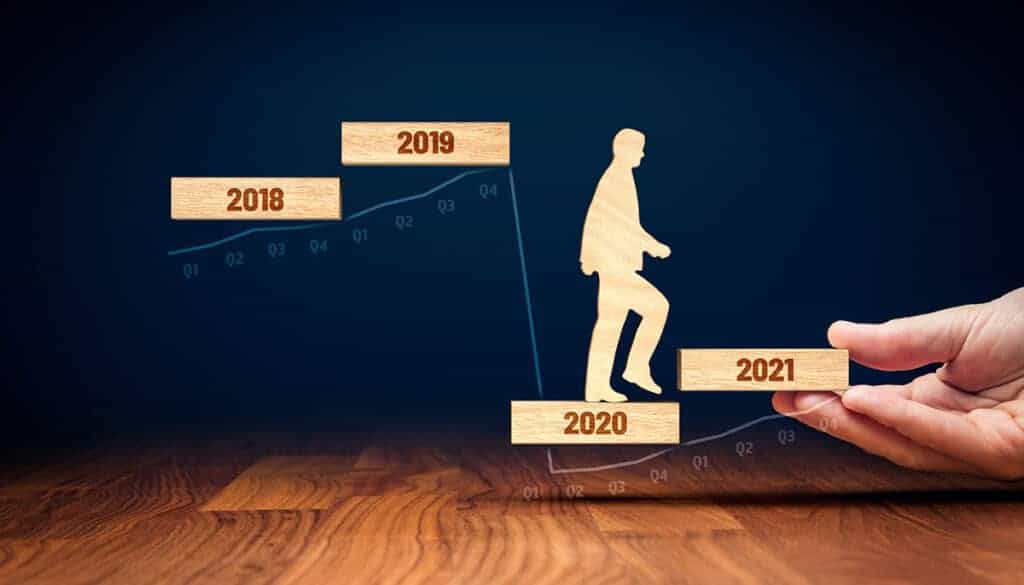
Wooden Business Man Progresses Post COVID Into 2021- Cable Management Blog
The post COVID era presents some unique challenges for data centers

Work From Anywhere is Here to Stay

Both businesses and employees have learned that working from anywhere, specifically from home, does not mean a less productive workforce. On the contrary, many people are more productive from home, value not having to commute to an office every day and have adjusted to the new normal.

Companies have discovered thousands in savings from a smaller physical footprint, and those savings are enhanced by benefits to the environment as well. Companies like Twitter and other tech giants have promised employees the option to work from anywhere indefinitely.

While some people remain anxious to return to the office (and will do so as soon as they’ve been vaccinated) many more are more than happy to continue working remotely. Whatever the post COVID workplace looks like, it seems work as we know it has already changed forever.

Faster Internet, More Data and 5G

Regardless of where people work from, the need for faster internet, more data transmission, and the continuing expansion of 5G mean data centers will experience more demand and require more moves and changes than ever before. This is about more than just technology and changing devices. It is also about the physical arrangement of data centers – an area likely to pick up once the vaccine becomes available.

The physical layer of data centers will change post COVID, as devices grow into the Internet of Things (IoT), high performance cables come into common use, and the demand for greener operations is prioritized. Perhaps the most important factor is that data center managers stay in touch with emerging trends and remain nimble, able to adapt when needed.

Remote Monitoring

Monitoring equipment, maintenance, and up time will become even more important – despite the vaccine. Customers have come to expect reliability, and it is no longer optional. However, the additional demand on human technicians to perform moves and changes means that monitoring should be automated whenever possible.

Remote monitoring systems can help do just that, allowing personnel to focus on more pressing tasks. A sensor network can send messages when human attention is needed, and can also monitor physical spaces for unauthorized access, providing an additional layer of physical security.

These monitoring systems continue to advance, and many can even react intelligently to many issues, readjusting HVAC and humidity systems and shifting loads away from problematic devices as needed. Automation creates a number of labor saving opportunities and can even alert human managers to issues before failures can cause service interruptions and additional issues.

Artificial Intelligence Adoption

Even as hardware evolves, cables become more sophisticated, and the physical spaces in data centers changes, software also continues to improve. From simple tasks like monitoring remote sensors and sending alerts, artificial intelligence can do much more.

Think of AI as the brain of the data center. It can monitor hardware, shift server loads as needed and intelligently, learn efficiency and streamline operations, prevent downtime, and even alert human managers as needed when software changes will not solve problems.

Artificial Intelligence can also be used to project future needs, generate expansion plans and ideas, and even develop plans for the physical layer of the data center. From optimal server rack placement to cabling choices to ventilation and HVAC needs, modeling can tell you what will and won’t work ahead of time, and AI can be a big part of that.

Post COVID, artificial intelligence will impact nearly every business going forward, and the increase in the number of enhanced data centers using this technology continues to rise.

What Will Next Year Bring to Data Centers?

“It is difficult to make predictions, especially about the future,” said the Danish Politician Karl Kristain Steincke in 1948. Nothing much has changed since then. The future is still hard to predict. But there are some things we do know:

Like 2020, next year will be one where many changes will happen. What changes are you making in your data center? What things do you think will be trending into the new year?

Introducing the Ultimate Data Center Cable Labeling System

Cable Management Just Got More Economical, Efficient and Robust

Ultimate Cable Labeling System - Epson Labelworks PX Printers and AnD Cable Products UniTag Cabel Labels
Ultimate Cable Labeling System – Epson Labelworks PX Printers and AnD Cable Products UniTag Cabel Labels

AnD Cable Products and Epson Labelworks have teamed up to develop the Ultimate Data Center Cable Labeling System with a selection of bundled cable labeling products that, when used together will revolutionize your cable management, efficiency and costs.

UniTag® Reusable Cable Labels – A plastic snap-on cable labeling system that provides a quick and easy way to mark and identify cables

Epson Labelworks PX Printers – A portable label and wire marker solution with exclusive time and costsaving features for creating custom labels

Epson’s PX Label Tapes Fit Onto AnD Cable’s UniTag® Cable Labels PERFECTLY!


FAQs

How has the “Work From Anywhere” trend affected data center planning?

The widespread shift to remote work has changed network traffic patterns, with more data moving to residential areas. This has increased the demand on data centers and requires them to expand to handle the new traffic distribution.

What role do high-performance cables and IoT play in post-COVID data centers?

With increased data demands from technologies like 5G, data centers need to adopt high-performance cables to handle the traffic. IoT devices are also being used to enable more efficient remote monitoring, allowing for better control over physical infrastructure.

Why is remote monitoring so critical for data centers today?

Remote monitoring has become a necessity for ensuring reliability, especially with fewer on-site staff. Automated monitoring systems with sensor networks allow technicians to oversee operations and respond to issues like HVAC and humidity problems from a distance.

How is Artificial Intelligence (AI) being used to manage data centers?

AI is functioning as the “brain” of the data center, helping to monitor hardware, shift server loads, and prevent downtime. It can also analyze data to predict future needs and generate expansion plans for the physical infrastructure.

What are the key certainties for data centers in the post-COVID era?

The article identifies several certainties, including the continuation of a hybrid work approach, the creation of more data, rising customer expectations for speed, and a larger role for AI in data center management.

About the Author

Louis Chompff - Founder, AnD Cable Products, Rack and Cable ManagementLouis Chompff, Founder & Managing Director, AnD Cable Products
Louis established AnD Cable Products – Intelligently Designed Cable Management in 1989. Prior to this he enjoyed a 20+ year career with a leading global telecommunications company in a variety of senior data management positions. Louis is an enthusiastic inventor who designed, patented and brought to market his innovative Zero U cable management racks and Unitag cabel labels, both of which have become industry-leading network cable management products. AnD Cable Products only offer products that are intelligently designed, increase efficiency, are durable and reliable, re-usable, easy to use or reduce equipment costs. He is the principal author of the Cable Management Blog, where you can find network cable management ideas, server rack cabling techniques and space saving tips, data center trends, latest innovations and more.
Visit https://andcable.com or shop online https://andcable.com/shop/

Posted on

Artificial Intelligence in Data Centers: The New Reality

Artificial Intelligence in Data Centers - AnD Cable Management Blog

For years, artificial intelligence, or AI has been the topic of science fiction, from Skynet in the Terminator movies to more benevolent systems. But AI has now become a reality, and that reality has put artificial intelligence in data centers, and the trend is growing. Data centers employing this technology are often referred to as enhanced data centers.


Key Takeaways

By the end of this article, you’ll know:

  • How AI can increase efficiency and emissions control.
  • How AI improves server and human resource management.
  • How AI enhances uptime and security.

Jump to Section:

Artificial Intelligence in Data Centers - AnD Cable Management Blog
Use of artificial intelligence in data centers continues to grow

But this idea of an enhanced data center will likely become the norm, as customer expectations rise. Unprecedented demand means and centers rapidly reaching capacity mean a need for one of two solutions: increased capacity and increased efficiency. Artificial intelligence can help with both. Here’s how.

Artificial Intelligence and Data Center Emissions Control

Data centers use a lot of power, and that power often converts to carbon emissions. While technology advances and the use of solar can help, there are other solutions as well. It’s all about the efficient use of power, HVAC efficiency and flow rates, and more.

How does it work? Well, sensors, relatively small ones, can be placed throughout the data center to measure airflow rates, temperature, humidity, and power consumption in detail, down to individual racks and components. The artificial intelligence algorithm will learn from data it gathers, and can do one of two things with that data:

  • The AI can take control – cycling HVAC systems as they are needed, redirect fans and other smart devices, increasing or decreasing speed to enhance flow rates, and more. This technique is being deployed in both new and existing data centers when possible.
  • AI can report – What the AI can’t control, such as physical placement of racks, wiring, and more can be reported on and recommendations made to human operators who can make those changes.

For instance, let’s say that you have a human maintenance crew who performs certain tasks at the data center such as cleaning, moves, additions, and transfers. This involves those bodies impacting airflow, opening and closing doors adding to HVAC loads, and more. The AI can recommend the best time when there is the lowest demand on these systems, to perform these tasks.

This reduces energy loads and therefore carbon emissions, but it can do even more.

It’s All About That Balance

Server balance is a critical function of data centers and has been overseen by human managers up until now. But smart data centers are using AI and predictive algorithms to assist these managers, freeing up their time to perform other important tasks.

Much like the advantages gained with sensors and algorithms that learn HVAC needs, the predictive management software will learn as it goes, and distribute loads to servers that will handle them best. This analysis and learning not only saves time but helps decrease wear and tear on overloaded equipment and removes the human error factor that can lead to critical mistakes and downtime.

AI has also made human resources management simpler. Through automating some processes, it frees up data center personnel, and makes scheduling simpler, helping to prevent short- staffing. Then, through video conferencing and using similar technology, companies can get even more done remotely.

Keeping it Up, Locking it Down

The concern of downtime is a real one, and one that can keep data center managers up at night. Keeping up with and preventing downtime manually can seem like an impossible task. AI can help, anticipating downtime based on server loads, traffic, and other factors. Not only can it predict downtime, but AI offers other advantages as well.

Because of the other things it has “learned” AI can devise solutions, and advise human managers on workarounds and prevention, keeping downtime to an absolute minimum. While it’s not yet possible to eliminate downtime completely, stellar numbers can be achieved using AI.

But what about data center security? Threats from malware, hackers, and other digital threats are an ever present danger. AI can analyze traffic at a granular level, and often stop such threats before they get a chance at a foothold.

Like downtime, security breaches are inevitable as new threats arrive all the time. But AI can help minimize risk, isolate threats, and remove them to minimize any damage and data loss.

Designing the Physical Layer of Data Centers

There’s more to the picture than just security, uptime, and human resources. There’s also the matter of the design of data centers themselves. What is the ideal placement for servers and server racks? What is the most efficient method to achieve maximum airflow in the data center? What impact will moves and changes have on HVAC and other systems?

There will always be a physical layer to every data center, and security related to that physical layer is nearly as vital as digital security. An AI algorithm, in combination with AR software, can help you design your data center physical layer the right way from the start, and even guide you as you make those inevitable moves and changes.

The same sensors that feed the AI data about efficiency and power savings can also detect pressure changes, unauthorized data center access, and other data points that help you keep the physical layer of your data center functioning properly and secure at the same time.

More to Come

This is by far simply the tip of the iceberg when it comes to physical layer security, the use of AI in data center enhancement, efficiency, and more. Artificial intelligence is set to impact every single business in one way or another, and the data center is no exception.

Want to learn more about the security of the physical layer of your data center? Need materials to make your enhanced data center design a reality? Contact AnD Cable Products today. We’d love to start a conversation about your needs and can provide you with the right solutions for your data center today and into the next innovations in data center management.

Introducing the Ultimate Data Center Cable Labeling System

Cable Management Just Got More Economical, Efficient and Robust

AnD Cable Products and Epson Labelworks have teamed up to develop the Ultimate Data Center Cable Labeling System with a selection of bundled cable labeling products that, when used together will revolutionize your cable mangaement, efficiency and costs.

UniTag® Reusable Cable Labels – A plastic snap-on cable labeling system that provides a quick and easy way to mark and identify cables

Epson Labelworks PX Printers – A portable label and wire marker solution with exclusive time and costsaving features for creating custom labels

Epson’s PX Label Tapes Fit Onto AnD Cable’s UniTag® Cable Labels PERFECTLY!


FAQs

What is the difference between an AI data center and a traditional data center?

AI data centers are specifically designed to support the immense computational demands of AI and machine learning. Unlike traditional data centers that primarily use CPUs for general computing tasks, AI data centers rely heavily on powerful GPUs (Graphics Processing Units) and other specialized AI accelerators.

How does AI improve data center efficiency and operations?

AI is used to optimize data center operations in several key ways. It can be used for predictive maintenance to anticipate hardware failures before they happen, for automating tasks like workload distribution to prevent resource shortages, and for optimizing energy consumption by adjusting cooling systems in real-time based on temperature and workload.

What are some of the main challenges of using AI in data centers?

The biggest challenges include managing the massive power and cooling demands of AI hardware, dealing with network bottlenecks caused by rapid data transfer between processors, and the overall high cost of specialized AI equipment and infrastructure.

Why are cooling and power consumption such big issues for AI data centers?

AI computations, especially training deep learning models, generate significantly more heat than traditional computing tasks. This requires advanced cooling solutions, such as liquid cooling, to prevent overheating. As a result, AI data centers consume a much larger amount of energy, which puts a significant strain on power grids and operational costs.

How do AI data centers handle the massive amounts of data required for AI?

AI workloads require high-speed networking and low-latency interconnects to move large volumes of data quickly between processors. They also need high-performance storage solutions, such as NVMe SSDs and parallel file systems, to handle the vast amounts of both structured and unstructured data, including images, videos, and sensor data.

About the Author

Louis Chompff - Founder, AnD Cable Products, Rack and Cable ManagementLouis Chompff, Founder & Managing Director, AnD Cable Products
Louis established AnD Cable Products – Intelligently Designed Cable Management in 1989. Prior to this he enjoyed a 20+ year career with a leading global telecommunications company in a variety of senior data management positions. Louis is an enthusiastic inventor who designed, patented and brought to market his innovative Zero U cable management racks and Unitag cabel labels, both of which have become industry-leading network cable management products. AnD Cable Products only offer products that are intelligently designed, increase efficiency, are durable and reliable, re-usable, easy to use or reduce equipment costs. He is the principal author of the Cable Management Blog, where you can find network cable management ideas, server rack cabling techniques and space saving tips, data center trends, latest innovations and more.
Visit https://andcable.com or shop online https://andcable.com/shop/

Posted on

How to Design an Effective Data Center Cable Labeling System

How to Design an Effective Data Center Cable Labeling System - AnD Cable Management Blog

One of the things we talk about often in cable management besides having the right cable management and rack management systems that make your data center the most efficient, is using an effective cable labeling system.


Key Takeaways

By the end of this article, you’ll know:

  • The right tools for your data center cable labeling systems.
  • The importance of incorporating color and written details on labels.
  • Why you should have a consistent and standardized key of terms and abbreviations.

Jump to Section:

A cable labeling system makes effective cable management MUCH easier!

The reason is simple. Nearly every technician has said, at one point or another, “I wish I had labeled that.” So whether you are just getting started with labels or you are labeling existing systems, the question is the same. How do you design an effective cable labeling system? Here are some things to consider.

Reduce, Reuse, Recycle

First, use a reusable label system. Not only is this better for the environment, it is better for your system as well. For example, if you use UniTag reusable cable labels, they snap on (and off) so you can mark and identify cables quickly.

UniTag Cable Labels -  reusable cable labels allow you to mark and identify virtually any size cable or group of network cables and reduce your cable label costs
UniTag Cable Labels – reusable cable labels allow you to mark and identify virtually any size cable or group of network cables and reduce your cable label costs

But more importantly, if you change something or replace a cable, you simply remove the cable label and put it back on the new cable or in the new location. Easy, and with no waste. It saves time, too. There’s no need to reprint a label or find a different connector. 

Use the Right Cable Label Printer

This might seem like a no-brainer but starting with the right equipment when you’re developing an effective cable labeling system is just as important as when you are planning the layout or rearranging your data center. Ideally a label printer should be portable, have a large memory to load a variety of label styles, and should also be efficient.

Efficiency means long battery life, but also the efficient use of label cartridges. How often have you trimmed a label before applying it? Wouldn’t it be better of the label was the right size in the first place?

Epson LW-PX Printers are the most efficient on the market, working to continually save you money

Epson LW-PX printers have innovative technology that reduces lead margins and will “rollback” before printing to prevent that waste. They also have auto full and half cut features that allow you to print a variety of labels in the field, and the large storage capacity means you’ll always have the labels you need at your disposal, from custom created ones to dozens of industry standard symbols.

The other important feature is toughness. Everyone has that employee who frequently has a case of the “dropsies.” But accidents happen to everyone, and printers get dropped, fall off of racks, or suffer even worse treatment. The Epson printer body meets MilSpec drop tests, and has a built in handle that makes it easier to carry (and less likely to be dropped).

Starting with the right printer and the right reusable label tags is the foundation for your cable labeling strategy.

Color Coded Cable Labels

One of the downfalls of a labeling strategy can be too many labels of the same color, and several flag ties that make it challenging to see what is going on. Using a variety of colors in a color coded cable run helps you identify cables at a glance, and can help you follow cables more easily.

Because you can use the Epson labels on any size of cable or group of cables, you ‘ll reduce label clutter, which comes with a whole host of advantages.

Label Size and Information Matters

Sometimes you need more detail than you can put in one line of type. Use labels that are large enough to include multiple lines of type, so your labels make sense to everyone in the data center. Remember, you might not be the one coming back to work on that particular server, so the more detail you include in your labels, the better.

This also impacts readability. A color can tell the technician what type of cable they are dealing with. The label itself tells them the greater detail they need to know to follow the cable and troubleshoot quickly. The reason for labels is that moment later on when a technician is troubleshooting.

Consider the question, “What would another technician need to know about this cable to work efficiently?” That’s the information that should be included in your label.

Best practice guide to a three line cable label:

  1. Near end termination – Port number on patch panel or hub or wall outlet number or physical location
  2. Far end termination – Patch panel location or hub/switch location and port number
  3. Cable purpose – circuit ID or functional description of a cable or patch cord
Three lines of text on the cable label tape and plastic cable label provides lots of space to record vital information

Label Wherever You Can

For label tags, removable adhesive label tape may be the best choice, but there are other applications your printer and your labels need to serve. You may need to label a heat shrink tube, or you may want a fluorescent label for some applications.

Epson Labelworks PX printers offer different kinds of label cartridges to meet different needs. You should encourage technicians, and remember yourself, those moments when you wish you had labeled something, even if it isn’t a cable. Instead of thinking, “I wish I had labeled that,” you can say, “I’m glad I labeled that.”

Have a Standard Cable Labeling Nomenclature

No matter what cable labeling system you have and what printer you use to implement it, it will all be for nothing unless everyone is on the same page. Think of it: one technician might call a group of cables one thing, and another tech might label it differently, or not understand the label on the cable.

Not only is it important to label, but part of your labeling system should include a “key” of terms, abbreviations, and names. Everyone should use the same “key” or system. That way, there is no misunderstanding about what a cable run is, or what that abbreviation really stands for.

Final Thoughts

Are there any secrets to an effective cable labeling system? Not really. It’s pretty simple:

  • Use the right tags and equipment
  • Use color coding where appropriate
  • Be consistent with terms and labels
  • Label everything that you might wish later was labeled
  • Include all relevant details on your labels

With the right cable labeling system, you’ll save time, money, and energy. Your installers and technicians will be more efficient, and overall your data center will be more profitable.

Need help with your cable labeling system? Contact AnD Cable Products today. We’ll help you find the right solution to meet your needs.

Introducing the Ultimate Data Center Cable Labeling System

Cable Management Just Got More Economical, Efficient and Robust

AnD Cable Products and Epson Labelworks have teamed up to develop the Ultimate Data Center Cable Labeling System with a selection of bundled cable labeling products that, when used together will revolutionize your cable mangaement, efficiency and costs.

UniTag® Reusable Cable Labels – A plastic snap-on cable labeling system that provides a quick and easy way to mark and identify cables

Epson Labelworks PX Printers – A portable label and wire marker solution with exclusive time and costsaving features for creating custom labels

Epson’s PX Label Tapes Fit Onto AnD Cable’s UniTag® Cable Labels PERFECTLY!


FAQs

What is the primary benefit of a well-designed cable labeling system?

An effective labeling system can save significant time, money, and energy, ultimately making a data center more profitable by improving efficiency and reducing downtime during maintenance or changes.

What kind of labels should be used?

Reusable, snap-on labels reduce waste and save time when cables need to be replaced or changed.

What are the key features to look for in a label printer?

A good label printer should be portable, efficient, and durable. Features like reducing label waste and having a large storage capacity for label data are also important.

Why is a standardized naming convention important?

Having a standard nomenclature or a “key” with consistent terms and abbreviations is crucial to prevent misunderstandings and ensure all technicians can easily follow and maintain the system.

How can color-coding and detailed information be used effectively?

Color-coded labels help with quick visual identification of cables, while labels that are large enough to include multiple lines of detailed information provide essential context for technicians.

About the Author

Louis Chompff - Founder, AnD Cable Products, Rack and Cable ManagementLouis Chompff, Founder & Managing Director, AnD Cable Products
Louis established AnD Cable Products – Intelligently Designed Cable Management in 1989. Prior to this he enjoyed a 20+ year career with a leading global telecommunications company in a variety of senior data management positions. Louis is an enthusiastic inventor who designed, patented and brought to market his innovative Zero U cable management racks and Unitag cabel labels, both of which have become industry-leading network cable management products. AnD Cable Products only offer products that are intelligently designed, increase efficiency, are durable and reliable, re-usable, easy to use or reduce equipment costs. He is the principal author of the Cable Management Blog, where you can find network cable management ideas, server rack cabling techniques and space saving tips, data center trends, latest innovations and more.
Visit https://andcable.com or shop online https://andcable.com/shop/

Posted on

Using Data Center IoT to Automate and Improve Operational Efficiency

Using IoT Improve Data Center Operational Efficiency - Cable Management Blog

In order to meet demand, data centers are facing the need for physical expansion of their capabilities, such as the addition of new server racks, greater capacity HVAC systems and more. The problem is that those needing to making physical changes cannot do so remotely. Fortunately, there is a solution, which combines traditional data center infrastructure management (DCIM) with the application of the Internet of Things (IoT). Once implemented, data center IoT can help minimize the need for on site interventions, reduce costs and enable better data collection.

Key Points

–IoT for Automation: Combining traditional data center infrastructure management (DCIM) with IoT automates operations, which is crucial for meeting increased demand, especially with the rise of remote work.

–Cost Savings and Efficiency: Implementing IoT can lead to cost savings in three main areas: monitoring air flow, HVAC, and space; improving resiliency systems like uninterruptible power supplies (UPS); and reducing the need for on-site staff through remote monitoring.

–Data-Driven Insights: IoT devices are more cost-effective and easier to deploy than wired monitors. They can collect vast amounts of data from numerous locations, which provides data-driven insights for both facilities management and IT teams, helping to predict maintenance needs and support “self-healing” infrastructure.

Jump to section:

Using IoT Improve Data Center Operational Efficiency - Cable Management Blog

The Case for Data Center Automation Grows Stronger

Data centers face a number of unique challenges at the moment. Those that were operating at 75-80% capacity prior to COVID-19 have suddenly found themselves operating at 95% thanks to widespread work from home requirements driving a jump in demand. Not only do data centers need to meet current demand levels, with continuing uncertainty around when things will ‘get back to normal,’ the need to consistently deliver over an extended period of time.

In order to physically expand however, Technicians need to be on site, installing new server racks, horizontal cable management racks, additional cabling, and maximizing data center floor space. And they have to do all this while maintaining social distancing, wearing masks, and protecting the health of every essential worker who needs to be on site.

Enter DCIM and the Internet of Things (IoT). IoT is the first real application of using operational technology towards data center automation. The idea is to implement monitoring and repair solutions with minimal human intervention after the initial installation. What does this look like?

Using IoT to Drive Automation

The Internet of Things is in the driver’s seat when it comes to changes in DCIM. IoT Devices are cheaper to create and install. Wired monitors are more difficult to deploy, generally cost more, and lack the efficiency of wireless monitoring devices. To your bottom line, data center IoT devices can collect more data from numerous locations and end points for less cost.

Also, since they are wireless, IoT devices can be monitored from anywhere. But that’s not all. Even pre-COVID there was a growting trend towards data center automation, remote access and management. More data means better predictive analytics when it comes to future maintenance needs and even setups for self-healing infrastructure.

It’s critical that as much data as possible is gathered, collected, and controlled correctly, and those tasks are perfectly suited for IoT solutions. The more data center automation that is already in use, the less it will cost to upgrade to a more robust monitoring system.

This is where the maturity of the DCIM comes in: the more up to date the DCIM, the easier it is to keep current. But it’s not just about the IoT and devices. You still need skilled people at the heart of it – automation doesn’t catch everything. But that being said, there are at least three areas where implementation of data center IoT will save you money.

Potential Cost Savings

Where will cost savings come in to play? There are essentially three areas:

  • The monitoring of air flow, HVAC, and utilization of space – More on this in a moment.
  • Resiliency systems, like UPS systems – Individual batteries can fail or require too much electricity to maintain a charge and degrade system performance on backup power.
  • The human element – While you need skilled people to deploy and analyze data, the disruption of HVAC equilibrium and additional space needs can be offset by remote monitoring.

Some changes are so subtle, they won’t be caught by human monitoring anyway, particularly battery performance and other issues. Without integrating a data center IoT you might not even know there is a problem unless you are specifically looking for it.

The Effect of the Physical Layer on IoT

Is system management new? No. But there are new ways to manage passive assets like HVAC that make data centers more efficient and profitable. But in addition, there are two camps of thought about the data center, and the IoT can help bridge that gap.

The data center itself often falls under facilities management. That team is concerned with physical security, power usage, fire suppression and more. The IT department, on the other hand, wants the data center to deliver data and services, and do it quickly. The facilities side may not be monitoring data performance, and the IT side may not be considering power management at all.

This is where the IoT shines. Remote systems monitoring allows facilities management to see the impact changes they make may have on overall performance, and the IT department can see the limitations of the physical layer, and make data driven decisions about usage and proposed changes.

Components of a Good Physical Layer Monitoring System

Many DCIM systems are designed by the IT side of the data center and lack the robust physical layer monitoring that is necessary in a modern data center. What makes a good physical layer monitoring system? There are several factors involved.

  • 100% Wireless – A wireless system that can monitor hundreds of sensors simultaneously will work for even large data center environments
  • Real-time Monitoring and Event Storage – Real-time, user set alarms and alerts and event storage on the cloud for later analysis
  • Low-Maintenance IoT Devices – Small, maintenance-free devices with long battery life
  • 3-D Visualizations – That allow effective monitoring with no infrastructure changes
  • Energy-Reducing System – Allowing data centers to save more than 20% on power usage

A good system will have custom data center IoT devices and sensing probes available for specific use, and a cloud server where data can be easily accessed, analyzed, and managed.

Want to compliment your current DCIM or looking to upgrade or install a new one? Contact us about the A150 System, which includes all of the components and cloud services like those mentioned above. We’d love to talk about how we can help you make your data center more profitable through this innovative data center automation technology.

Physical Layer Environment Network Security Monitoring and Control

A150 Physical Layer Environment Network Security Monitoring and Control System Brochure

Full visibility, network security and control of your physical layer environment. Monitor your entire hybrid cloud and IT infrastructure from a cloud-based, integrated dashboard:

  • Introducing the A150 System
  • A150 System Architecture – High-Level Overview
  • A150 System Features
  • System Controller Hardware and Specifications
  • Monitoring Controllers, Probes and Sensors

FAQs

How does IoT improve data center efficiency?

By using wireless IoT sensors, data centers can collect real-time data on air flow, HVAC, and power usage. This data allows for predictive maintenance, automated adjustments, and optimized energy consumption, which reduces operational costs and improves overall efficiency.

What are the main cost savings associated with data center IoT?

-Operational costs: Automated monitoring of air flow, HVAC, and space reduces energy waste.

-Resiliency: Real-time monitoring of systems like UPS helps prevent failures and costly downtime.

-Human resources: Remote monitoring capabilities reduce the need for on-site technicians and allow for more efficient allocation of staff.

How does IoT help with data center management?

IoT bridges the gap between facilities management and the IT department by providing both teams with data-driven insights into the physical infrastructure. This unified view helps them collaborate to identify potential issues and optimize operations.

What are some of the challenges in implementing IoT in a data center?

-Interoperability: Ensuring different devices and systems can communicate with each other.

-Data Deluge: Managing and analyzing the vast amount of data generated by thousands of sensors.

-Security: Protecting a larger network of devices from cyberattacks.

-Scalability: Handling the growing number of connected devices and associated costs.

What is the future of IoT in the data center industry?

-Edge computing: Processing data closer to the source to reduce latency.

-AI Integration: Using AI to analyze IoT data for smarter automation and decision-making.

-5G connectivity: Providing the high-speed, low-latency network needed for real-time applications.

About the Author

Louis Chompff - Founder, AnD Cable Products, Rack and Cable ManagementLouis Chompff – Founder & Managing Director, AnD Cable Products
Louis established AnD Cable Products – Intelligently Designed Cable Management in 1989. Prior to this he enjoyed a 20+ year career with a leading global telecommunications company in a variety of senior data management positions. Louis is an enthusiastic inventor who designed, patented and brought to market his innovative Zero U cable management racks and Unitag cable labels, both of which have become industry-leading network cable management products. AnD Cable Products only offer products that are intelligently designed, increase efficiency, are durable and reliable, re-usable, easy to use or reduce equipment costs. He is the principal author of the Cable Management Blog, where you can find network cable management ideas, server rack cabling techniques and rack space saving tips, data center trends, latest innovations and more.
Visit https://andcable.com or shop online at https://andcable.com/shop/

Posted on

4 Cable Improvements That Increase Data Center Efficiency and Build Scalability

4 Cable Improvements That Increase Data Center Efficiency and Build Scalability

The data center of the future is needed now. Added to rising growth in a world lived increasingly online, augmented reality (AR), virtual reality (VR) and 5G are driving greater demand for data speed and volume. How can you ensure your data center is operating at peak performance now – and has the capacity to sustain performance as demand grows? Building for scalability is the key. Fortunately, those elements that create data center efficiency now lay the groundwork for your ability to respond well in the future.

Jump to section:

4 Cable Improvements That Increase Data Center Efficiency and Build Scalability

Building Data Center Efficiency

When we talk about scalability in data centers, we are actually talking about two different things. The first is the physical layer, which includes new data servers, switches, storage devices and cable managers. By optimizing server rack space and ensuring effective network cable management, efficiency and uptime can be improved, reducing the footprint required for server hardware and lowering equipment costs.

The second, and more complex, is the infrastructure that supports increasing data rates and volumes. With AR, VR, 5G and the IoT demanding data rates and speeds never seen before, data centers need to respond strategically to remain competitive. Given the escalating growth rate, it’s safe to say that decisions made today will have a dramatic impact on capacity to deliver unprecedented volumes of data, both in and out. For peak data center efficiency, you need to be dense (physical), fast (the right cabling), and cost effective. This includes transitioning from 40G to 100G and eventually the emerging 400G ethernet capability. It not only means more fiber cable, but an increased number of connections. The following factors will affect data center efficiency and scalability directly.

Bandwidth

The demand for speed and higher bandwidth has instigated a migration from OM3 and OM4 multimode cabling to the faster and more efficient OM5. OM5 has some serious advantages over OM3/4, including:

  • Color – OM5 is ‘lime green’ in color, while the OM3/4 is usually aqua colored
  • Compatibility – Jacket size remains at the industry recognized standard (2mm), so it can be retrofitted with OM3/4 without a major change in infrastructure
  • Scalability – OM5 has the capacity to support current data needs and the 400G needs of the future
  • More efficient – OM5 is more efficient at longer distances

It’s worth noting that OM5 is more expensive currently, as cables have to be custom made, whereas OM3/OM4 are production cables, pre-made by the thousands and in all stock lengths.

Because of this, perhaps the best feature of OM5 is its compatibility with OM3/4. There is no need to change the entire network at once, so changes can be made incrementally as the needs of the data center change.

The main thing to remember is that scalability demands the ability to increase bandwidth at need. Hence the time to plan for what’s next is now.

Insertion Loss

The simplified version of insertion loss is this: the more connectors you have, the greater potential there is for loss of speed. A lower insertion loss means a stronger signal. Data centers should understand their insertion loss margin.

This margin is the actual insertion loss experienced vs. the standard insertion loss, and it can be affected by a number of things. So how do you reduce insertion loss?

  • Rack optimization – The right rack and cabling solutions will reduce the distance data has to travel, decreasing loss
  • Air flow – Temperature controls, or factoring in realistic temperatures, help manage insertion loss expectations
  • Connectors fit for purpose – The right connection components will also reduce loss, and the expected loss of these components should be factored in when being calculated

Efficient data center that are set up to be denser and reduce the distance data has to travel, have lower potential for insertion loss. Note the word “potential.” Since many factors, from the quality of cabling and connections, to the efficiency of rack and cabling solutions can have an impact, its necessary to look at this factor from several angles.

Skew

Skew is the difference between the time it takes light to travel on different fibers. Too much skew can result in data loss or errors.

The standards for skew are tight in parallel optical cabling solutions, as low as .075 n-s (nanoseconds). The simple reason for this, is that skew can affect the longevity of optical cables and how scalable they are when it comes to higher data rates and volumes – two of the primary factors in scalability.

This is another factor that can get complicated at times, and is influenced by the length of cables, the type of cable used and more. The key is to know what to look for in parallel optical circuits: low skew components with tight tolerances over the distance you need to run them.

Physical Layer Optimization

We’ve mentioned that for peak data center efficiency, you need to be dense, fast and cost effective, enabling you to be scalable and respond rapidly to future data volume and speed needs. While cabling and connectors are important, the fourth factor is making the best use of your physical layer.

Fundamental to this is the optimization of server racks and cable management systems. This means optimizing your server configuration. One of the smartest ways to do so, is to replace your 1RU and 2RU horizontal managers with intelligently designed Zero U cable managers, which use no additional rack space. The patented system design by AnD Cable Products can take you from using four racks to three through smart rack optimization.

Multiply that by the number of server racks in your system, and you’re looking at real space savings. Add better cable management and more efficient cables, and you can reduce your physical footprint, and equipment costs, significantly.

Cable management systems need to help regulate air flow, ensure devices are easily accessible and allow for cable identification and tracking.

The choices you make now around how you optimize your rack and cable management, bandwidth, insertion loss and skew can set you apart and ensure your readiness to meet the needs of tomorrow.

How are you preparing to meet the future, today? Have questions about your current rack systems, cables, and even system security? AnD Cable Products can help – Contact us today.

Understanding Stranded and Solid Conductor Wiring in Modern Networks

Understanding Stranded and Solid Conductor Wiring in Modern Networks - AnD Cable Products Whitepaper

An overview of the differences between stranded and solid conductor wiring, the properties of each and the best cable type to use in a variety of typical settings.

  • Types of Stranded and Solid Conductor Wiring
  • Comparison of Electrical Properties
  • Factors Impacting Attenuation / Insertion Loss
  • Choosing the Right Cable

Shop Our Network Cables Range Now

About the Author

Louis Chompff - Founder, AnD Cable Products, Rack and Cable ManagementLouis Chompff – Founder & Managing Director, AnD Cable Products
Louis established AnD Cable Products – Intelligently Designed Cable Management in 1989. Prior to this he enjoyed a 20+ year career with a leading global telecommunications company in a variety of senior data management positions. Louis is an enthusiastic inventor who designed, patented and brought to market his innovative Zero U cable management racks and Unitag cable labels, both of which have become industry-leading network cable management products. AnD Cable Products only offer products that are intelligently designed, increase efficiency, are durable and reliable, re-usable, easy to use or reduce equipment costs. He is the principal author of the Cable Management Blog, where you can find network cable management ideas, server rack cabling techniques and rack space saving tips, data center trends, latest innovations and more.
Visit https://andcable.com or shop online at https://andcable.com/shop/

Posted on

How Are You Greening Your Datacenter?

How Are You Greening Your Datacenter? Data Center Management - AnD Cable Products Blog

An interesting article from Northrop Grumman highlights the actions taken by large data center owners, including Amazon, Facebook and Google, in creating green data centers.

Our Horizontal Zero U Cable Management Shelf allows for fewer cabinets to house the same number of servers. Additionally, our 28AWG copper cables are smaller in diameter so there is more space between the individual cables and better airflow.

The 2.8″ and 3.8″ deep Horizontal Zero U Cable Management Shelf is designed for use inside server cabinets, as it allows the doors to close easily.

The 6″ deep Horizontal Zero U Cable Manager is used more on racks with no doors or sides. Some of our customers use this as a shelf mounted between the front and back rails, to provide a support for cables going from the front to the back of the cabinet or rack.

Horizontal Zero U Cable Management Shelf

Zero U Position - Horizontal Zero U Cable Management Shelf - Rack Management
1U Mount Horizontal Zero U Cable Management Shelf - Rack Management

19″ x 6″ deep

Front View 19" x 6" Horizontal Zero U Cable Management Server Rack - Rack Management

19″ x 2.8″ or 3.8″ deep

Check out our Optimizing Server Cabinet Rack Space guide to discover how to recover up to 30% of your rack space through intelligent design.

What steps are you taking to green your datacenter? What initiatives have you found to be most effective? Share in the comments below!

Green Data Centers Power a More Sustainable Planet

By Brooks McKinney for Northrop Grumman

Every time we use our cell phone or personal computer to query the internet, stream a movie or retrieve photos from the cloud, we’re asking a worldwide network of high-speed computers to locate and deliver data instantly to our device.

Unfortunately, the digital infrastructure that performs these tasks — thousands of computers housed in data centers (aka server “farms”) — also consumes enormous amounts of electricity, much of it from non-renewable sources. To shrink this carbon footprint and create a more sustainable future, large data center owners including Amazon, Facebook and Google are creating green data centers.

Read the full article

Posted on

Discover the Hidden Source of New Data Center Innovation (It’s Right Under Your Nose…)

Discover the Hidden Source of Data Center Innovations - Cable Management Blog

We’re often asked by our customers for help in devising the best cable and rack management solution. We appreciate the opportunity to learn more about the opportunities and challenges our customers face and enjoy working with them to find the best possible solution. 

There’s an additional benefit to understanding your customer more, one that may not be immediately apparent, but nonetheless has the potential to skyrocket your data center success. Understanding your customer can be a source of ingenious new innovations.

New Data Center Innovations can Equal Big Benefits

When you develop innovative products and services that more closely meet your customer’s needs, they have the potential to deliver some significant bottom-line benefits, such as:

  • Creating additional revenue streams through the introduction of new products and services
  • Fuelling demand for your products and services over the competition
  • Enhancing brand reputation by positioning you as advancing innovation in the industry
  • Increasing customer loyalty through the development of closer 2-way relationships
  • Greater customer satisfaction as they engage with you, contribute and impact outcomes

Here are 3 ways you can gain a deeper understanding of your customer and identify opportunities to innovate in your data center.

3 Strategies to Uncover the New Innovations Hiding in Your Data Center

  1. Ask your customers directly

    Some of your customers will be more than happy to share their opportunities and challenges with you – but you need to invite them to do so. Technology makes it so much easier to gather and collate their responses too. All you need do is ask!

  2. Ask your front-line staff

    Your font-line staff are those interacting with your customers on a daily basis, and they will likely already know many of the opportunities and challenges your customers face. But are you regularly capturing their knowledge and sharing it throughout your organisation?

  3. Form a Customer Advisory Board

    Forming a Customer Advisory Board involves your key customers on a more consistent basis. Invite your best customers to share their opportunities and challenges with you. Invite them use and provide feedback on your new innovations. Make it about them and their issues.

Once the ideas start flowing in you can develop, test and implement. If the innovation is not something you can develop yourself, approach your vendors with the idea and ask them to create it for you. Just like you, they will be on the lookout for new ideas and innovations too.

On that note – introducing OUR latest innovation (ta-da!) The Sliding Fibre Cable Management Tray

A technician who attended one of my presentations recently recently was frustrated with the fiber optic cable tray he uses. He found it difficult to reach into and keep the fiber cables organized.

To address this common issue, we’ve designed a fiber cable management tray that slides in and out of the rack, facilitating ease of access, and the Velcro loops keep fiber cables un-kinked and clearly ordered.

Having similar issues with your current fiber optic tray? Request a Quote!

About the Author

Louis Chompff - Founder, AnD Cable Products, Rack and Cable ManagementLouis Chompff – Founder & Managing Director, AnD Cable Products
Louis established AnD Cable Products – Intelligently Designed Cable Management in 1989. Prior to this he enjoyed a 20+ year career with a leading global telecommunications company in a variety of senior data management positions. Louis is an enthusiastic inventor who designed, patented and brought to market his innovative Zero U cable management racks and Unitag cable labels, both of which have become industry-leading network cable management products. AnD Cable Products only offer products that are intelligently designed, increase efficiency, are durable and reliable, re-usable, easy to use or reduce equipment costs. He is the principal author of the Cable Management Blog, where you can find network cable management ideas, server rack cabling techniques and rack space saving tips, data center trends, latest innovations and more.
Visit https://andcable.com or shop online at https://andcable.com/shop/