Posted on

Zero U Cable Manager: What 1U Adds Up to Across 100 Racks

Featured image of AnD Cable Horizontal Zero U Cable Manager - reduced sized image for thumbnail

One rack unit is easy to overlook. At just 1.75 inches of vertical space, sacrificing a single U for cable management may seem inconsequential within an individual server rack. In many environments, it has historically been treated as a reasonable tradeoff for keeping patch cords organized and equipment accessible.

The calculation changes, however, when the same design decision is repeated across an entire data center.

If 1U of usable rack space is consumed in each of 100 cabinets, the facility has effectively allocated 100U to something other than active equipment. 

That is more vertical mounting space than two complete 42U racks can provide.

This is why seemingly minor rack-level decisions deserve to be evaluated at scale. A small inefficiency repeated hundreds of times can eventually become a capacity issue.

Key Takeaways

  • Losing just 1U across 100 racks represents 100U of unavailable equipment space.
  • Traditional horizontal cable managers can consume valuable rack units throughout a data center.
  • A Zero U cable manager allows cable organization to be maintained without requiring the same dedicated U-space.
  • Zero U cable management becomes increasingly valuable as the number of racks and equipment density increase.
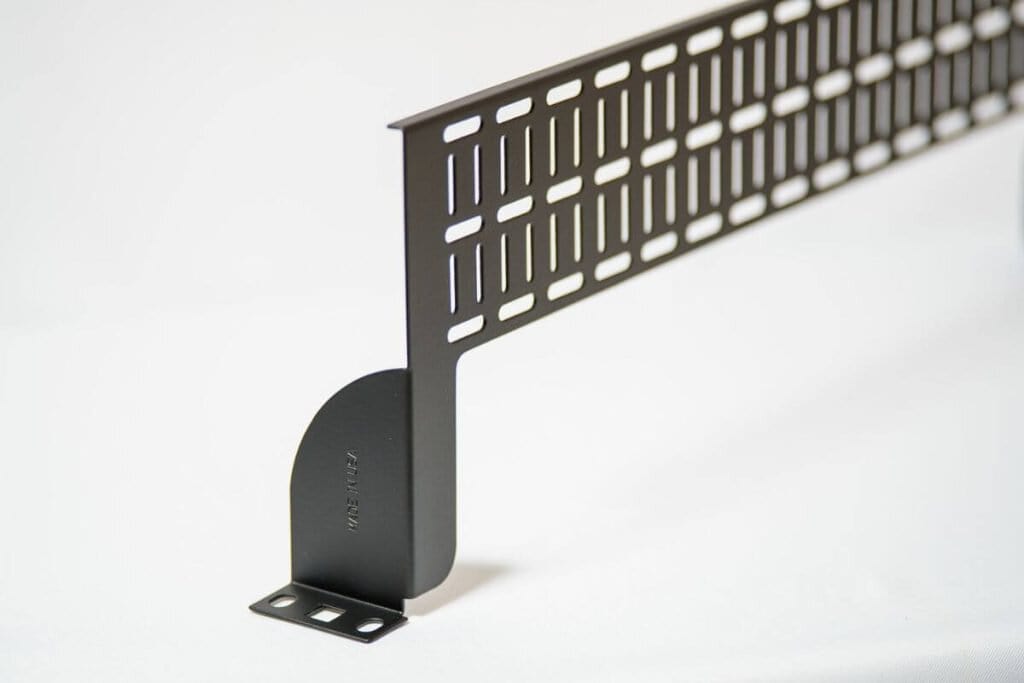
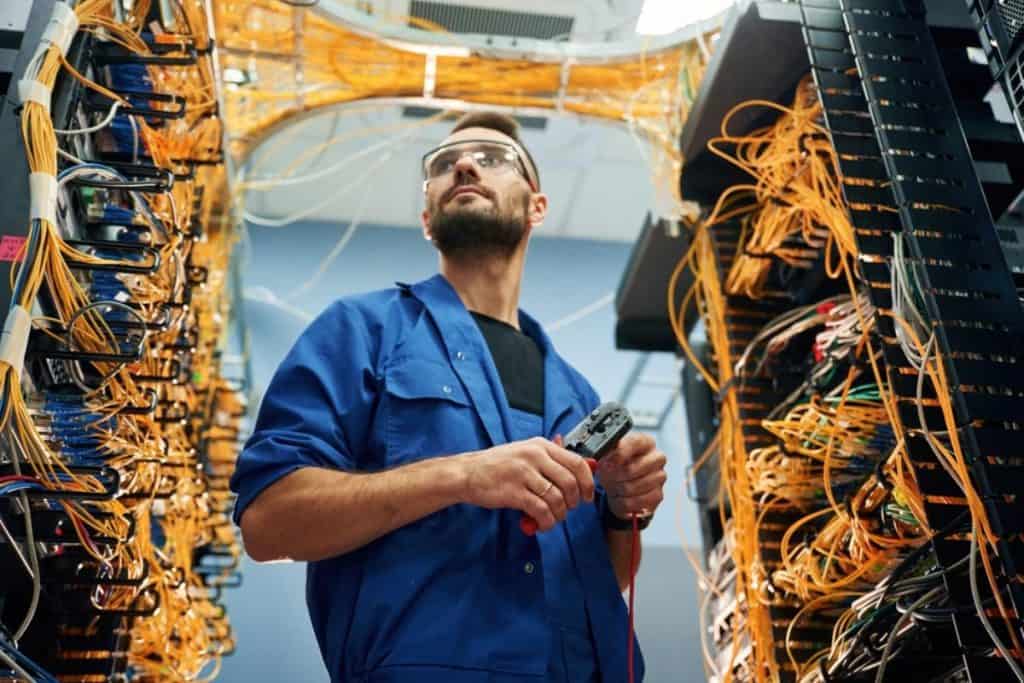
Featured image of AnD Cable Horizontal Zero U Cable Manager

The Difference Between 1U and 100U

Within a single rack, 1U rarely appears significant enough to influence broader planning decisions. The challenge is that data center infrastructure is built around repeatable standards.

A rack configuration designed for one cabinet may eventually be deployed across an entire row, room, or facility. When every rack follows the same layout, every inefficiency in that layout is also repeated.

If one rack sacrifices 1U, the effect is minimal. Across 10 racks, that becomes 10U. Across 50 racks, it becomes 50U. Across 100 racks, the cumulative loss reaches 100U.

For comparison, a standard 42U cabinet provides 42 rack units of vertical mounting capacity. In purely spatial terms, 100U represents more than two complete racks of potential mounting space.

Real-world capacity planning is more complex, of course. Power availability, cooling, weight, redundancy, airflow, and serviceability determine how much equipment can actually be installed. Still, the underlying principle remains important: rack space is finite, and every U allocated to passive infrastructure is unavailable for servers, switches, storage, or other active hardware.

The more useful question is therefore not whether 1U matters. It is how many times that 1U is being repeated.

Traditional Cable Management Has a Physical Cost

Horizontal cable managers serve an important purpose. They provide structured routing, reduce cable clutter, and make patching and maintenance easier.

The issue is not whether cable management is necessary. It is whether that cable management needs to consume dedicated rack units.

Conventional horizontal cable managers are commonly mounted between active devices. Depending on the rack configuration, several may be installed throughout a single cabinet. Each one occupies space that could otherwise be available for equipment.

In lower-density environments, this tradeoff may be relatively easy to absorb. As rack density increases, however, that available space becomes progressively more valuable.

Modern data centers are being asked to support more compute, faster networking, greater power density, and increasingly complex equipment configurations within the same physical footprint. Under those conditions, preserving rack capacity becomes part of the broader efficiency discussion.

That is where Zero U cable management offers a different approach.

What a Zero U Cable Manager Changes

A Zero U cable manager is designed to provide structured cable routing without requiring a separate rack unit solely for cable management.

Instead of dedicating additional U-space between equipment, Zero U solutions allow cable management to be integrated alongside the active device or positioned outside the conventional equipment mounting area.

This allows the rack to perform two functions at once: maintain organized cabling while preserving more of its vertical capacity for active hardware.

For one cabinet, the improvement may appear modest. Across a large deployment, the cumulative effect can become significant.

AnD Cable Products’ Zero U Cable Managers are designed around this principle. Depending on the rack configuration, they can help recover up to 30% of rack real estate that may otherwise be consumed by conventional cable management.

The value is not simply the space saved by one manager. It is what happens when the same space-saving approach is applied consistently across dozens or hundreds of cabinets.
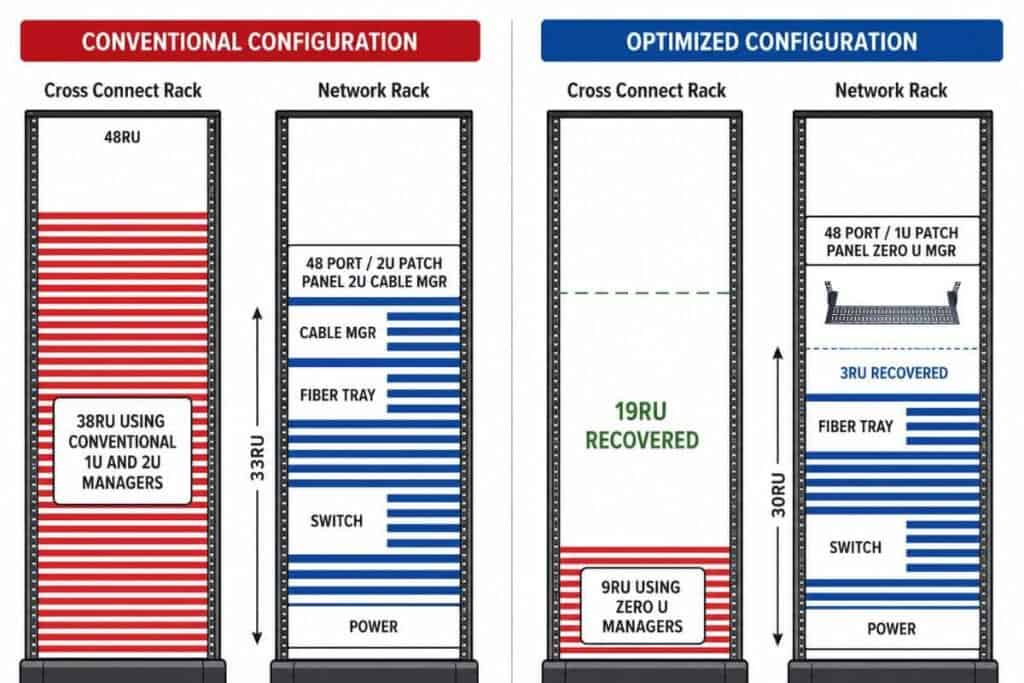
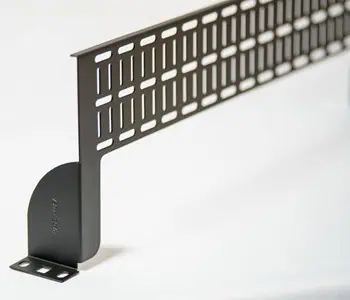
Horizontal Zero U Cable Manager shows how much rack unit it can recover

Zero U Cable Management Becomes More Valuable at Scale

A useful way to evaluate Zero U cable management is to separate the rack-level benefit from the facility-level benefit.

At the rack level, the objective is straightforward: preserve usable U-space while maintaining organized cable pathways.

At the facility level, the potential impact is larger. Recovering space across many racks may allow a deployment to use fewer cabinets, provide additional room for future equipment, or extend the useful capacity of an existing data hall.

This is particularly important because the real cost of adding capacity is rarely limited to the price of the rack itself. Another cabinet can also require floor space, power distribution, network connections, cabling, cooling capacity, installation labor, and ongoing maintenance.

If better rack utilization allows even part of that expansion to be postponed, the value of the recovered U-space extends well beyond the cabinet.

This is why Zero U rack cable management should be viewed as more than a housekeeping improvement. In the right environment, it becomes part of capacity planning.

Higher Density Still Requires Good Infrastructure

Recovering rack space does not mean that every available U should automatically be filled.

Higher rack density increases power concentration, heat output, cable volume, equipment weight, and maintenance complexity. Any move toward denser deployments must therefore be supported by appropriate cooling, power distribution, airflow management, structured cabling, and operational procedures.

Cable management becomes more important, not less, as density increases.

A properly designed horizontal Zero U cable manager should preserve cable organization while keeping pathways accessible and reducing unnecessary congestion. Technicians still need to be able to trace connections, replace equipment, perform adds and changes, and access devices without disturbing unrelated cables.

The goal is not maximum density at any cost. The goal is to recover space without compromising serviceability.

That distinction matters. Capacity is only useful when the infrastructure remains manageable.
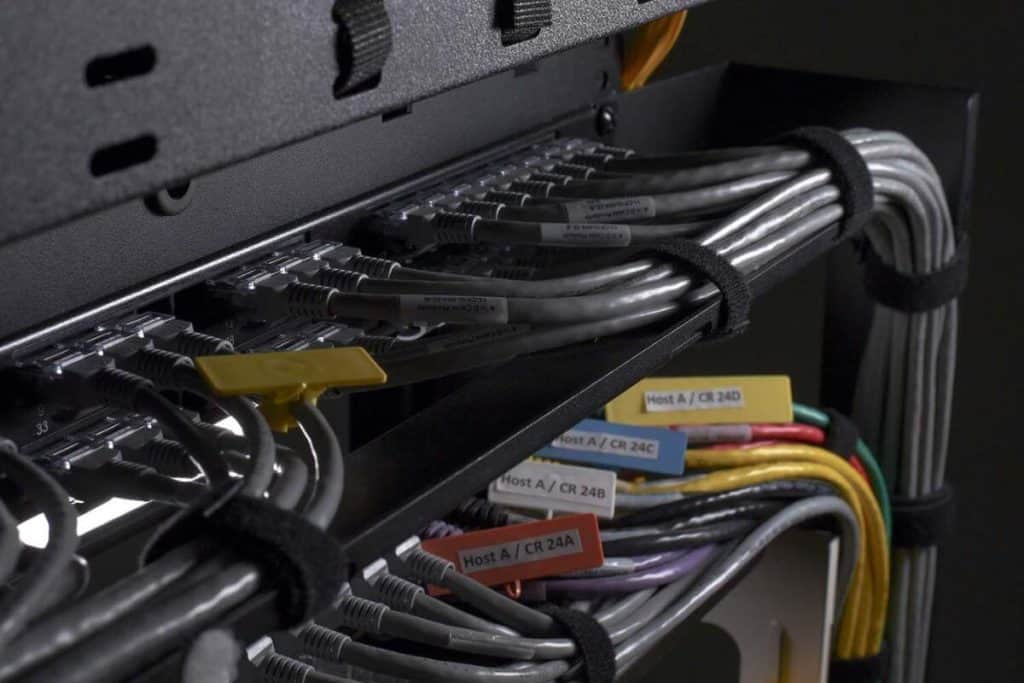
Horizontal Zero U Cable Management in real data center setting

Small Improvements Become Significant When Repeated

Data center planning naturally focuses on large numbers: megawatts of power, thousands of square feet, hundreds of racks, and millions of dollars in capital investment.

Yet some of the most effective optimization opportunities begin with much smaller measurements.

One rack unit is a good example.

Within a single cabinet, it is unlikely to change the economics of a facility. Across 100 cabinets, however, that same 1U becomes 100U. If multiple rack units can be recovered within each cabinet, the difference grows considerably.

This is the broader lesson behind Zero U cable management. Its value comes from eliminating a small recurring use of space and multiplying the benefit across the deployment.

The improvement happens one rack at a time, but the result should be measured at the facility level.

Horizontal Zero U RackOrganizer for High-Density Servers

Look at the Rack Before Adding Another One

When evaluating existing rack configurations, data center teams should look beyond whether the current equipment simply fits.

They should also consider how much of each rack is being consumed by supporting infrastructure and whether some of that space can be recovered without compromising operations.

If conventional cable management is occupying dedicated U-space throughout a facility, a Zero U cable manager provides an opportunity to reconsider that layout.

For AnD Cable Products, this is the practical value of Zero U cable management: organize the cabling without automatically giving up the rack capacity that supports future growth.

One rack unit by itself is not much.

Across 100 racks, it is 100U of space.

At that point, it is no longer just a cable management decision. It is a capacity decision.

Frequently Asked Questions

What is a Zero U cable manager?

A Zero U cable manager organizes and routes network or power cables without requiring a separate rack unit solely for cable management. This helps preserve more usable vertical rack space for active equipment.

What is Zero U cable management?

Zero U cable management is an approach to organizing cables while minimizing or eliminating the dedicated U-space traditionally consumed by horizontal cable managers. It can help improve rack utilization while maintaining structured cable pathways.

How much space can a Zero U cable manager recover?

The amount depends on the existing rack configuration and the number of conventional cable managers being replaced. AnD Cable Products’ Zero U Cable Managers are designed to recover up to 30% of rack real estate in suitable configurations.

Why does losing 1U matter in a large data center?

Losing 1U in one rack has limited impact. Losing 1U across 100 racks results in 100U of unavailable mounting capacity, which is more than the vertical space provided by two standard 42U racks.

Does Zero U cable management support higher rack density?

It can help preserve additional rack units for equipment, which may support denser configurations. However, increased density must still be supported by sufficient power, cooling, airflow, structural capacity, cable routing, and maintenance access.

About the Author

Louis Chompff - Founder, AnD Cable Products, Rack and Cable ManagementLouis Chompff – Founder & Managing Director, AnD Cable Products
Louis established AnD Cable Products – Intelligently Designed Cable Management in 1989. Prior to this he enjoyed a 20+ year career with a leading global telecommunications company in a variety of senior data management positions. Louis is an enthusiastic inventor who designed, patented and brought to market his innovative Zero U cable management racks and Unitag cable labels, both of which have become industry-leading network cable management products. AnD Cable Products only offer products that are intelligently designed, increase efficiency, are durable and reliable, re-usable, easy to use or reduce equipment costs. He is the principal author of the Cable Management Blog, where you can find network cable management ideas, server rack cabling techniques and rack space saving tips, data center trends, latest innovations and more.
Visit https://andcable.com or shop online at https://andcable.com/shop/

Posted on

What Happens When Nobody Knows Which Cable Is Which?

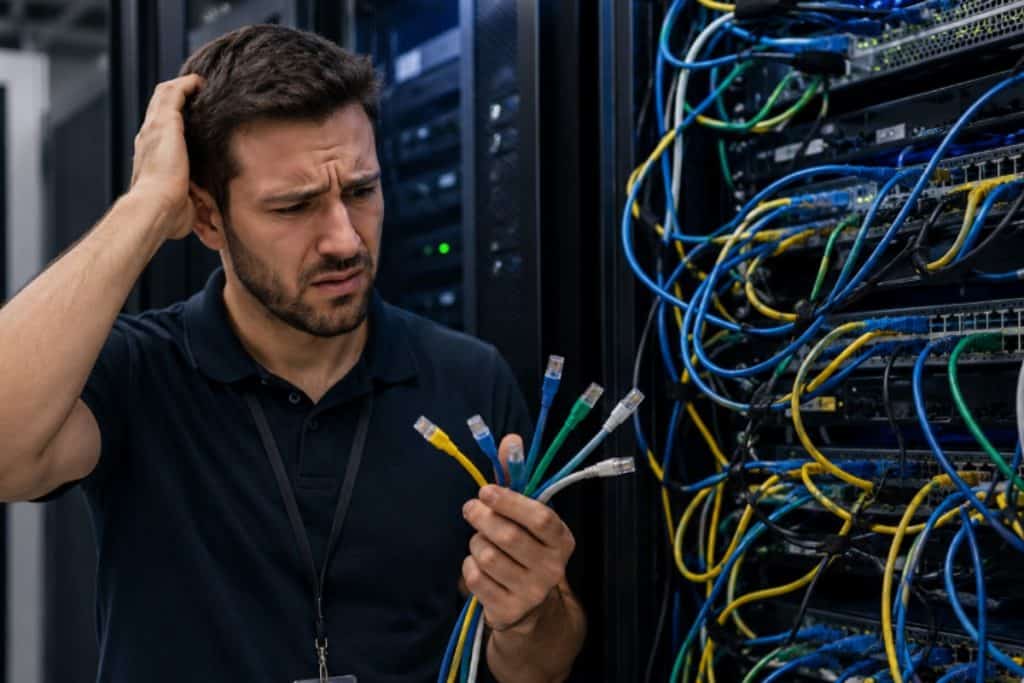
Data center technician (confused) working on network cables without labels - featured image

A data center problem does not always start with a failed switch, a bad port, or a damaged cable. Sometimes it starts with a simple question:

Which cable is this?

That question seems small until the team is working inside a crowded rack, the maintenance window is closing, and five cables look almost identical. One cable leads to a production system. Another connects to backup infrastructure. Another was supposed to be removed months ago but never was. The documentation is close, but not fully updated. The labels are faded, missing, or too vague to be useful.

Now the technician has to choose between tracing everything manually or trusting incomplete information.

Neither option is ideal.

In modern data centers, cable identification is not just a housekeeping issue. It affects troubleshooting speed, uptime, maintenance confidence, and operational efficiency. When nobody knows which cable is which, even simple work becomes slower, riskier, and more expensive.

That is why cable labels deserve more attention than they usually get.

Data center technician (confused) working on network cables without labels

Key Takeaways

  • Poor cable identification increases troubleshooting time, maintenance risk, and operational confusion.
  • Different environments need different cable label solutions, from quick write-on tags to standardized printed systems.
  • The best cable labeling system is the one that makes the right cable easy to identify, trace, and service when it matters most.

The Real Cost of Poor Cable Identification

Most teams do not notice labeling problems when everything is running smoothly. The issue appears during change, maintenance, troubleshooting, or emergency response. That is when the rack has to tell the truth.

If the cable environment is clear, the team can move quickly. If it is not, the team loses time.

Poor cable identification can lead to:

  • Longer troubleshooting windows
  • Accidental disconnections
  • Slower moves, adds, and changes
  • More dependence on senior technicians
  • Higher risk during maintenance
  • Confusion between production, backup, management, and test connections
  • Documentation that no longer matches the physical rack

The problem is rarely the cable itself. The problem is knowing which cable is the cable.

This becomes more important as network environments grow denser. High-speed network cables, DAC network cable deployments, fiber connections, power cable labels, and management connections can all occupy the same rack space. Without clear identification, technicians are forced to slow down and verify manually.

That may sound careful, and sometimes it is. But in a live data center environment, every extra minute matters.

Cable Labeling Is Really About Confidence

Good cable labeling gives technicians confidence.

It tells them what they are looking at before they touch anything. It reduces the need to guess. It makes work easier for the next person who opens the rack, not just the person who installed the cable.

That matters because data center work is rarely done under perfect conditions.

Maintenance windows are short. Systems are critical. Teams may be working at night or under pressure. Multiple technicians may touch the same environment over time. Hardware may change, but the cable path remains.

When cable labels are clear, consistent, and easy to follow, routine work stays routine.

When labels are missing or inconsistent, routine work becomes investigative work.

That is where operational friction begins.

Not All Cable Labels Solve the Same Problem

The phrase “cable labels” sounds simple, but not every label is built for the same use case.

Some environments need fast write-on identification because cables change frequently. Others need reusable snap-on labels for consistent organization across many racks. Some need printed labels for standardized documentation and compliance. In larger projects, teams may need a complete labeling system that supports both accuracy and speed.

So the better question is not:

What is the best cable label?

The better question is:

What type of cable label works best for this environment?

That distinction matters.

A lab rack, a high-density production rack, a new data center build, and a structured enterprise deployment may all need cable identification. But they do not always need the same labeling approach.

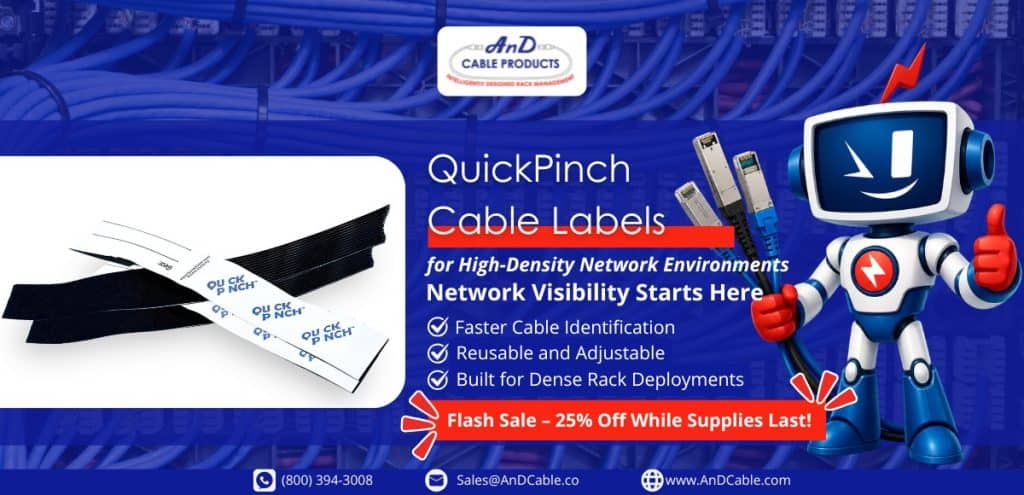
QuickPinch Cable Labels: Best for Fast Identification and Frequent Changes

QuickPinch Cable Labels are a strong fit for environments where speed, flexibility, and reuse matter.

These reusable, write-on Velcro tags allow technicians to write identification details directly onto the label, then secure it around the cable or cable group. There is no need for adhesive, special tools, or complicated wrapping steps.

That makes QuickPinch especially useful in environments where the cable layout changes often.

QuickPinch cable labels - 25% off

QuickPinch works best for:

  • Temporary network connections
  • Lab and staging environments
  • Frequent moves, adds, and changes
  • Fast troubleshooting situations
  • High-density racks that need quick visibility
  • Teams that need simple reusable cable labels
  • Cable groups that need to be identified without permanent labeling

In these environments, the goal is not always to create a polished permanent label. The goal is to make the cable easy to identify now.

That is a valuable difference.

A technician may need to mark a temporary connection during testing. A team may need to identify a cable group during a migration. A rack may be changing faster than printed labels can keep up. In those situations, QuickPinch gives teams a practical way to reduce confusion without slowing the work.

QuickPinch is especially useful when the environment is dynamic, but the need for clarity is immediate.

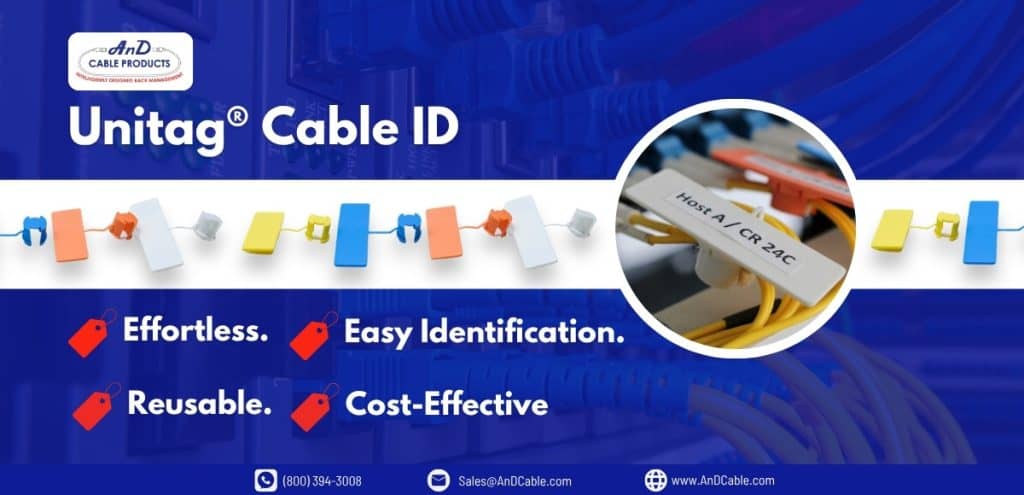
UniTag Cable Labels: Best for Structured, Reusable Identification

UniTag Cable Labels are better suited for teams that want a more consistent and structured cable identification system.

The snap-on, snap-off design makes UniTag useful for identifying virtually any cable size or cable group. It also helps reduce the need for traditional flag ties, which can snag, clutter the rack, or become difficult to follow in dense environments.

UniTag is a strong option when visibility and long-term organization matter.

Unitag cable labels for versatility and quick use

UniTag works best for:

  • Long-term cable identification
  • Color-coded cable runs
  • Large data center deployments
  • Cable groups that need visual separation
  • Teams reducing clutter from traditional flag ties
  • Environments that need reusable labels without adhesive residue
  • Network cable label systems that need to remain readable over time

Because UniTag is available in color-coded options, it can also support teams that use visual organization to separate different cable types, infrastructure zones, or operational categories.

For example, a team may use different colors for network, storage, management, or power-related identification. This can make the rack easier to understand at a glance, especially when combined with a clear internal labeling standard.

If QuickPinch is about fast field flexibility, UniTag is about repeatable structure.

It gives teams a cleaner way to identify cables while keeping the rack easier to read and maintain.

LW-PX700 Starter Bundle: Best for Printed, Standardized Labeling

Some environments need more than handwritten identification.

For new builds, large projects, and documentation-heavy environments, printed labels can provide a level of consistency that handwritten labels cannot always match.

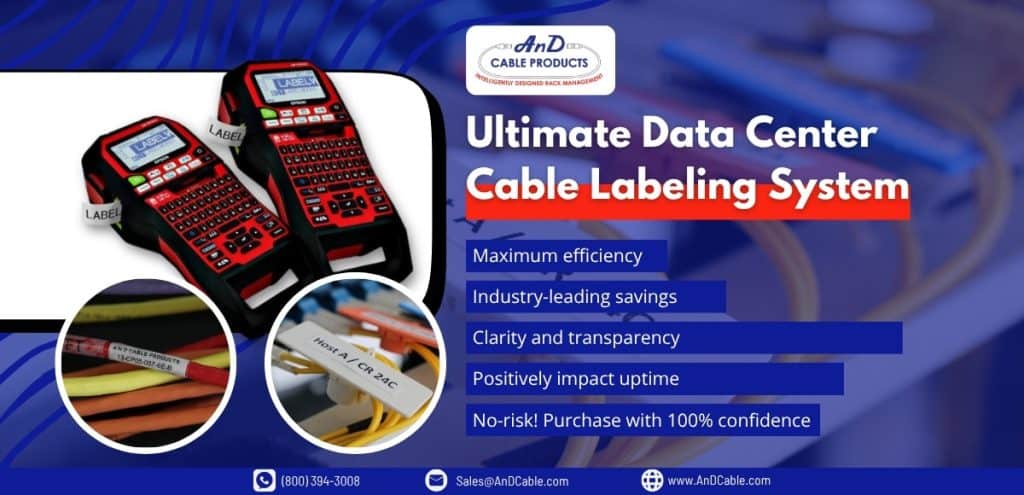
The LW-PX700 Starter Bundle combines Epson LabelWorks PX printing with UniTag reusable cable labels. This gives teams a complete cable labeling system that supports clear, consistent, and professional identification.

This type of system is useful when multiple technicians are working across the same infrastructure and labeling needs to remain consistent from rack to rack.

Ultimate Data Center Cable Labeling System

The LW-PX700 Starter Bundle works best for:

Printed labels reduce ambiguity. They help ensure that cable information is readable, consistent, and aligned with documentation practices.

That matters when infrastructure needs to be maintained over years, not days.

In a larger data center, it is not enough for the installer to understand the label. The next technician, the next shift, and the next project team need to understand it too.

That is where printed labeling systems provide real value.

Power Cable Labels Deserve Attention Too

Network cables usually get most of the attention because they are directly tied to connectivity and performance.

But power cable labels matter just as much.

In high-density racks, power paths can become difficult to follow. Redundant power feeds, A and B circuits, PDUs, and equipment-level connections all need clear identification. If a technician cannot quickly identify the correct power cable, the risk of service interruption increases.

The same rule applies:

If the cable matters, the label matters.

Power cable labels should be clear, durable, and easy to trace. They should help teams distinguish between sources, equipment, circuits, and redundancy paths. In some environments, color-coded labeling can provide an additional layer of visibility.

A well-labeled power environment supports safer maintenance and better operational control.

Matching the Label to the Job

The best cable label is not always the most advanced one.

It is the one that fits the work.

Here is a simple way to think about it:

RequirementBest Fit
Fast, reusable, write-on identificationQuickPinch Cable Labels
Frequent cable changesQuickPinch Cable Labels
Temporary or staged connectionsQuickPinch Cable Labels
Reusable snap-on labels for structured identificationUniTag Cable Labels
Color-coded cable runsUniTag Cable Labels
Large-scale cable organizationUniTag Cable Labels
Printed labels for standardized documentationLW-PX700 Starter Bundle
New builds or major relabeling projectsLW-PX700 Starter Bundle
Multi-technician environmentsLW-PX700 Starter Bundle
Documentation-heavy infrastructureLW-PX700 Starter Bundle

The goal is not labeling for the sake of labeling.

The goal is making the environment easier to understand when it matters most.

When a technician opens a rack during a maintenance window, there should be no guessing. The right cable should be easy to identify, easy to trace, and easy to service.

That is where a practical cable labeling system pays off.

What Happens When Labels Are Missing?

When labels are missing, vague, or inconsistent, the rack stops being self-explanatory.

A technician may have to trace cable paths manually. They may need to check documentation, then verify it physically. They may need to involve another team member who remembers the original installation. If the environment has changed over time, even that memory may no longer be reliable.

This is how small inefficiencies become operational delays.

One unclear cable may not seem like a major issue. But multiply that by dozens of racks, hundreds of cables, and multiple technicians over several years, and the cost becomes obvious.

Poor labeling creates a hidden tax on every maintenance task.

It takes time.
It adds risk.
It slows down decision-making.
It makes the environment harder to trust.

That is why cable labeling should be treated as part of data center cable management, not as an afterthought.

The Right Labeling System Supports the Whole Team

A good cable labeling system does not just help the installer. It helps everyone who touches the environment later.

It helps the technician troubleshooting a connection at 2 AM. It helps the project team upgrading network equipment. It helps the manager trying to reduce maintenance risk. It helps the next contractor who needs to understand the rack without starting from zero.

Good labeling creates continuity.

That is especially important in data centers where infrastructure evolves constantly. Equipment changes. Workloads shift. Network cable management practices mature. Documentation gets updated. Teams rotate.

The label is one of the few things that stays with the cable.

That makes it valuable.

Where AnD Cable Products Fits In

AnD Cable Products provides cable labeling solutions designed for real data center work.

QuickPinch Cable Labels support fast, reusable, write-on identification for environments that change frequently. UniTag Cable Labels provide reusable snap-on identification for structured, long-term organization. The LW-PX700 Starter Bundle combines printed labeling with UniTag labels for teams that need standardization, accuracy, and documentation control.

Each product serves a different need, but the purpose is the same:

Make cable identification easier.

Because when teams can identify cables quickly, they can troubleshoot faster, reduce mistakes, improve visibility, and keep infrastructure easier to maintain.

That is the real value of cable labels.

They do not make the network faster.

They make the network easier to manage.

And in a data center, that can make all the difference.

Frequently Asked Questions

What is the best cable label for data centers?

The best cable label depends on the environment. QuickPinch Cable Labels work well for fast-moving or temporary environments. UniTag Cable Labels are better for reusable, structured identification. The LW-PX700 Starter Bundle is best for printed, standardized labeling across larger deployments.

Why are cable labels important in data centers?

Cable labels help teams identify, trace, and service cables quickly. In data centers, good labeling reduces troubleshooting time, lowers the risk of wrong-cable mistakes, and supports better network cable management.

What is a network cable label?

A network cable label identifies a network cable, cable group, connection, or endpoint. It helps technicians understand where the cable goes, what it connects to, and how it should be handled during maintenance or troubleshooting.

Are reusable cable labels better than adhesive labels?

Reusable cable labels are better for environments where cables are frequently changed, moved, or reassigned. Adhesive or printed labels may be better for permanent infrastructure where consistency and documentation are the priority.

What cable labeling system works best for large data center projects?

For large data center projects, a printed and standardized labeling system is often best. The LW-PX700 Starter Bundle is a strong fit because it combines printed labels with reusable UniTag Cable Labels for clear, consistent identification.

About the Author

Louis Chompff - Founder, AnD Cable Products, Rack and Cable ManagementLouis Chompff – Founder & Managing Director, AnD Cable Products
Louis established AnD Cable Products – Intelligently Designed Cable Management in 1989. Prior to this he enjoyed a 20+ year career with a leading global telecommunications company in a variety of senior data management positions. Louis is an enthusiastic inventor who designed, patented and brought to market his innovative Zero U cable management racks and Unitag cable labels, both of which have become industry-leading network cable management products. AnD Cable Products only offer products that are intelligently designed, increase efficiency, are durable and reliable, re-usable, easy to use or reduce equipment costs. He is the principal author of the Cable Management Blog, where you can find network cable management ideas, server rack cabling techniques and rack space saving tips, data center trends, latest innovations and more.
Visit https://andcable.com or shop online at https://andcable.com/shop/
Posted on

Data Center Efficiency in the Next Phase: Fixing What Was Built Too Fast

Newly built site to show how fast the data center industry is growing - Featured Image

Over the past few years the data‑center industry has raced to keep up with the explosive demand created by artificial‑intelligence (AI) workloads and cloud adoption. Hyperscalers, colocation providers, and enterprise operators all had the same marching orders: build capacity quickly, get it online, and sort out the details later. That frenetic pace delivered the gigawatts of compute that generative AI demanded but at the expense of data center efficiency. 

Today, those hastily built sites continue to run workloads, yet day‑to‑day operations tell a different story. From hidden energy costs to creeping maintenance complexity, friction is emerging even when nothing has technically “failed.” 

This article outlines why the next phase of data‑center growth is about optimization rather than expansion. It explains how decisions made in the rush to build now manifest as operational inefficiencies, explores where those problems surface first, and discusses how data‑center managers can recover capacity, improve performance, and lower costs. It also incorporates recent industry data showing how AI-driven demand and higher rack densities are stretching existing facilities. 

By the end you’ll see why speed built the data center, but optimization will make it sustainable.

Key Takeaways

  • Rapid data center expansion creates hidden inefficiencies that compound over time, even when nothing appears broken.
  • High-density racks amplify small issues, especially in cable management and airflow, making operations harder.
  • The next phase of growth is not expansion, but improving data center efficiency through optimization.
Newly built site to show how fast the data center industry is growing

Why the Rush? AI and Rapid Construction

The AI boom caught many operators off guard. In 2025 70% of new data‑center capacity growth was driven by AI needs. Generative models require extraordinary compute, and hyperscale cloud providers scrambled to deploy clusters of GPUs and accelerators. Traditional construction methods – piecemeal rack deployment, on‑site builds, sequential permit approvals – could not keep pace. 

According to industry surveys, 94% of data‑center operators reported shortages of experienced construction teams and 80% noted that key equipment lead times had increased, with one‑third of those delays stretching longer than twelve weeks. Shortages of skilled labor, supply‑chain constraints, and a race to secure grid capacity pushed teams toward rapid build‑outs.

Hastily built facilities did succeed in bringing compute online. Systems turned on, workloads ran, and customers saw the capacity they needed. But the unintended consequences of speed are now surfacing in the form of data center inefficiency and complexity. 

Infrastructure has memory; decisions made during rushed construction persist for years. Improvised cable routing, oversized cooling equipment, and minimal documentation may not cause immediate outages, yet they slowly erode performance and margin. Recognizing these hidden costs is the first step toward the next phase of data‑center management: data center optimization.

The Hidden Cost of Speed

From the outside, a fast‑built data center looks fine. Servers hum, network packets flow and workloads complete. Internally, however, small inefficiencies compound:

  • Troubleshooting takes longer. Without clear cable organization, technicians spend more time identifying circuits and tracing connections. A poorly designed or unmanaged cabling system increases latency, raises the risk of downtime, and makes troubleshooting complex.
  • Routine changes slow down. Moves, adds and changes that could be simple require coordination because patch panels are full or documentation is missing.
  • Cooling costs rise. High‑density racks built without adequate airflow planning force cooling equipment to work harder. Industry estimates show that cooling systems account for roughly 30% – 40% of total data‑center energy consumption. In legacy facilities, cooling often contributes 40% or more of total facility energy use.
  • Energy efficiency suffers. The average power‑usage effectiveness (PUE) across data centers globally is more than 1.57, yet high‑efficiency sites target 1.2 – 1.3. Without intentional airflow management, much of the energy pumped into cooling never reaches the IT load.

At the core of these issues is cabling and airflow. According to ANSI/TIA-606-B Standard, a cabling and cable labeling guide, experts noted that a poorly designed cabling system leads to increased latency, higher risks of downtime, troubleshooting complexity and limited scalability. Conversely, businesses that invest in structured and professionally managed cabling improve operational efficiency, reduce costs and support future technologies. These hidden costs of speed reveal themselves gradually; there is no dramatic failure, only a steady reduction in efficiency.

What “Breaking” Actually Looks Like

Data‑center infrastructure rarely fails catastrophically. Instead, it degrades. Messy cable paths restrict access and mask labeling. Airflow becomes uneven as cables block vents and impede exhaust. Operators lose visibility of which connections feed which devices. That degradation manifests in several ways and severely affects data center efficiency:

  • Airflow mismatch. Studies show that 61% of airflow in legacy sites is not properly utilized. Bypass air and lack of containment create hot spots, requiring cooling equipment to run harder while still failing to prevent thermal issues. 
  • Wasted energy. Oversized or inflexible cooling equipment wastes power because systems are sized for peak loads rather than actual operating conditions. Without real‑time controls, fans and pumps run at full speed even when load drops.
  • Compounded inefficiency at high density. Rack power density has risen from 2–5 kW per rack a decade ago to 30–50 kW per rack in high‑performance clusters, and near‑future deployments exceed 100 kW per rack. In these environments, even small inefficiencies quickly scale into big problems. An obstructed cable bundle that disrupts airflow can cause a 50 kW rack to throttle or overheat.

These issues do not create immediate downtime but they make everyday operations harder. Technicians spend more time navigating cable mazes, risk accidental disconnections, and face unpredictable thermal profiles. As one operations lead put it, “nothing fails overnight—it just gets harder every day.”

Data center efficiency is down because of poor optimization

Where Problems Show Up First

The first signs of friction appear inside the rack. High‑density compute nodes pack dozens of servers, accelerators, and storage devices into a single cabinet. With AI workloads pushing densities beyond 30 kW per rack, cable counts increase dramatically. Each server needs multiple power feeds, network uplinks and management connections. Without clear structure, complexity escalates:

  • Disrupted airflow: Cable bundles block the front of servers and create “air dams,” preventing cold air from reaching critical components. Using cable managers ensures clean installations with adequate gaps for airflow, but hurried installations often disregard cable management altogether.
  • Restricted access: Tangled cables restrict technicians’ ability to remove or service equipment. Unstructured cabling leads to messy bundles that complicate troubleshooting and increase the risk of accidental disconnections.
  • Reduced visibility: Without consistent labeling, it becomes difficult to trace circuits. Color‑coding cables and labeling both ends simplifies maintenance and troubleshooting.
  • Amplified inefficiency: In a low‑density rack, an obstructed cable might cause a minor temperature rise. In a rack drawing 40 kW, that same obstruction can cause equipment to throttle or even shut down. Density without management and optimization amplifies data center inefficiency.

This rack‑level complexity is often invisible to management dashboards. Thermal sensors may show high PUE or unusual temperature variance, but the root cause (messy cabling) is not captured by traditional monitoring tools. Recognizing that these issues start inside the rack is essential to addressing the hidden costs of speed.

The Tipping Point

Eventually every fast‑built facility reaches a tipping point. As AI workloads scale, operators realize that adding more racks or more power no longer yields proportional performance and may even result in reduced profits. Scaling further becomes harder than expected, costs rise, and performance becomes inconsistent. Meanwhile, sustainability targets loom: global data‑center energy consumption is expected to double by 2030, driven by AI workloads, edge computing and cloud infrastructure. High‑density facilities strain energy and water supplies and heighten corporate carbon footprints.

At this point, the conversation shifts from “how fast can we build?” to “how do we make this work better?” Operators who ignore the friction may face rising operating expenses, regulatory scrutiny and limited ability to deploy new workloads. Those who recognize the need to optimize can recover capacity, reduce energy costs and position themselves for sustainable growth. This tipping point marks the beginning of the next phase of data‑center management.

Data center efficiency in abstract form by man pointing a button with gears

What Teams Will Need Next to Achieve Improved Data Center Efficiency

Transitioning from rapid build‑out to sustainable operation requires a shift in mindset. Instead of focusing solely on new capacity, teams must prioritize optimizing existing data center infrastructure. Key elements include cabling, airflow, monitoring and strategic cooling investments.

1. Structured Cabling and Cable Management

A structured cabling system uses patch panels, consistent labeling, and standardized subsystems. While it requires more planning and upfront investment, it yields multiple long‑term benefits:

  • Faster troubleshooting and reduced downtime. Technicians can quickly identify connections without tracing cables manually.
  • Simplified moves, adds and changes. New devices can be added or replaced without disrupting adjacent circuits.
  • Improved airflow and cooling efficiency. Neatly routed cables clear front‑of‑rack airflow and reduce hot spots.
  • Better compliance with industry standards such as ANSI/TIA‑942, which helps meet regulatory and customer requirements.
  • Scalability for future technologies. Structured cabling accommodates new network speeds (e.g., 400 Gbps, 800 Gbps) and emerging optical interconnects without wholesale rewiring.

By contrast, unstructured cabling (point‑to‑point, ad hoc connections) may be cheaper initially but becomes expensive over time. Messy cables complicate troubleshooting, increase risk of accidental disconnections, limit scalability and drive higher maintenance costs. For organizations that prioritize growth, performance and efficiency, structured cabling is the foundation.

Best practices for cable management include:

  • Color‑coding cables for quick identification (e.g., power, network, storage).
  • Labeling both ends of every cable.
  • Following bend‑radius guidelines to prevent signal loss or physical damage.
  • Separating data and power cables to minimize electromagnetic interference.
  • Conducting regular cable audits to identify and remove unused or faulty connections.

These practices not only improve data center efficiency but also contribute to data center infrastructure efficiency by reducing wasted space and energy.

2. Recovering Rack Space with Zero U Cable Management

One of the most effective ways to improve density without adding more cabinets is to recover rack space. Traditional horizontal cable managers occupy 1U or more of vertical space in each rack. Zero U Cable Managers, offered by AnD Cable Products, mount outside the rack’s usable U‑space. 

By moving cable management to the side or rear of the cabinet, they recover up to 30% of rack real estate – the equivalent of adding a free rack for every three optimized racks. This recovered space can be used for additional servers, storage, or networking gear without expanding the facility footprint.

Recovered rack space translates directly into lower capital expenditures (fewer cabinets, fewer PDUs), reduced cooling load (because there is less equipment generating heat in a given footprint), and better airflow (since the front of the rack remains unobstructed). 

With Zero U Cable Managers, technicians also gain improved access for maintenance and can implement best practices such as color‑coded cables and labeling. In high‑density AI environments, recovering 30% of rack space can offset delays in procurement and reduce the need for additional data hall expansions.

Horizontal Zero U RackOrganizer for High-Density Servers

3. Airflow Management and Cooling Optimization

Thermal management is inseparable from cable organization. Dense racks produce more heat, and poor cable routing blocks airflow. Operators should adopt hot‑aisle/cold‑aisle containment strategies: alternating the orientation of racks and installing barriers to separate hot exhaust air from incoming cold air. 

According to ASHRAE, containment can reduce cooling energy by 15 – 20%. Proper containment also allows higher supply‑air temperatures, reducing the temperature difference across cooling coils and improving chiller efficiency. 

Beyond containment, modern cooling systems emphasize flexibility and real‑time control. Variable frequency drives (VFDs) and electronically commutated (EC) fans adjust speed based on load, yielding energy savings of 20 – 35%. Sensors that integrate with building‑management systems can modulate airflow dynamically and reduce fan energy by 25 – 35%[9]. 

Liquid‑cooling technologies, including rear‑door heat exchangers and direct‑to‑chip cooling, are 1,000 times more efficient than air at transferring heat. While liquid cooling requires careful design, it is crucial for racks exceeding 50 kW or 100 kW. Many operators deploy hybrid systems that combine air cooling, liquid cooling and free‑air economization to balance legacy infrastructure with emerging demands.

4. Monitoring and Real‑Time Visibility

Optimization does not stop at physical layout. Deploy data‑center infrastructure management (DCIM) tools that provide real‑time visibility into power, temperature, humidity and asset location. Modern DCIM platforms integrate with sensors and automatically map cables, power feeds and network connections. Coupled with structured cabling, this visibility allows operators to identify hot spots, stranded capacity and unused circuits quickly.

AI‑driven cable management tools are emerging as well. These systems detect, map and diagnose cable issues automatically. They can generate digital twins of cabling infrastructure and use machine learning to predict potential problems before they cause downtime. Integrating such tools into operations helps maintain data center energy efficiency and simplifies troubleshooting.

Looking Ahead: Optimization as Strategy

The next phase of data centers will not be defined by the speed of construction, but by how effectively operators optimize what they already have. Several trends make this shift inevitable:

  1. Energy and sustainability pressure. Cooling accounts for 30 – 40% of energy use, and global data‑center energy consumption is projected to double by 2030. Reducing PUE through airflow management and efficient cabling directly lowers energy bills and carbon emissions.
  2. Limited space and power. Grid capacity, real estate and skilled labor are constrained. Recovering 30% of rack space with Zero‑U Management often makes the difference between meeting AI demand or delaying deployment.
  3. Regulatory and customer scrutiny. Enterprises and hyperscalers face growing regulatory requirements to report energy efficiency and carbon intensity. Optimization measures like structured cabling and containment provide verifiable improvements.
  4. Cost control in uncertain markets. Macro‑economic factors and supply‑chain disruptions make capital spending unpredictable. Optimizing existing infrastructure yields immediate return on investment without multi‑million‑dollar expansions.

Operators who act now will stay ahead. They will treat cable management not as a cost centre but as a strategic tool for recovering capacity and enhancing data center optimization strategies. 

Speed Built the Infrastructure; Optimization Makes It Sustainable

The data‑center boom of the early 2020s was defined by speed. AI demand surged, capacity was scarce and everyone raced to build. That race delivered the compute that powers generative models and digital economies today. However, the hidden cost of speed is now evident in cable snarls, airflow bottlenecks and rising energy bills. Nothing has failed, yet operations are getting harder every day.

The next phase of data centers is therefore about fixing what was built too fast. It is about embracing structured cabling, recovering rack space, optimizing airflow and adopting intelligent cooling. It is about shifting the conversation from expansion to data‑center efficiency and data‑center energy efficiency. 

Operators who act early will recover capacity, lower costs and extend the life of their infrastructure. Those who delay will eventually reach the same conclusion, but with more pressure and less room to maneuver.

This is where the right infrastructure decisions start to matter. Working with partners like AnD Cable Products, teams can simplify cable management, recover valuable rack space, and improve airflow without expanding their footprint. Small changes in how cables are organized and managed can translate into measurable gains across performance, cooling, and operational clarity.

About the Author

Louis Chompff - Founder, AnD Cable Products, Rack and Cable ManagementLouis Chompff – Founder & Managing Director, AnD Cable Products
Louis established AnD Cable Products – Intelligently Designed Cable Management in 1989. Prior to this he enjoyed a 20+ year career with a leading global telecommunications company in a variety of senior data management positions. Louis is an enthusiastic inventor who designed, patented and brought to market his innovative Zero U cable management racks and Unitag cable labels, both of which have become industry-leading network cable management products. AnD Cable Products only offer products that are intelligently designed, increase efficiency, are durable and reliable, re-usable, easy to use or reduce equipment costs. He is the principal author of the Cable Management Blog, where you can find network cable management ideas, server rack cabling techniques and rack space saving tips, data center trends, latest innovations and more.
Visit https://andcable.com or shop online at https://andcable.com/shop/
FAQ

What is data center efficiency?

Data center efficiency refers to how effectively a facility uses power, space, and infrastructure to support IT workloads. It is commonly measured using metrics like Power Usage Effectiveness (PUE), but also includes airflow management, cable organization, and operational simplicity.


Why do fast-built data centers become inefficient?

When data centers are built quickly, decisions are made for speed rather than long-term performance. This often results in poor cable routing, limited airflow planning, and lack of structure, which create inefficiencies that compound over time.


How does cable management affect data center efficiency?

Cable management directly impacts airflow, accessibility, and troubleshooting speed. Poor cable organization can block airflow, increase cooling costs, and make maintenance more difficult, while structured cable management improves performance and operational clarity.


What are the first signs of inefficiency in a data center?

Common early signs include slower troubleshooting, inconsistent airflow, rising cooling costs, and increased difficulty in performing routine maintenance or changes within the rack.


How can data centers improve efficiency without expanding?

Efficiency can be improved by optimizing existing infrastructure. This includes better cable routing, reclaiming rack space, improving airflow, and implementing structured systems that make the environment easier to manage.


What role does rack density play in efficiency?

Higher rack density increases performance capacity but also amplifies inefficiencies. Without proper cable management and airflow planning, high-density environments become harder to cool, maintain, and scale.

Posted on

ANSI/TIA-606-B Explained: The Data Center Cable Labeling Standard That Keeps Chaos in Check

ANSI/TIA-606-B data center cable labeling standard

If you’ve ever pulled open a server cabinet only to find a nest of unlabeled cables staring back at you, you already know what chaos looks like in a data center. Unlabeled cables aren’t just messy; they’re costly. They slow troubleshooting, complicate upgrades, and introduce unnecessary downtime. That’s where ANSI/TIA-606-B Data Center Cable Labeling Standard comes in.

Think of it as the grammar rulebook for your data center’s cabling language. ANSI/TIA-606-B defines how every cable, rack, and port should be labeled and documented. The goal isn’t bureaucracy; it’s clarity. With the right labeling system, you can trace any connection in seconds instead of hours, keep your documentation airtight, and make your infrastructure truly scalable.

Let’s break down what this standard is, why it matters, and how it can bring long-term order to your infrastructure.


Key Takeaways

By the end of this article, you’ll know:

  • Understand the ANSI/TIA-606-B Data Center Cable Labeling Standard – what it is, why it matters, and how it streamlines data center cable documentation.
  • Learn the correct labeling procedures technicians use to stay compliant and reduce downtime.
  • Discover the Ultimate Data Center Cable Labeling System – the efficient, cost-saving way to label, identify, and manage cables.
ANSI/TIA-606-B data center cable labeling standard - featured image

What Is ANSI/TIA-606-B?

ANSI/TIA-606-B Data Center Cable Labeling Standard is the telecommunications industry’s standardized system for labeling and documenting all physical network infrastructure; from fiber links and copper cables to racks, outlets, grounding, and even firestops.

It was developed by the Telecommunications Industry Association (TIA) under the American National Standards Institute (ANSI) to ensure that every cable and connection in a network can be uniquely and consistently identified across facilities, contractors, and even international boundaries.

The 606-B revision built upon its predecessor, TIA-606-A, by integrating the data center–specific requirements from the TIA-942 standard and harmonizing them with ISO/IEC TR14763-2-1, the global reference for cable administration. 

The result was a single, flexible framework that works across:

  • Data centers
  • Commercial buildings
  • Industrial and healthcare environments
  • Residential and campus networks

In short, 606-B turns what used to be a local documentation headache into a unified, international language for cable management.

Its purpose is simple:

To make every component of your information transport system (ITS) traceable, documented, and easy to maintain throughout its lifecycle.

That means fewer hours spent chasing down cables, smoother moves/adds/changes, and a system that stays consistent no matter who’s maintaining it.


Key Elements of the ANSI/TIA-606-B Standard

The beauty of ANSI/TIA-606-B Data Center Cable Labeling Standard is that it takes what used to be an ad-hoc process (scribbled tags, color codes, and mental maps) and replaces it with a universal, repeatable system. Whether you’re managing a small server room or a multi-campus network, the standard adapts to your scale while keeping your documentation consistent. More importantly, new hires can quickly adapt to the existing system using this standard.

Here are the essentials that make it work:

Administration Classes: Four Levels of Organization

The 606-B standard divides cable management into four administration classes, based on the size and complexity of your facility:

  • Class 1: Single equipment room; simple setups, no backbone cabling.
  • Class 2: One building with multiple telecom rooms (TRs) and cabling subsystems.
  • Class 3: Multi-building campus with inter-building cabling and pathways.
  • Class 4: Multi-site or multi-campus enterprise systems with external connections.

Each level adds identifiers and records as complexity grows, ensuring scalability without confusion.

ANSI/TIA-606-B Class Organization

Labeling Structure: The Standardized Identifier

Every element in your cabling system – cables, racks, outlets, patch panels, even grounding points – receives a unique identifier.

A typical example looks like this:

AD02-40:02

Here’s what it means:

  • AD02 – Rack or cabinet grid coordinate
  • 40 – Patch panel position (rack units from the bottom)
  • :02 – Port number

This alphanumeric system ensures each endpoint is unmistakably traceable. 

For global compatibility, 606-B also allows optional ISO-style prefixes like + for location and = for function, making your records internationally readable.

Areas of Application

606-B Data Center Cable Labeling Standard doesn’t stop at horizontal or backbone links. It covers a wide range of infrastructure components, including:

  • Equipment rooms and telecom spaces
  • Cabling subsystems (1, 2, and 3)
  • Racks, cabinets, and patch panels
  • Grounding and bonding systems
  • Firestopping elements
  • Outdoor and inter-building pathways

This level of scope makes it suitable not only for data centers, but also for industrial and healthcare facilities where cable traceability is critical.

Documentation: The Unsung Hero

Labeling without documentation is like a map without a legend. Every identifier created under 606-B must be linked to a record (typically stored in a database or spreadsheet) containing information such as:

  • Cable type and length
  • Source and destination points
  • Connector and patch panel details
  • Installation or service notes

When properly maintained, these records allow anyone, even a new technician, to understand your network layout instantly, cutting troubleshooting time dramatically.

Together, these elements turn 606-B Data Center Cable Labeling Standard into more than a labeling guide. It’s a complete administrative framework, one that supports smarter growth, reduces human error, and ensures your data center remains clean, compliant, and ready for the future.


How to Label Cables Data Center and Document According to ANSI/TIA-606-B – Simplified Version

The ANSI/TIA-606-B standard gives technicians a uniform method to label, trace, and document every part of a cabling system. Follow these instructions to stay compliant:

A. Space and Rack Labeling

  1. Assign each telecommunications space a floor and room identifier — e.g., 1A for Floor 1, Room A.
  2. Identify racks or cabinets using grid coordinates (e.g., AD02) that match their floor grid position.
  3. Apply machine-printed labels to the top and bottom, front and rear of each rack or cabinet.
  4. Where grid coordinates aren’t used, label by row and rack number.

B. Patch Panel Data Center Cable Labeling Standard

  1. Label each patch panel with its rack coordinate and rack-unit position from the bottom.
    • Example: AD02-35 = Panel located at 35 rack units from the bottom of rack AD02.
  2. Where applicable, include the far-end patch panel identifier (e.g., AD02-35 p 01-06 to AG03-35 p 01-06).
  3. For sub-panels, use letters (A, B, C…) – omit I, O, Q to prevent confusion.
  4. Label both near-end and far-end ports whenever possible.

C. Port and Cable Labeling

  1. Use the standard identifier format: Floor/Space.Grid-Location-Rack-Unit:Port
    • Example: 1A.AD02-40:02 → Floor 1, Room A, Rack AD02, 40 RU position, Port 02.
  2. Horizontal (Subsystem 1) links:
    • Near End = AG09-35:01 / AJ06-35:01
    • Far End = AJ06-35:01 / AG09-35:01
  3. Label both ends of every cable –  connectors, faceplates, and MUTOA assemblies.
  4. Each link must have a unique identifier and, if used, optional ISO markers:
    • + = location aspect, = = function aspect (e.g., =XO for outlet).

D. Backbone Cabling (Subsystem 2 & 3)

  1. Identify both termination spaces and port ranges:
    • Example: 1A.AJ06-27:01 / 2A.AJ09-27:01
  2. For multi-building or campus sites, prefix with campus and building IDs:
    • A-ENG-1A.AJ06-27:01-06 / B-ADM-1A.AJ09-27:01-06.
  3. Each fiber or pair group must have its own unique identifier.

E. Special Components

  • Grounding/Bonding: Mark as Floor/Room = RGB# (e.g., 2A=RGB1/AJ05).
  • Firestops: Floor-FSL##(rating) → 2-FSL01(6) = 2nd Floor, Fire Stop 01, 6-hr rating.
  • Outside Plant: Identify maintenance holes or pedestals with campus code and GPS, e.g., LAX1-MH101(37.797413, -122.414925).

F. Color Coding (Optional) Data Center Cable Labeling Standard

If colors are used:

FunctionColorPantoneTypical Use
Demarcation PointOrange150 CCentral Office connection
Network ConnectionGreen353 CUser side of CO connection
Common EquipmentPurple264 CPBX, LAN, mainframe
Subsystem 3 TerminationsWhite– Building MC–IC
Subsystem 2 TerminationsGray422 CIC–HC connections
Campus CablingBrown465 CInter-building cables
Subsystem 1 TerminationsBlue291 CTelecom spaces
MiscellaneousYellow101 CSecurity, alarms
ANSI Cable Color Codes

G. Record Keeping

Every identifier must have a matching record that includes:

  • Identifier Code
  • Cable Type and Length
  • Source and Destination Locations
  • Connector Type / Patch Panel Info
  • Wiring Scheme and Service Data

Keep records in a spreadsheet, DCIM, or other digital database. Update immediately after every move, add, or change.


H. Labeling Best Practices

  • Use durable, machine-printed labels (no handwriting).
  • Label both ends of every connection.
  • Place labels where visible and protected from abrasion.
  • Match all physical labels with digital records.
  • Review regularly to ensure identifiers remain accurate.

Also, feel free to download a PDF version of ANSI/TIA-606-B data center cable labeling standard here.


Introducing the Ultimate Data Center Cable Labeling System

Cable Management Just Got More Economical, Efficient, and Robust

AnD Cable Products and Epson LabelWorks have teamed up to create the Ultimate Data Center Cable Labeling System – a professional-grade solution that makes it faster, easier, and more affordable to stay 606-B compliant.

Ultimate Data Center Cable Labeling System and Promo: Buy 5 Tapes; Get 1 Free

Here’s what powers it:

Together, these tools transform how you label, document, and maintain cables—turning every rack into an organized, easily traceable system.

Simply order 5 via the cart and include an Order Note at checkout specifying the type of tape you’d like for your free one.


Why Compliance with 606-B Data Center Cable Labeling Standard Matters

Cables might be small, but the costs of poor labeling aren’t. Following the ANSI/TIA-606-B data center cable labeling standard helps you maintain order, uptime, and safety, all without overcomplicating your workflow.

Here’s why it matters:

  • Faster troubleshooting – Find faults in seconds, not hours.
  • Reduced downtime – Organized cabling prevents costly errors during maintenance.
  • Scalability – Your system remains traceable as your facility grows.
  • Professional consistency – Anyone, anywhere, can understand your layout instantly.
  • Long-term savings – A one-time setup that keeps paying off with every move, add, or change.

Make Compliance Effortless

In today’s data centers, uptime isn’t just a metric; it’s the heartbeat of your operation. The ANSI/TIA-606-B Data Center Cable Labeling Standard gives you the structure; the Ultimate Data Center Cable Labeling System gives you the tools to implement it flawlessly.

With UniTag® reusable labels and Epson LabelWorks PX printers, you get labeling that’s fast, durable, and compliant – with savings built in every time you print.

FAQ

1. What’s the main goal of the ANSI/TIA-606-B standard?

To create a uniform labeling and documentation system so every cable, rack, and connection in your facility can be quickly identified and traced end to end. It is the data center cable labeling standard.

2. Is 606-B Data Center Cable Labeling Standard mandatory for data centers?

It’s not legally mandatory, but it’s the industry standard for professional-grade installations – especially for clients who demand uptime, traceability, and clean documentation.

3. What’s the difference between 606-B and 606-D?

606-D expands on 606-B Data Center Cable Labeling Standard by covering automated infrastructure management (AIM) systems and a wider range of building types, but 606-B remains the foundation for structured cable labeling.

4. How do UniTag® labels and Epson printers help with compliance?

They make labeling faster, clearer, and more durable – giving you 606-B–ready identifiers that last, while keeping costs down through reusable labels and tape-efficient printing.

5. Where can I order replacement label tapes or bundles?

You can shop directly at https://andcable.com/product-category/data-center-cable-labels/,  and don’t forget our Buy 5, Get 1 Free promo available for a limited time (promo ends on December 19, 2025).

About the Author – John Lester

John Lester - General Manager, AnD Cable Products

John Lester, General Manager at AnD Cable Products, brings a rich tapestry of IT and project management experience to the forefront of cable management solutions for data centers. His career, spanning over three decades, includes significant roles in IT project management and consultation with renowned companies. John served in the Marine Corps during Desert Storm. John’s journey in the tech world is further distinguished by his proficiency in advanced programming and systems expertise. 

His leadership at AnD Cable Products encapsulates a blend of innovation, strategic planning, and a relentless commitment to delivering excellence in the field of data center infrastructure.  John was with AnD Cable Products when Louis was designing his innovative Zero U cable management racks and Unitag cable labels, both of which have become industry-leading network cable management products. AnD Cable Products only offer products that are intelligently designed, increase efficiency, are durable and reliable, re-usable, easy to use or reduce equipment costs. He is the co-author of the Cable Management Blog, where you can find network cable management ideas, server rack cabling techniques and rack space saving tips, data center trends, latest innovations and more. Visit https://andcable.com or shop online at https://andcable.com/shop/
Posted on

Why AI Needs Data Centers—and What It Means for Industry Growth

Human figure representing AI, answering why does AI need data centers - featured image

Artificial Intelligence (AI) is reshaping the way organizations operate, from healthcare diagnostics and climate research to logistics optimization and autonomous vehicles. To achieve these transformative breakthroughs, AI relies on colossal amounts of data and massive computational power. These requirements, in turn, have propelled data centers to the forefront of technology infrastructure.

As new government directives promise to accelerate data center development, industry stakeholders stand at a pivotal point where strategic planning can unlock enormous potential. Below, we explore in depth why AI needs data centers, how evolving policy impacts this landscape, and how it all translates to significant growth opportunities for businesses and communities worldwide.


Key Takeaways

By the end of this article, you’ll know:

  • Why AI is highly dependent on data Centers.
  • How Government Policy Drives AI infrastructure growth
  • The challenges and opportunities presented by the growth in AI data centers
Human figure representing AI, answering why AI needs data centers

Why AI Relies on Data Centers

Artificial intelligence’s immense capabilities hinge on several critical infrastructural pillars provided by modern data centers:

Data-Crunching at Scale

At its core, AI requires processing massive datasets to learn, adapt, and make predictions – both during initial training and for real-time inference. Consider a self-driving car interpreting sensor data against millions of driving scenarios, or a medical AI analyzing billions of gene expressions. 

The computational intensity far surpasses typical office servers. Data centers provide the distributed computing horsepower—through racks of GPUs (Graphics Processing Units), specialized AI accelerators (like TPUs or NPUs), and robust networking—that makes large-scale data processing possible.

Training Complex Models

Machine learning, especially deep learning, is an iterative process involving feeding neural networks vast training data in multiple passes, refining the model with trillions of operations. Attempting this on standard machines is prohibitively slow and costly. Well-equipped data centers harness parallelization: hundreds or thousands of processors work simultaneously, dramatically shortening training times from months or years to days or hours, accelerating innovation cycles.

Low Latency and High Throughput

Many AI applications, particularly during inference tasks like real-time language translation or rapid fraud detection, demand split-second responses. Substantial latency can cause user dissatisfaction or mission-critical failures. Data centers house advanced networking to reduce response time while maintaining high bandwidth, and allow proximity of compute resources to large data repositories, cutting data travel time and improving throughput.

Security, Compliance, and Redundancy

AI models often involve sensitive data (healthcare records, defense intelligence). Housing these in professionally managed data centers ensures better physical and cyber security protocols (access control, firewalls) and facilitates adherence to stringent data governance and compliance regulations (like GDPR or HIPAA). Redundant power, cooling, and network connections further guarantee the uninterrupted service essential for complex computations and real-time applications.

Scalable Infrastructure

AI workloads fluctuate. A retail giant might need massive capacity one week and less the next. Data centers offer elastic resource allocation, letting organizations scale compute usage quickly. This flexibility prevents the high capital expenditure of overbuilding local infrastructure or the risk of under-resourcing projects, offering a more cost-efficient, usage-based model.

Collectively, these requirements for computational scale, intensive training, high-speed response, robust security, and flexible resource allocation make specialized data centers indispensable infrastructure for advancing and deploying modern AI.


Why Do AI Data Centers Need So Much Power?

The immense power appetite of AI data centers stems from a confluence of factors: the sheer intensity of computation, the consequent need for massive cooling, and the requirement for unwavering reliability.

Intensive Computing: Training cutting-edge AI algorithms involves countless matrix multiplications and vector operations—each GPU or AI accelerator can draw hundreds of watts of power under full load. Scaling up to entire racks or pods of these accelerators drives the total energy demand into the megawatt range. And that’s just for the compute layer. Controllers, switches, and high-performance storage arrays also need electricity to operate.

Cooling Complexities: All that processing power generates substantial heat, which must be dissipated to keep the hardware functioning optimally. Cooling systems—whether air-based, liquid immersion, or a combination—require additional energy. High-density setups can push data center designs to new thresholds, driving innovation but also necessitating ever more efficient environmental controls. Thermal mismanagement can degrade hardware or cause system failures, so data centers often run 24/7 air conditioning, advanced airflow designs, or even specialized refrigerants.

Ensuring Reliability: Part of why AI needs data centers is the promise of consistent, mission-critical uptime. Operating high-density servers in fail-safe configurations means carrying the electrical overhead for redundancy: backup power lines, uninterruptible power supplies (UPS), microgrids, and sometimes on-site generators. These layers of reliability also have their own power draw—albeit smaller, they add up in a facility with thousands of machines.

These factors – intense computational density, the subsequent heavy cooling load, and the essential energy overhead for reliability – compound each other, resulting in the extraordinarily high power requirements characteristic of modern AI data centers.

Data center and power consumption showing why do AI Data centers need so much power

Why Can’t We Just Run AI on Our PC?

Technically, you can run AI models on a powerful personal computer—especially if it’s loaded with a decent GPU or two. This works for smaller projects, experimentation, and learning the ropes. But as soon as you venture into advanced territory—like large-scale language models or high-resolution image processing—you’ll likely hit a wall. Training these sophisticated algorithms can require more memory and processing power than any typical PC can handle, not to mention the time it would take to churn through massive datasets.

Data Centers Fill the Gap

Data centers offer concentrated, industrial-grade computing horsepower—racks of specialized hardware and networks specifically built for heavy AI workloads. They ensure reliable power, industrial cooling, and near-seamless scalability. This means researchers and businesses can train or run huge AI models in hours or days rather than weeks or months. So while your PC can handle the basics, truly cutting-edge AI typically demands the robust, scalable environment only a data center can provide.


A Policy-Driven Growth Spurt: The Executive Order

Accelerating AI Infrastructure

In light of the increasing strategic importance of AI, the U.S. government has issued an AI data centers executive order aimed at bolstering domestic AI capacity. By designating federal lands where private-sector entities can build large-scale data centers, the government seeks to ensure national security, economic competitiveness, and the responsible expansion of AI infrastructure.

Clean Energy Commitment

Notably, the Executive Order mandates that any new AI-focused data centers constructed on federal sites be powered predominantly by new, clean energy projects. This component addresses concerns over escalating electricity usage and carbon emissions. Developers must match their data center’s entire electrical demand with clean energy generation, encouraging innovation in renewables, battery storage, and grid modernization.

Fast-Track Permitting and Grid Upgrades

Agencies like the Department of Energy (DOE) and the Department of Defense (DOD) are tasked with expediting site selection, environmental reviews, and permitting. The goal is to reduce red tape while maintaining environmental integrity. Alongside these streamlined processes, the government aims to enhance grid capacities—upgrading or building new transmission lines and substations to support energy-hungry AI operations without burdening local ratepayers.

Implications for Industry

Taken together, these policies signal a massive push for new data center construction, injecting significant capital into related sectors—engineering, construction, energy, and technology. Although large cloud providers are likely to lead initial deployments, a healthy ecosystem of smaller companies, suppliers, and specialized service providers will also emerge, creating a broader transformation in how data centers are conceived, built, and sustained.


Data Centers and AI: Opportunities and Challenges

Economic Expansion

The data center boom isn’t limited to silicon and servers; other industries and entire local economies can flourish from the influx of jobs, utility revenue, and infrastructure investments. Towns hosting new data centers often see improvements in roads, communications, and grid reliability, which can spur further economic activity.

Security Advantages

Domestic AI data centers reduce reliance on foreign infrastructure, a key advantage in strategic sectors like defense technology or critical AI research. Housing advanced models on home soil mitigates the risk of intellectual property theft or espionage, safeguarding national security interests.

Sustainability Goals

Balancing AI’s power-hungry nature with environmental stewardship is one of the biggest challenges facing the industry. However, aligning data centers with clean power targets—through solar, wind, geothermal, or even small modular nuclear reactors—can drive broader decarbonization efforts. Innovations in heat reuse, green building materials, and advanced cooling systems could further reduce the environmental footprint.

Regulatory Oversight and Ethical Concerns

As data centers become crucial for advanced AI training, policymakers may impose additional security or transparency measures—like model audits or national-security evaluations—particularly if these data centers host sensitive defense-related AI. Striking a balance between transparency and proprietary secrets will remain a delicate issue.


Optimizing Data Center Operations for AI Scalability and Efficiency

Beyond procuring powerful compute hardware, maximizing the efficiency and scalability of AI data centers hinges on meticulous operational practices. As AI workloads drive unprecedented rack density and power consumption, optimizing the physical infrastructure becomes critical. Key areas include:

Airflow Management

Dense AI hardware generates significant heat. Ensuring unobstructed airflow through effective layout design and disciplined cable management is crucial for efficient cooling, preventing hotspots, and reducing the energy burden of HVAC systems. Poor airflow directly translates to higher cooling costs and potential hardware degradation.

Space Utilization

Efficient use of rack space allows for greater compute density, maximizing the return on expensive data center real estate. Strategies that minimize wasted space, such as Zero-U Cable Managers or vertical cable management approaches and thoughtful equipment placement, are essential.

AnD Cable Products providing full AI data center support for cable management

Power Distribution

Optimized power delivery systems minimize energy loss and support the high-wattage requirements per rack common in AI clusters, while robust designs ensure reliability.

Maintainability and Scalability

Well-organized infrastructure significantly simplifies maintenance, troubleshooting, and hardware upgrades. This operational agility is vital for rapidly scaling AI deployments without incurring excessive downtime or labor costs.

Investing in these operational efficiencies contributes directly to lower Total Cost of Ownership (TCO), enhances sustainability through reduced energy waste, improves reliability, and enables the agility needed to keep pace with AI advancements. Effective physical infrastructure management is fundamental to realizing the full potential of AI data center investments.


The Inevitable  Future: AI Data Centers

Artificial intelligence operates on a scale that challenges traditional technology infrastructure. From crunching colossal datasets and training advanced models to ensuring real-time responsiveness and robust security, AI’s demands vastly exceed what small server rooms can deliver. This is why AI needs data centers at such an accelerated pace.

New policies—like the AI data centers executive order—are poised to direct that pace, emphasizing domestic construction, clean power, and carefully streamlined permitting. These moves promise not just a technological leap but also an economic and environmental transformation as states and local communities host advanced facilities powered by renewables and safeguarded by enhanced security protocols.

For data center managers, entrepreneurs, and communities looking to attract or build AI infrastructure, the future holds immense opportunity. Yet success hinges on meeting substantial power and cooling requirements while balancing sustainability, cost, and national security. The companies that thrive will be those that innovate across the entire data center ecosystem, from advanced server hardware and efficient cooling methods to sophisticated cable management solutions that reclaim space and curb energy usage.

In the end, AI and data centers represent two converging forces of modern technology. Together, they enable breakthroughs in medicine, climate modeling, financial services, and beyond—offering a glimpse of the next wave of digital transformation. With smart planning and robust support from both industry and government, we can ensure AI’s rise continues to create jobs, stimulate growth, and benefit society, all while keeping an eye on the planet and our shared security.

FAQs

Why can’t I just run large AI models on a regular computer?

While you can run smaller AI models on a powerful personal computer, training and running large, sophisticated AI models require far more processing power, memory, and time than a typical PC can provide. Data centers are built with industrial-grade, specialized hardware like GPUs (Graphics Processing Units) and TPUs (Tensor Processing Units) that are designed for the intense, parallel computations required by AI.

What are the key reasons AI requires data centers?

–Massive Data Processing: AI models require vast datasets to learn from, and data centers provide the necessary storage and processing power to handle these large-scale workloads.

–High Performance and Low Latency: Many AI applications, such as real-time language translation, need instantaneous responses. Data centers are engineered with high-speed, low-latency networks to ensure quick data transfer and minimal delays.

-Scalability: AI workloads can fluctuate, and data centers offer the flexibility to scale computing resources up or down quickly and cost-efficiently without the need for a large upfront investment in private infrastructure.

-Security and Redundancy: Data centers provide robust physical and cybersecurity measures, along with redundant power and cooling systems, to protect sensitive data and ensure continuous, uninterrupted service.

How do data centers handle the massive heat generated by AI hardware?

The specialized hardware used for AI, like GPUs, generates significant heat. Traditional air-cooling methods are often insufficient. Data centers built for AI use advanced cooling solutions, including liquid cooling (submerging servers in a fluid) and sophisticated HVAC systems, to maintain optimal operating temperatures and prevent hardware failure.

How does AI impact power consumption in data centers?

AI is driving a significant increase in power consumption. AI data centers can require dramatically more energy per square foot than traditional facilities. The energy demand is driven by high-performance hardware, advanced cooling systems, and the need for continuous, 24/7 operation.

How is AI being used to make data centers more efficient?

–Optimize Energy Usage: Regulate power and cooling in real-time based on workload.

-Improve Security: Analyze network traffic and logs to proactively identify and mitigate threats.

–Predict Maintenance: Forecast equipment failures before they occur, reducing downtime and costly repairs.

About the Author – John Lester

John Lester - General Manager, AnD Cable Products

John Lester, General Manager at AnD Cable Products, brings a rich tapestry of IT and project management experience to the forefront of cable management solutions for data centers. His career, spanning over three decades, includes significant roles in IT project management and consultation with renowned companies. John served in the Marine Corps during Desert Storm. John’s journey in the tech world is further distinguished by his proficiency in advanced programming and systems expertise. 

His leadership at AnD Cable Products encapsulates a blend of innovation, strategic planning, and a relentless commitment to delivering excellence in the field of data center infrastructure.  John was with AnD Cable Products when Louis was designing his innovative Zero U cable management racks and Unitag cable labels, both of which have become industry-leading network cable management products. AnD Cable Products only offer products that are intelligently designed, increase efficiency, are durable and reliable, re-usable, easy to use or reduce equipment costs. He is the co-author of the Cable Management Blog, where you can find network cable management ideas, server rack cabling techniques and rack space saving tips, data center trends, latest innovations and more. Visit https://andcable.com or shop online at https://andcable.com/shop/
Posted on

High-Density Servers: Unlock Hidden Rack Capacity and Cut Costs

Data center technician working on high-density servers on cable management - featured image

Data centers are in a constant game of Tetris—trying to stack more compute power, storage, and networking gear into the same (or smaller) footprint. That’s where high-density servers come in. They let you consolidate resources, save space, cut energy use, and keep up with fast-changing tech demands.

So what are high-density servers exactly? Why do they matter right now? And how do you make them work without turning your racks into a hot, tangled mess? Let’s break it down.


Key Takeaways

By the end of this article, you’ll know:

  • Why high-density servers are crucial for modern data centers.
  • Why effective cable management is vital for success.
  • How high-density server strategies provide long-term benefits.
Data center technician working on high-density servers on cable management

Defining High-Density Servers: What Does “High-Density” Really Mean?

At its core, a high-density server strategy involves packing more computing power or storage capacity into each rack unit. This typically means using hardware designs that maximize performance per square inch, such as multi-blade chassis or specialized 4U systems housing multiple compute nodes. 

The goal is straightforward: handle bigger workloads in a smaller space.

Recent technological advances have accelerated the shift toward higher-density computing. High-Performance Computing (HPC) clusters, for instance, cram dozens of powerful nodes into tightly arranged racks to handle massive simulations or data analytics. Likewise, edge computing deployments require compact solutions in remote or space-constrained facilities. Both scenarios drive the need for servers that deliver robust performance without demanding a warehouse-sized data center.

This isn’t just about saving space—it’s about working smarter. Bottom line: high-density servers are built for modern demands.

Why Now?

The surge in data creation—from AI workloads, streaming media, Internet of Things (IoT) devices, and beyond—continues to push infrastructure to its limits. Not only that, data center real estate is pricey. 

At the time of writing, two data center campuses totaling 38 buildings were proposed in Yorkville, Illinois—many identical proposals popping up in other states. With the current pace of data center projects worldwide, real estate is becoming increasingly valuable, raising its price exponentially.

Every rack unit saved can translate into substantial cost savings, whether you’re leasing colocation space or managing your own facility. Additionally, new server designs and virtualization technologies make it easier than ever to run multiple tasks on fewer physical machines, making high-density strategies even more appealing.

The Benefits of Going Dense

Space Optimization

High-density servers help you do more with the same (or even smaller) footprint. By consolidating multiple compute resources into fewer racks, you can either accommodate additional workloads in your current space or avoid moving into a larger facility. This optimization is particularly vital for colocation data centers, where every extra square foot comes with a price tag.

Cost Reduction

Driving up server density can lead to lower total cost of ownership (TCO). Fewer racks mean reduced cooling requirements, lowered energy consumption, and fewer networking components. Some data centers also discover they can postpone major expansions, freeing up capital for other pressing investments. As long as your infrastructure supports it, being able to pack more capacity into existing real estate is a direct line to cost savings.

Future-Readiness

While growth is the norm in most tech environments, the pace can be unpredictable. High-density servers provide a flexible, scalable platform to handle new demands such as AI, cryptocurrency mining, or HPC workloads. 

Adopting a higher-density approach positions you to integrate new technologies without constantly redesigning your entire layout. This future-readiness ensures your data center can adapt to tomorrow’s needs just as well as it handles today’s.

Data center engineer auditing high density server for further server consolidation

The Challenges: Cooling, Cabling, and Complexity

Heat Density

High-density servers generate more heat per rack than their lower-density counterparts. If your data center’s cooling isn’t designed for that increased thermal load, you risk creating hotspots that reduce hardware lifespan and drive up energy bills. Proper airflow management—whether through hot/cold aisle containment or advanced cooling solutions—becomes an absolute must in these environments.

Cable Overload

Cramming more machines into the same area inherently multiplies the number of cables. Network cords, power cables, and patch panels can quickly evolve into a tangled mess if not handled methodically. Beyond just aesthetics, cluttered cables limit airflow, complicate maintenance, and heighten the risk of accidental disconnections.

Maintenance Access

A denser environment can also mean tighter spacing around hardware. Routine tasks like replacing a server component or re-labeling cables become far more time-consuming in cramped racks. Technicians need clear pathways and structured cable layouts to ensure they can work without disturbing adjacent equipment—no small feat when racks are at peak capacity.

Making It Work with Zero U Cable Management

An Efficient Approach to High-Density Challenges

When your data center moves toward high-density racks, cable organization and management plays a pivotal role in ensuring success. Zero U Cable Management allows you to mount cables in the same rack space used by the active devices—rather than above or underneath them—thereby freeing up valuable rack units and improving overall airflow. By relocating the cables, you open up existing rack space for additional active devices at minimal expense. You can gain back as much as 30% of your rack capacity.

Horizontal Zero U RackOrganizer for High-Density Servers

This reclaimed space isn’t just about fitting more servers or blades; it’s also about optimizing cooling. With cables neatly routed and secured, air circulates more freely to critical components, reducing hot spots and letting your cooling infrastructure work more efficiently. Technicians, too, will find it easier to access individual servers without the usual hassle of untangling cords or tracing lines. Maintenance becomes quicker, less error-prone, and far less disruptive to your operations.

  • Rack Space Reclaimed: Up to 30% freed per rack, reducing or delaying the need to buy new cabinets.
  • Improved Cooling: Better airflow can trim down energy bills related to cooling and extend hardware life.
  • Simpler Maintenance: Cutting clutter saves technician hours and minimizes risk of accidental disconnects.
Comparison between Zero U Cable Manager (High-Density Optimization) and 1RU Cable Manager (Traditional)

Real-World Example: The Importance of Airflow and Efficiency

The Thomas Jefferson National Accelerator Facility’s data center, with its hot aisle containment, is a prime example. A Key element to the hot aisle containment is optimizing the airflow through proper server organization and cable management, which the facility did. The facility reported an annual energy savings of over $37,000, and reduced mechanical energy consumption by 50 percent! To highlight, optimizing airflow is impossible with bad cable management. Optimized airflow is only achieved with great cable management.

Consolidate, Grow, and Thrive

Assess Your Current Setup

Every data center is unique. Performing a thorough audit of how your racks are currently laid out is an essential first step. Look for unused vertical or horizontal spaces where cables could be rerouted. Check the capacity of your power and cooling systems to ensure they can handle increased density.

Start with Cable Management

Before you reconfigure servers or invest in new hardware, address cable clutter. It’s often the most cost-effective way to free up immediate rack space and boost airflow. Introducing structured cable management solutions, like Zero U Cable Managers, is a relatively low-risk move that can yield quick, measurable gains.

Plan for Future Growth

High-density strategies thrive when combined with a thoughtful roadmap. As new hardware generations and technologies arise, your infrastructure should be able to adapt. By maintaining a well-organized environment now, you can scale more easily—fitting new servers, blades, or even specialized crypto mining equipment without needing continuous expansions.

Take the Next Step with AnD Cable Products

High-density servers might be a game-changer for your data center, but execution is key. If you’re ready to streamline your operations, lower costs, and accommodate bigger workloads, consider adding dedicated cable management solutions to your arsenal. Take the first step by conducting a basic rack and cable audit, or reach out to professionals who can tailor a high-density plan for your exact needs. The sooner you optimize your layout, the sooner you’ll start reaping the rewards of greater rack capacity and lower overall operating costs.

With the right strategy, high-density servers can offer remarkable efficiency gains. By acknowledging the critical role that cooling, cabling, and maintenance access play in such dense environments, you pave the way for a streamlined, future-ready data center.

FAQs

What are high-density servers?

High-density servers are a data center strategy that involves packing more computing power or storage capacity into each rack unit. This is achieved through hardware designs that maximize performance per square inch, such as multi-blade chassis or specialized 4U systems that house multiple compute nodes. The primary goal is to handle larger workloads in a smaller physical space.

Why are high-density servers important now?

The demand for high-density servers is surging due to the exponential growth of data from sources like AI, streaming media, and IoT devices. Additionally, data center real estate is becoming increasingly valuable and expensive. By using high-density servers, organizations can save valuable rack space, reduce costs, and more easily handle the demands of modern technologies like High-Performance Computing (HPC) and edge computing.

What are the main benefits of using high-density servers?

–Space Optimization: They allow you to consolidate more resources into fewer racks, potentially accommodating additional workloads or avoiding the need for a larger facility.

–Cost Reduction: Fewer racks lead to reduced cooling and energy consumption, and fewer networking components, which lowers the total cost of ownership (TCO).

-Future-Readiness: They provide a flexible and scalable platform to handle new technologies and unpredictable growth, allowing for easier integration of new hardware without constant redesigns.

What are the challenges associated with high-density servers?

–Heat Density: High-density servers generate more heat, requiring advanced cooling solutions and proper airflow management to prevent hotspots.

–Cable Overload: Packing more machines into a small space can lead to a tangled mess of network and power cables, which limits airflow and complicates maintenance.

-Maintenance Access: The tighter spacing makes routine tasks like component replacement or cable labeling more difficult and time-consuming.

How does Zero U Cable Management help with these challenges?

Zero U Cable Management is a solution that helps mitigate the challenges of high-density server environments. It allows cables to be mounted in the same rack space as active devices, but without consuming valuable rack units. This frees up to 30% of rack capacity, improves airflow by neatly routing cables, reduces hotspots, and makes maintenance easier and less disruptive for technicians.

About the Author

Louis Chompff - Founder, AnD Cable Products, Rack and Cable ManagementLouis Chompff – Founder & Managing Director, AnD Cable Products
Louis established AnD Cable Products – Intelligently Designed Cable Management in 1989. Prior to this he enjoyed a 20+ year career with a leading global telecommunications company in a variety of senior data management positions. Louis is an enthusiastic inventor who designed, patented and brought to market his innovative Zero U cable management racks and Unitag cable labels, both of which have become industry-leading network cable management products. AnD Cable Products only offer products that are intelligently designed, increase efficiency, are durable and reliable, re-usable, easy to use or reduce equipment costs. He is the principal author of the Cable Management Blog, where you can find network cable management ideas, server rack cabling techniques and rack space saving tips, data center trends, latest innovations and more.
Visit https://andcable.com or shop online at https://andcable.com/shop/

Posted on

Strategic Y Power Cable Usage: Unlock Power Efficiency and Cost Reduction for Crypto Mining Centers

Y Power Cable featured image

Modern crypto mining operations are pushing the limits of traditional data centers. With high-density servers, mounting energy costs, and tight profit margins, efficiently powering all your equipment can make or break your success. Enter Y power cables – sometimes called a y cable power, y power splitter cable, or even a C14 Y Cable – a simple but strategic way to power multiple devices from a single power source. Used correctly, these cables help streamline operations, reduce hardware costs, and improve rack organization in crypto mining facilities. Below, we explore how they work, why they matter, and the considerations you must keep in mind to harness their full potential safely. Learn the ultimate y power cable usage here!


Key Takeaways

By the end of this article, you’ll know:

  • The cost savings and efficiency benefits of Strategic Y Power Cable Usage.
  • How Strategic Y Power Cable Usage streamlines cable management and allows for faster deployment.
  • The critical safety and best practices for Strategic Y Power Cable Usage.

The Crypto Mining Challenge

High-Density Power Demands

Crypto mining hardware (like ASIC rigs or GPU-based setups) demands robust, continuous power. Racks filled with mining rigs can draw thousands of watts per server, so operators often find themselves juggling multiple power cables and outlets to feed each device. This is where a y splitter power cable or power cord y splitter comes into play, allowing you to power more than one mining rig from a single outlet (within safe limits).

Balancing Costs and Capacity

In a competitive mining environment, finding ways to reduce capital expenditure (CapEx) and operational expenses (OpEx) is vital. Traditional data center designs might use separate power cables and additional power distribution units (PDUs) for each device, leading to higher costs and more complex deployments. Y power cables can help cut down on the number of PDUs and cables, potentially lowering both material costs and the time spent managing them.

Speed of Deployment

Crypto mining operators often need to move fast – whether entering new facilities or scaling existing ones. Minimizing setup time can mean the difference between capturing market opportunities and missing out. A y power splitter cable or 2-Way Power Cable setup is straightforward, enabling faster deployment while maintaining enough flexibility to handle typical expansions and upgrades.

Person pointing Y Power Cable usage as a solution for crypto mining centers

What Exactly Are Y Power Cables?

Multiple Names, One Function

Y power cables go by many names: y cable power, y splitter power cable, extension cord y splitter, power cord y splitter cable, C14 to C13 Splitter, C14 to C13 y splitter power cord, 2x nema 5 15p to c13 wall plug, and more. Regardless of the terminology, the core concept is the same: a single cable that “splits” one male connector into two or more female connectors (or vice versa), enabling two devices to share one power source.

How They Differ from Standard Power Cables

A standard power cable connects one device to a single power source. A Y cable, however, takes that same feed and distributes it to two devices. Variations include:

  • C14 to C13 Splitter: Commonly used in data center racks, where a C14 inlet from a PDU splits into two C13 outlets for servers or other equipment.
  • NEMA 5-15P Splitters: More common in North America, turning a single NEMA outlet (like a household wall socket) into two female connectors (C13 or otherwise).
  • High-Amperage Variants: Some Y cables are designed for heavier loads, suitable for more powerful ASIC rigs.

Why So Many Variants Exist

Different crypto mining centers have diverse setups – some rely on specialized PDUs with C14 or C19 connectors, while others tap into traditional NEMA receptacles. Consequently, Y power cables are manufactured in various configurations to match the available outlet types and device inlets, ensuring a safe and standardized connection.

Key Benefits for Crypto Mining

Cost Savings

One of the most direct advantages of using y splitter power cable solutions is reducing hardware and outlet requirements. A single PDU outlet can effectively power two moderate-load mining rigs if total power draw remains within safety limits. This can translate to fewer PDUs, less cabling, and lower upfront investment – crucial in a business model where every dollar counts.

“Reduced PDU costs and simplified installations are a real benefit when Y-splitters are used correctly and within their limitations,” notes one expert in professional crypto mining operations.

Streamlined Cable Management

Messy cables can hinder cooling efficiency, making fans work harder and raising electricity bills. They can also slow down your ability to troubleshoot hardware issues. With power cord y splitter cables, you halve the number of long cords in your racks. This streamlined setup creates better airflow, more organized racks, and makes your maintenance routine that much simpler.

Faster Deployment and Expansion

Mining operators who need to get rigs online quickly appreciate the plug-and-play nature of Y cables. You spend less time navigating a tangle of cords and hooking up extra PDUs. Plus, when it’s time to add more capacity, using C14 Y Cable or C13 Splitter Cable solutions can mean one less step in the expansion process – no waiting on additional electrical circuits if your existing circuits have capacity.

Optimized Rack Space

By reducing the number of PDUs and individual power cables, you gain valuable physical space in your racks. This extra room can house more mining rigs or better airflow. Over time, that could significantly impact your ability to achieve higher hash rates within the same footprint.

Safety and Best Practices

Power Calculations Are Critical

While Y power cable usage brings efficiency, especially to the power demands of crypto mining, they’re not a free pass to exceed circuit ratings. Each connected rig still draws power, and the sum of two devices on one cable must be within the rated capacity of the cable, the PDU outlet, and the circuit breaker. For example, if you have a 20A (240V) circuit supplying 4,800W, and each mining rig draws 1,500W, you could theoretically power two rigs (3,000W total), leaving a safety margin. Going above rated thresholds can lead to dangerous overloading or tripping breakers.

Use High-Quality Cables from Reputable Brands

Cheap or uncertified cables are a recipe for fire hazards. Choose cables that are UL-listed (Underwriters Laboratories), CE-certified (if in Europe), or meet IEC (International Electrotechnical Commission) standards. This ensures they’ve undergone rigorous testing for durability and safety.

Single Point of Failure Awareness

With a power cord y splitter cable, you’re doubling down on one power source. If that connection fails, both devices lose power simultaneously. In crypto mining, this might be less catastrophic than in other data center environments, but it still can cost you money in lost mining time. For critical rigs, consider your redundancy options.

Not a Magic Bullet

While Y cables can optimize your setup, they won’t fix poor overall power design. You’ll still need adequate cooling, reliable PDUs, and proper electrical distribution. Look at y power cable usageas part of a broader strategy for efficient and safe operations.

When to Avoid Y-Splitters

Overloading Circuits: Never use a Y-splitter to exceed the rated capacity of the outlet, cable, or PDU. This is a serious fire hazard.

High-Power ASICs: Avoid using Y-splitters with very high-power ASICs that individually draw close to the outlet’s maximum capacity.

Daisy-Chaining: Never connect multiple Y-splitters together (daisy-chaining) to power even more devices.

For general advice on power cable safety, read our article: Power Cable Red Flags – Avoid for Safety and Better Data Center Performance.

Y Power Cable Usage in Your Mining Center

Conduct a Full Power Audit

Before you decide how many Y cables you can safely run, audit your total power usage. Account for each rig’s current draw and any future expansions. Work with an electrician or data center professional to confirm that circuits won’t exceed safe limits once the Y cables are in place.

Choose the Right Cable Type

Depending on your location and rack setup, you’ll likely opt for a c14 to c13 y splitter power cord, C14 to C13 Splitter, or a 2x nema 5 15p to c13 wall plug extension cord y splitter. Pick the configuration that aligns with your PDU outlets and device inlets. Confirm the cable’s rating supports your combined load.

C14 to C13 Splitter, C19/C20 splitters, and other variations

Label Everything

When you’re using multiple Y cables, labeling becomes essential. Mark each cable with its load capacity and identify which rigs it powers. This practice simplifies troubleshooting and lowers the risk of accidentally overloading a circuit.

Test and Monitor

Don’t just plug everything in and walk away. Monitor the rigs for a test period, ensuring no breakers trip and no cables overheat. Keep an eye on temperature, hashing performance, and any anomalies in power draw.

Adjust and Scale Strategically

As your farm grows, regularly revisit your power distribution strategy. Maybe your existing circuits can handle additional rigs via Y cables, or perhaps you need new lines to safely support your expansion. Stay flexible, and don’t be afraid to redesign as new equipment and higher-power ASICs become available.

Get Your Y Power Cables at AnD Cable Products

AnD Cable Products offers a wide selection of high-quality Y power cables, including C14 to C13 y splitter power cords and C19/C20 splitters, designed to meet the demanding requirements of crypto mining operations.

Y Power Splitter Cable featured item in AnD Cable Products promotion

Y power cables – otherwise known as a y power splitter cable, C14 Y Cable, or 2-Way Power Cable – can be a powerful ally in the world of crypto mining. By consolidating two mining rigs under one safely rated circuit, you reduce costs, streamline your racks, and accelerate deployment. That said, strategic usage is key. Proper power calculations, high-quality cables, and ongoing monitoring ensure you don’t sacrifice safety or reliability for the sake of efficiency.If you’re ready to maximize rack space and cut power-related expenses, consider adding y splitter power cables to your toolkit. Used well, they’re more than just a convenience – they’re a competitive edge in an ever-evolving crypto landscape. With the right planning, you’ll see tangible benefits in your bottom line, all while maintaining a secure and efficient mining operation.

Your Y Power Cable Usage Starts Here!

FAQs

What are Y power cables?

Y power cables, also known as Y splitter power cables, C14 Y cables, or 2-Way power cables, are designed to power multiple devices from a single power source. The cable has one male connector that splits into two or more female connectors.

What are the key benefits of using Y power cables?

–Cost reduction: By allowing a single power distribution unit (PDU) outlet to power two devices, you can reduce the number of PDUs and cables, lowering material and management costs.

-Streamlined cable management: Y cables can halve the number of long cords in your racks, leading to a more organized setup, better airflow, and simpler maintenance.

-Faster deployment and expansion: The plug-and-play nature of Y cables can accelerate the process of getting new equipment online, as you may not need to install additional circuits if existing ones have capacity.

Where are Y power cables commonly used?

Y power cables are particularly useful in environments like crypto mining facilities and data centers, where efficiently powering high-density equipment is critical for reducing costs and improving operations.

What are the safety considerations when using Y power cables?

–Avoid overloading circuits: Never use a Y cable to exceed the rated capacity of the cable, PDU outlet, or circuit breaker. The total power draw of all connected devices must be within safety limits to prevent a serious fire hazard.

–High-power ASICs: It is not recommended to use Y splitters with very high-power ASICs that individually draw close to the outlet’s maximum capacity.

–Single point of failure: Using a Y cable means both devices connected to it will lose power if the single source connection fails. This should be considered in environments where uninterrupted power is critical.

How can I ensure safe and efficient usage?

–Proper power calculations: Always calculate the total power draw of your devices to ensure they are within the rated capacity of your cables and circuits.

–High-quality cables: Use high-quality Y power cables that are properly rated for your equipment.

–Ongoing monitoring: Regularly monitor your power usage and equipment to ensure everything is operating safely.

About the Author – John Lester

John Lester - General Manager, AnD Cable Products

John Lester, General Manager at AnD Cable Products, brings a rich tapestry of IT and project management experience to the forefront of cable management solutions for data centers. His career, spanning over three decades, includes significant roles in IT project management and consultation with renowned companies. John served in the Marine Corps during Desert Storm. John’s journey in the tech world is further distinguished by his proficiency in advanced programming and systems expertise. 

His leadership at AnD Cable Products encapsulates a blend of innovation, strategic planning, and a relentless commitment to delivering excellence in the field of data center infrastructure.  John was with AnD Cable Products when Louis was designing his innovative Zero U cable management racks and Unitag cable labels, both of which have become industry-leading network cable management products. AnD Cable Products only offer products that are intelligently designed, increase efficiency, are durable and reliable, re-usable, easy to use or reduce equipment costs. He is the co-author of the Cable Management Blog, where you can find network cable management ideas, server rack cabling techniques and rack space saving tips, data center trends, latest innovations and more. Visit https://andcable.com or shop online at https://andcable.com/shop/

Posted on

Optimizing NVIDIA AI Data Centers with Intelligent Cable Management Following New Reference Architectures

NVIDIA AI Data Centers using GPU - featured image

Have you heard about NVIDIA’s groundbreaking AI reference architectures, which are revolutionizing AI Data Centers? With their latest certified systems and blueprints, NVIDIA is making it easier than ever to deploy AI solutions at scale.

But here’s something that often flies under the radar: the critical role of cable management in these advanced data centers. Believe it or not, intelligent cable management can significantly enhance any NVIDIA AI data center’s performance, scalability, and reliability.

Let’s explore how.


Key Takeaways

By the end of this article, you’ll know:

  • The importance of Cable Management in High Performance Environments like NVIDIA AI Data Centers.
  • How AI reference architectures simplify deployment.
  • How intelligent solutions and best practices are key to mitigating risks.
NVIDIA AI Data Centers using GPU

NVIDIA’s New Reference Architectures: A Game Changer

Simplifying AI Deployments

NVIDIA has partnered with industry leaders like HPE, Dell, and Supermicro to offer optimized, certified AI systems.

These reference architectures (RAs) are designed to guide vendors in building systems that are not only powerful but also reliable and efficient.

NVIDIA ensures that the hardware and software components work seamlessly together by providing detailed blueprints and certification guidelines.

Scale-Up and Scale-Out Deployments

One of the standout features of NVIDIA’s RAs is their support for both scale-up and scale-out deployments:

  • Scale-Up Deployments: Utilize NVLink connections to create high-bandwidth, multi-node GPU clusters. This approach effectively turns multiple GPUs into a single, massive computational unit, ideal for intensive AI workloads.
  • Scale-Out Deployments: Leverage optimized PCIe connections to build larger clusters that can scale from four to 96 nodes or more. This model distributes workloads across multiple servers, each possibly with different optimization levels.

Benefits for Businesses

By adopting these RAs and certified systems, businesses can expect:

  • Improved Performance: Optimized hardware configurations ensure maximum computational efficiency.
  • More Accessible Support and Maintenance: Standardized systems simplify troubleshooting and upgrades.
  • Reduced Complexity: Detailed guidelines eliminate guesswork in system design.
  • Faster Time to Market: Accelerated deployment schedules help businesses stay competitive.
  • Lower Costs: Efficient designs reduce total cost of ownership (TCO) over the system’s lifespan.

The Cable Management Connection

Active Optical Cables (AOC) set

Why Cable Management is Crucial

In high-performance environments like NVIDIA AI data centers, cable management isn’t just about aesthetics—it’s a functional necessity. Proper cable management impacts:

  • Data Flow and Latency: Well-organized cables reduce interference and signal degradation, ensuring faster data transmission.
  • Cooling Efficiency: Neat cabling improves airflow, preventing hotspots and reducing cooling costs.
  • System Reliability: Organized cables minimize the risk of accidental disconnections and make it easier to identify and replace faulty components.

Supporting Advanced Technologies

NVIDIA’s architectures include advanced components like Spectrum-X networking and BlueField Data Processing Units (DPUs). These technologies require intricate cabling setups to function optimally. Effective cable management ensures that these components perform at their best, offering maximum throughput and minimal latency.

Challenges in NVIDIA AI Data Centers

High-Density GPU Deployments

With the increasing density of GPUs in modern servers, the number of cables needed for power, data, and networking grows exponentially. Managing this web of network cables and power cables becomes a significant challenge that can impact performance and maintenance.

Complex Networking Requirements

Advanced networking technologies like NVIDIA’s Spectrum-X Ethernet require precise cabling configurations to achieve optimal performance. Mismanaged cables can lead to network bottlenecks and increased latency.

Scalability Issues

As data centers grow, the complexity of the cabling infrastructure can become a limiting factor. Without a scalable cable management solution, expanding your data center can lead to increased downtime and operational costs.

Maintenance and Downtime Risks

Disorganized cables make performing routine maintenance or troubleshooting issues difficult, leading to longer downtimes. In environments where uptime is critical, this can have significant financial implications.

Intelligent Cable Management Solutions from AnD Cable Products

Who We Are

At AnD Cable Products, we specialize in providing intelligent cable management solutions tailored for high-performance data centers like those built on NVIDIA’s architectures. Our products are designed to meet the specific needs of modern, scalable, and efficient data centers.

Custom Solutions for NVIDIA Systems

We understand that NVIDIA’s reference architectures have unique requirements. That’s why we offer:

  • Custom Cable Assemblies: Designed to fit perfectly with NVIDIA’s hardware configurations, reducing clutter and improving performance.
  • Durable Proprietary Products: Our proprietary products are made with 16- or 18-gauge cold rolled steel and guaranteed to last.
  • Space-Saving Designs: Our cable management products – specifically our Zero U Cable Managers – help optimize server rack space, allowing for more hardware within the same footprint.
Horizontal Zero U Cable Manager for NVIDIA AI data centers

Benefits of Our Solutions

  • Improved Airflow and Cooling: Our solutions help maintain optimal temperatures, enhancing hardware longevity.
  • Simplified Maintenance: Easy-to-manage cables reduce downtime during upgrades or repairs.
  • Cost Efficiency: By optimizing space and reducing energy costs, our solutions contribute to a lower TCO.

Best Practices Aligned with NVIDIA’s Reference Architectures

Planning Your Cable Infrastructure

Aligning your cable management plan with NVIDIA’s RAs is crucial. Early planning helps in:

  • Identifying Cable Pathways: Determine the optimal cable routes to minimize length and interference.
  • Allocating Space: Ensure enough room for future expansions without overcrowding.
  • Compliance with Standards: Meet industry standards for safety and performance.

Using High-Quality Materials

Invest in quality materials like:

Modular and Scalable Designs

Implementing modular designs allows for:

  • Easy Upgrades: Add or replace components without overhauling the entire system.
  • Flexibility: Adapt to changing technologies and requirements.
  • Cost Savings: Reduce the need for expensive redesigns in the future.

Regular Maintenance and Audits

  • Routine Checks: Regularly inspect cables for wear and tear.
  • Documentation: Keep detailed records of cable layouts and configurations.
  • Training: Ensure your team is knowledgeable about best practices.

Future-Proofing with Intelligent Cable Management

Staying Ahead of Technological Advancements

NVIDIA continues to innovate with new hardware and software solutions. By investing in intelligent cable management now, you’re better prepared to integrate future technologies seamlessly.

Reducing Total Cost of Ownership

Efficient cable management contributes to:

  • Energy Savings: Improved airflow reduces cooling costs.
  • Hardware Longevity: Optimal operating temperatures extend the life of your equipment.
  • Operational Efficiency: Reduced downtime and maintenance costs.

Mitigating Risks

  • Reduced Error Rates: Organized cables lower the chance of human error during maintenance.
  • Enhanced Security: Proper cable management can help in quickly isolating and addressing security threats.
  • Compliance: Meeting industry regulations and standards becomes more straightforward.

Partnering with Experts

You’re not in this alone. Collaborating with experts like AnD Cable Products ensures that your data center is optimized for both current and future needs.

Optimize With AnD Cable Products Today

Bringing it all together, effective cable management is the unsung hero in unlocking the full potential of NVIDIA’s AI data centers. It enhances performance, ensures scalability, and contributes to overall operational excellence. Consider looking closely at how your current setup aligns with NVIDIA’s reference architectures and where improvements can be made.

Ready to optimize your NVIDIA AI data center? Let’s collaborate to design a cable management solution that meets your unique needs and will set you up for long-term success.

FAQs

What are NVIDIA’s new reference architectures?

NVIDIA’s new reference architectures are blueprints and certified systems that simplify the deployment of AI solutions at scale. They provide detailed guidelines and configurations for hardware and software to ensure seamless performance.

What is the role of intelligent cable management in NVIDIA AI data centers?

Intelligent cable management is crucial for unlocking the full potential of NVIDIA’s AI data centers. It enhances performance, ensures scalability, and contributes to overall operational excellence.

How does proper cable management improve data center performance?

Well-organized cables reduce interference and signal degradation, which ensures faster data transmission. This is particularly important for high-speed components like NVIDIA’s Spectrum-X networking and BlueField Data Processing Units (DPUs).

What are the benefits of intelligent cable management for cooling and energy efficiency?

Neat cabling improves airflow within server racks, preventing hotspots and reducing cooling costs. This contributes to lower total cost of ownership (TCO) and can lead to energy savings.

How does intelligent cable management from AnD Cable Products help?

AnD Cable Products offers solutions like Zero U Cable Managers that optimize server rack space, simplify maintenance, and improve airflow. These products help maintain optimal temperatures, extend hardware longevity, and reduce downtime.

About the Author – John Lester

John Lester - General Manager, AnD Cable Products

John Lester, General Manager at AnD Cable Products, brings a rich tapestry of IT and project management experience to the forefront of cable management solutions for data centers. His career, spanning over three decades, includes significant roles in IT project management and consultation with renowned companies. John served in the Marine Corps during Desert Storm. John’s journey in the tech world is further distinguished by his proficiency in advanced programming and systems expertise. 

His leadership at AnD Cable Products encapsulates a blend of innovation, strategic planning, and a relentless commitment to delivering excellence in the field of data center infrastructure.  John was with AnD Cable Products when Louis was designing his innovative Zero U cable management racks and Unitag cable labels, both of which have become industry-leading network cable management products. AnD Cable Products only offer products that are intelligently designed, increase efficiency, are durable and reliable, re-usable, easy to use or reduce equipment costs. He is the co-author of the Cable Management Blog, where you can find network cable management ideas, server rack cabling techniques and rack space saving tips, data center trends, latest innovations and more. Visit https://andcable.com or shop online at https://andcable.com/shop/

Posted on

Data Center Outage: Common Causes and Proven Prevention Methods

Data center outage - common causes and prevention - featured image

When data center outages happen, it’s always a nightmare for operators. Not only does it possibly mean losing thousands of dollars for businesses (possibly millions for giant tech companies), but it could also mean hardware failure, translating to additional expense and resources! 

Understanding why your data center experiences outages is the first step to preventing them. In this article, we’ll discuss typical data center outage causes and some proven approaches to minimize or eliminate them completely.


Key Takeaways

By the end of this article, you’ll know:

  • How outage causes are varied and interconnected.
  • How redundancy is critical for resilience.
  • How proactive prevention is more effective than reactive fixes.
Data center outage - common causes and prevention

Common Causes of Data Center Outages

Data center outages are, unfortunately, widespread. Almost one-third of data center operators reported having experienced an IT downtime incident or severe service degradation in their first year of operations. Here are the most common culprits:

Power Failures

Power outages in data centers are one of the top reasons data centers fail. Whether it’s a utility outage or a problem with backup generators, losing power can halt operations instantly.

According to a research report 2018 by the Uptime Institute, power failures account for 36% of the biggest global public service outages. This statistic is further reinforced by their new survey in 2023, stating that over 55% of operators have experienced a data center outage in the last three years. 

Human Error

Mistakes happen. Maybe someone accidentally unplugs a network cable or power cable or misconfigures a system. Human errors account for a significant portion of data center outages.

In Uptime Institute’s 2023 Outage Analysis, human errors contribute to two-thirds to four-fifths of all incidents. Data center technicians failing to follow procedures, faulty procedures created by managers and engineers, and other human-related errors are highlighted as major contributors. 

Network Issues

Network glitches, like faulty switches or routers, can instantly disconnect your data center from the world. Even the most powerful servers can’t do their job without network access.

Configuration and change management failures and issues with third-party network providers are some of the most frequent causes of network-related outages. Modern networking environments’ increasing complexity and dynamic nature are seen as contributing factors to these failures.

Network hardware and software upgrades are another common issue relating to network systems in data centers. These often lead to incompatibility issues when installed or misconfigured. 

Software/Cybersecurity Attacks

There’s a thin line between network and general software, but when we say software, it’s about programs or systems that run the operations in general – disregarding hardware. 

Software errors can be caused by bugs, misconfigurations, or human error. IT/software issues account for about 20 percent of major public outages. Hackers can also bring down data centers with DDoS attacks or malware. A security breach can not only cause downtime but also compromise sensitive data.

Poor Cable Management Leading to Heat Build-Up – Cooling Issues

It might not seem like a big deal, but messy cables can block airflow. This leads to heat build-up, which stresses equipment and increases the risk of failure.

When the devices and equipment are left to endure high heat levels, they become more prone to failure. They may work fine for the first few months, but eventually, some will fail. This leads to unnecessary outages. In fact, up to 13 percent of all data center outages are due to cooling issues.

Messy cable management leading to data center outage

How to Prevent Unplanned Data Center Outages

Here are the most effective solutions to preventing data center outages. They may seem costly and require considerable resources to implement, but rest assured, they’re an investment that pays off. 

Power Outage Prevention

Invest in redundant power infrastructure, including uninterruptible power supply (UPS) systems and backup generators, to ensure continuous power availability even during utility failures or equipment malfunctions.

Once power backups are in place, managers and engineers should implement a rigorous maintenance schedule for all power infrastructure components, including batteries, generators, and transfer switches. Regular testing ensures that these systems will function as intended when needed.

Continuously monitor power systems for any anomalies or potential issues. Implementing monitoring systems with early warning capabilities can help prevent outages by enabling timely intervention.

If your organization has the means, one of the most powerful solutions to power outages in data centers is to invest in a data center microgrid. 

Human Error Prevention

Establish clear, well-documented processes and procedures for all data center operations. This includes detailed instructions for routine tasks, incident response protocols, and emergency procedures. Use simple and concise language to ensure everyone understands your standard operating procedures (SOPs).

Invest in comprehensive training programs to ensure your data center staff are well-versed in operational procedures and safety protocols. Regular training updates and refresher courses can help maintain staff competency and awareness.

Foster a culture of accountability within the data center team. Encouraging staff to report errors and near misses without fear of reprisal can help identify areas for improvement and prevent future incidents.

Preventing outage in a data center through staff training

Network Failure Prevention

Employ redundant network components, such as routers, switches, and network connections, to ensure network availability even if a single point of failure occurs. Diverse routing paths and multiple network providers can further enhance resilience.

Implement stringent change management processes for all network configurations and updates. Testing changes in a controlled environment before deployment can help prevent configuration errors and minimize the risk of outages.

Enforce robust security measures to protect network infrastructure from cyberattacks. This includes firewalls, intrusion detection systems, and regular security audits to identify and address vulnerabilities. 

On the physical side, your data center should also implement Physical Layer Environment Network Security Monitoring and Control. This offers complete visibility, network security, and control of your physical layer environment. 

IT System and Software Error Prevention

Conduct thorough testing of all software and IT system changes before implementation. This includes testing in staging environments that closely mirror the production environment to identify and resolve potential issues before they affect live systems.

Implement rigorous change management practices for all IT systems and software deployments. Documenting changes, using version control systems, and establishing rollback procedures can help mitigate the risks associated with software updates and configuration changes.

Never skimp on security measures to protect IT systems and software from vulnerabilities and cyberattacks. Regularly patch systems, use strong passwords and employ access controls to minimize security risks.

Prevent Cooling Issues With Proper Cable Management

You might underestimate the importance of good cable management, but it’s crucial for preventing heat-related outages. Properly managed cables allow for better airflow, keeping equipment cool and functioning optimally.

Our intelligently designed cable management racks are superior to traditional cable managers. In this video, we showcase how we unlock both optimal airflow and high-density configurations simultaneously. 

Taking Action Now Is the Ultimate Data Center Outages Prevention

Don’t wait for disaster to strike. Take proactive steps to prevent data center outages. A well-maintained and properly designed facility is your first line of defense.

And when it comes to cable management, consider AnD Cable Products. Our data center rack management solutions can help you optimize airflow, reduce clutter, and prevent heat-related outages.

By addressing these common causes and implementing proven prevention methods, you can significantly reduce the risk of data center outages and ensure the continued operation of your critical business systems.

FAQs

What are the main causes of data center outages?

–Power Failures: Power outages are a significant cause, with many operators experiencing them.

–Human Error: This accounts for a large percentage of incidents, often due to a lack of clear procedures or insufficient training.

–Network Issues: Glitches or failures in the network can lead to downtime.

–Software and Cybersecurity Attacks: Bugs in software or cyberattacks like DDoS attacks can cause major disruptions.

–Poor Cable Management: This can lead to overheating, which stresses equipment and contributes to outages.

How can power failures be prevented?

To prevent power-related outages, it is crucial to invest in redundant power infrastructure, such as Uninterruptible Power Supply (UPS) systems and backup generators. Regular maintenance and monitoring of these systems are also essential.

How can human error be reduced in a data center?

-Establishing clear, well-documented procedures.

-Providing comprehensive staff training.

-Fostering a culture of accountability among employees.

What are the best practices to prevent network-related issues?

-Using redundant network components.

-Implementing strict change management processes.

-Utilizing robust security measures.

How can proper cable management help prevent outages?

Proper cable management ensures optimal airflow within the data center, which helps to keep equipment cool. This prevents overheating, a common issue that can lead to hardware stress and failure.

About the Author

Louis Chompff - Founder, AnD Cable Products, Rack and Cable ManagementLouis Chompff – Founder & Managing Director, AnD Cable Products
Louis established AnD Cable Products – Intelligently Designed Cable Management in 1989. Prior to this he enjoyed a 20+ year career with a leading global telecommunications company in a variety of senior data management positions. Louis is an enthusiastic inventor who designed, patented and brought to market his innovative Zero U cable management racks and Unitag cable labels, both of which have become industry-leading network cable management products. AnD Cable Products only offer products that are intelligently designed, increase efficiency, are durable and reliable, re-usable, easy to use or reduce equipment costs. He is the principal author of the Cable Management Blog, where you can find network cable management ideas, server rack cabling techniques and rack space saving tips, data center trends, latest innovations and more.
Visit https://andcable.com or shop online at https://andcable.com/shop/

Posted on

Green Data Centers: How Sustainable Cable Management is Reducing Environmental Impact

Green data centers for greener operations featured image

Innovation is a double-edged sword: it brings conveniences, elevates our quality of life, and unlocks new frontiers (AI being a prime example). Yet, it can also wreak havoc on our environment. And let’s face it — technology’s appetite for energy is a concern we should all take seriously. That’s why the demand for sustainability is soaring, paving the way for “Green Data Centers” to enter the spotlight.

Green data centers are crucial in reducing carbon footprints, enabling businesses to achieve their sustainability goals while managing vast amounts of data. Let’s explore how green data centers operate and how sustainable cable management is one key to minimizing environmental impact.


Key Takeaways

By the end of this article, you’ll know:

  • Why effective cable management is crucial for optimizing airflow within a data center.
  • What cable management strategies to use to maximize space utilization.
  • How structured cable management enhances a data center’s operational integrity.
Green data centers for greener operations

Sustainable Cable Management’s Role

Within this context, one often overlooked but crucial aspect is cable management. How cables are organized, managed, and maintained will always impact a data center’s sustainability. Efficient cable management reduces energy consumption, minimizes waste, and enhances the lifespan of infrastructure. In essence, the better you optimize your cable management, the greener and more sustainable the operation.

The Environmental Impact of Traditional Data Centers

Energy Consumption and Carbon Footprint

Traditional data centers are infamous for their voracious energy consumption. In fact, alarming projections indicate that by 2026, the energy use by data centers powering AI and crypto operations could double! With servers humming around the clock, cooling systems straining to keep up, and a constant drain on the power grid, these facilities leave a hefty carbon footprint.

Globally, data centers consumed a staggering 460 terawatt-hours (TWh) in 2022, and this figure could surge past 1,000 TWh by 2026. Such inefficient energy use not only inflates operational expenses but also fuels greenhouse gas emissions, casting a dark shadow over traditional data centers due to their environmental impact.

Waste and Resource Utilization

Outdated or poorly managed cabling systems can generate considerable waste. It often leads to unnecessary environmental degradation, from using non-recyclable materials to the excessive consumption of resources during installation and maintenance. 

The cluttered and disorganized cabling also poses risks of overheating and inefficiency, further exacerbating the energy challenges of traditional data centers.

Here’s an actual scenario in a data center with poor cable management:

System integrators deliver freshly equipped server cabinets to new data centers. Unfortunately, operators often neglect proper cable management, overlooking cable managers and labels. Within months, inevitable system crashes and outages occur. Technicians are then confronted with a nightmare of tangled, unlabeled cables; making troubleshooting a frustrating and time-consuming ordeal.

Management is forced to take action, reworking the entire infrastructure to incorporate cable managers and implement proper labeling. This overhaul often involves discarding a significant quantity of existing cables and procuring new ones of the correct length to fit the newly installed cable managers. This not only leads to unnecessary waste but also disrupts operations and incurs additional costs.

The data center’s unnecessary rework and additional expense could have been easily avoided if the operators had optimized during deployment.

What Makes a Data Center Green

Key Characteristics of Green Data Centers

Green data centers are designed to mitigate these environmental impacts. They prioritize energy efficiency through microgrids, often integrating renewable energy sources like solar or wind power to reduce reliance on fossil fuels. 

These facilities also focus on waste reduction through optimized layouts, efficient cooling innovations, and energy-efficient hardware — such as using intelligently designed cable managers that encourage full use of server cabinets. 

The result is a data center that not only meets operational needs but also aligns with the broader goal of environmental sustainability.

Sustainable Cable Management Defined

Sustainable cable management is a key component of this green approach. It involves using eco-friendly materials, such as recyclable or biodegradable cables and trays, along with designs that maximize efficiency and minimize waste. 

Sustainable cable management ensures that cables are organized in a way that supports optimal airflow, reduces energy consumption, and allows for easy maintenance and scalability, aligning perfectly with the overarching objectives of green data centers.

At AnD Cable Products, we offer a variety of Zero U Shelves and Cable Managers with an UNLIMITED Lifetime Warranty. They are incredibly durable and future-proof, reducing waste due to wear and tear or being outdated by newer designs.

Sustainable Hero U Rack Organizer with features

The Benefits of Sustainable Cable Management in Green Data Centers

Energy Efficiency and Cooling Optimization

One of the most significant benefits of sustainable cable management is its impact on energy efficiency. Well-organized cables improve airflow within data centers, reducing the strain on cooling systems and subsequently lowering energy consumption. 

This optimized cooling not only extends the life of the hardware but also decreases the overall carbon footprint of the facility. In essence, reduced use of cooling systems required means less energy. 

Material Efficiency and Waste Reduction

Sustainable cable management also emphasizes the use of recyclable and durable materials. By choosing eco-friendly options, data centers can significantly reduce waste during installation and throughout the lifecycle of the cables. 

This approach also simplifies maintenance, as durable materials tend to have longer lifespans, requiring less frequent replacements and generating less waste over time.

Lifecycle Benefits

Sustainable cable management also emphasizes the use of recyclable and durable materials. By choosing eco-friendly options, data centers can significantly reduce waste during installation and throughout the lifecycle of the cables. 

This approach also simplifies maintenance, as durable materials tend to have longer lifespans, requiring less frequent replacements and generating less waste over time. High-quality power cables can last up to 30 years, while high-quality network cables can last up to 10 years. Cheaper, lower-quality ones are not only hazardous but can also decrease  the lifespans of their counterparts by up to half.

Network and power cables in assorted colors

How to Implement Sustainable Cable Management in Your Data Center

Planning and Design

The first step in implementing sustainable cable management is to incorporate it into the design phase of your data center. This means considering cable management as a critical component of your sustainability plan alongside energy-efficient hardware and cooling systems. 

Collaboration between IT and facilities management teams is essential to ensure that the cabling infrastructure supports the overall environmental goals of the data center. Remember, many unnecessary or avoidable expenses happen when you cut corners during the planning stage.

For more information on planning and design, please read our white paper on Effective Cable Management Planning In Modern Data Center Architecture.

Material Selection

When selecting materials for cables, trays, and other management tools, prioritize eco-friendly options. Look for products made from recyclable or biodegradable materials that are also durable enough to withstand the demands of a data center environment. Choosing products designed with sustainability in mind, such as those offered by AnD Cable Products, can make a significant difference in reducing your environmental impact.

Installation and Maintenance

When selecting materials for cables, trays, and other management tools, prioritize eco-friendly options or high-quality, long-lasting ones. Look for products made from recyclable or biodegradable materials that are also durable enough to withstand the demands of a data center environment.

Choosing products designed with sustainability in mind, such as those offered by AnD Cable Products, can make a significant difference in reducing your environmental impact.

The Future of Green Data Centers

As the demand for sustainable practices grows, green data centers will play an increasingly vital role in the tech industry. Sustainable cable management is a critical element in achieving these greener operations, offering both environmental and operational benefits. 

By adopting forward-thinking practices, companies can drive environmental responsibility while enhancing the efficiency and reliability of their data centers.

FAQs

What is a green data center?

A green data center is a facility that prioritizes energy efficiency and environmental responsibility. They utilize technologies and practices such as microgrids, renewable energy sources, and optimized layouts to minimize their environmental footprint.

Why is sustainable cable management important for green data centers?

Sustainable cable management is a key component of a green data center. It involves using eco-friendly materials and designs to improve efficiency, reduce waste, and minimize environmental impact. Proper cable management improves airflow, which reduces the strain on cooling systems, and also extends the life of hardware.

What are the problems with traditional data centers?

Traditional data centers are known for their high energy consumption and significant carbon footprint. They are often inefficient, and poorly managed cabling can lead to wasted energy, increased costs, and operational disruptions.

How does sustainable cable management reduce energy consumption?

By improving airflow within the data center, sustainable cable management reduces the need for extensive cooling. This leads to a significant decrease in energy consumption, as cooling systems are a major source of power usage in data centers.

What are the key benefits of using durable, high-quality materials in cable management?

Using durable, high-quality materials for cables and management tools extends their lifespan, which reduces the need for frequent replacements. This, in turn, minimizes waste and lowers operational costs over time.

About the Author – John Lester

John Lester - General Manager, AnD Cable Products

John Lester, General Manager at AnD Cable Products, brings a rich tapestry of IT and project management experience to the forefront of cable management solutions for data centers. His career, spanning over three decades, includes significant roles in IT project management and consultation with renowned companies. John served in the Marine Corps during Desert Storm. John’s journey in the tech world is further distinguished by his proficiency in advanced programming and systems expertise. 

His leadership at AnD Cable Products encapsulates a blend of innovation, strategic planning, and a relentless commitment to delivering excellence in the field of data center infrastructure.  John was with AnD Cable Products when Louis was designing his innovative Zero U cable management racks and Unitag cable labels, both of which have become industry-leading network cable management products. AnD Cable Products only offer products that are intelligently designed, increase efficiency, are durable and reliable, re-usable, easy to use or reduce equipment costs. He is the co-author of the Cable Management Blog, where you can find network cable management ideas, server rack cabling techniques and rack space saving tips, data center trends, latest innovations and more. Visit https://andcable.com or shop online at https://andcable.com/shop/