Posted on

AI Is Moving Into Data Centers That Were Never Designed for It

AI Data Center technician retrofitting server racks for AI processing - featured image

Purpose-built AI data centers tend to get the attention. They are newer, larger, and designed around GPU clusters, high-density racks, liquid cooling, and enormous power requirements from the beginning.

But the relationship between data centers and AI is becoming more complicated. Much of the industry’s AI transition will happen inside facilities that already exist, including sites designed years before today’s GPU densities and cooling requirements were imaginable.

As AI and data center infrastructure converge, operators are increasingly being asked to retrofit existing facilities rather than wait for entirely new campuses.

Enterprise and colocation data centers built years before the current AI boom are increasingly being asked to accommodate infrastructure they were never designed to support. Recent industry analysis points to the same challenge. Existing facilities often have valuable advantages such as established grid connections, operating infrastructure, fiber connectivity, and available floor space, but their original power and cooling profiles may not match the density required by modern AI workloads.

That makes the next stage of AI infrastructure as much a retrofit problem as a construction problem.

Key Takeaways

  • Many existing data centers were designed around significantly lower rack densities than modern AI infrastructure requires.
  • An AI data center retrofit must consider power, cooling, structural capacity, connectivity, cabling, and serviceability together.
  • Existing facilities can still be valuable AI deployment sites because they already have infrastructure, power connections, and network access in place.
  • Optimizing rack space and cable management can support higher density, but only when power and thermal limits are addressed first.
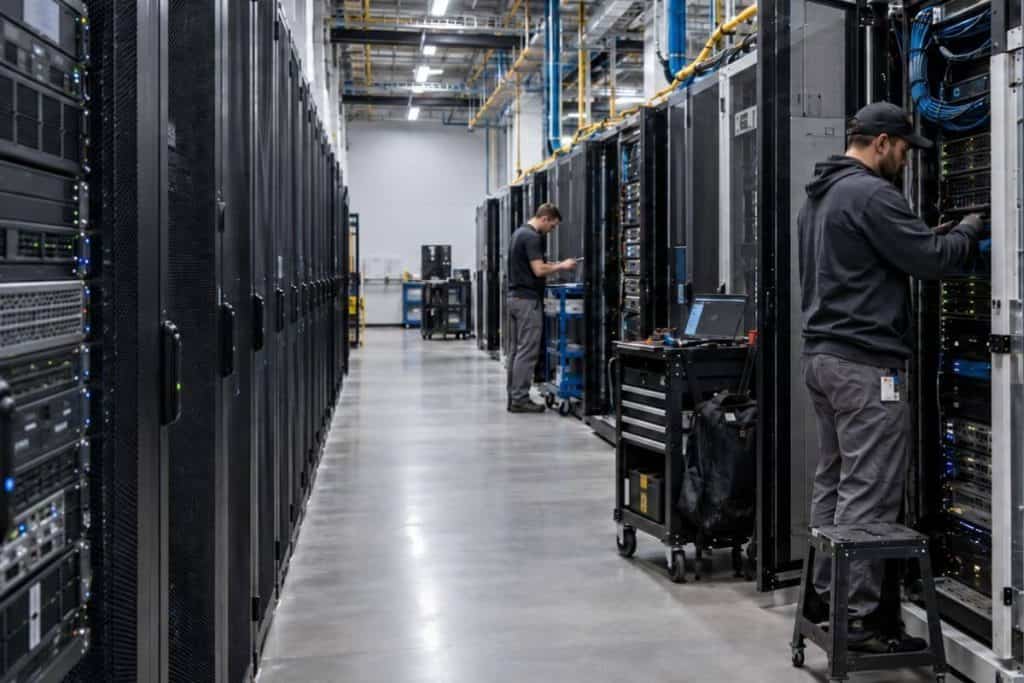
AI Data Center technician retrofitting server racks for AI processing

Why Existing Facilities Can Become AI Data Centers

Building a new AI data center allows almost every major infrastructure system to be designed around the workload.

Power distribution can be sized appropriately. Liquid cooling can be integrated from the start. Structural requirements can account for heavier racks. Fiber pathways, containment, and white-space layouts can be planned around dense clusters before the first server arrives.

Existing data centers do not have that luxury.

However, they have something equally valuable: they already exist.

The facility may already have a utility connection, generators, UPS systems, cooling infrastructure, network connectivity, security, staff, and customers. At a time when new grid connections, permitting, construction schedules, and equipment lead times can delay new capacity, extracting more performance from an existing site can be significantly more practical than starting from an empty parcel.

This is why brownfield modernization is receiving more attention. Operators are evaluating whether existing facilities can be upgraded incrementally rather than waiting for completely new AI-ready campuses.

The challenge is determining exactly what the existing facility can support.

The First Constraint Is Usually Power

Traditional data centers were built around relatively predictable IT loads. AI changes that equation because GPUs can concentrate far more computing power into fewer racks.

Industry discussions in 2026 increasingly reference AI racks moving from conventional tens-of-kilowatts loads toward much higher densities, with some future architectures targeting hundreds of kilowatts per rack.

An existing facility may have enough empty rack space to support an AI data center deployment but still lack the electrical capacity required to use it.

Operators need to evaluate the entire power chain, including:

  • Utility and facility capacity
  • UPS systems
  • Busways and distribution equipment
  • Rack PDUs
  • Circuit availability
  • Redundancy requirements
  • The ability to accommodate changing AI load profiles

Simply finding room for another GPU server does not mean the infrastructure can support it.

This distinction matters because AI capacity is not measured only in available rack units. A physically empty rack can still be functionally full if the surrounding power infrastructure has reached its limit.

Power plant at night working double-time due to AI power demands

Cooling Becomes a Rack-Level Problem

The same concentration of compute that stresses power distribution also changes how heat must be removed.

Legacy facilities commonly rely on room-level air cooling. That remains practical for many workloads, but higher-density AI clusters can produce thermal loads that are difficult to manage through conventional airflow alone.

This does not mean every existing data center needs to be converted immediately to a completely liquid-cooled environment.

Operators are taking several approaches, including improved containment, rear-door heat exchangers, direct-to-chip liquid cooling, cooling distribution units, and hybrid configurations where air-cooled and liquid-cooled systems operate within the same facility. Recent retrofit guidance increasingly treats this as a transition rather than an overnight replacement of the existing cooling architecture.

That is likely to become a defining feature of AI retrofits.

The existing data center does not suddenly become a new facility. Instead, new infrastructure is layered into the old one, rack by rack and system by system.

Network Infrastructure Can Become the Quiet Constraint

Power and cooling are usually the first concerns when retrofitting an existing facility for AI, but network infrastructure can become another limiting factor.

AI clusters depend on extremely high-bandwidth connections between accelerators, switches, storage, and the broader network. As those connections become faster and more numerous, existing fiber pathways, patching systems, and rack layouts may have to support far more connectivity than they were originally designed to handle.

An existing AI data center retrofit should therefore evaluate more than available ports. Teams should consider cable pathway capacity, switch density, fiber bend radius, patching accessibility, labeling, and whether technicians can service connections without disturbing neighboring equipment.

This becomes especially important as more infrastructure is concentrated inside each rack. A network can have enough theoretical bandwidth while still becoming physically difficult to maintain.

For operators, the lesson is simple: the AI network upgrade should be planned alongside the power and cooling upgrade, not after it.

The Rack Itself Has to Change

Power and cooling receive most of the attention, but the physical rack environment changes as well.

Higher-density equipment can mean heavier hardware, more network interfaces, more power connections, additional cooling components, and substantially more cabling concentrated into the same area.

Existing rack configurations may not have been designed around that level of complexity.

Operators therefore need to consider:

  • Rack depth and weight capacity
  • Front and rear accessibility
  • Power and network cable pathways
  • Fiber bend radius
  • Service loops
  • Airflow clearance
  • Equipment replacement access
  • Labeling and identification
  • Available vertical mounting space

Small rack-level design choices become more consequential as density rises. Space once considered expendable can become valuable in an AI deployment. 

Cable Management Becomes Part of AI Readiness

AI infrastructure is often described in terms of GPUs, power, cooling, and networking speed. Physical cable management receives far less attention.

As data centers and AI infrastructure become more closely intertwined, physical rack design becomes increasingly important to overall deployment readiness. 

Yet denser racks inevitably create denser connectivity.

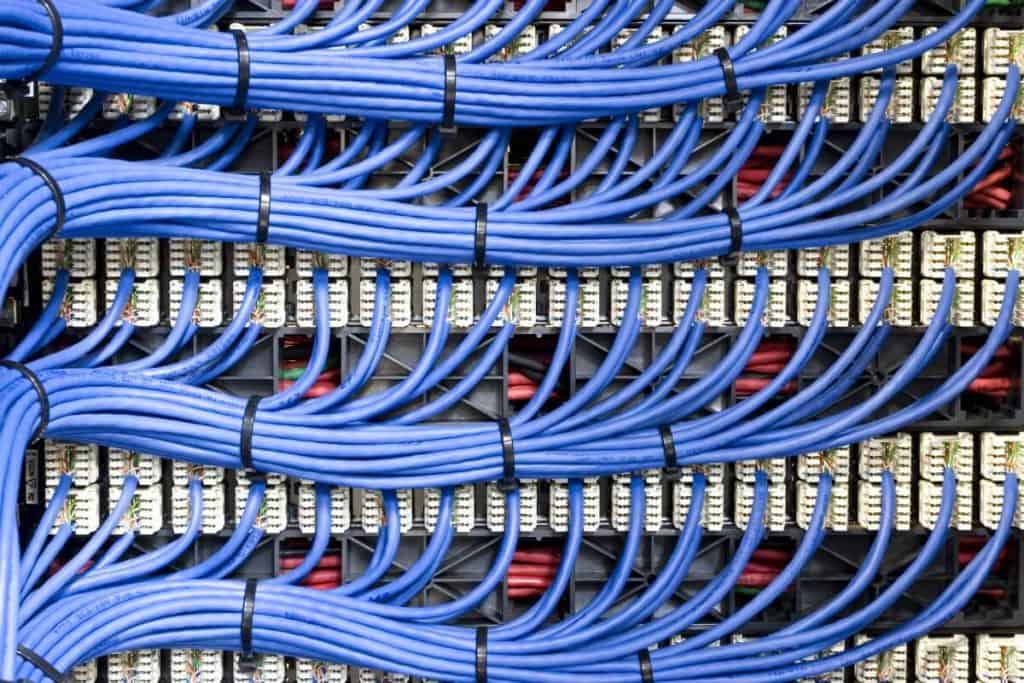
More switches, accelerators, power connections, and optical links must all be routed through a relatively small physical environment. Poor cable routing can make equipment harder to reach, restrict airflow, complicate tracing, and turn routine maintenance into a much slower process.

The objective is not simply to make a rack look clean. It is to preserve serviceability as density increases.

This means keeping cable pathways structured, maintaining appropriate bend radius, clearly identifying connections, and avoiding unnecessary use of rack space.

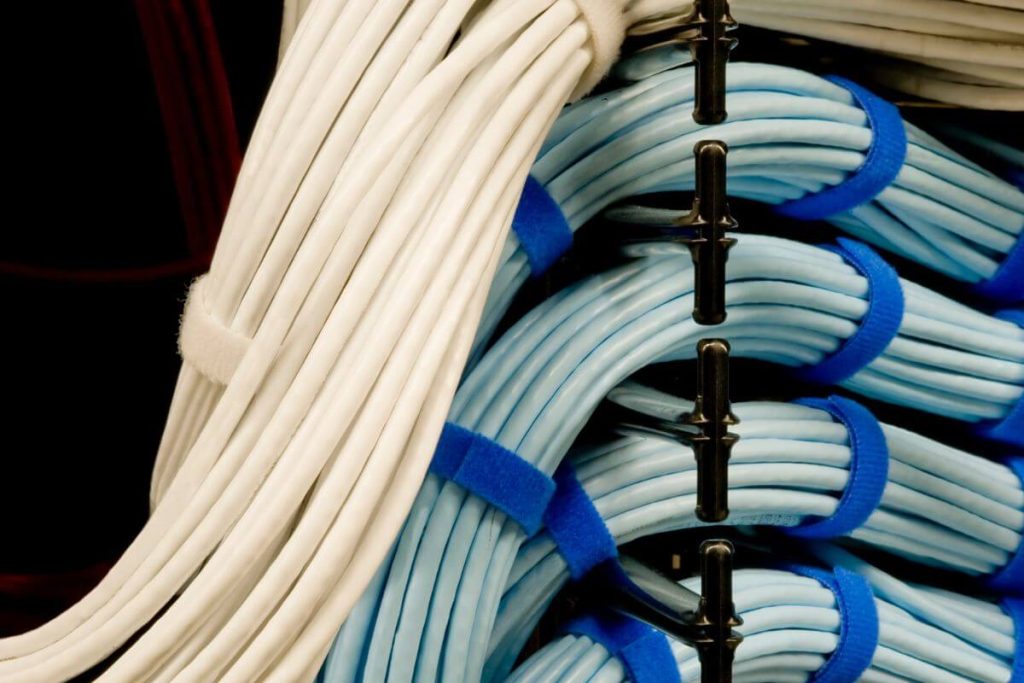
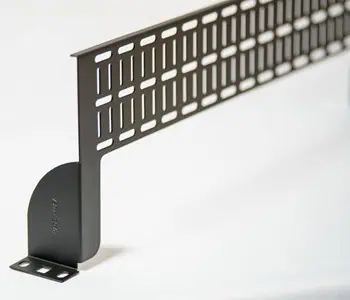
Horizontal Zero U RackOrganizer for High-Density Servers

During an AI retrofit, cable management hardware should be evaluated alongside servers, power, and cooling. A retrofit cable manager should preserve accessibility and organization without unnecessarily consuming rack space that could support active equipment. 

For facilities trying to accommodate AI infrastructure inside existing cabinets, Zero U cable management can become particularly useful. Instead of allocating additional rack units to traditional horizontal cable managers, a Zero U cable manager can preserve that mounting space for active equipment while still providing structured routing.

It does not solve the power or cooling challenge.

It solves a different part of the retrofit problem: making better use of the physical rack capacity that is already available.

Density Is Useful Only When the Rack Remains Serviceable

There is a temptation to treat higher density as an optimization goal by itself.

It is not.

A rack that holds more equipment but becomes difficult to maintain is not necessarily better optimized. Neither is a configuration that creates cable congestion, blocks airflow, makes connectors inaccessible, or leaves technicians unable to replace equipment without disturbing unrelated systems.

Every recovered rack unit helps, but only if the resulting configuration remains safe, coolable, powered, and maintainable.

Retrofitting Should Be a Migration Strategy

AI modernization is better treated as a migration than a single retrofit project. 

For years, the same facility may need to support conventional enterprise racks, high-density GPU clusters, liquid-cooled equipment, and legacy infrastructure side by side. 

Operators therefore need to decide which constraints must be addressed immediately and which can be upgraded gradually.

A practical sequence might involve:

  1. Assessing available power, cooling, structural capacity, and network connectivity.
  2. Identifying racks or zones capable of supporting higher-density equipment.
  3. Improving power delivery and thermal management where required.
  4. Reworking rack layouts, cable pathways, and supporting hardware to recover usable capacity.
  5. Introducing AI equipment incrementally rather than redesigning the entire facility at once.

The objective is to determine how much AI capacity the existing infrastructure can support responsibly. 

When Retrofitting Stops Making Sense

Not every existing facility should be converted into an AI data center.

At some point, the cost and complexity of upgrading power distribution, cooling, structural capacity, networking, and rack infrastructure may outweigh the advantages of keeping the existing site.

A retrofit becomes harder to justify when several major constraints appear at the same time. If the facility requires extensive electrical upgrades, major cooling changes, structural reinforcement, and completely new network pathways, a purpose-built deployment may offer a cleaner long-term solution.

This is why the initial assessment matters so much.

The goal should not be to force AI infrastructure into every available data center. It should be to identify facilities where modernization can deliver useful new capacity without creating an operational compromise.
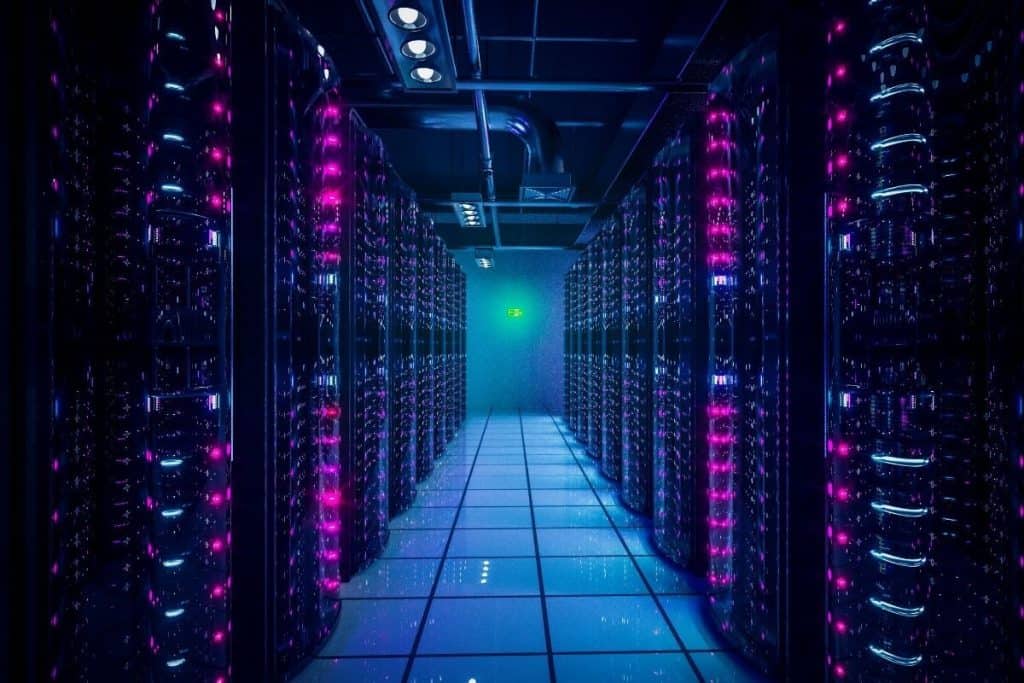
Hi-tech AI data center

The Next AI Data Center May Already Be Running

New AI campuses will continue to be built. Some workloads simply require infrastructure that existing sites cannot economically support.

But that will not be the whole story.

A significant share of AI growth will come from facilities built for a very different generation of IT. Whether they can support modern AI workloads depends on how much of their power, cooling, structural, and rack infrastructure can realistically be upgraded. 

For some, the limits will be too significant and new construction will make more sense. Others may have enough power, cooling potential, structural capacity, and connectivity to support substantial upgrades.

In suitable facilities, rack-level improvements such as better cable routing, recovered U-space, and clearer identification can help operators make denser deployments easier to maintain. 

AnD Cable Products supports that part of the transition through Zero U Cable Managers, cable labeling systems, network and power cabling, and other rack-level solutions designed to keep increasingly dense infrastructure organized and usable.

AI may be forcing data centers to change faster than expected.

But adapting an existing facility does not always mean replacing everything inside it.

Sometimes the smarter approach is to determine what still works, upgrade what does not, and optimize everything in between.

Frequently Asked Questions

What is the purpose of an AI data center?

The purpose of an AI data center is to provide the computing, networking, power, and cooling infrastructure required to train, operate, and serve artificial intelligence workloads. Compared with conventional facilities, AI environments often require higher rack densities, faster interconnects, and substantially greater power and cooling capacity.

Can an existing data center support AI workloads?

Yes, depending on the facility. Operators need to assess power availability, cooling capacity, floor loading, network connectivity, rack configuration, and redundancy before deploying high-density AI equipment.

What is an AI data center retrofit?

An AI data center retrofit upgrades an existing facility so it can support higher-density AI infrastructure. Improvements may involve power distribution, cooling, racks, cabling, networking, monitoring, or structural systems.

Why are AI racks harder to retrofit into existing data centers?

AI racks can require substantially more power and cooling than traditional IT racks. They may also introduce greater weight, more cabling, denser networking, and different maintenance requirements.

Does every AI retrofit require liquid cooling?

No. The appropriate cooling strategy depends on rack density, server design, existing infrastructure, and future requirements. Some operators can extend air cooling or use rear-door heat exchangers, while others may require direct-to-chip liquid cooling or hybrid systems.

How does cable management help an AI data center retrofit?

Effective cable management preserves airflow, improves equipment access, simplifies maintenance, and can help recover valuable rack space. Zero U cable management can be particularly useful when operators need to increase equipment density without dedicating additional rack units to horizontal cable management.

About the Author – John Lester

John Lester - General Manager, AnD Cable Products

John Lester, General Manager at AnD Cable Products, brings a rich tapestry of IT and project management experience to the forefront of cable management solutions for data centers. His career, spanning over three decades, includes significant roles in IT project management and consultation with renowned companies. John served in the Marine Corps during Desert Storm. John’s journey in the tech world is further distinguished by his proficiency in advanced programming and systems expertise. 

His leadership at AnD Cable Products encapsulates a blend of innovation, strategic planning, and a relentless commitment to delivering excellence in the field of data center infrastructure.  John was with AnD Cable Products when Louis was designing his innovative Zero U cable management racks and Unitag cable labels, both of which have become industry-leading network cable management products. AnD Cable Products only offer products that are intelligently designed, increase efficiency, are durable and reliable, re-usable, easy to use or reduce equipment costs. He is the co-author of the Cable Management Blog, where you can find network cable management ideas, server rack cabling techniques and rack space saving tips, data center trends, latest innovations and more. Visit https://andcable.com or shop online at https://andcable.com/shop/
Posted on

Zero U Cable Manager: What 1U Adds Up to Across 100 Racks

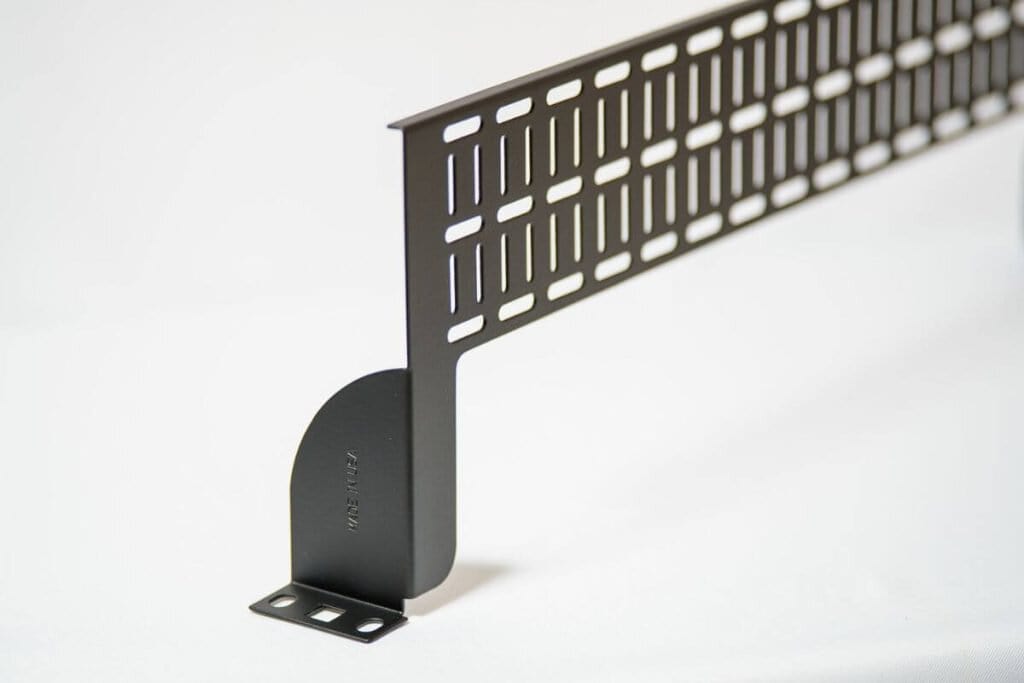
Featured image of AnD Cable Horizontal Zero U Cable Manager - reduced sized image for thumbnail

One rack unit is easy to overlook. At just 1.75 inches of vertical space, sacrificing a single U for cable management may seem inconsequential within an individual server rack. In many environments, it has historically been treated as a reasonable tradeoff for keeping patch cords organized and equipment accessible.

The calculation changes, however, when the same design decision is repeated across an entire data center.

If 1U of usable rack space is consumed in each of 100 cabinets, the facility has effectively allocated 100U to something other than active equipment. 

That is more vertical mounting space than two complete 42U racks can provide.

This is why seemingly minor rack-level decisions deserve to be evaluated at scale. A small inefficiency repeated hundreds of times can eventually become a capacity issue.

Key Takeaways

  • Losing just 1U across 100 racks represents 100U of unavailable equipment space.
  • Traditional horizontal cable managers can consume valuable rack units throughout a data center.
  • A Zero U cable manager allows cable organization to be maintained without requiring the same dedicated U-space.
  • Zero U cable management becomes increasingly valuable as the number of racks and equipment density increase.
Featured image of AnD Cable Horizontal Zero U Cable Manager

The Difference Between 1U and 100U

Within a single rack, 1U rarely appears significant enough to influence broader planning decisions. The challenge is that data center infrastructure is built around repeatable standards.

A rack configuration designed for one cabinet may eventually be deployed across an entire row, room, or facility. When every rack follows the same layout, every inefficiency in that layout is also repeated.

If one rack sacrifices 1U, the effect is minimal. Across 10 racks, that becomes 10U. Across 50 racks, it becomes 50U. Across 100 racks, the cumulative loss reaches 100U.

For comparison, a standard 42U cabinet provides 42 rack units of vertical mounting capacity. In purely spatial terms, 100U represents more than two complete racks of potential mounting space.

Real-world capacity planning is more complex, of course. Power availability, cooling, weight, redundancy, airflow, and serviceability determine how much equipment can actually be installed. Still, the underlying principle remains important: rack space is finite, and every U allocated to passive infrastructure is unavailable for servers, switches, storage, or other active hardware.

The more useful question is therefore not whether 1U matters. It is how many times that 1U is being repeated.

Traditional Cable Management Has a Physical Cost

Horizontal cable managers serve an important purpose. They provide structured routing, reduce cable clutter, and make patching and maintenance easier.

The issue is not whether cable management is necessary. It is whether that cable management needs to consume dedicated rack units.

Conventional horizontal cable managers are commonly mounted between active devices. Depending on the rack configuration, several may be installed throughout a single cabinet. Each one occupies space that could otherwise be available for equipment.

In lower-density environments, this tradeoff may be relatively easy to absorb. As rack density increases, however, that available space becomes progressively more valuable.

Modern data centers are being asked to support more compute, faster networking, greater power density, and increasingly complex equipment configurations within the same physical footprint. Under those conditions, preserving rack capacity becomes part of the broader efficiency discussion.

That is where Zero U cable management offers a different approach.

What a Zero U Cable Manager Changes

A Zero U cable manager is designed to provide structured cable routing without requiring a separate rack unit solely for cable management.

Instead of dedicating additional U-space between equipment, Zero U solutions allow cable management to be integrated alongside the active device or positioned outside the conventional equipment mounting area.

This allows the rack to perform two functions at once: maintain organized cabling while preserving more of its vertical capacity for active hardware.

For one cabinet, the improvement may appear modest. Across a large deployment, the cumulative effect can become significant.

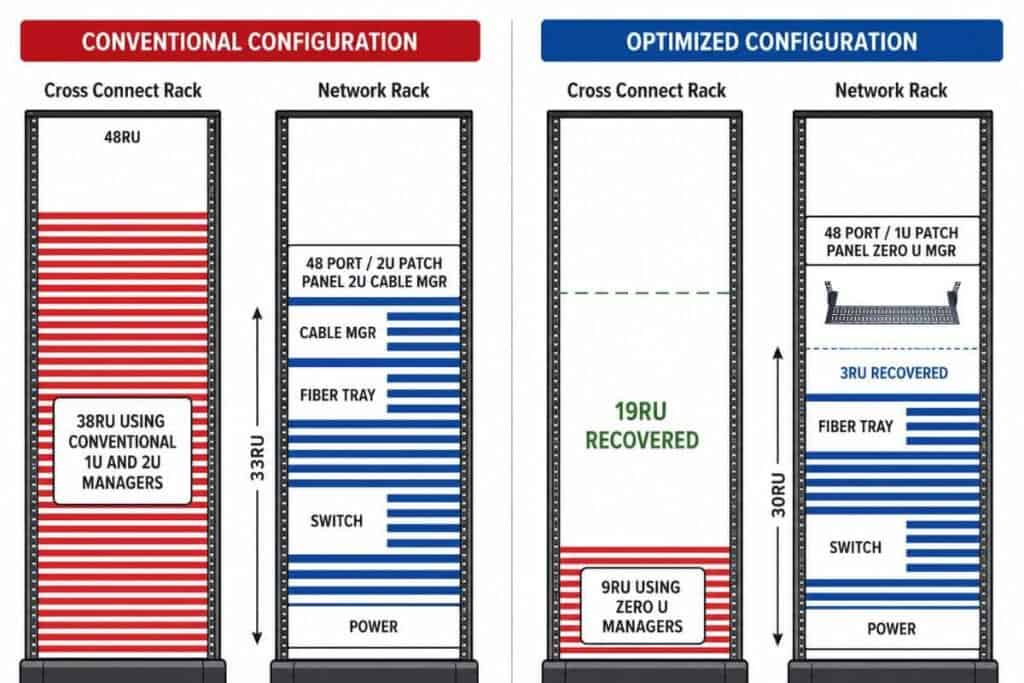
AnD Cable Products’ Zero U Cable Managers are designed around this principle. Depending on the rack configuration, they can help recover up to 30% of rack real estate that may otherwise be consumed by conventional cable management.

The value is not simply the space saved by one manager. It is what happens when the same space-saving approach is applied consistently across dozens or hundreds of cabinets.

Horizontal Zero U Cable Manager shows how much rack unit it can recover

Zero U Cable Management Becomes More Valuable at Scale

A useful way to evaluate Zero U cable management is to separate the rack-level benefit from the facility-level benefit.

At the rack level, the objective is straightforward: preserve usable U-space while maintaining organized cable pathways.

At the facility level, the potential impact is larger. Recovering space across many racks may allow a deployment to use fewer cabinets, provide additional room for future equipment, or extend the useful capacity of an existing data hall.

This is particularly important because the real cost of adding capacity is rarely limited to the price of the rack itself. Another cabinet can also require floor space, power distribution, network connections, cabling, cooling capacity, installation labor, and ongoing maintenance.

If better rack utilization allows even part of that expansion to be postponed, the value of the recovered U-space extends well beyond the cabinet.

This is why Zero U rack cable management should be viewed as more than a housekeeping improvement. In the right environment, it becomes part of capacity planning.

Higher Density Still Requires Good Infrastructure

Recovering rack space does not mean that every available U should automatically be filled.

Higher rack density increases power concentration, heat output, cable volume, equipment weight, and maintenance complexity. Any move toward denser deployments must therefore be supported by appropriate cooling, power distribution, airflow management, structured cabling, and operational procedures.

Cable management becomes more important, not less, as density increases.

A properly designed horizontal Zero U cable manager should preserve cable organization while keeping pathways accessible and reducing unnecessary congestion. Technicians still need to be able to trace connections, replace equipment, perform adds and changes, and access devices without disturbing unrelated cables.

The goal is not maximum density at any cost. The goal is to recover space without compromising serviceability.

That distinction matters. Capacity is only useful when the infrastructure remains manageable.

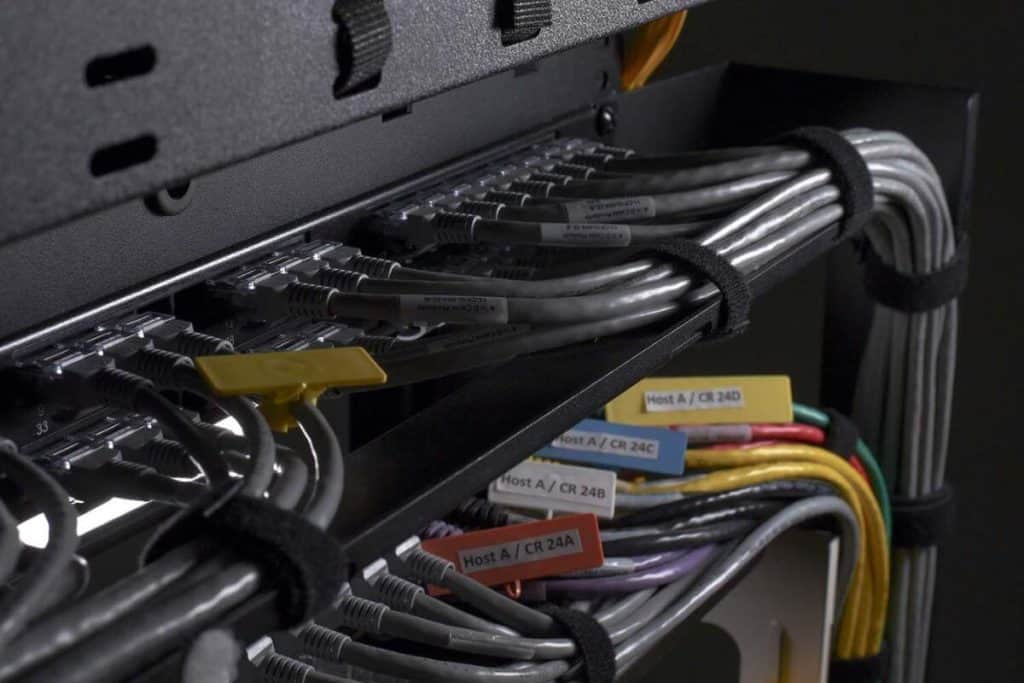
Horizontal Zero U Cable Management in real data center setting

Small Improvements Become Significant When Repeated

Data center planning naturally focuses on large numbers: megawatts of power, thousands of square feet, hundreds of racks, and millions of dollars in capital investment.

Yet some of the most effective optimization opportunities begin with much smaller measurements.

One rack unit is a good example.

Within a single cabinet, it is unlikely to change the economics of a facility. Across 100 cabinets, however, that same 1U becomes 100U. If multiple rack units can be recovered within each cabinet, the difference grows considerably.

This is the broader lesson behind Zero U cable management. Its value comes from eliminating a small recurring use of space and multiplying the benefit across the deployment.

The improvement happens one rack at a time, but the result should be measured at the facility level.

Horizontal Zero U RackOrganizer for High-Density Servers

Look at the Rack Before Adding Another One

When evaluating existing rack configurations, data center teams should look beyond whether the current equipment simply fits.

They should also consider how much of each rack is being consumed by supporting infrastructure and whether some of that space can be recovered without compromising operations.

If conventional cable management is occupying dedicated U-space throughout a facility, a Zero U cable manager provides an opportunity to reconsider that layout.

For AnD Cable Products, this is the practical value of Zero U cable management: organize the cabling without automatically giving up the rack capacity that supports future growth.

One rack unit by itself is not much.

Across 100 racks, it is 100U of space.

At that point, it is no longer just a cable management decision. It is a capacity decision.

Frequently Asked Questions

What is a Zero U cable manager?

A Zero U cable manager organizes and routes network or power cables without requiring a separate rack unit solely for cable management. This helps preserve more usable vertical rack space for active equipment.

What is Zero U cable management?

Zero U cable management is an approach to organizing cables while minimizing or eliminating the dedicated U-space traditionally consumed by horizontal cable managers. It can help improve rack utilization while maintaining structured cable pathways.

How much space can a Zero U cable manager recover?

The amount depends on the existing rack configuration and the number of conventional cable managers being replaced. AnD Cable Products’ Zero U Cable Managers are designed to recover up to 30% of rack real estate in suitable configurations.

Why does losing 1U matter in a large data center?

Losing 1U in one rack has limited impact. Losing 1U across 100 racks results in 100U of unavailable mounting capacity, which is more than the vertical space provided by two standard 42U racks.

Does Zero U cable management support higher rack density?

It can help preserve additional rack units for equipment, which may support denser configurations. However, increased density must still be supported by sufficient power, cooling, airflow, structural capacity, cable routing, and maintenance access.

About the Author

Louis Chompff - Founder, AnD Cable Products, Rack and Cable ManagementLouis Chompff – Founder & Managing Director, AnD Cable Products
Louis established AnD Cable Products – Intelligently Designed Cable Management in 1989. Prior to this he enjoyed a 20+ year career with a leading global telecommunications company in a variety of senior data management positions. Louis is an enthusiastic inventor who designed, patented and brought to market his innovative Zero U cable management racks and Unitag cable labels, both of which have become industry-leading network cable management products. AnD Cable Products only offer products that are intelligently designed, increase efficiency, are durable and reliable, re-usable, easy to use or reduce equipment costs. He is the principal author of the Cable Management Blog, where you can find network cable management ideas, server rack cabling techniques and rack space saving tips, data center trends, latest innovations and more.
Visit https://andcable.com or shop online at https://andcable.com/shop/
Posted on

The Best Way to Expand a Data Center Might Be Not Expanding It at All

Community-approved data center building - featured image

A prettier data center may be easier for a community to accept. A smaller one may be easier to live with.

As demand for AI infrastructure accelerates, developers are paying more attention to how each new data center building fits into the surrounding community. Some architects are moving away from the familiar windowless industrial box and designing facilities that resemble technology campuses, civic buildings, or even art museums. Landscaping, public spaces, and locally appropriate materials are becoming part of the effort to soften the visual impact of large developments.

It is a logical response to a growing problem.

Communities are asking harder questions about land use, water consumption, electricity demand, construction activity, noise, and the appearance of facilities that may occupy hundreds of acres. Even when a project promises tax revenue and economic investment, residents may still question how much land and infrastructure should be committed to it.

Making data centers more visually appealing may help. Better architecture can reduce the feeling that a large industrial facility has simply been dropped into a neighborhood.

But appearance addresses only one part of the issue.

The larger question is whether every increase in computing capacity needs to produce another data center building, more cabinets, and a larger physical footprint.

In some cases, the best way to expand a data center may be to avoid expanding it at all.

Community-approved data center building

Key Takeaways:

  • Community acceptance is becoming another constraint on data center expansion, alongside power, land, water, and permitting.
  • Operators should evaluate how much additional capacity can be recovered from existing racks and data halls before constructing more space.
  • Zero U Cable Managers can reclaim usable rack space, improve cable routing, and support denser deployments without automatically requiring more cabinets.

Data Center Growth Is Becoming a Community Issue

For years, the industry treated data center expansion primarily as an engineering, construction, and financial challenge.

Could the operator secure enough power?

Was sufficient fiber available?

Could the project obtain the equipment, labor, permits, and financing it needed?

Those questions still matter. However, rapid AI-driven development has made data centers far more visible to the public. A proposed campus is no longer viewed only as a technical facility. It is also viewed as a major consumer of land, electricity, water, and public infrastructure.

Data centers consumed about 4.4% of total U.S. electricity in 2023. The U.S. Department of Energy estimates that their share could rise to between 6.7% and 12% by 2028.

As demand accelerates, communities are becoming increasingly engaged in conversations about where data centers are built and how much infrastructure they require. 

A 2026 Harvard Gazette interview highlighted growing public concerns around electricity consumption, water usage, environmental impacts, tax incentives, and the long-term effect of large-scale data center development on local communities.

The concern is no longer limited to a handful of local disputes. More than 4,000 data centers are already operating across the United States, with thousands more planned or under construction. As facilities grow larger and AI workloads continue driving demand, questions about land use, utility infrastructure, and community impact are becoming part of the expansion conversation.

That creates a difficult equation.

Demand for computing capacity is growing, but the number of communities willing to absorb another large development may not grow at the same rate.

Developers can respond with better architecture, stronger community engagement, cleaner energy strategies, and greater transparency. All of those approaches matter.

But operators should also ask a different question:

How much of the next expansion is actually necessary?

Before asking how to build more space, they should ask how effectively they are using the space they already have.

Expansion Has More Than One Meaning

When a data center needs more capacity, the first instinct is often physical expansion.

Add another cabinet.

Open another row.

Fit out another data hall.

Extend the building.

Develop another facility.

That traditional approach raises two questions operators and investors inevitably ask:

How much does it cost to build a data center?

How long does it take to build a data center?

The answers vary significantly based on location, power availability, cooling requirements, facility size, equipment density, redundancy, labor, and permitting. What does not vary is the scale of the commitment.

A new facility requires substantial capital. It requires coordination with utilities, data center construction companies, equipment suppliers, local authorities, and the surrounding community. It may also face lengthy lead times for transformers, generators, cooling systems, and other critical infrastructure.

Before taking on that commitment, operators should determine whether some of the required capacity can be recovered from infrastructure they already own.

Capacity does not exist only at the building level. It exists in layers:

  • Across the campus
  • Inside the data center building
  • Within each data hall
  • Across every row of cabinets
  • Inside each individual rack

If usable capacity is being lost at the rack level, expanding the outer layers first can be an expensive response to an internal efficiency problem.

Imagine a warehouse that runs out of room because every shelf has been poorly arranged. Constructing another warehouse would solve the immediate problem, but it would not correct the reason the first one filled so quickly.

Data centers can face a similar issue.

Rack space may be consumed by traditional cable management hardware, inefficient layouts, unused components, excessive cable lengths, or infrastructure that no longer matches current requirements. The building appears full, but some of that fullness may be avoidable.

This is where optimization becomes a growth strategy.

Density Can Help, but It Must Be Managed

Increasing rack density is one way to gain more computing capacity from a limited footprint.

Modern AI systems are already pushing the industry in this direction. Placing more computing equipment closer together can improve performance by shortening communication paths and reducing the number of cabinets required for a given amount of compute.

However, density is not free.

More equipment in each cabinet means higher power concentration, greater heat output, heavier racks, more cables, and less tolerance for poor planning.

Operators cannot simply install more servers and declare the facility optimized.

A denser rack requires:

  • Adequate power distribution
  • Cooling capable of handling the heat load
  • Proper equipment placement
  • Clear airflow paths
  • Structured cable routing
  • Reliable labeling and documentation
  • Safe access for maintenance

Density without management creates congestion.

Density supported by the right infrastructure can recover capacity.

The Space Hidden Inside the Rack

One of the most overlooked opportunities is the rack space occupied by traditional horizontal cable managers.

Conventional horizontal managers may consume one or more rack units between groups of equipment. They help organize cables, but every rack unit used for cable management is a rack unit that cannot hold servers, switches, storage, or other active equipment.

Across one cabinet, that loss may seem minor.

Across dozens or hundreds of cabinets, it can represent a significant amount of stranded capacity.

Horizontal Zero U RackOrganizer for High-Density Servers

AnD Cable Products’ Zero U Cable Managers mount in the same U-space as the active device rather than occupying separate vertical mounting positions. This preserves usable rack units while still providing structured cable routing. Read more about their features and benefits.

Depending on the configuration, AnD Horizontal Zero U Cable Managers can recover 25% to 30% of rack space currently occupied by conventional cable management.

That can be roughly equivalent to gaining the usable capacity of another cabinet for every three optimized cabinets.

The facility does not become physically larger.

The existing racks become more useful.

How Rack Optimization Can Reduce the Facility Footprint

Recovering rack space does not make every expansion project unnecessary.

A facility may still be constrained by power availability, cooling capacity, structural loading, network architecture, redundancy, or equipment weight. Those limitations must be evaluated before increasing density.

However, better rack utilization can change when and how expansion becomes necessary.

Consider an environment where traditional cable managers and inefficient rack layouts force a deployment to occupy four cabinets. If Zero U cable management allows the same amount of equipment to be installed and serviced effectively across three cabinets, the operator has reduced the cabinet footprint of that deployment by 25%.

Apply that approach across multiple rows and deployment phases, and the impact becomes more meaningful.

Fewer cabinets can mean:

  • Less floor space required for the same equipment
  • Fewer cabinet frames and related components
  • Shorter cable pathways
  • Less aisle space dedicated to additional rows
  • More usable capacity within an existing data hall
  • A longer interval before another room or building is required

The real value is not merely fitting more equipment into a smaller area. It is reducing the amount of new data center building space required to support future growth.

An operator that recovers enough capacity from existing racks may be able to deploy another project without opening a new row. A facility may postpone a data hall buildout. A campus may extend the useful life of an existing structure before requesting additional land.

Optimization at the rack level can influence decisions far beyond the rack.

Cable Management Matters More as Racks Get Denser

Removing conventional horizontal cable managers from usable U-space should not mean sacrificing cable organization.

In fact, denser racks make cable management more important.

More equipment creates more network and power connections. Without clear pathways, those cables can obstruct access, interfere with airflow, strain connectors, and make routine maintenance more difficult.

The National Renewable Energy Laboratory recommends wire management and airflow optimization as part of an efficient data center strategy.

This is the difference between useful density and unmanaged congestion.

A properly designed Zero U cable management system can help teams:

  • Route cables without consuming separate rack units
  • Keep cable bundles away from critical airflow paths
  • Maintain cable bend-radius requirements
  • Separate and identify connections
  • Access equipment without disturbing unrelated cables
  • Preserve cleaner pathways for future changes

The goal is not to pack the rack until there is no room left.

The goal is to use the rack more intelligently.

Zero U Cable Manager being installed by data center operator

A Green Data Center Should Use Space Efficiently

A green data center is often discussed in terms of renewable energy, cooling efficiency, water consumption, and Power Usage Effectiveness.

Those factors are important, but sustainability also includes how efficiently the facility uses land, materials, floor space, cabinets, and supporting infrastructure.

A data center that requires fewer cabinets for the same amount of equipment may use fewer cabinet frames, shorter cable runs, less aisle space, and fewer supporting components. If optimization postpones the need for another data hall or facility, it may also reduce the materials and construction activity associated with expansion.

This principle supports a broader green IT data center strategy:

Use existing infrastructure more effectively before adding more of it.

Optimization will not eliminate the environmental impact of data centers. It can, however, help prevent avoidable waste.

A facility should not claim to be efficient only because it purchases cleaner power. It should also ask whether its physical infrastructure is organized to deliver the most useful capacity from the space and materials already in place.

Optimization Is Not a Substitute for Community Engagement

A smaller physical footprint does not erase every concern communities have about data centers.

Electricity demand remains significant. Cooling systems may require water. Backup generation can create noise and emissions. Construction can affect roads, surrounding land uses, and local services.

Communities still deserve clear information about these impacts.

Optimization should not be used as an excuse to avoid those conversations.

It should be part of the response.

A developer that can demonstrate better use of land and infrastructure has a stronger story to tell than one whose only growth plan is to build outward. The operator can show that it is actively working to reduce unnecessary cabinets, avoid wasted floor space, improve airflow, and extend the life of existing facilities.

Better architectural design can help a data center fit visually into a community.

Better optimization can reduce how much facility the community must accommodate in the first place.

The two strategies should work together.

Look Inward Before Building Outward

Data center construction companies play an essential role when new infrastructure is genuinely required.

Optimization is not an argument against construction. It is an argument for making sure construction is necessary.

Before approving another row, room, data center building, or campus, teams should perform a capacity review that goes beyond vacant floor area.

They should ask:

  • How much usable rack space is being consumed by conventional cable management?
  • Are cabinets full because of active equipment or because of inefficient layouts?
  • Can existing racks safely support greater density?
  • Are power and cooling resources stranded by poor equipment placement?
  • Can cable routing be improved without reducing serviceability?
  • Could an optimization project postpone the next physical expansion?
  • Has obsolete cabling or equipment been removed?
  • Can a planned deployment be consolidated into fewer cabinets?

These questions do not assume that expansion is always avoidable.

They ensure that expansion is justified.

A new building should solve a genuine capacity limit. It should not compensate for preventable inefficiency inside the existing facility.

Well-managed network cable for high-density setup

Grow the Data Center by Optimizing What Is Already There

The future of data center development will require better architecture, smarter energy planning, more thoughtful community relationships, and greener construction practices.

It will also require operators to extract more value from existing infrastructure.

Working with AnD Cable Products, data center teams can reorganize cable pathways, recover usable rack units, improve airflow conditions, and support denser equipment layouts without sacrificing accessibility.

Zero U Cable Managers are one practical example of optimization over expansion. By mounting cable management within the same U-space as active equipment, they can recover 25% to 30% of rack space that may otherwise be consumed by conventional horizontal managers.

That recovered capacity can help reduce the number of cabinets required for a deployment, extend the useful life of an existing data hall, and postpone the cost and disruption of physical expansion.

The industry will still need new facilities. Demand is too large for optimization alone to absorb.

But every new square foot should be necessary.

Before constructing another room, adding another row, or requesting another parcel of land, look inside the racks.

The capacity you need may already be there.

About the Author – John Lester

John Lester - General Manager, AnD Cable Products

John Lester, General Manager at AnD Cable Products, brings a rich tapestry of IT and project management experience to the forefront of cable management solutions for data centers. His career, spanning over three decades, includes significant roles in IT project management and consultation with renowned companies. John served in the Marine Corps during Desert Storm. John’s journey in the tech world is further distinguished by his proficiency in advanced programming and systems expertise. 

His leadership at AnD Cable Products encapsulates a blend of innovation, strategic planning, and a relentless commitment to delivering excellence in the field of data center infrastructure.  John was with AnD Cable Products when Louis was designing his innovative Zero U cable management racks and Unitag cable labels, both of which have become industry-leading network cable management products. AnD Cable Products only offer products that are intelligently designed, increase efficiency, are durable and reliable, re-usable, easy to use or reduce equipment costs. He is the co-author of the Cable Management Blog, where you can find network cable management ideas, server rack cabling techniques and rack space saving tips, data center trends, latest innovations and more. Visit https://andcable.com or shop online at https://andcable.com/shop/
Frequently Asked Questions

How much does it cost to build a data center?

The cost depends on the facility’s location, size, power capacity, cooling system, redundancy requirements, security, intended rack density, and utility infrastructure. Large facilities require substantial investment before servers and networking equipment are installed. Optimizing existing rack space may postpone part of that expense by extending the capacity of the current site.

How long does it take to build a data center?

The timeline varies depending on site selection, permitting, utility connections, equipment availability, labor, construction complexity, and commissioning requirements. A new data center building may take years to move from planning to full operation. Rack-level optimization can provide additional capacity while a larger construction project is being evaluated or completed.

Can a data center add capacity without expanding the building?

Yes, in some cases. Operators may recover capacity through rack consolidation, equipment refreshes, better power utilization, improved cooling, removal of obsolete equipment, and more efficient cable management. Physical expansion may still be required when power, cooling, structural, or redundancy limits have been reached.

What is Zero U cable management?

Zero U cable management places cable-routing hardware within the same U-space as active equipment rather than occupying separate vertical rack units. This preserves usable rack space for servers, switches, storage, and other equipment while maintaining organized cable pathways.

How can Zero U Cable Managers reduce a data center’s footprint?

By recovering rack units that would otherwise be occupied by traditional horizontal cable managers, Zero U systems can allow more equipment to fit within each cabinet. In suitable configurations, this may reduce the number of cabinets needed for a deployment and postpone the need for additional rows or data halls.

Does higher rack density create cooling problems?

It can. Higher density concentrates more power and heat within each cabinet. Operators must verify that the facility’s power distribution, airflow, cooling equipment, floor loading, cable routing, and maintenance procedures can support the denser configuration.

What makes a green data center?

A green data center aims to reduce energy use, carbon emissions, water consumption, material waste, and other environmental impacts. Efficient use of rack space and existing infrastructure can contribute by reducing unnecessary cabinets, construction, and physical expansion.

How much rack space can AnD Zero U Cable Managers recover?

AnD Cable Products states that its Horizontal Zero U Cable Managers can recover approximately 25% to 30% of rack space currently occupied by conventional cable management. Actual results depend on the rack layout, equipment configuration, and type of cable managers being replaced.

Posted on

What Happens When Nobody Knows Which Cable Is Which?

Data center technician (confused) working on network cables without labels - featured image

A data center problem does not always start with a failed switch, a bad port, or a damaged cable. Sometimes it starts with a simple question:

Which cable is this?

That question seems small until the team is working inside a crowded rack, the maintenance window is closing, and five cables look almost identical. One cable leads to a production system. Another connects to backup infrastructure. Another was supposed to be removed months ago but never was. The documentation is close, but not fully updated. The labels are faded, missing, or too vague to be useful.

Now the technician has to choose between tracing everything manually or trusting incomplete information.

Neither option is ideal.

In modern data centers, cable identification is not just a housekeeping issue. It affects troubleshooting speed, uptime, maintenance confidence, and operational efficiency. When nobody knows which cable is which, even simple work becomes slower, riskier, and more expensive.

That is why cable labels deserve more attention than they usually get.

Data center technician (confused) working on network cables without labels

Key Takeaways

  • Poor cable identification increases troubleshooting time, maintenance risk, and operational confusion.
  • Different environments need different cable label solutions, from quick write-on tags to standardized printed systems.
  • The best cable labeling system is the one that makes the right cable easy to identify, trace, and service when it matters most.

The Real Cost of Poor Cable Identification

Most teams do not notice labeling problems when everything is running smoothly. The issue appears during change, maintenance, troubleshooting, or emergency response. That is when the rack has to tell the truth.

If the cable environment is clear, the team can move quickly. If it is not, the team loses time.

Poor cable identification can lead to:

  • Longer troubleshooting windows
  • Accidental disconnections
  • Slower moves, adds, and changes
  • More dependence on senior technicians
  • Higher risk during maintenance
  • Confusion between production, backup, management, and test connections
  • Documentation that no longer matches the physical rack

The problem is rarely the cable itself. The problem is knowing which cable is the cable.

This becomes more important as network environments grow denser. High-speed network cables, DAC network cable deployments, fiber connections, power cable labels, and management connections can all occupy the same rack space. Without clear identification, technicians are forced to slow down and verify manually.

That may sound careful, and sometimes it is. But in a live data center environment, every extra minute matters.

Cable Labeling Is Really About Confidence

Good cable labeling gives technicians confidence.

It tells them what they are looking at before they touch anything. It reduces the need to guess. It makes work easier for the next person who opens the rack, not just the person who installed the cable.

That matters because data center work is rarely done under perfect conditions.

Maintenance windows are short. Systems are critical. Teams may be working at night or under pressure. Multiple technicians may touch the same environment over time. Hardware may change, but the cable path remains.

When cable labels are clear, consistent, and easy to follow, routine work stays routine.

When labels are missing or inconsistent, routine work becomes investigative work.

That is where operational friction begins.

Not All Cable Labels Solve the Same Problem

The phrase “cable labels” sounds simple, but not every label is built for the same use case.

Some environments need fast write-on identification because cables change frequently. Others need reusable snap-on labels for consistent organization across many racks. Some need printed labels for standardized documentation and compliance. In larger projects, teams may need a complete labeling system that supports both accuracy and speed.

So the better question is not:

What is the best cable label?

The better question is:

What type of cable label works best for this environment?

That distinction matters.

A lab rack, a high-density production rack, a new data center build, and a structured enterprise deployment may all need cable identification. But they do not always need the same labeling approach.

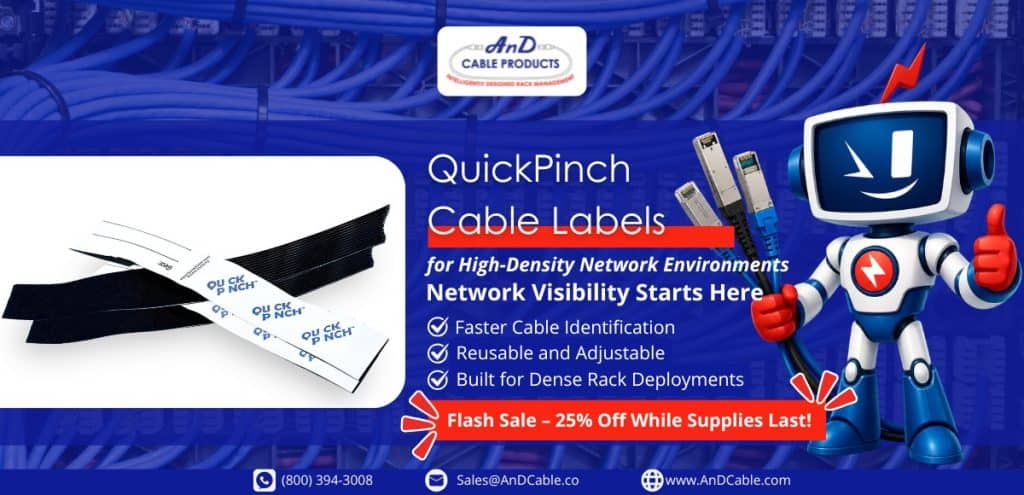
QuickPinch Cable Labels: Best for Fast Identification and Frequent Changes

QuickPinch Cable Labels are a strong fit for environments where speed, flexibility, and reuse matter.

These reusable, write-on Velcro tags allow technicians to write identification details directly onto the label, then secure it around the cable or cable group. There is no need for adhesive, special tools, or complicated wrapping steps.

That makes QuickPinch especially useful in environments where the cable layout changes often.

QuickPinch cable labels - 25% off

QuickPinch works best for:

  • Temporary network connections
  • Lab and staging environments
  • Frequent moves, adds, and changes
  • Fast troubleshooting situations
  • High-density racks that need quick visibility
  • Teams that need simple reusable cable labels
  • Cable groups that need to be identified without permanent labeling

In these environments, the goal is not always to create a polished permanent label. The goal is to make the cable easy to identify now.

That is a valuable difference.

A technician may need to mark a temporary connection during testing. A team may need to identify a cable group during a migration. A rack may be changing faster than printed labels can keep up. In those situations, QuickPinch gives teams a practical way to reduce confusion without slowing the work.

QuickPinch is especially useful when the environment is dynamic, but the need for clarity is immediate.

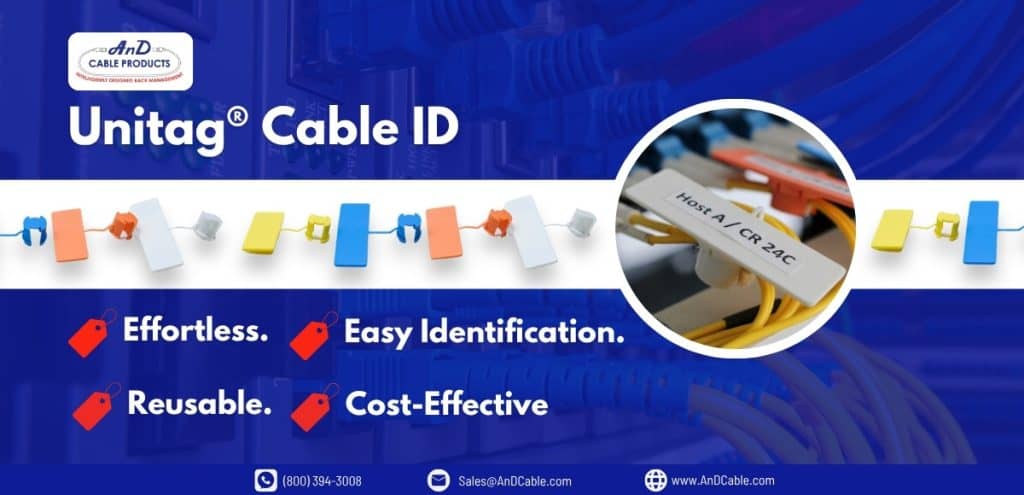
UniTag Cable Labels: Best for Structured, Reusable Identification

UniTag Cable Labels are better suited for teams that want a more consistent and structured cable identification system.

The snap-on, snap-off design makes UniTag useful for identifying virtually any cable size or cable group. It also helps reduce the need for traditional flag ties, which can snag, clutter the rack, or become difficult to follow in dense environments.

UniTag is a strong option when visibility and long-term organization matter.

Unitag cable labels for versatility and quick use

UniTag works best for:

  • Long-term cable identification
  • Color-coded cable runs
  • Large data center deployments
  • Cable groups that need visual separation
  • Teams reducing clutter from traditional flag ties
  • Environments that need reusable labels without adhesive residue
  • Network cable label systems that need to remain readable over time

Because UniTag is available in color-coded options, it can also support teams that use visual organization to separate different cable types, infrastructure zones, or operational categories.

For example, a team may use different colors for network, storage, management, or power-related identification. This can make the rack easier to understand at a glance, especially when combined with a clear internal labeling standard.

If QuickPinch is about fast field flexibility, UniTag is about repeatable structure.

It gives teams a cleaner way to identify cables while keeping the rack easier to read and maintain.

LW-PX700 Starter Bundle: Best for Printed, Standardized Labeling

Some environments need more than handwritten identification.

For new builds, large projects, and documentation-heavy environments, printed labels can provide a level of consistency that handwritten labels cannot always match.

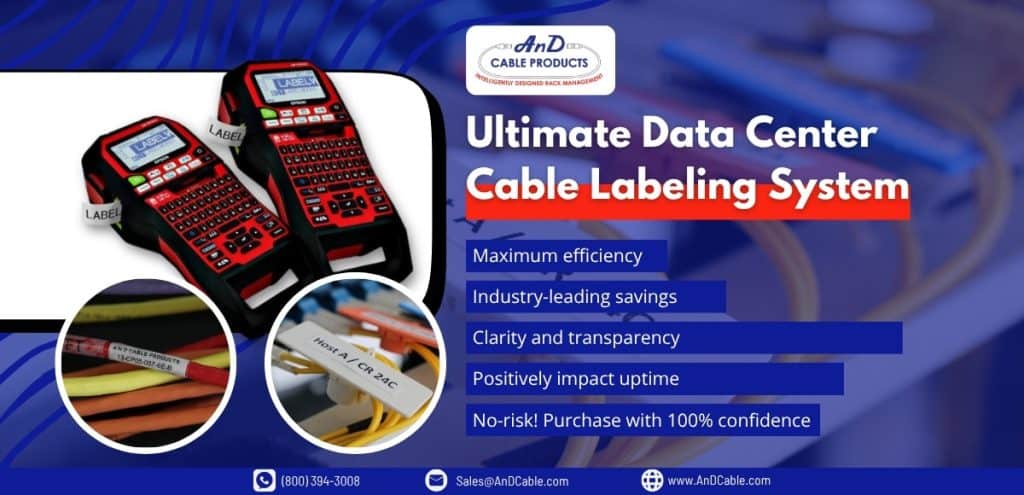
The LW-PX700 Starter Bundle combines Epson LabelWorks PX printing with UniTag reusable cable labels. This gives teams a complete cable labeling system that supports clear, consistent, and professional identification.

This type of system is useful when multiple technicians are working across the same infrastructure and labeling needs to remain consistent from rack to rack.

Ultimate Data Center Cable Labeling System

The LW-PX700 Starter Bundle works best for:

Printed labels reduce ambiguity. They help ensure that cable information is readable, consistent, and aligned with documentation practices.

That matters when infrastructure needs to be maintained over years, not days.

In a larger data center, it is not enough for the installer to understand the label. The next technician, the next shift, and the next project team need to understand it too.

That is where printed labeling systems provide real value.

Power Cable Labels Deserve Attention Too

Network cables usually get most of the attention because they are directly tied to connectivity and performance.

But power cable labels matter just as much.

In high-density racks, power paths can become difficult to follow. Redundant power feeds, A and B circuits, PDUs, and equipment-level connections all need clear identification. If a technician cannot quickly identify the correct power cable, the risk of service interruption increases.

The same rule applies:

If the cable matters, the label matters.

Power cable labels should be clear, durable, and easy to trace. They should help teams distinguish between sources, equipment, circuits, and redundancy paths. In some environments, color-coded labeling can provide an additional layer of visibility.

A well-labeled power environment supports safer maintenance and better operational control.

Matching the Label to the Job

The best cable label is not always the most advanced one.

It is the one that fits the work.

Here is a simple way to think about it:

RequirementBest Fit
Fast, reusable, write-on identificationQuickPinch Cable Labels
Frequent cable changesQuickPinch Cable Labels
Temporary or staged connectionsQuickPinch Cable Labels
Reusable snap-on labels for structured identificationUniTag Cable Labels
Color-coded cable runsUniTag Cable Labels
Large-scale cable organizationUniTag Cable Labels
Printed labels for standardized documentationLW-PX700 Starter Bundle
New builds or major relabeling projectsLW-PX700 Starter Bundle
Multi-technician environmentsLW-PX700 Starter Bundle
Documentation-heavy infrastructureLW-PX700 Starter Bundle

The goal is not labeling for the sake of labeling.

The goal is making the environment easier to understand when it matters most.

When a technician opens a rack during a maintenance window, there should be no guessing. The right cable should be easy to identify, easy to trace, and easy to service.

That is where a practical cable labeling system pays off.

What Happens When Labels Are Missing?

When labels are missing, vague, or inconsistent, the rack stops being self-explanatory.

A technician may have to trace cable paths manually. They may need to check documentation, then verify it physically. They may need to involve another team member who remembers the original installation. If the environment has changed over time, even that memory may no longer be reliable.

This is how small inefficiencies become operational delays.

One unclear cable may not seem like a major issue. But multiply that by dozens of racks, hundreds of cables, and multiple technicians over several years, and the cost becomes obvious.

Poor labeling creates a hidden tax on every maintenance task.

It takes time.
It adds risk.
It slows down decision-making.
It makes the environment harder to trust.

That is why cable labeling should be treated as part of data center cable management, not as an afterthought.

The Right Labeling System Supports the Whole Team

A good cable labeling system does not just help the installer. It helps everyone who touches the environment later.

It helps the technician troubleshooting a connection at 2 AM. It helps the project team upgrading network equipment. It helps the manager trying to reduce maintenance risk. It helps the next contractor who needs to understand the rack without starting from zero.

Good labeling creates continuity.

That is especially important in data centers where infrastructure evolves constantly. Equipment changes. Workloads shift. Network cable management practices mature. Documentation gets updated. Teams rotate.

The label is one of the few things that stays with the cable.

That makes it valuable.

Where AnD Cable Products Fits In

AnD Cable Products provides cable labeling solutions designed for real data center work.

QuickPinch Cable Labels support fast, reusable, write-on identification for environments that change frequently. UniTag Cable Labels provide reusable snap-on identification for structured, long-term organization. The LW-PX700 Starter Bundle combines printed labeling with UniTag labels for teams that need standardization, accuracy, and documentation control.

Each product serves a different need, but the purpose is the same:

Make cable identification easier.

Because when teams can identify cables quickly, they can troubleshoot faster, reduce mistakes, improve visibility, and keep infrastructure easier to maintain.

That is the real value of cable labels.

They do not make the network faster.

They make the network easier to manage.

And in a data center, that can make all the difference.

Frequently Asked Questions

What is the best cable label for data centers?

The best cable label depends on the environment. QuickPinch Cable Labels work well for fast-moving or temporary environments. UniTag Cable Labels are better for reusable, structured identification. The LW-PX700 Starter Bundle is best for printed, standardized labeling across larger deployments.

Why are cable labels important in data centers?

Cable labels help teams identify, trace, and service cables quickly. In data centers, good labeling reduces troubleshooting time, lowers the risk of wrong-cable mistakes, and supports better network cable management.

What is a network cable label?

A network cable label identifies a network cable, cable group, connection, or endpoint. It helps technicians understand where the cable goes, what it connects to, and how it should be handled during maintenance or troubleshooting.

Are reusable cable labels better than adhesive labels?

Reusable cable labels are better for environments where cables are frequently changed, moved, or reassigned. Adhesive or printed labels may be better for permanent infrastructure where consistency and documentation are the priority.

What cable labeling system works best for large data center projects?

For large data center projects, a printed and standardized labeling system is often best. The LW-PX700 Starter Bundle is a strong fit because it combines printed labels with reusable UniTag Cable Labels for clear, consistent identification.

About the Author

Louis Chompff - Founder, AnD Cable Products, Rack and Cable ManagementLouis Chompff – Founder & Managing Director, AnD Cable Products
Louis established AnD Cable Products – Intelligently Designed Cable Management in 1989. Prior to this he enjoyed a 20+ year career with a leading global telecommunications company in a variety of senior data management positions. Louis is an enthusiastic inventor who designed, patented and brought to market his innovative Zero U cable management racks and Unitag cable labels, both of which have become industry-leading network cable management products. AnD Cable Products only offer products that are intelligently designed, increase efficiency, are durable and reliable, re-usable, easy to use or reduce equipment costs. He is the principal author of the Cable Management Blog, where you can find network cable management ideas, server rack cabling techniques and rack space saving tips, data center trends, latest innovations and more.
Visit https://andcable.com or shop online at https://andcable.com/shop/

Posted on

400G, 800G, and the Growing Complexity of Network Cable Management

High-speed network cable stylistic speed representation - featured image

Data center networks are getting faster, denser, and more difficult to manage. As 400G and 800G deployments grow, network cable management is becoming a practical requirement for keeping infrastructure visible, serviceable, and reliable.

For years, the focus was simple: increase bandwidth, reduce latency, and keep infrastructure moving fast enough to support growing workloads. That pressure has only intensified with AI, machine learning, cloud platforms, and high-performance computing. What used to be a high-speed network is now becoming a high-density, high-stakes environment where every connection matters.

400G is already part of modern data center network cabling conversations. 800G is moving quickly into hyperscale and AI infrastructure. The Ethernet Alliance’s 2026 roadmap points to warehouse-scale data centers using a mix of active and passive copper cables, multimode fiber, single-mode fiber, and emerging technologies such as Linear Pluggable Optics to support 100G, 200G, 400G, and 800G deployments.

That shift is not just about faster high-speed network cables.

It is about what happens when speed, density, airflow, identification, and maintainability all collide inside the same rack.

Key Takeaways

  • 400G and 800G networks are increasing the density and complexity of data center network cabling.
  • High-speed network cables need better organization, labeling, and visibility to remain serviceable at scale.
  • Network cable management is becoming an operational requirement, not just a cleanup task.
High-speed network cable stylistic speed representation

Why 400G and 800G Change the Conversation

When network speeds increase, the infrastructure around them changes too.

At lower speeds, teams could often get away with less-than-perfect cable organization. A few messy runs, unclear labels, or rushed patching decisions might not create immediate problems. The environment was still manageable because the density was lower and the margin for error was wider.

That is changing.

400G and 800G environments often involve more compact connections, more ports per rack, more fiber, more DAC network cable deployments, and more short-reach interconnects between servers, switches, and storage systems. Cisco has noted that 800G deployment depends on development across optical modules, direct attach copper, and related system-level technologies.

In other words, the cable is no longer just a passive detail in the background.

It is part of the performance equation.

As bandwidth rises, so does the cost of poor visibility. The wrong cable pull, the wrong port trace, or the wrong replacement can create expensive delays. In high-density environments, small mistakes do not stay small for long.


High-Speed Network Cables Are Not the Only Challenge

It is easy to focus on the cable specification itself.

Is it 400G or 800G? Copper or fiber? DAC or AOC? OSFP or QSFP-DD? Passive or active?

Those questions matter. But they are only part of the picture.

The bigger operational question is this:

Can your team still manage the environment once all those connections are installed?

That is where many data centers start to feel the strain. As the number of connections increases, network cable management becomes harder. More cables means more labeling, more routing decisions, more bend-radius considerations, more airflow challenges, and more opportunities for human error.

A high-speed network cable may be technically correct, properly rated, and installed in the right port. But if the environment around it is disorganized, the overall infrastructure still becomes harder to operate.

Speed does not eliminate the need for structure.

It increases it.

DAC network cable management

The Rise of DAC Network Cable Deployments

Direct attach copper, or DAC, continues to play an important role in short-reach data center connections.

For certain use cases, DAC cables offer practical advantages. They are commonly used for short distances within or between racks, especially where cost, power consumption, and latency matter. In dense AI and cloud environments, DAC can be attractive because many connections are short, repeatable, and performance-sensitive.

But DAC deployments also add their own management challenges.

Unlike thin fiber jumpers, DAC cables can be thicker, heavier, and less flexible. As rack density increases, poorly routed DAC cables can create congestion quickly. They can block airflow, restrict access to ports, and make future changes more difficult.

This is where network rack cable management becomes important.

It is not enough to simply connect the cable and move on. Teams need to think about how those cables will be traced, serviced, replaced, and reorganized over time.

A rack might look acceptable on day one. Six months later, after multiple moves, additions, and changes, the same rack can become a troubleshooting trap.

The Real Problem: Visibility

The biggest issue in high-speed network environments is not always the cable itself.

It is visibility.

  • Can your team quickly identify which cable connects to which device?
  • Can they trace a connection without disturbing surrounding cables?
  • Can they make changes without guessing?
  • Can they tell the difference between production, backup, storage, management, and test connections at a glance?

As 400G and 800G become more common, visibility becomes more valuable. The faster and denser the environment gets, the less room there is for uncertainty.

This is where cable labeling becomes more than a small accessory. It becomes part of operational control.

When labels are clear, reusable, and easy to read, technicians can work faster and with more confidence. When labeling is inconsistent or missing, every routine task becomes slower.

That matters because data center work is rarely done under perfect conditions. Maintenance windows are short. Teams are under pressure. Equipment is expensive. Mistakes are costly.

Good labeling reduces guessing.

And in high-density racks, reducing guessing is a serious operational advantage.

Network cable management using cable ties

How Poor Network Cable Management Impacts Operations

Poor network cable management does not always cause immediate failure.

It usually creates friction.

That friction shows up in several ways.

Troubleshooting takes longer because technicians have to trace cables manually. Maintenance becomes riskier because cables are tangled or difficult to isolate. Airflow becomes less efficient because cable bundles block intake and exhaust paths. Documentation becomes less reliable because the physical environment no longer matches what is listed on paper or in software.

Over time, the rack becomes harder to trust.

That is a major problem for data centers moving toward 400G and 800G networking. The faster the infrastructure becomes, the more important operational clarity becomes.

A messy 1G environment is annoying.

A messy 400G or 800G environment is expensive.

Cable Management Is Part of Performance

It is tempting to treat cable management as a visual concern.

Clean racks look better. Messy racks look unprofessional.

But appearance is not the real issue.

The real issue is performance, maintainability, and efficiency.

Good data center network cabling supports airflow. It keeps pathways clear. It reduces strain on connectors. It makes service work more predictable. It helps teams avoid unnecessary downtime. It also makes future scaling easier because the rack still has usable structure.

This is especially important as data centers prepare for even faster network generations. The Ethernet Alliance has already discussed 800G, 1.6T, and future Ethernet speeds as part of the broader roadmap for AI and hyperscale infrastructure.

That means the cable density problem is not going away.

It is only getting more intense.

Why Labels Matter More in High-Speed Environments

Cable labels are easy to underestimate.

They are small. They are simple. They do not have the same appeal as switches, servers, optics, or high-speed network cables.

But in practice, labels help determine how manageable the system becomes.

A good cable label should make identification fast. It should stay attached. It should be readable. It should support changes. In environments where cables are moved, replaced, or repurposed, reusable labels can reduce waste and simplify operations.

This is where products like QuickPinch Cable Labels naturally fit.

QuickPinch cable labels - 25% off

They are not trying to make the network faster. That is not the point.

They help make the network easier to manage.

For teams dealing with dense cable environments, that matters. A simple label can reduce troubleshooting time, prevent wrong-cable mistakes, and make routine maintenance easier. In high-density racks, those small improvements can compound into real operational value.

The Future of Network Cable Management

The next phase of network cable management will not just be about tidiness.

It will be about operational readiness.

As 400G and 800G networks become more common, data centers will need cable environments that are easier to understand, easier to maintain, and easier to scale. That includes:

  • Cleaner network rack cable management
  • Better labeling and identification
  • Clearer separation between cable types
  • More consistent routing
  • Improved airflow around dense connections
  • Better documentation that matches the physical rack

The goal is not perfection.

The goal is control.

Because the more complex the network becomes, the more valuable control becomes.

Where AnD Cable Products Fits In

AnD Cable Products supports data center teams that want to optimize what they already have.

That includes cable managers, labels, ties, network cables, and rack-level products designed to improve visibility, airflow, and operational efficiency. For high-speed network environments, the value is straightforward: faster networks need cleaner infrastructure around them.

400G and 800G may be about bandwidth, but managing them well is about discipline.

The right cable management products help teams reduce clutter, improve serviceability, and maintain visibility as the environment grows. QuickPinch Cable Labels are one practical step in that direction, especially for teams that need reusable cable identification!


FAQ

What is network cable management in a data center?

Network cable management is the process of organizing, routing, labeling, and securing network cables inside racks, cabinets, and pathways. In data centers, it helps improve airflow, reduce troubleshooting time, and make high-density infrastructure easier to maintain.

Why do 400G and 800G networks make cable management more important?

400G and 800G networks often require denser connections, faster interconnects, and more structured routing. As cable density increases, poor organization can restrict airflow, reduce visibility, and make routine maintenance more difficult.

What are high-speed network cables used for in data centers?

High-speed network cables are used to connect servers, switches, storage systems, and other infrastructure that require fast data transfer. In modern data centers, they support AI workloads, cloud platforms, and high-performance computing environments.

What is a DAC network cable?

A DAC network cable, or direct attach copper cable, is commonly used for short-distance connections between data center equipment. It can be cost-effective and power-efficient, but it also needs proper routing and labeling because dense DAC deployments can quickly become difficult to manage.

How do cable labels improve network rack cable management?

Cable labels make it easier to identify, trace, and service connections without guessing. In high-density racks, clear labeling reduces troubleshooting time, helps prevent wrong-cable mistakes, and improves operational visibility.

Posted on

Data Center Efficiency in the Next Phase: Fixing What Was Built Too Fast

Newly built site to show how fast the data center industry is growing - Featured Image

Over the past few years the data‑center industry has raced to keep up with the explosive demand created by artificial‑intelligence (AI) workloads and cloud adoption. Hyperscalers, colocation providers, and enterprise operators all had the same marching orders: build capacity quickly, get it online, and sort out the details later. That frenetic pace delivered the gigawatts of compute that generative AI demanded but at the expense of data center efficiency. 

Today, those hastily built sites continue to run workloads, yet day‑to‑day operations tell a different story. From hidden energy costs to creeping maintenance complexity, friction is emerging even when nothing has technically “failed.” 

This article outlines why the next phase of data‑center growth is about optimization rather than expansion. It explains how decisions made in the rush to build now manifest as operational inefficiencies, explores where those problems surface first, and discusses how data‑center managers can recover capacity, improve performance, and lower costs. It also incorporates recent industry data showing how AI-driven demand and higher rack densities are stretching existing facilities. 

By the end you’ll see why speed built the data center, but optimization will make it sustainable.

Key Takeaways

  • Rapid data center expansion creates hidden inefficiencies that compound over time, even when nothing appears broken.
  • High-density racks amplify small issues, especially in cable management and airflow, making operations harder.
  • The next phase of growth is not expansion, but improving data center efficiency through optimization.
Newly built site to show how fast the data center industry is growing

Why the Rush? AI and Rapid Construction

The AI boom caught many operators off guard. In 2025 70% of new data‑center capacity growth was driven by AI needs. Generative models require extraordinary compute, and hyperscale cloud providers scrambled to deploy clusters of GPUs and accelerators. Traditional construction methods – piecemeal rack deployment, on‑site builds, sequential permit approvals – could not keep pace. 

According to industry surveys, 94% of data‑center operators reported shortages of experienced construction teams and 80% noted that key equipment lead times had increased, with one‑third of those delays stretching longer than twelve weeks. Shortages of skilled labor, supply‑chain constraints, and a race to secure grid capacity pushed teams toward rapid build‑outs.

Hastily built facilities did succeed in bringing compute online. Systems turned on, workloads ran, and customers saw the capacity they needed. But the unintended consequences of speed are now surfacing in the form of data center inefficiency and complexity. 

Infrastructure has memory; decisions made during rushed construction persist for years. Improvised cable routing, oversized cooling equipment, and minimal documentation may not cause immediate outages, yet they slowly erode performance and margin. Recognizing these hidden costs is the first step toward the next phase of data‑center management: data center optimization.

The Hidden Cost of Speed

From the outside, a fast‑built data center looks fine. Servers hum, network packets flow and workloads complete. Internally, however, small inefficiencies compound:

  • Troubleshooting takes longer. Without clear cable organization, technicians spend more time identifying circuits and tracing connections. A poorly designed or unmanaged cabling system increases latency, raises the risk of downtime, and makes troubleshooting complex.
  • Routine changes slow down. Moves, adds and changes that could be simple require coordination because patch panels are full or documentation is missing.
  • Cooling costs rise. High‑density racks built without adequate airflow planning force cooling equipment to work harder. Industry estimates show that cooling systems account for roughly 30% – 40% of total data‑center energy consumption. In legacy facilities, cooling often contributes 40% or more of total facility energy use.
  • Energy efficiency suffers. The average power‑usage effectiveness (PUE) across data centers globally is more than 1.57, yet high‑efficiency sites target 1.2 – 1.3. Without intentional airflow management, much of the energy pumped into cooling never reaches the IT load.

At the core of these issues is cabling and airflow. According to ANSI/TIA-606-B Standard, a cabling and cable labeling guide, experts noted that a poorly designed cabling system leads to increased latency, higher risks of downtime, troubleshooting complexity and limited scalability. Conversely, businesses that invest in structured and professionally managed cabling improve operational efficiency, reduce costs and support future technologies. These hidden costs of speed reveal themselves gradually; there is no dramatic failure, only a steady reduction in efficiency.

What “Breaking” Actually Looks Like

Data‑center infrastructure rarely fails catastrophically. Instead, it degrades. Messy cable paths restrict access and mask labeling. Airflow becomes uneven as cables block vents and impede exhaust. Operators lose visibility of which connections feed which devices. That degradation manifests in several ways and severely affects data center efficiency:

  • Airflow mismatch. Studies show that 61% of airflow in legacy sites is not properly utilized. Bypass air and lack of containment create hot spots, requiring cooling equipment to run harder while still failing to prevent thermal issues. 
  • Wasted energy. Oversized or inflexible cooling equipment wastes power because systems are sized for peak loads rather than actual operating conditions. Without real‑time controls, fans and pumps run at full speed even when load drops.
  • Compounded inefficiency at high density. Rack power density has risen from 2–5 kW per rack a decade ago to 30–50 kW per rack in high‑performance clusters, and near‑future deployments exceed 100 kW per rack. In these environments, even small inefficiencies quickly scale into big problems. An obstructed cable bundle that disrupts airflow can cause a 50 kW rack to throttle or overheat.

These issues do not create immediate downtime but they make everyday operations harder. Technicians spend more time navigating cable mazes, risk accidental disconnections, and face unpredictable thermal profiles. As one operations lead put it, “nothing fails overnight—it just gets harder every day.”

Data center efficiency is down because of poor optimization

Where Problems Show Up First

The first signs of friction appear inside the rack. High‑density compute nodes pack dozens of servers, accelerators, and storage devices into a single cabinet. With AI workloads pushing densities beyond 30 kW per rack, cable counts increase dramatically. Each server needs multiple power feeds, network uplinks and management connections. Without clear structure, complexity escalates:

  • Disrupted airflow: Cable bundles block the front of servers and create “air dams,” preventing cold air from reaching critical components. Using cable managers ensures clean installations with adequate gaps for airflow, but hurried installations often disregard cable management altogether.
  • Restricted access: Tangled cables restrict technicians’ ability to remove or service equipment. Unstructured cabling leads to messy bundles that complicate troubleshooting and increase the risk of accidental disconnections.
  • Reduced visibility: Without consistent labeling, it becomes difficult to trace circuits. Color‑coding cables and labeling both ends simplifies maintenance and troubleshooting.
  • Amplified inefficiency: In a low‑density rack, an obstructed cable might cause a minor temperature rise. In a rack drawing 40 kW, that same obstruction can cause equipment to throttle or even shut down. Density without management and optimization amplifies data center inefficiency.

This rack‑level complexity is often invisible to management dashboards. Thermal sensors may show high PUE or unusual temperature variance, but the root cause (messy cabling) is not captured by traditional monitoring tools. Recognizing that these issues start inside the rack is essential to addressing the hidden costs of speed.

The Tipping Point

Eventually every fast‑built facility reaches a tipping point. As AI workloads scale, operators realize that adding more racks or more power no longer yields proportional performance and may even result in reduced profits. Scaling further becomes harder than expected, costs rise, and performance becomes inconsistent. Meanwhile, sustainability targets loom: global data‑center energy consumption is expected to double by 2030, driven by AI workloads, edge computing and cloud infrastructure. High‑density facilities strain energy and water supplies and heighten corporate carbon footprints.

At this point, the conversation shifts from “how fast can we build?” to “how do we make this work better?” Operators who ignore the friction may face rising operating expenses, regulatory scrutiny and limited ability to deploy new workloads. Those who recognize the need to optimize can recover capacity, reduce energy costs and position themselves for sustainable growth. This tipping point marks the beginning of the next phase of data‑center management.

Data center efficiency in abstract form by man pointing a button with gears

What Teams Will Need Next to Achieve Improved Data Center Efficiency

Transitioning from rapid build‑out to sustainable operation requires a shift in mindset. Instead of focusing solely on new capacity, teams must prioritize optimizing existing data center infrastructure. Key elements include cabling, airflow, monitoring and strategic cooling investments.

1. Structured Cabling and Cable Management

A structured cabling system uses patch panels, consistent labeling, and standardized subsystems. While it requires more planning and upfront investment, it yields multiple long‑term benefits:

  • Faster troubleshooting and reduced downtime. Technicians can quickly identify connections without tracing cables manually.
  • Simplified moves, adds and changes. New devices can be added or replaced without disrupting adjacent circuits.
  • Improved airflow and cooling efficiency. Neatly routed cables clear front‑of‑rack airflow and reduce hot spots.
  • Better compliance with industry standards such as ANSI/TIA‑942, which helps meet regulatory and customer requirements.
  • Scalability for future technologies. Structured cabling accommodates new network speeds (e.g., 400 Gbps, 800 Gbps) and emerging optical interconnects without wholesale rewiring.

By contrast, unstructured cabling (point‑to‑point, ad hoc connections) may be cheaper initially but becomes expensive over time. Messy cables complicate troubleshooting, increase risk of accidental disconnections, limit scalability and drive higher maintenance costs. For organizations that prioritize growth, performance and efficiency, structured cabling is the foundation.

Best practices for cable management include:

  • Color‑coding cables for quick identification (e.g., power, network, storage).
  • Labeling both ends of every cable.
  • Following bend‑radius guidelines to prevent signal loss or physical damage.
  • Separating data and power cables to minimize electromagnetic interference.
  • Conducting regular cable audits to identify and remove unused or faulty connections.

These practices not only improve data center efficiency but also contribute to data center infrastructure efficiency by reducing wasted space and energy.

2. Recovering Rack Space with Zero U Cable Management

One of the most effective ways to improve density without adding more cabinets is to recover rack space. Traditional horizontal cable managers occupy 1U or more of vertical space in each rack. Zero U Cable Managers, offered by AnD Cable Products, mount outside the rack’s usable U‑space. 

By moving cable management to the side or rear of the cabinet, they recover up to 30% of rack real estate – the equivalent of adding a free rack for every three optimized racks. This recovered space can be used for additional servers, storage, or networking gear without expanding the facility footprint.

Recovered rack space translates directly into lower capital expenditures (fewer cabinets, fewer PDUs), reduced cooling load (because there is less equipment generating heat in a given footprint), and better airflow (since the front of the rack remains unobstructed). 

With Zero U Cable Managers, technicians also gain improved access for maintenance and can implement best practices such as color‑coded cables and labeling. In high‑density AI environments, recovering 30% of rack space can offset delays in procurement and reduce the need for additional data hall expansions.

Horizontal Zero U RackOrganizer for High-Density Servers

3. Airflow Management and Cooling Optimization

Thermal management is inseparable from cable organization. Dense racks produce more heat, and poor cable routing blocks airflow. Operators should adopt hot‑aisle/cold‑aisle containment strategies: alternating the orientation of racks and installing barriers to separate hot exhaust air from incoming cold air. 

According to ASHRAE, containment can reduce cooling energy by 15 – 20%. Proper containment also allows higher supply‑air temperatures, reducing the temperature difference across cooling coils and improving chiller efficiency. 

Beyond containment, modern cooling systems emphasize flexibility and real‑time control. Variable frequency drives (VFDs) and electronically commutated (EC) fans adjust speed based on load, yielding energy savings of 20 – 35%. Sensors that integrate with building‑management systems can modulate airflow dynamically and reduce fan energy by 25 – 35%[9]. 

Liquid‑cooling technologies, including rear‑door heat exchangers and direct‑to‑chip cooling, are 1,000 times more efficient than air at transferring heat. While liquid cooling requires careful design, it is crucial for racks exceeding 50 kW or 100 kW. Many operators deploy hybrid systems that combine air cooling, liquid cooling and free‑air economization to balance legacy infrastructure with emerging demands.

4. Monitoring and Real‑Time Visibility

Optimization does not stop at physical layout. Deploy data‑center infrastructure management (DCIM) tools that provide real‑time visibility into power, temperature, humidity and asset location. Modern DCIM platforms integrate with sensors and automatically map cables, power feeds and network connections. Coupled with structured cabling, this visibility allows operators to identify hot spots, stranded capacity and unused circuits quickly.

AI‑driven cable management tools are emerging as well. These systems detect, map and diagnose cable issues automatically. They can generate digital twins of cabling infrastructure and use machine learning to predict potential problems before they cause downtime. Integrating such tools into operations helps maintain data center energy efficiency and simplifies troubleshooting.

Looking Ahead: Optimization as Strategy

The next phase of data centers will not be defined by the speed of construction, but by how effectively operators optimize what they already have. Several trends make this shift inevitable:

  1. Energy and sustainability pressure. Cooling accounts for 30 – 40% of energy use, and global data‑center energy consumption is projected to double by 2030. Reducing PUE through airflow management and efficient cabling directly lowers energy bills and carbon emissions.
  2. Limited space and power. Grid capacity, real estate and skilled labor are constrained. Recovering 30% of rack space with Zero‑U Management often makes the difference between meeting AI demand or delaying deployment.
  3. Regulatory and customer scrutiny. Enterprises and hyperscalers face growing regulatory requirements to report energy efficiency and carbon intensity. Optimization measures like structured cabling and containment provide verifiable improvements.
  4. Cost control in uncertain markets. Macro‑economic factors and supply‑chain disruptions make capital spending unpredictable. Optimizing existing infrastructure yields immediate return on investment without multi‑million‑dollar expansions.

Operators who act now will stay ahead. They will treat cable management not as a cost centre but as a strategic tool for recovering capacity and enhancing data center optimization strategies. 

Speed Built the Infrastructure; Optimization Makes It Sustainable

The data‑center boom of the early 2020s was defined by speed. AI demand surged, capacity was scarce and everyone raced to build. That race delivered the compute that powers generative models and digital economies today. However, the hidden cost of speed is now evident in cable snarls, airflow bottlenecks and rising energy bills. Nothing has failed, yet operations are getting harder every day.

The next phase of data centers is therefore about fixing what was built too fast. It is about embracing structured cabling, recovering rack space, optimizing airflow and adopting intelligent cooling. It is about shifting the conversation from expansion to data‑center efficiency and data‑center energy efficiency. 

Operators who act early will recover capacity, lower costs and extend the life of their infrastructure. Those who delay will eventually reach the same conclusion, but with more pressure and less room to maneuver.

This is where the right infrastructure decisions start to matter. Working with partners like AnD Cable Products, teams can simplify cable management, recover valuable rack space, and improve airflow without expanding their footprint. Small changes in how cables are organized and managed can translate into measurable gains across performance, cooling, and operational clarity.

About the Author

Louis Chompff - Founder, AnD Cable Products, Rack and Cable ManagementLouis Chompff – Founder & Managing Director, AnD Cable Products
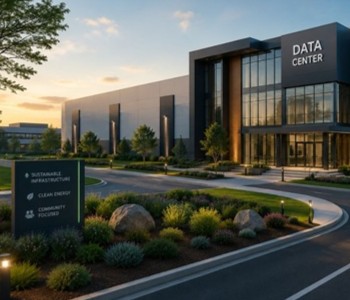
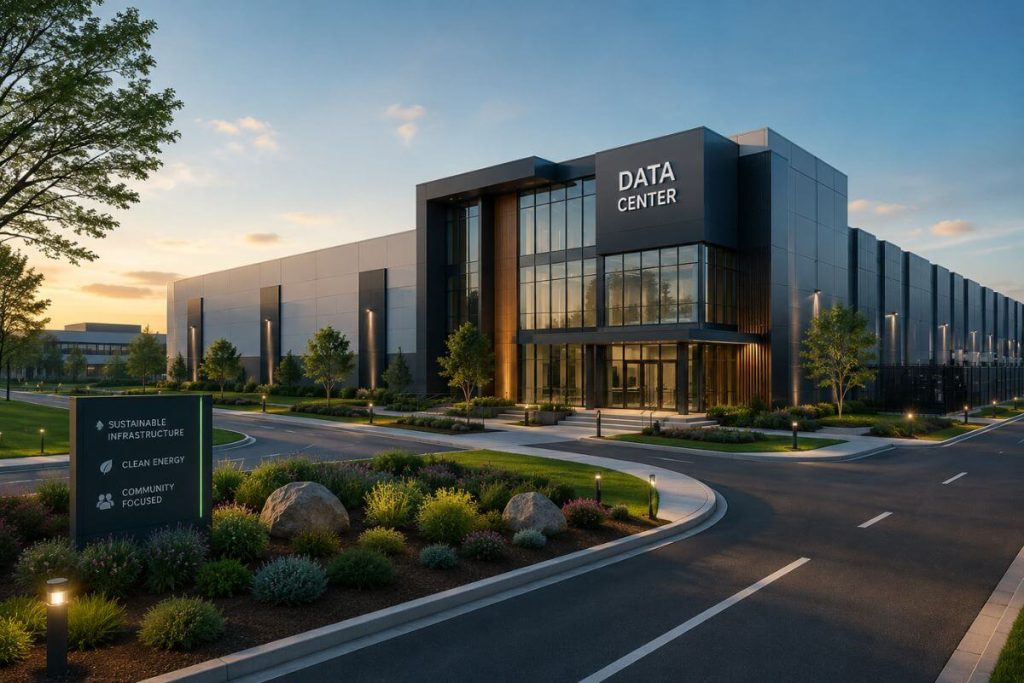
Louis established AnD Cable Products – Intelligently Designed Cable Management in 1989. Prior to this he enjoyed a 20+ year career with a leading global telecommunications company in a variety of senior data management positions. Louis is an enthusiastic inventor who designed, patented and brought to market his innovative Zero U cable management racks and Unitag cable labels, both of which have become industry-leading network cable management products. AnD Cable Products only offer products that are intelligently designed, increase efficiency, are durable and reliable, re-usable, easy to use or reduce equipment costs. He is the principal author of the Cable Management Blog, where you can find network cable management ideas, server rack cabling techniques and rack space saving tips, data center trends, latest innovations and more.
Visit https://andcable.com or shop online at https://andcable.com/shop/

FAQ

What is data center efficiency?

Data center efficiency refers to how effectively a facility uses power, space, and infrastructure to support IT workloads. It is commonly measured using metrics like Power Usage Effectiveness (PUE), but also includes airflow management, cable organization, and operational simplicity.


Why do fast-built data centers become inefficient?

When data centers are built quickly, decisions are made for speed rather than long-term performance. This often results in poor cable routing, limited airflow planning, and lack of structure, which create inefficiencies that compound over time.


How does cable management affect data center efficiency?

Cable management directly impacts airflow, accessibility, and troubleshooting speed. Poor cable organization can block airflow, increase cooling costs, and make maintenance more difficult, while structured cable management improves performance and operational clarity.


What are the first signs of inefficiency in a data center?

Common early signs include slower troubleshooting, inconsistent airflow, rising cooling costs, and increased difficulty in performing routine maintenance or changes within the rack.


How can data centers improve efficiency without expanding?

Efficiency can be improved by optimizing existing infrastructure. This includes better cable routing, reclaiming rack space, improving airflow, and implementing structured systems that make the environment easier to manage.


What role does rack density play in efficiency?

Higher rack density increases performance capacity but also amplifies inefficiencies. Without proper cable management and airflow planning, high-density environments become harder to cool, maintain, and scale.

Posted on

DCD 2026 Takeaways: The Industry Is Moving Fast… Maybe Too Fast

DCD>Connect New York – Day 01, people gathering looking at new technologies - featured image

We spent two full days at DCD>Connect New York 2026, sitting through sessions, listening to operators, and paying attention to what wasn’t being said just as much as what was.

Here’s the short version: the industry is moving fast, faster than it’s organizing itself.

AI is driving demand, no question. But underneath that momentum, there’s a growing layer of friction. Decisions are being made quickly, infrastructure is being deployed even faster, and in many cases, the operational side is playing catch-up.

So instead of another surface-level recap, this is a grounded look at what actually stood out: the patterns, the concerns, and where things are likely headed next from DCD 2026 insights we gathered on the ground.

Key Takeaways

By the end of this article, you’ll know:

  • Data center growth is outpacing planning, creating long-term operational inefficiencies.
  • Cooling and infrastructure limits are becoming real constraints as density increases.
  • The next phase is optimization, not expansion, improving what already exists.
DCD>Connect New York – Day 01, people gathering looking at new technologies
Credits: www.datacenterdynamics.com

“Move Fast” Is Already Creating Problems

Speed is clearly the priority right now. That part isn’t surprising. What is surprising is how often structure is being sacrificed to maintain that speed.

Across conversations and sessions at DCD 2026, a consistent theme kept coming up: data centers are being built and brought online quickly, but not always with the level of planning you would expect at this scale. In some cases, foundational systems like DCIM are being skipped entirely or treated as something to “figure out later.”

That approach works in the short term. Capacity goes live, deadlines are met, and everything looks fine from the outside.

But infrastructure doesn’t forget.

Every rushed decision creates a layer of complexity that sticks around:

  • Cable routing that wasn’t thought through becomes harder to fix later
  • Airflow inefficiencies quietly increase cooling demands
  • Troubleshooting takes longer because nothing is as clear as it should be

It’s not that things are failing immediately; it’s that they’re becoming harder to manage over time. And eventually, that compounds into real operational cost.


Cooling Is Becoming a Real Constraint

Cooling is no longer just part of the design conversation; it’s starting to define the limits of what’s possible.

What stood out during DCD 2026 takeaways discussions wasn’t just that cooling was discussed heavily, but how specific the conversations have become. The focus has shifted toward fundamental questions like whether it makes more sense to cool the chip directly or continue optimizing room-level cooling strategies. That alone tells you where things are heading.

But more importantly, the risks are becoming tangible.

There were real concerns raised around what happens when cooling falls short at higher compute densities. In extreme cases, heat isn’t just reducing efficiency. Heat is causing physical issues at the chip level, including the formation of bubbles due to thermal stress.

That’s a different level of problem. 

At that point, cooling isn’t about optimization or cost savings. It’s about preventing failure and protecting the hardware itself. And as density continues to increase, the margin for error gets smaller, which means even minor inefficiencies inside the rack (anything that disrupts airflow) start to matter a lot more.

Air conditioners for large-scale data centers

The Supply Chain Still Has Gaps

One of the more grounded DCD 2026 insights is that the supply chain is not fully aligned with the pace of innovation.

On paper, things look like they are advancing quickly. Bandwidth is increasing, new standards are being introduced, and performance ceilings are being pushed higher. But when you look closer, not everything is moving at the same speed.

A good example is Ethernet.

Technologies like Direct Attach Copper (DAC) cables have already been in use for years, especially for short-distance, high-speed connections within the same rack. Solutions like 25GBASE-CR, SFP28 to SFP28 Passive Direct Attach Copper, and Twinax cables are reliable, efficient, and widely deployed today. They are not new.

What is changing is the scale and urgency of adoption.

There is now a strong push to move beyond legacy Ethernet standards, with discussions pointing toward 300 to 600 gig becoming the future norm in data center environments. The capability is evolving quickly, and in many cases, the cabling side is already capable of supporting these higher speeds.

But the bottleneck is not where most people expect it to be.

It is not the cables.
It is the interfaces.

That creates a disconnect. You have infrastructure that is ready, or close to ready, for higher performance, but the supporting hardware and interfaces still need time to catch up. Manufacturers are working toward it, but widespread adaptation does not happen overnight.

And when different parts of the ecosystem move at different speeds, friction shows up in deployment.

This is where delays compound:

  • Equipment arrives at different times
  • Systems cannot be fully utilized
  • Workarounds start creeping into deployments

And just like with rushed builds, these workarounds tend to stick around longer than intended.


The AI Hype Is Starting to Settle

There was a noticeable shift in tone across conversations at DCD connect New York 2026. AI is still the primary driver of growth, but the way people are talking about it is changing.

Not long ago, the focus was simple: build as fast as possible and scale ahead of demand.

Now, the conversation is becoming more grounded. There is growing awareness that not everything built during this surge will immediately deliver returns, and that has started to influence both operators and investors.

You can almost map the shift in real time:

PhaseTimeframeIndustry BehaviorWhat We’re Seeing Now
Initial AI Surge2023 – Early 2024Aggressive expansion, heavy investment, race to secure capacityMassive buildouts, speed prioritized over structure
Peak HypeMid 2024 – Early 2025Overcommitment, rapid deployment, reliance on major ecosystems“Build now, figure it out later” mentality
Transition Phase2025 – PresentEarly signs of skepticism, supply chain strain, uneven performanceQuestions around sustainability and ROI
Stabilization (Emerging)Late 2025 – 2026Focus shifting to efficiency, utilization, and accountabilityInvestors want results, not idle infrastructure, “no to dark data centers”

One comment that stood out summed it up well:

Investors are no longer interested in funding dark data centers. They want to see output. They’re now saying “no” to data centers that offer zero transparency (hence the name, dark data centers). 

That shift matters.

It changes how decisions are made. Instead of building purely for future demand, there is increasing pressure to make existing infrastructure perform. Efficiency, utilization, and operational clarity are starting to carry just as much weight as expansion.

At the same time, there is visible movement away from over-reliance on single ecosystems, alongside broader discussions about whether the current pace of AI-driven growth is sustainable long term.

This is typically the point where an industry matures.

Not by slowing down, but by becoming more selective, more measured, and more focused on what actually works.

And when that happens, attention naturally shifts inward. Not just to what gets built next, but to how well what’s already been built is actually functioning and generating profit.

AI Hype 3d image - atoms and lines

Rethinking the Rack

One of the more interesting DCD 2026 insights is that the rack itself is starting to evolve.

For a long time, the rack has been treated as a fixed constraint. Standard widths, standard depths, standard layouts. You design around it, not rethink it.

That’s changing.

There are now real discussions around:

  • Deeper racks to support higher density deployments
  • 23-inch widths to accommodate both legacy and modern equipment
  • More flexible, modular approaches driven by companies entering the space from outside traditional data center infrastructure

This tells you something important.

The industry is no longer assuming that existing physical standards are sufficient for what’s coming next. Compute density is increasing, power requirements are shifting, and the physical environment has to adapt.

But here’s the gap.

While the rack itself is being rethought, what happens inside the rack is still often treated as an afterthought.

Cabling, routing, and organization are not evolving at the same pace as the hardware they support.

And that creates friction:

  • Higher density means tighter spaces
  • Higher speeds mean less tolerance for disruption
  • More complexity means more points of failure

You can upgrade the rack, but if the internal environment is still disorganized, the benefits are limited.

Because at the end of the day, performance is not just about what you install. It is about how well everything inside that rack actually works together.


Making It Work with Zero U Cable Management

As racks evolve to support higher density, cable management becomes one of the simplest ways to unlock immediate gains without changing the core infrastructure.

Zero U Cable Management takes a different approach by mounting cables alongside the rack structure instead of consuming valuable rack units. Instead of placing cable managers above or below active equipment, cables are routed outside the usable U-space, freeing up room for additional devices within the same rack footprint.

In high-density environments, that reclaimed space adds up quickly. It is not uncommon to recover up to 30% of rack capacity, effectively delaying or even eliminating the need for additional cabinets.

Horizontal Zero U RackOrganizer for High-Density Servers

The Real Opportunity: Fixing What Was Built Too Fast

This was one of the clearest signals from DCD 2026 takeaways.

There is growing interest in fixing existing data centers.

Not replacing them.
Not rebuilding from scratch.

Fixing them.

Because the reality is starting to set in.

Data centers that were deployed quickly are now beginning to show signs of strain:

  • Disorganization making troubleshooting slower
  • Airflow inefficiencies increasing cooling costs
  • Space being consumed faster than expected

None of these issues are catastrophic on their own. But together, they create operational drag that compounds over time.

And this is where the shift happens.

Instead of asking, “How do we build more?”

The question becomes, “How do we make what we already have work better?”

That is a different mindset.

It is more practical, more immediate, and often more cost-effective.

It is also where small changes start to have outsized impact:

  • Better cable organization improves airflow
  • Clear routing reduces troubleshooting time
  • Optimized layouts recover usable space inside the rack

This is not about redesigning the entire facility.

It is about removing the friction that was introduced when speed took priority over structure.

Because eventually, every fast build reaches a point where it needs to be refined.

And when that moment comes, the teams that can optimize what already exists will have a clear advantage over those that continue to expand without addressing the fundamentals.


Building Fast Is Best Paired with Optimization

“Move fast and break things” works for a while.

But in data centers, what breaks does not disappear. It stays, it compounds, and it becomes harder to manage over time.

The industry is not slowing down. But it is starting to recognize the cost of moving too fast.

And that is where the next wave of improvement will come from.

Grow your data center by optimizing what you already have. Partner with AnD Cable Products for all your Cable Management Needs today! 


FAQ

1. What were the most important DCD 2026 takeaways?

Data centers are being built faster than they are being properly planned and organized. This creates inefficiencies that will need to be addressed over time.

2. Why is cooling becoming such a major concern?

Higher compute density generates more heat, reducing the margin for error. Cooling is now critical to prevent hardware degradation, not just improve efficiency.

3. Are DAC cables ready for future data center speeds?

Yes, DAC cables already support high-speed, short-distance connections within racks. The limitation today is mainly on the interface and hardware side.

4. Is the AI data center boom slowing down?

Not slowing down, but becoming more measured and results-driven. There is growing pressure to justify performance and return on investment.

5. Why focus on optimizing existing data centers?

Many facilities were deployed quickly and now show inefficiencies in space and airflow. Optimization is often faster and more cost-effective than expansion.

6. How does cable management impact performance?

Proper cable management improves airflow and reduces troubleshooting time. It also helps recover usable rack space in high-density environments.

About the Author

Louis Chompff - Founder, AnD Cable Products, Rack and Cable ManagementLouis Chompff – Founder & Managing Director, AnD Cable Products
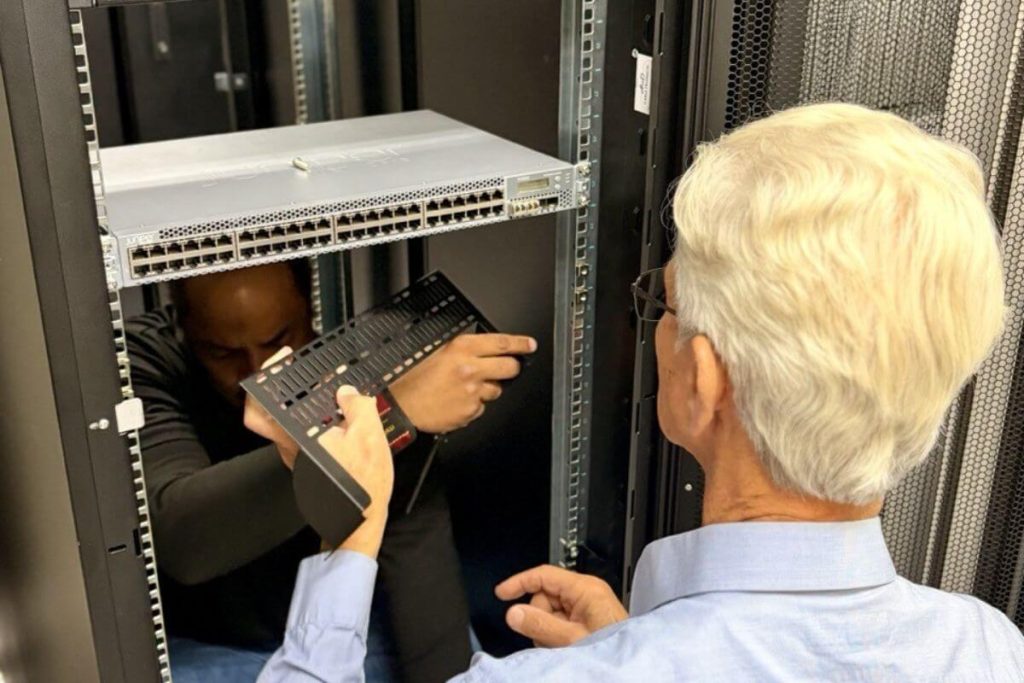
Louis established AnD Cable Products – Intelligently Designed Cable Management in 1989. Prior to this he enjoyed a 20+ year career with a leading global telecommunications company in a variety of senior data management positions. Louis is an enthusiastic inventor who designed, patented and brought to market his innovative Zero U cable management racks and Unitag cable labels, both of which have become industry-leading network cable management products. AnD Cable Products only offer products that are intelligently designed, increase efficiency, are durable and reliable, re-usable, easy to use or reduce equipment costs. He is the principal author of the Cable Management Blog, where you can find network cable management ideas, server rack cabling techniques and rack space saving tips, data center trends, latest innovations and more.
Visit https://andcable.com or shop online at https://andcable.com/shop/