Posted on

AI Is Moving Into Data Centers That Were Never Designed for It

AI Data Center technician retrofitting server racks for AI processing - featured image

Purpose-built AI data centers tend to get the attention. They are newer, larger, and designed around GPU clusters, high-density racks, liquid cooling, and enormous power requirements from the beginning.

But the relationship between data centers and AI is becoming more complicated. Much of the industry’s AI transition will happen inside facilities that already exist, including sites designed years before today’s GPU densities and cooling requirements were imaginable.

As AI and data center infrastructure converge, operators are increasingly being asked to retrofit existing facilities rather than wait for entirely new campuses.

Enterprise and colocation data centers built years before the current AI boom are increasingly being asked to accommodate infrastructure they were never designed to support. Recent industry analysis points to the same challenge. Existing facilities often have valuable advantages such as established grid connections, operating infrastructure, fiber connectivity, and available floor space, but their original power and cooling profiles may not match the density required by modern AI workloads.

That makes the next stage of AI infrastructure as much a retrofit problem as a construction problem.

Key Takeaways

  • Many existing data centers were designed around significantly lower rack densities than modern AI infrastructure requires.
  • An AI data center retrofit must consider power, cooling, structural capacity, connectivity, cabling, and serviceability together.
  • Existing facilities can still be valuable AI deployment sites because they already have infrastructure, power connections, and network access in place.
  • Optimizing rack space and cable management can support higher density, but only when power and thermal limits are addressed first.
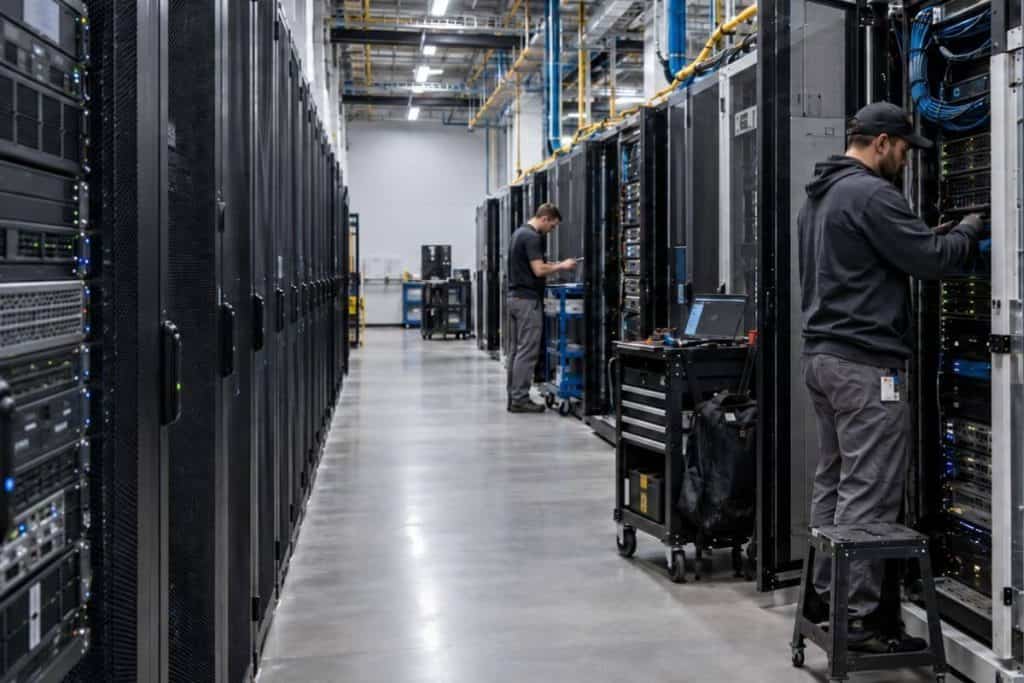
AI Data Center technician retrofitting server racks for AI processing

Why Existing Facilities Can Become AI Data Centers

Building a new AI data center allows almost every major infrastructure system to be designed around the workload.

Power distribution can be sized appropriately. Liquid cooling can be integrated from the start. Structural requirements can account for heavier racks. Fiber pathways, containment, and white-space layouts can be planned around dense clusters before the first server arrives.

Existing data centers do not have that luxury.

However, they have something equally valuable: they already exist.

The facility may already have a utility connection, generators, UPS systems, cooling infrastructure, network connectivity, security, staff, and customers. At a time when new grid connections, permitting, construction schedules, and equipment lead times can delay new capacity, extracting more performance from an existing site can be significantly more practical than starting from an empty parcel.

This is why brownfield modernization is receiving more attention. Operators are evaluating whether existing facilities can be upgraded incrementally rather than waiting for completely new AI-ready campuses.

The challenge is determining exactly what the existing facility can support.

The First Constraint Is Usually Power

Traditional data centers were built around relatively predictable IT loads. AI changes that equation because GPUs can concentrate far more computing power into fewer racks.

Industry discussions in 2026 increasingly reference AI racks moving from conventional tens-of-kilowatts loads toward much higher densities, with some future architectures targeting hundreds of kilowatts per rack.

An existing facility may have enough empty rack space to support an AI data center deployment but still lack the electrical capacity required to use it.

Operators need to evaluate the entire power chain, including:

  • Utility and facility capacity
  • UPS systems
  • Busways and distribution equipment
  • Rack PDUs
  • Circuit availability
  • Redundancy requirements
  • The ability to accommodate changing AI load profiles

Simply finding room for another GPU server does not mean the infrastructure can support it.

This distinction matters because AI capacity is not measured only in available rack units. A physically empty rack can still be functionally full if the surrounding power infrastructure has reached its limit.
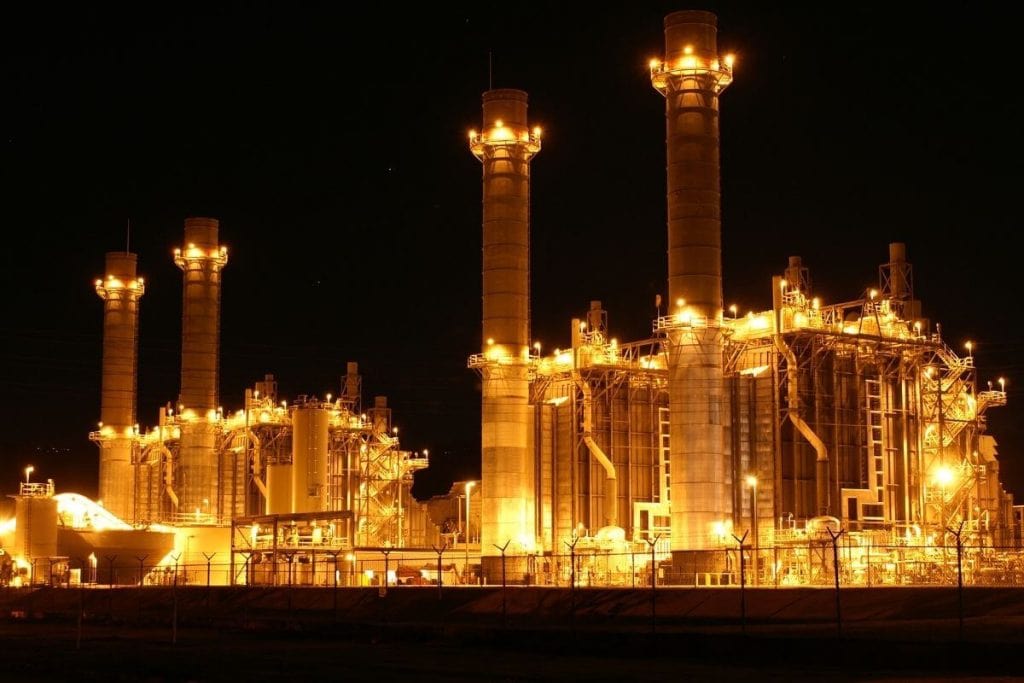
Power plant at night working double-time due to AI power demands

Cooling Becomes a Rack-Level Problem

The same concentration of compute that stresses power distribution also changes how heat must be removed.

Legacy facilities commonly rely on room-level air cooling. That remains practical for many workloads, but higher-density AI clusters can produce thermal loads that are difficult to manage through conventional airflow alone.

This does not mean every existing data center needs to be converted immediately to a completely liquid-cooled environment.

Operators are taking several approaches, including improved containment, rear-door heat exchangers, direct-to-chip liquid cooling, cooling distribution units, and hybrid configurations where air-cooled and liquid-cooled systems operate within the same facility. Recent retrofit guidance increasingly treats this as a transition rather than an overnight replacement of the existing cooling architecture.

That is likely to become a defining feature of AI retrofits.

The existing data center does not suddenly become a new facility. Instead, new infrastructure is layered into the old one, rack by rack and system by system.

Network Infrastructure Can Become the Quiet Constraint

Power and cooling are usually the first concerns when retrofitting an existing facility for AI, but network infrastructure can become another limiting factor.

AI clusters depend on extremely high-bandwidth connections between accelerators, switches, storage, and the broader network. As those connections become faster and more numerous, existing fiber pathways, patching systems, and rack layouts may have to support far more connectivity than they were originally designed to handle.

An existing AI data center retrofit should therefore evaluate more than available ports. Teams should consider cable pathway capacity, switch density, fiber bend radius, patching accessibility, labeling, and whether technicians can service connections without disturbing neighboring equipment.

This becomes especially important as more infrastructure is concentrated inside each rack. A network can have enough theoretical bandwidth while still becoming physically difficult to maintain.

For operators, the lesson is simple: the AI network upgrade should be planned alongside the power and cooling upgrade, not after it.

The Rack Itself Has to Change

Power and cooling receive most of the attention, but the physical rack environment changes as well.

Higher-density equipment can mean heavier hardware, more network interfaces, more power connections, additional cooling components, and substantially more cabling concentrated into the same area.

Existing rack configurations may not have been designed around that level of complexity.

Operators therefore need to consider:

  • Rack depth and weight capacity
  • Front and rear accessibility
  • Power and network cable pathways
  • Fiber bend radius
  • Service loops
  • Airflow clearance
  • Equipment replacement access
  • Labeling and identification
  • Available vertical mounting space

Small rack-level design choices become more consequential as density rises. Space once considered expendable can become valuable in an AI deployment. 

Cable Management Becomes Part of AI Readiness

AI infrastructure is often described in terms of GPUs, power, cooling, and networking speed. Physical cable management receives far less attention.

As data centers and AI infrastructure become more closely intertwined, physical rack design becomes increasingly important to overall deployment readiness. 

Yet denser racks inevitably create denser connectivity.

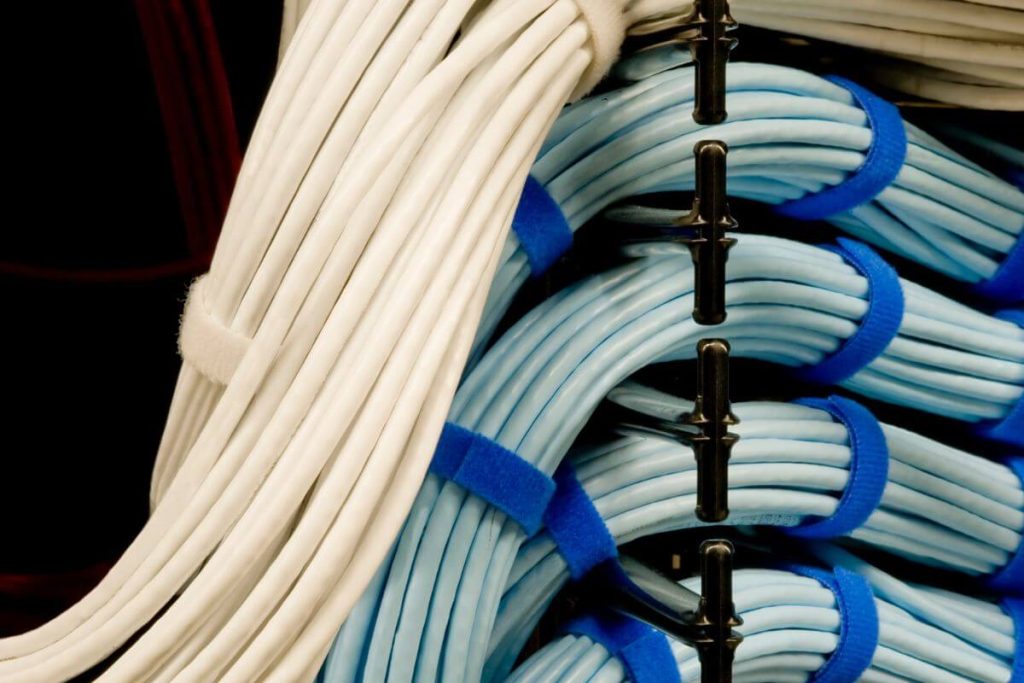
More switches, accelerators, power connections, and optical links must all be routed through a relatively small physical environment. Poor cable routing can make equipment harder to reach, restrict airflow, complicate tracing, and turn routine maintenance into a much slower process.

The objective is not simply to make a rack look clean. It is to preserve serviceability as density increases.

This means keeping cable pathways structured, maintaining appropriate bend radius, clearly identifying connections, and avoiding unnecessary use of rack space.

Horizontal Zero U RackOrganizer for High-Density Servers

During an AI retrofit, cable management hardware should be evaluated alongside servers, power, and cooling. A retrofit cable manager should preserve accessibility and organization without unnecessarily consuming rack space that could support active equipment. 

For facilities trying to accommodate AI infrastructure inside existing cabinets, Zero U cable management can become particularly useful. Instead of allocating additional rack units to traditional horizontal cable managers, a Zero U cable manager can preserve that mounting space for active equipment while still providing structured routing.

It does not solve the power or cooling challenge.

It solves a different part of the retrofit problem: making better use of the physical rack capacity that is already available.

Density Is Useful Only When the Rack Remains Serviceable

There is a temptation to treat higher density as an optimization goal by itself.

It is not.

A rack that holds more equipment but becomes difficult to maintain is not necessarily better optimized. Neither is a configuration that creates cable congestion, blocks airflow, makes connectors inaccessible, or leaves technicians unable to replace equipment without disturbing unrelated systems.

Every recovered rack unit helps, but only if the resulting configuration remains safe, coolable, powered, and maintainable.

Retrofitting Should Be a Migration Strategy

AI modernization is better treated as a migration than a single retrofit project. 

For years, the same facility may need to support conventional enterprise racks, high-density GPU clusters, liquid-cooled equipment, and legacy infrastructure side by side. 

Operators therefore need to decide which constraints must be addressed immediately and which can be upgraded gradually.

A practical sequence might involve:

  1. Assessing available power, cooling, structural capacity, and network connectivity.
  2. Identifying racks or zones capable of supporting higher-density equipment.
  3. Improving power delivery and thermal management where required.
  4. Reworking rack layouts, cable pathways, and supporting hardware to recover usable capacity.
  5. Introducing AI equipment incrementally rather than redesigning the entire facility at once.

The objective is to determine how much AI capacity the existing infrastructure can support responsibly. 

When Retrofitting Stops Making Sense

Not every existing facility should be converted into an AI data center.

At some point, the cost and complexity of upgrading power distribution, cooling, structural capacity, networking, and rack infrastructure may outweigh the advantages of keeping the existing site.

A retrofit becomes harder to justify when several major constraints appear at the same time. If the facility requires extensive electrical upgrades, major cooling changes, structural reinforcement, and completely new network pathways, a purpose-built deployment may offer a cleaner long-term solution.

This is why the initial assessment matters so much.

The goal should not be to force AI infrastructure into every available data center. It should be to identify facilities where modernization can deliver useful new capacity without creating an operational compromise.
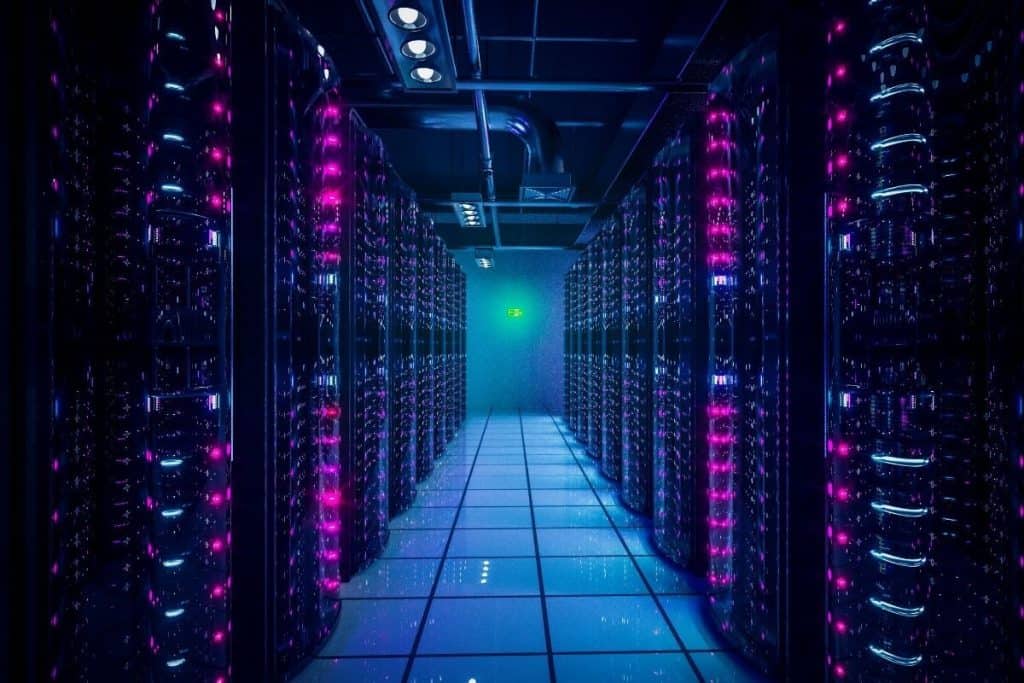
Hi-tech AI data center

The Next AI Data Center May Already Be Running

New AI campuses will continue to be built. Some workloads simply require infrastructure that existing sites cannot economically support.

But that will not be the whole story.

A significant share of AI growth will come from facilities built for a very different generation of IT. Whether they can support modern AI workloads depends on how much of their power, cooling, structural, and rack infrastructure can realistically be upgraded. 

For some, the limits will be too significant and new construction will make more sense. Others may have enough power, cooling potential, structural capacity, and connectivity to support substantial upgrades.

In suitable facilities, rack-level improvements such as better cable routing, recovered U-space, and clearer identification can help operators make denser deployments easier to maintain. 

AnD Cable Products supports that part of the transition through Zero U Cable Managers, cable labeling systems, network and power cabling, and other rack-level solutions designed to keep increasingly dense infrastructure organized and usable.

AI may be forcing data centers to change faster than expected.

But adapting an existing facility does not always mean replacing everything inside it.

Sometimes the smarter approach is to determine what still works, upgrade what does not, and optimize everything in between.

Frequently Asked Questions

What is the purpose of an AI data center?

The purpose of an AI data center is to provide the computing, networking, power, and cooling infrastructure required to train, operate, and serve artificial intelligence workloads. Compared with conventional facilities, AI environments often require higher rack densities, faster interconnects, and substantially greater power and cooling capacity.

Can an existing data center support AI workloads?

Yes, depending on the facility. Operators need to assess power availability, cooling capacity, floor loading, network connectivity, rack configuration, and redundancy before deploying high-density AI equipment.

What is an AI data center retrofit?

An AI data center retrofit upgrades an existing facility so it can support higher-density AI infrastructure. Improvements may involve power distribution, cooling, racks, cabling, networking, monitoring, or structural systems.

Why are AI racks harder to retrofit into existing data centers?

AI racks can require substantially more power and cooling than traditional IT racks. They may also introduce greater weight, more cabling, denser networking, and different maintenance requirements.

Does every AI retrofit require liquid cooling?

No. The appropriate cooling strategy depends on rack density, server design, existing infrastructure, and future requirements. Some operators can extend air cooling or use rear-door heat exchangers, while others may require direct-to-chip liquid cooling or hybrid systems.

How does cable management help an AI data center retrofit?

Effective cable management preserves airflow, improves equipment access, simplifies maintenance, and can help recover valuable rack space. Zero U cable management can be particularly useful when operators need to increase equipment density without dedicating additional rack units to horizontal cable management.

About the Author – John Lester

John Lester - General Manager, AnD Cable Products

John Lester, General Manager at AnD Cable Products, brings a rich tapestry of IT and project management experience to the forefront of cable management solutions for data centers. His career, spanning over three decades, includes significant roles in IT project management and consultation with renowned companies. John served in the Marine Corps during Desert Storm. John’s journey in the tech world is further distinguished by his proficiency in advanced programming and systems expertise. 

His leadership at AnD Cable Products encapsulates a blend of innovation, strategic planning, and a relentless commitment to delivering excellence in the field of data center infrastructure.  John was with AnD Cable Products when Louis was designing his innovative Zero U cable management racks and Unitag cable labels, both of which have become industry-leading network cable management products. AnD Cable Products only offer products that are intelligently designed, increase efficiency, are durable and reliable, re-usable, easy to use or reduce equipment costs. He is the co-author of the Cable Management Blog, where you can find network cable management ideas, server rack cabling techniques and rack space saving tips, data center trends, latest innovations and more. Visit https://andcable.com or shop online at https://andcable.com/shop/
Posted on

The Best Way to Expand a Data Center Might Be Not Expanding It at All

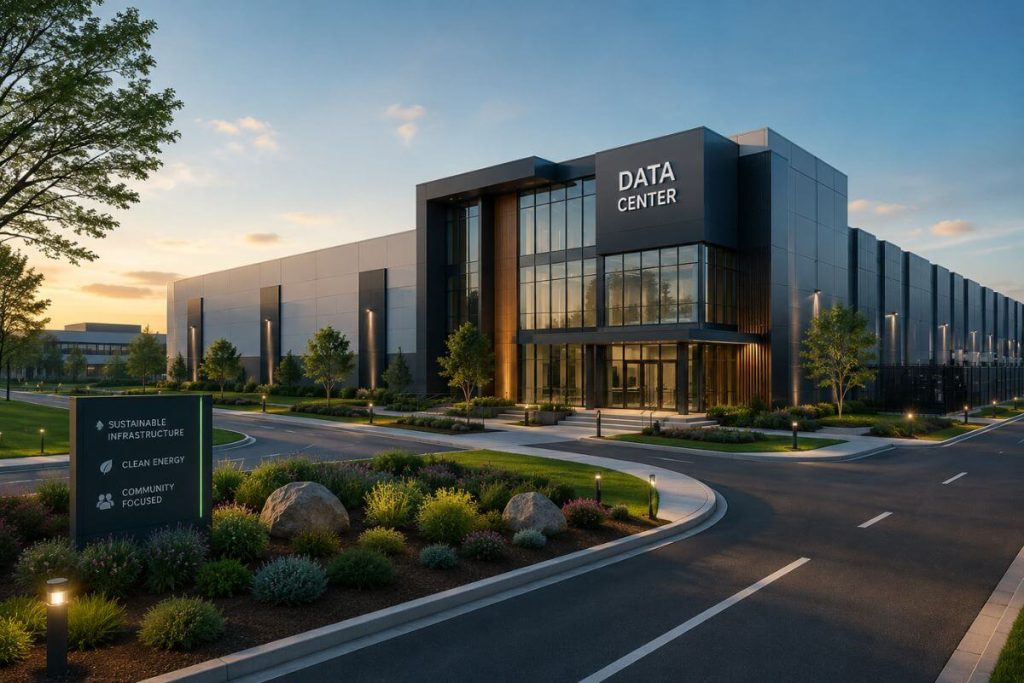
Community-approved data center building - featured image

A prettier data center may be easier for a community to accept. A smaller one may be easier to live with.

As demand for AI infrastructure accelerates, developers are paying more attention to how each new data center building fits into the surrounding community. Some architects are moving away from the familiar windowless industrial box and designing facilities that resemble technology campuses, civic buildings, or even art museums. Landscaping, public spaces, and locally appropriate materials are becoming part of the effort to soften the visual impact of large developments.

It is a logical response to a growing problem.

Communities are asking harder questions about land use, water consumption, electricity demand, construction activity, noise, and the appearance of facilities that may occupy hundreds of acres. Even when a project promises tax revenue and economic investment, residents may still question how much land and infrastructure should be committed to it.

Making data centers more visually appealing may help. Better architecture can reduce the feeling that a large industrial facility has simply been dropped into a neighborhood.

But appearance addresses only one part of the issue.

The larger question is whether every increase in computing capacity needs to produce another data center building, more cabinets, and a larger physical footprint.

In some cases, the best way to expand a data center may be to avoid expanding it at all.

Community-approved data center building

Key Takeaways:

  • Community acceptance is becoming another constraint on data center expansion, alongside power, land, water, and permitting.
  • Operators should evaluate how much additional capacity can be recovered from existing racks and data halls before constructing more space.
  • Zero U Cable Managers can reclaim usable rack space, improve cable routing, and support denser deployments without automatically requiring more cabinets.

Data Center Growth Is Becoming a Community Issue

For years, the industry treated data center expansion primarily as an engineering, construction, and financial challenge.

Could the operator secure enough power?

Was sufficient fiber available?

Could the project obtain the equipment, labor, permits, and financing it needed?

Those questions still matter. However, rapid AI-driven development has made data centers far more visible to the public. A proposed campus is no longer viewed only as a technical facility. It is also viewed as a major consumer of land, electricity, water, and public infrastructure.

Data centers consumed about 4.4% of total U.S. electricity in 2023. The U.S. Department of Energy estimates that their share could rise to between 6.7% and 12% by 2028.

As demand accelerates, communities are becoming increasingly engaged in conversations about where data centers are built and how much infrastructure they require. 

A 2026 Harvard Gazette interview highlighted growing public concerns around electricity consumption, water usage, environmental impacts, tax incentives, and the long-term effect of large-scale data center development on local communities.

The concern is no longer limited to a handful of local disputes. More than 4,000 data centers are already operating across the United States, with thousands more planned or under construction. As facilities grow larger and AI workloads continue driving demand, questions about land use, utility infrastructure, and community impact are becoming part of the expansion conversation.

That creates a difficult equation.

Demand for computing capacity is growing, but the number of communities willing to absorb another large development may not grow at the same rate.

Developers can respond with better architecture, stronger community engagement, cleaner energy strategies, and greater transparency. All of those approaches matter.

But operators should also ask a different question:

How much of the next expansion is actually necessary?

Before asking how to build more space, they should ask how effectively they are using the space they already have.

Expansion Has More Than One Meaning

When a data center needs more capacity, the first instinct is often physical expansion.

Add another cabinet.

Open another row.

Fit out another data hall.

Extend the building.

Develop another facility.

That traditional approach raises two questions operators and investors inevitably ask:

How much does it cost to build a data center?

How long does it take to build a data center?

The answers vary significantly based on location, power availability, cooling requirements, facility size, equipment density, redundancy, labor, and permitting. What does not vary is the scale of the commitment.

A new facility requires substantial capital. It requires coordination with utilities, data center construction companies, equipment suppliers, local authorities, and the surrounding community. It may also face lengthy lead times for transformers, generators, cooling systems, and other critical infrastructure.

Before taking on that commitment, operators should determine whether some of the required capacity can be recovered from infrastructure they already own.

Capacity does not exist only at the building level. It exists in layers:

  • Across the campus
  • Inside the data center building
  • Within each data hall
  • Across every row of cabinets
  • Inside each individual rack

If usable capacity is being lost at the rack level, expanding the outer layers first can be an expensive response to an internal efficiency problem.

Imagine a warehouse that runs out of room because every shelf has been poorly arranged. Constructing another warehouse would solve the immediate problem, but it would not correct the reason the first one filled so quickly.

Data centers can face a similar issue.

Rack space may be consumed by traditional cable management hardware, inefficient layouts, unused components, excessive cable lengths, or infrastructure that no longer matches current requirements. The building appears full, but some of that fullness may be avoidable.

This is where optimization becomes a growth strategy.

Density Can Help, but It Must Be Managed

Increasing rack density is one way to gain more computing capacity from a limited footprint.

Modern AI systems are already pushing the industry in this direction. Placing more computing equipment closer together can improve performance by shortening communication paths and reducing the number of cabinets required for a given amount of compute.

However, density is not free.

More equipment in each cabinet means higher power concentration, greater heat output, heavier racks, more cables, and less tolerance for poor planning.

Operators cannot simply install more servers and declare the facility optimized.

A denser rack requires:

  • Adequate power distribution
  • Cooling capable of handling the heat load
  • Proper equipment placement
  • Clear airflow paths
  • Structured cable routing
  • Reliable labeling and documentation
  • Safe access for maintenance

Density without management creates congestion.

Density supported by the right infrastructure can recover capacity.

The Space Hidden Inside the Rack

One of the most overlooked opportunities is the rack space occupied by traditional horizontal cable managers.

Conventional horizontal managers may consume one or more rack units between groups of equipment. They help organize cables, but every rack unit used for cable management is a rack unit that cannot hold servers, switches, storage, or other active equipment.

Across one cabinet, that loss may seem minor.

Across dozens or hundreds of cabinets, it can represent a significant amount of stranded capacity.

Horizontal Zero U RackOrganizer for High-Density Servers

AnD Cable Products’ Zero U Cable Managers mount in the same U-space as the active device rather than occupying separate vertical mounting positions. This preserves usable rack units while still providing structured cable routing. Read more about their features and benefits.

Depending on the configuration, AnD Horizontal Zero U Cable Managers can recover 25% to 30% of rack space currently occupied by conventional cable management.

That can be roughly equivalent to gaining the usable capacity of another cabinet for every three optimized cabinets.

The facility does not become physically larger.

The existing racks become more useful.

How Rack Optimization Can Reduce the Facility Footprint

Recovering rack space does not make every expansion project unnecessary.

A facility may still be constrained by power availability, cooling capacity, structural loading, network architecture, redundancy, or equipment weight. Those limitations must be evaluated before increasing density.

However, better rack utilization can change when and how expansion becomes necessary.

Consider an environment where traditional cable managers and inefficient rack layouts force a deployment to occupy four cabinets. If Zero U cable management allows the same amount of equipment to be installed and serviced effectively across three cabinets, the operator has reduced the cabinet footprint of that deployment by 25%.

Apply that approach across multiple rows and deployment phases, and the impact becomes more meaningful.

Fewer cabinets can mean:

  • Less floor space required for the same equipment
  • Fewer cabinet frames and related components
  • Shorter cable pathways
  • Less aisle space dedicated to additional rows
  • More usable capacity within an existing data hall
  • A longer interval before another room or building is required

The real value is not merely fitting more equipment into a smaller area. It is reducing the amount of new data center building space required to support future growth.

An operator that recovers enough capacity from existing racks may be able to deploy another project without opening a new row. A facility may postpone a data hall buildout. A campus may extend the useful life of an existing structure before requesting additional land.

Optimization at the rack level can influence decisions far beyond the rack.

Cable Management Matters More as Racks Get Denser

Removing conventional horizontal cable managers from usable U-space should not mean sacrificing cable organization.

In fact, denser racks make cable management more important.

More equipment creates more network and power connections. Without clear pathways, those cables can obstruct access, interfere with airflow, strain connectors, and make routine maintenance more difficult.

The National Renewable Energy Laboratory recommends wire management and airflow optimization as part of an efficient data center strategy.

This is the difference between useful density and unmanaged congestion.

A properly designed Zero U cable management system can help teams:

  • Route cables without consuming separate rack units
  • Keep cable bundles away from critical airflow paths
  • Maintain cable bend-radius requirements
  • Separate and identify connections
  • Access equipment without disturbing unrelated cables
  • Preserve cleaner pathways for future changes

The goal is not to pack the rack until there is no room left.

The goal is to use the rack more intelligently.

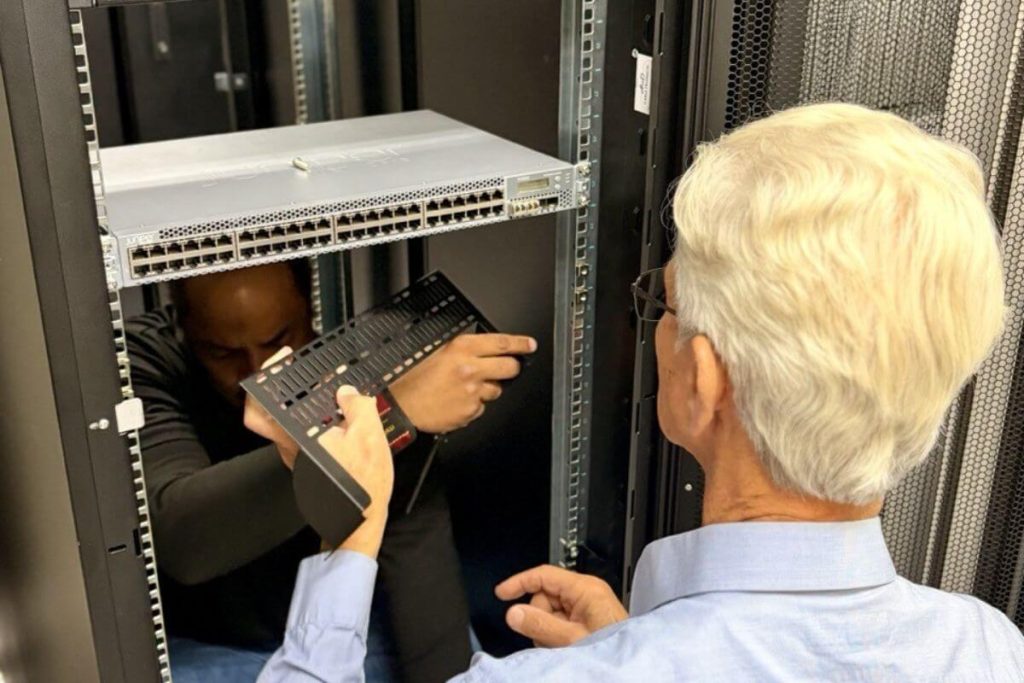
Zero U Cable Manager being installed by data center operator

A Green Data Center Should Use Space Efficiently

A green data center is often discussed in terms of renewable energy, cooling efficiency, water consumption, and Power Usage Effectiveness.

Those factors are important, but sustainability also includes how efficiently the facility uses land, materials, floor space, cabinets, and supporting infrastructure.

A data center that requires fewer cabinets for the same amount of equipment may use fewer cabinet frames, shorter cable runs, less aisle space, and fewer supporting components. If optimization postpones the need for another data hall or facility, it may also reduce the materials and construction activity associated with expansion.

This principle supports a broader green IT data center strategy:

Use existing infrastructure more effectively before adding more of it.

Optimization will not eliminate the environmental impact of data centers. It can, however, help prevent avoidable waste.

A facility should not claim to be efficient only because it purchases cleaner power. It should also ask whether its physical infrastructure is organized to deliver the most useful capacity from the space and materials already in place.

Optimization Is Not a Substitute for Community Engagement

A smaller physical footprint does not erase every concern communities have about data centers.

Electricity demand remains significant. Cooling systems may require water. Backup generation can create noise and emissions. Construction can affect roads, surrounding land uses, and local services.

Communities still deserve clear information about these impacts.

Optimization should not be used as an excuse to avoid those conversations.

It should be part of the response.

A developer that can demonstrate better use of land and infrastructure has a stronger story to tell than one whose only growth plan is to build outward. The operator can show that it is actively working to reduce unnecessary cabinets, avoid wasted floor space, improve airflow, and extend the life of existing facilities.

Better architectural design can help a data center fit visually into a community.

Better optimization can reduce how much facility the community must accommodate in the first place.

The two strategies should work together.

Look Inward Before Building Outward

Data center construction companies play an essential role when new infrastructure is genuinely required.

Optimization is not an argument against construction. It is an argument for making sure construction is necessary.

Before approving another row, room, data center building, or campus, teams should perform a capacity review that goes beyond vacant floor area.

They should ask:

  • How much usable rack space is being consumed by conventional cable management?
  • Are cabinets full because of active equipment or because of inefficient layouts?
  • Can existing racks safely support greater density?
  • Are power and cooling resources stranded by poor equipment placement?
  • Can cable routing be improved without reducing serviceability?
  • Could an optimization project postpone the next physical expansion?
  • Has obsolete cabling or equipment been removed?
  • Can a planned deployment be consolidated into fewer cabinets?

These questions do not assume that expansion is always avoidable.

They ensure that expansion is justified.

A new building should solve a genuine capacity limit. It should not compensate for preventable inefficiency inside the existing facility.

Well-managed network cable for high-density setup

Grow the Data Center by Optimizing What Is Already There

The future of data center development will require better architecture, smarter energy planning, more thoughtful community relationships, and greener construction practices.

It will also require operators to extract more value from existing infrastructure.

Working with AnD Cable Products, data center teams can reorganize cable pathways, recover usable rack units, improve airflow conditions, and support denser equipment layouts without sacrificing accessibility.

Zero U Cable Managers are one practical example of optimization over expansion. By mounting cable management within the same U-space as active equipment, they can recover 25% to 30% of rack space that may otherwise be consumed by conventional horizontal managers.

That recovered capacity can help reduce the number of cabinets required for a deployment, extend the useful life of an existing data hall, and postpone the cost and disruption of physical expansion.

The industry will still need new facilities. Demand is too large for optimization alone to absorb.

But every new square foot should be necessary.

Before constructing another room, adding another row, or requesting another parcel of land, look inside the racks.

The capacity you need may already be there.

About the Author – John Lester

John Lester - General Manager, AnD Cable Products

John Lester, General Manager at AnD Cable Products, brings a rich tapestry of IT and project management experience to the forefront of cable management solutions for data centers. His career, spanning over three decades, includes significant roles in IT project management and consultation with renowned companies. John served in the Marine Corps during Desert Storm. John’s journey in the tech world is further distinguished by his proficiency in advanced programming and systems expertise. 

His leadership at AnD Cable Products encapsulates a blend of innovation, strategic planning, and a relentless commitment to delivering excellence in the field of data center infrastructure.  John was with AnD Cable Products when Louis was designing his innovative Zero U cable management racks and Unitag cable labels, both of which have become industry-leading network cable management products. AnD Cable Products only offer products that are intelligently designed, increase efficiency, are durable and reliable, re-usable, easy to use or reduce equipment costs. He is the co-author of the Cable Management Blog, where you can find network cable management ideas, server rack cabling techniques and rack space saving tips, data center trends, latest innovations and more. Visit https://andcable.com or shop online at https://andcable.com/shop/
Frequently Asked Questions

How much does it cost to build a data center?

The cost depends on the facility’s location, size, power capacity, cooling system, redundancy requirements, security, intended rack density, and utility infrastructure. Large facilities require substantial investment before servers and networking equipment are installed. Optimizing existing rack space may postpone part of that expense by extending the capacity of the current site.

How long does it take to build a data center?

The timeline varies depending on site selection, permitting, utility connections, equipment availability, labor, construction complexity, and commissioning requirements. A new data center building may take years to move from planning to full operation. Rack-level optimization can provide additional capacity while a larger construction project is being evaluated or completed.

Can a data center add capacity without expanding the building?

Yes, in some cases. Operators may recover capacity through rack consolidation, equipment refreshes, better power utilization, improved cooling, removal of obsolete equipment, and more efficient cable management. Physical expansion may still be required when power, cooling, structural, or redundancy limits have been reached.

What is Zero U cable management?

Zero U cable management places cable-routing hardware within the same U-space as active equipment rather than occupying separate vertical rack units. This preserves usable rack space for servers, switches, storage, and other equipment while maintaining organized cable pathways.

How can Zero U Cable Managers reduce a data center’s footprint?

By recovering rack units that would otherwise be occupied by traditional horizontal cable managers, Zero U systems can allow more equipment to fit within each cabinet. In suitable configurations, this may reduce the number of cabinets needed for a deployment and postpone the need for additional rows or data halls.

Does higher rack density create cooling problems?

It can. Higher density concentrates more power and heat within each cabinet. Operators must verify that the facility’s power distribution, airflow, cooling equipment, floor loading, cable routing, and maintenance procedures can support the denser configuration.

What makes a green data center?

A green data center aims to reduce energy use, carbon emissions, water consumption, material waste, and other environmental impacts. Efficient use of rack space and existing infrastructure can contribute by reducing unnecessary cabinets, construction, and physical expansion.

How much rack space can AnD Zero U Cable Managers recover?

AnD Cable Products states that its Horizontal Zero U Cable Managers can recover approximately 25% to 30% of rack space currently occupied by conventional cable management. Actual results depend on the rack layout, equipment configuration, and type of cable managers being replaced.

Posted on

400G, 800G, and the Growing Complexity of Network Cable Management

High-speed network cable stylistic speed representation - featured image

Data center networks are getting faster, denser, and more difficult to manage. As 400G and 800G deployments grow, network cable management is becoming a practical requirement for keeping infrastructure visible, serviceable, and reliable.

For years, the focus was simple: increase bandwidth, reduce latency, and keep infrastructure moving fast enough to support growing workloads. That pressure has only intensified with AI, machine learning, cloud platforms, and high-performance computing. What used to be a high-speed network is now becoming a high-density, high-stakes environment where every connection matters.

400G is already part of modern data center network cabling conversations. 800G is moving quickly into hyperscale and AI infrastructure. The Ethernet Alliance’s 2026 roadmap points to warehouse-scale data centers using a mix of active and passive copper cables, multimode fiber, single-mode fiber, and emerging technologies such as Linear Pluggable Optics to support 100G, 200G, 400G, and 800G deployments.

That shift is not just about faster high-speed network cables.

It is about what happens when speed, density, airflow, identification, and maintainability all collide inside the same rack.

Key Takeaways

  • 400G and 800G networks are increasing the density and complexity of data center network cabling.
  • High-speed network cables need better organization, labeling, and visibility to remain serviceable at scale.
  • Network cable management is becoming an operational requirement, not just a cleanup task.
High-speed network cable stylistic speed representation

Why 400G and 800G Change the Conversation

When network speeds increase, the infrastructure around them changes too.

At lower speeds, teams could often get away with less-than-perfect cable organization. A few messy runs, unclear labels, or rushed patching decisions might not create immediate problems. The environment was still manageable because the density was lower and the margin for error was wider.

That is changing.

400G and 800G environments often involve more compact connections, more ports per rack, more fiber, more DAC network cable deployments, and more short-reach interconnects between servers, switches, and storage systems. Cisco has noted that 800G deployment depends on development across optical modules, direct attach copper, and related system-level technologies.

In other words, the cable is no longer just a passive detail in the background.

It is part of the performance equation.

As bandwidth rises, so does the cost of poor visibility. The wrong cable pull, the wrong port trace, or the wrong replacement can create expensive delays. In high-density environments, small mistakes do not stay small for long.


High-Speed Network Cables Are Not the Only Challenge

It is easy to focus on the cable specification itself.

Is it 400G or 800G? Copper or fiber? DAC or AOC? OSFP or QSFP-DD? Passive or active?

Those questions matter. But they are only part of the picture.

The bigger operational question is this:

Can your team still manage the environment once all those connections are installed?

That is where many data centers start to feel the strain. As the number of connections increases, network cable management becomes harder. More cables means more labeling, more routing decisions, more bend-radius considerations, more airflow challenges, and more opportunities for human error.

A high-speed network cable may be technically correct, properly rated, and installed in the right port. But if the environment around it is disorganized, the overall infrastructure still becomes harder to operate.

Speed does not eliminate the need for structure.

It increases it.

DAC network cable management

The Rise of DAC Network Cable Deployments

Direct attach copper, or DAC, continues to play an important role in short-reach data center connections.

For certain use cases, DAC cables offer practical advantages. They are commonly used for short distances within or between racks, especially where cost, power consumption, and latency matter. In dense AI and cloud environments, DAC can be attractive because many connections are short, repeatable, and performance-sensitive.

But DAC deployments also add their own management challenges.

Unlike thin fiber jumpers, DAC cables can be thicker, heavier, and less flexible. As rack density increases, poorly routed DAC cables can create congestion quickly. They can block airflow, restrict access to ports, and make future changes more difficult.

This is where network rack cable management becomes important.

It is not enough to simply connect the cable and move on. Teams need to think about how those cables will be traced, serviced, replaced, and reorganized over time.

A rack might look acceptable on day one. Six months later, after multiple moves, additions, and changes, the same rack can become a troubleshooting trap.

The Real Problem: Visibility

The biggest issue in high-speed network environments is not always the cable itself.

It is visibility.

  • Can your team quickly identify which cable connects to which device?
  • Can they trace a connection without disturbing surrounding cables?
  • Can they make changes without guessing?
  • Can they tell the difference between production, backup, storage, management, and test connections at a glance?

As 400G and 800G become more common, visibility becomes more valuable. The faster and denser the environment gets, the less room there is for uncertainty.

This is where cable labeling becomes more than a small accessory. It becomes part of operational control.

When labels are clear, reusable, and easy to read, technicians can work faster and with more confidence. When labeling is inconsistent or missing, every routine task becomes slower.

That matters because data center work is rarely done under perfect conditions. Maintenance windows are short. Teams are under pressure. Equipment is expensive. Mistakes are costly.

Good labeling reduces guessing.

And in high-density racks, reducing guessing is a serious operational advantage.

Network cable management using cable ties

How Poor Network Cable Management Impacts Operations

Poor network cable management does not always cause immediate failure.

It usually creates friction.

That friction shows up in several ways.

Troubleshooting takes longer because technicians have to trace cables manually. Maintenance becomes riskier because cables are tangled or difficult to isolate. Airflow becomes less efficient because cable bundles block intake and exhaust paths. Documentation becomes less reliable because the physical environment no longer matches what is listed on paper or in software.

Over time, the rack becomes harder to trust.

That is a major problem for data centers moving toward 400G and 800G networking. The faster the infrastructure becomes, the more important operational clarity becomes.

A messy 1G environment is annoying.

A messy 400G or 800G environment is expensive.

Cable Management Is Part of Performance

It is tempting to treat cable management as a visual concern.

Clean racks look better. Messy racks look unprofessional.

But appearance is not the real issue.

The real issue is performance, maintainability, and efficiency.

Good data center network cabling supports airflow. It keeps pathways clear. It reduces strain on connectors. It makes service work more predictable. It helps teams avoid unnecessary downtime. It also makes future scaling easier because the rack still has usable structure.

This is especially important as data centers prepare for even faster network generations. The Ethernet Alliance has already discussed 800G, 1.6T, and future Ethernet speeds as part of the broader roadmap for AI and hyperscale infrastructure.

That means the cable density problem is not going away.

It is only getting more intense.

Why Labels Matter More in High-Speed Environments

Cable labels are easy to underestimate.

They are small. They are simple. They do not have the same appeal as switches, servers, optics, or high-speed network cables.

But in practice, labels help determine how manageable the system becomes.

A good cable label should make identification fast. It should stay attached. It should be readable. It should support changes. In environments where cables are moved, replaced, or repurposed, reusable labels can reduce waste and simplify operations.

This is where products like QuickPinch Cable Labels naturally fit.

QuickPinch cable labels - 25% off

They are not trying to make the network faster. That is not the point.

They help make the network easier to manage.

For teams dealing with dense cable environments, that matters. A simple label can reduce troubleshooting time, prevent wrong-cable mistakes, and make routine maintenance easier. In high-density racks, those small improvements can compound into real operational value.

The Future of Network Cable Management

The next phase of network cable management will not just be about tidiness.

It will be about operational readiness.

As 400G and 800G networks become more common, data centers will need cable environments that are easier to understand, easier to maintain, and easier to scale. That includes:

  • Cleaner network rack cable management
  • Better labeling and identification
  • Clearer separation between cable types
  • More consistent routing
  • Improved airflow around dense connections
  • Better documentation that matches the physical rack

The goal is not perfection.

The goal is control.

Because the more complex the network becomes, the more valuable control becomes.

Where AnD Cable Products Fits In

AnD Cable Products supports data center teams that want to optimize what they already have.

That includes cable managers, labels, ties, network cables, and rack-level products designed to improve visibility, airflow, and operational efficiency. For high-speed network environments, the value is straightforward: faster networks need cleaner infrastructure around them.

400G and 800G may be about bandwidth, but managing them well is about discipline.

The right cable management products help teams reduce clutter, improve serviceability, and maintain visibility as the environment grows. QuickPinch Cable Labels are one practical step in that direction, especially for teams that need reusable cable identification!


FAQ

What is network cable management in a data center?

Network cable management is the process of organizing, routing, labeling, and securing network cables inside racks, cabinets, and pathways. In data centers, it helps improve airflow, reduce troubleshooting time, and make high-density infrastructure easier to maintain.

Why do 400G and 800G networks make cable management more important?

400G and 800G networks often require denser connections, faster interconnects, and more structured routing. As cable density increases, poor organization can restrict airflow, reduce visibility, and make routine maintenance more difficult.

What are high-speed network cables used for in data centers?

High-speed network cables are used to connect servers, switches, storage systems, and other infrastructure that require fast data transfer. In modern data centers, they support AI workloads, cloud platforms, and high-performance computing environments.

What is a DAC network cable?

A DAC network cable, or direct attach copper cable, is commonly used for short-distance connections between data center equipment. It can be cost-effective and power-efficient, but it also needs proper routing and labeling because dense DAC deployments can quickly become difficult to manage.

How do cable labels improve network rack cable management?

Cable labels make it easier to identify, trace, and service connections without guessing. In high-density racks, clear labeling reduces troubleshooting time, helps prevent wrong-cable mistakes, and improves operational visibility.

Posted on

DCD 2026 Takeaways: The Industry Is Moving Fast… Maybe Too Fast

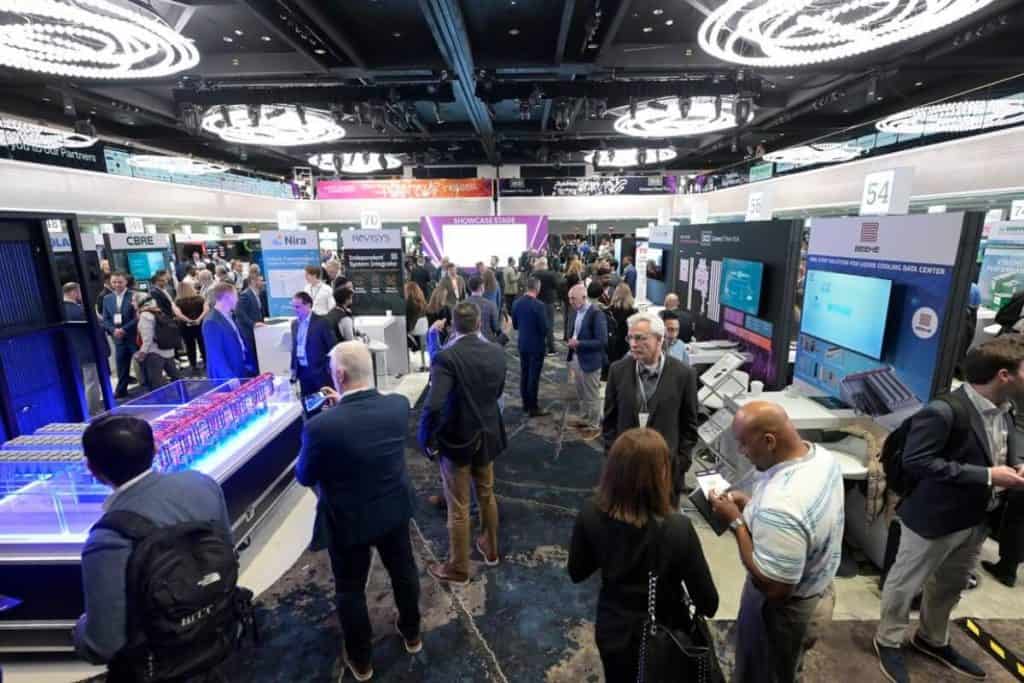
DCD>Connect New York – Day 01, people gathering looking at new technologies - featured image

We spent two full days at DCD>Connect New York 2026, sitting through sessions, listening to operators, and paying attention to what wasn’t being said just as much as what was.

Here’s the short version: the industry is moving fast, faster than it’s organizing itself.

AI is driving demand, no question. But underneath that momentum, there’s a growing layer of friction. Decisions are being made quickly, infrastructure is being deployed even faster, and in many cases, the operational side is playing catch-up.

So instead of another surface-level recap, this is a grounded look at what actually stood out: the patterns, the concerns, and where things are likely headed next from DCD 2026 insights we gathered on the ground.

Key Takeaways

By the end of this article, you’ll know:

  • Data center growth is outpacing planning, creating long-term operational inefficiencies.
  • Cooling and infrastructure limits are becoming real constraints as density increases.
  • The next phase is optimization, not expansion, improving what already exists.
DCD>Connect New York – Day 01, people gathering looking at new technologies
Credits: www.datacenterdynamics.com

“Move Fast” Is Already Creating Problems

Speed is clearly the priority right now. That part isn’t surprising. What is surprising is how often structure is being sacrificed to maintain that speed.

Across conversations and sessions at DCD 2026, a consistent theme kept coming up: data centers are being built and brought online quickly, but not always with the level of planning you would expect at this scale. In some cases, foundational systems like DCIM are being skipped entirely or treated as something to “figure out later.”

That approach works in the short term. Capacity goes live, deadlines are met, and everything looks fine from the outside.

But infrastructure doesn’t forget.

Every rushed decision creates a layer of complexity that sticks around:

  • Cable routing that wasn’t thought through becomes harder to fix later
  • Airflow inefficiencies quietly increase cooling demands
  • Troubleshooting takes longer because nothing is as clear as it should be

It’s not that things are failing immediately; it’s that they’re becoming harder to manage over time. And eventually, that compounds into real operational cost.


Cooling Is Becoming a Real Constraint

Cooling is no longer just part of the design conversation; it’s starting to define the limits of what’s possible.

What stood out during DCD 2026 takeaways discussions wasn’t just that cooling was discussed heavily, but how specific the conversations have become. The focus has shifted toward fundamental questions like whether it makes more sense to cool the chip directly or continue optimizing room-level cooling strategies. That alone tells you where things are heading.

But more importantly, the risks are becoming tangible.

There were real concerns raised around what happens when cooling falls short at higher compute densities. In extreme cases, heat isn’t just reducing efficiency. Heat is causing physical issues at the chip level, including the formation of bubbles due to thermal stress.

That’s a different level of problem. 

At that point, cooling isn’t about optimization or cost savings. It’s about preventing failure and protecting the hardware itself. And as density continues to increase, the margin for error gets smaller, which means even minor inefficiencies inside the rack (anything that disrupts airflow) start to matter a lot more.

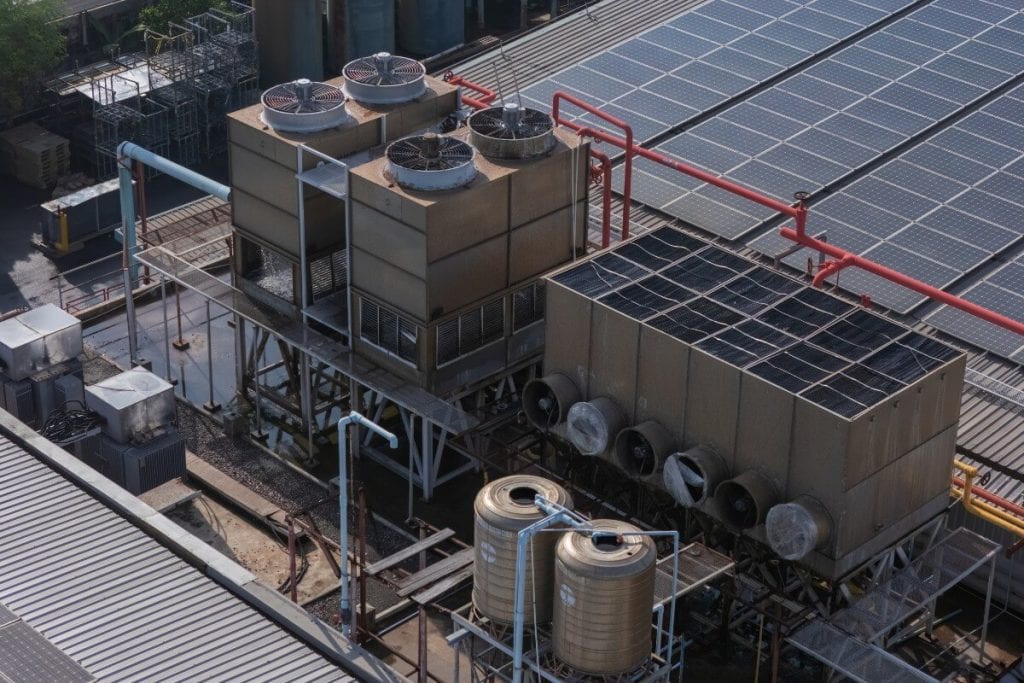
Air conditioners for large-scale data centers

The Supply Chain Still Has Gaps

One of the more grounded DCD 2026 insights is that the supply chain is not fully aligned with the pace of innovation.

On paper, things look like they are advancing quickly. Bandwidth is increasing, new standards are being introduced, and performance ceilings are being pushed higher. But when you look closer, not everything is moving at the same speed.

A good example is Ethernet.

Technologies like Direct Attach Copper (DAC) cables have already been in use for years, especially for short-distance, high-speed connections within the same rack. Solutions like 25GBASE-CR, SFP28 to SFP28 Passive Direct Attach Copper, and Twinax cables are reliable, efficient, and widely deployed today. They are not new.

What is changing is the scale and urgency of adoption.

There is now a strong push to move beyond legacy Ethernet standards, with discussions pointing toward 300 to 600 gig becoming the future norm in data center environments. The capability is evolving quickly, and in many cases, the cabling side is already capable of supporting these higher speeds.

But the bottleneck is not where most people expect it to be.

It is not the cables.
It is the interfaces.

That creates a disconnect. You have infrastructure that is ready, or close to ready, for higher performance, but the supporting hardware and interfaces still need time to catch up. Manufacturers are working toward it, but widespread adaptation does not happen overnight.

And when different parts of the ecosystem move at different speeds, friction shows up in deployment.

This is where delays compound:

  • Equipment arrives at different times
  • Systems cannot be fully utilized
  • Workarounds start creeping into deployments

And just like with rushed builds, these workarounds tend to stick around longer than intended.


The AI Hype Is Starting to Settle

There was a noticeable shift in tone across conversations at DCD connect New York 2026. AI is still the primary driver of growth, but the way people are talking about it is changing.

Not long ago, the focus was simple: build as fast as possible and scale ahead of demand.

Now, the conversation is becoming more grounded. There is growing awareness that not everything built during this surge will immediately deliver returns, and that has started to influence both operators and investors.

You can almost map the shift in real time:

PhaseTimeframeIndustry BehaviorWhat We’re Seeing Now
Initial AI Surge2023 – Early 2024Aggressive expansion, heavy investment, race to secure capacityMassive buildouts, speed prioritized over structure
Peak HypeMid 2024 – Early 2025Overcommitment, rapid deployment, reliance on major ecosystems“Build now, figure it out later” mentality
Transition Phase2025 – PresentEarly signs of skepticism, supply chain strain, uneven performanceQuestions around sustainability and ROI
Stabilization (Emerging)Late 2025 – 2026Focus shifting to efficiency, utilization, and accountabilityInvestors want results, not idle infrastructure, “no to dark data centers”

One comment that stood out summed it up well:

Investors are no longer interested in funding dark data centers. They want to see output. They’re now saying “no” to data centers that offer zero transparency (hence the name, dark data centers). 

That shift matters.

It changes how decisions are made. Instead of building purely for future demand, there is increasing pressure to make existing infrastructure perform. Efficiency, utilization, and operational clarity are starting to carry just as much weight as expansion.

At the same time, there is visible movement away from over-reliance on single ecosystems, alongside broader discussions about whether the current pace of AI-driven growth is sustainable long term.

This is typically the point where an industry matures.

Not by slowing down, but by becoming more selective, more measured, and more focused on what actually works.

And when that happens, attention naturally shifts inward. Not just to what gets built next, but to how well what’s already been built is actually functioning and generating profit.

AI Hype 3d image - atoms and lines

Rethinking the Rack

One of the more interesting DCD 2026 insights is that the rack itself is starting to evolve.

For a long time, the rack has been treated as a fixed constraint. Standard widths, standard depths, standard layouts. You design around it, not rethink it.

That’s changing.

There are now real discussions around:

  • Deeper racks to support higher density deployments
  • 23-inch widths to accommodate both legacy and modern equipment
  • More flexible, modular approaches driven by companies entering the space from outside traditional data center infrastructure

This tells you something important.

The industry is no longer assuming that existing physical standards are sufficient for what’s coming next. Compute density is increasing, power requirements are shifting, and the physical environment has to adapt.

But here’s the gap.

While the rack itself is being rethought, what happens inside the rack is still often treated as an afterthought.

Cabling, routing, and organization are not evolving at the same pace as the hardware they support.

And that creates friction:

  • Higher density means tighter spaces
  • Higher speeds mean less tolerance for disruption
  • More complexity means more points of failure

You can upgrade the rack, but if the internal environment is still disorganized, the benefits are limited.

Because at the end of the day, performance is not just about what you install. It is about how well everything inside that rack actually works together.


Making It Work with Zero U Cable Management

As racks evolve to support higher density, cable management becomes one of the simplest ways to unlock immediate gains without changing the core infrastructure.

Zero U Cable Management takes a different approach by mounting cables alongside the rack structure instead of consuming valuable rack units. Instead of placing cable managers above or below active equipment, cables are routed outside the usable U-space, freeing up room for additional devices within the same rack footprint.

In high-density environments, that reclaimed space adds up quickly. It is not uncommon to recover up to 30% of rack capacity, effectively delaying or even eliminating the need for additional cabinets.

Horizontal Zero U RackOrganizer for High-Density Servers

The Real Opportunity: Fixing What Was Built Too Fast

This was one of the clearest signals from DCD 2026 takeaways.

There is growing interest in fixing existing data centers.

Not replacing them.
Not rebuilding from scratch.

Fixing them.

Because the reality is starting to set in.

Data centers that were deployed quickly are now beginning to show signs of strain:

  • Disorganization making troubleshooting slower
  • Airflow inefficiencies increasing cooling costs
  • Space being consumed faster than expected

None of these issues are catastrophic on their own. But together, they create operational drag that compounds over time.

And this is where the shift happens.

Instead of asking, “How do we build more?”

The question becomes, “How do we make what we already have work better?”

That is a different mindset.

It is more practical, more immediate, and often more cost-effective.

It is also where small changes start to have outsized impact:

  • Better cable organization improves airflow
  • Clear routing reduces troubleshooting time
  • Optimized layouts recover usable space inside the rack

This is not about redesigning the entire facility.

It is about removing the friction that was introduced when speed took priority over structure.

Because eventually, every fast build reaches a point where it needs to be refined.

And when that moment comes, the teams that can optimize what already exists will have a clear advantage over those that continue to expand without addressing the fundamentals.


Building Fast Is Best Paired with Optimization

“Move fast and break things” works for a while.

But in data centers, what breaks does not disappear. It stays, it compounds, and it becomes harder to manage over time.

The industry is not slowing down. But it is starting to recognize the cost of moving too fast.

And that is where the next wave of improvement will come from.

Grow your data center by optimizing what you already have. Partner with AnD Cable Products for all your Cable Management Needs today! 


FAQ

1. What were the most important DCD 2026 takeaways?

Data centers are being built faster than they are being properly planned and organized. This creates inefficiencies that will need to be addressed over time.

2. Why is cooling becoming such a major concern?

Higher compute density generates more heat, reducing the margin for error. Cooling is now critical to prevent hardware degradation, not just improve efficiency.

3. Are DAC cables ready for future data center speeds?

Yes, DAC cables already support high-speed, short-distance connections within racks. The limitation today is mainly on the interface and hardware side.

4. Is the AI data center boom slowing down?

Not slowing down, but becoming more measured and results-driven. There is growing pressure to justify performance and return on investment.

5. Why focus on optimizing existing data centers?

Many facilities were deployed quickly and now show inefficiencies in space and airflow. Optimization is often faster and more cost-effective than expansion.

6. How does cable management impact performance?

Proper cable management improves airflow and reduces troubleshooting time. It also helps recover usable rack space in high-density environments.

About the Author

Louis Chompff - Founder, AnD Cable Products, Rack and Cable ManagementLouis Chompff – Founder & Managing Director, AnD Cable Products
Louis established AnD Cable Products – Intelligently Designed Cable Management in 1989. Prior to this he enjoyed a 20+ year career with a leading global telecommunications company in a variety of senior data management positions. Louis is an enthusiastic inventor who designed, patented and brought to market his innovative Zero U cable management racks and Unitag cable labels, both of which have become industry-leading network cable management products. AnD Cable Products only offer products that are intelligently designed, increase efficiency, are durable and reliable, re-usable, easy to use or reduce equipment costs. He is the principal author of the Cable Management Blog, where you can find network cable management ideas, server rack cabling techniques and rack space saving tips, data center trends, latest innovations and more.
Visit https://andcable.com or shop online at https://andcable.com/shop/
Posted on

ANSI/TIA-606-B Explained: The Data Center Cable Labeling Standard That Keeps Chaos in Check

ANSI/TIA-606-B data center cable labeling standard

If you’ve ever pulled open a server cabinet only to find a nest of unlabeled cables staring back at you, you already know what chaos looks like in a data center. Unlabeled cables aren’t just messy; they’re costly. They slow troubleshooting, complicate upgrades, and introduce unnecessary downtime. That’s where ANSI/TIA-606-B Data Center Cable Labeling Standard comes in.

Think of it as the grammar rulebook for your data center’s cabling language. ANSI/TIA-606-B defines how every cable, rack, and port should be labeled and documented. The goal isn’t bureaucracy; it’s clarity. With the right labeling system, you can trace any connection in seconds instead of hours, keep your documentation airtight, and make your infrastructure truly scalable.

Let’s break down what this standard is, why it matters, and how it can bring long-term order to your infrastructure.


Key Takeaways

By the end of this article, you’ll know:

  • Understand the ANSI/TIA-606-B Data Center Cable Labeling Standard – what it is, why it matters, and how it streamlines data center cable documentation.
  • Learn the correct labeling procedures technicians use to stay compliant and reduce downtime.
  • Discover the Ultimate Data Center Cable Labeling System – the efficient, cost-saving way to label, identify, and manage cables.
ANSI/TIA-606-B data center cable labeling standard - featured image

What Is ANSI/TIA-606-B?

ANSI/TIA-606-B Data Center Cable Labeling Standard is the telecommunications industry’s standardized system for labeling and documenting all physical network infrastructure; from fiber links and copper cables to racks, outlets, grounding, and even firestops.

It was developed by the Telecommunications Industry Association (TIA) under the American National Standards Institute (ANSI) to ensure that every cable and connection in a network can be uniquely and consistently identified across facilities, contractors, and even international boundaries.

The 606-B revision built upon its predecessor, TIA-606-A, by integrating the data center–specific requirements from the TIA-942 standard and harmonizing them with ISO/IEC TR14763-2-1, the global reference for cable administration. 

The result was a single, flexible framework that works across:

  • Data centers
  • Commercial buildings
  • Industrial and healthcare environments
  • Residential and campus networks

In short, 606-B turns what used to be a local documentation headache into a unified, international language for cable management.

Its purpose is simple:

To make every component of your information transport system (ITS) traceable, documented, and easy to maintain throughout its lifecycle.

That means fewer hours spent chasing down cables, smoother moves/adds/changes, and a system that stays consistent no matter who’s maintaining it.


Key Elements of the ANSI/TIA-606-B Standard

The beauty of ANSI/TIA-606-B Data Center Cable Labeling Standard is that it takes what used to be an ad-hoc process (scribbled tags, color codes, and mental maps) and replaces it with a universal, repeatable system. Whether you’re managing a small server room or a multi-campus network, the standard adapts to your scale while keeping your documentation consistent. More importantly, new hires can quickly adapt to the existing system using this standard.

Here are the essentials that make it work:

Administration Classes: Four Levels of Organization

The 606-B standard divides cable management into four administration classes, based on the size and complexity of your facility:

  • Class 1: Single equipment room; simple setups, no backbone cabling.
  • Class 2: One building with multiple telecom rooms (TRs) and cabling subsystems.
  • Class 3: Multi-building campus with inter-building cabling and pathways.
  • Class 4: Multi-site or multi-campus enterprise systems with external connections.

Each level adds identifiers and records as complexity grows, ensuring scalability without confusion.

ANSI/TIA-606-B Class Organization

Labeling Structure: The Standardized Identifier

Every element in your cabling system – cables, racks, outlets, patch panels, even grounding points – receives a unique identifier.

A typical example looks like this:

AD02-40:02

Here’s what it means:

  • AD02 – Rack or cabinet grid coordinate
  • 40 – Patch panel position (rack units from the bottom)
  • :02 – Port number

This alphanumeric system ensures each endpoint is unmistakably traceable. 

For global compatibility, 606-B also allows optional ISO-style prefixes like + for location and = for function, making your records internationally readable.

Areas of Application

606-B Data Center Cable Labeling Standard doesn’t stop at horizontal or backbone links. It covers a wide range of infrastructure components, including:

  • Equipment rooms and telecom spaces
  • Cabling subsystems (1, 2, and 3)
  • Racks, cabinets, and patch panels
  • Grounding and bonding systems
  • Firestopping elements
  • Outdoor and inter-building pathways

This level of scope makes it suitable not only for data centers, but also for industrial and healthcare facilities where cable traceability is critical.

Documentation: The Unsung Hero

Labeling without documentation is like a map without a legend. Every identifier created under 606-B must be linked to a record (typically stored in a database or spreadsheet) containing information such as:

  • Cable type and length
  • Source and destination points
  • Connector and patch panel details
  • Installation or service notes

When properly maintained, these records allow anyone, even a new technician, to understand your network layout instantly, cutting troubleshooting time dramatically.

Together, these elements turn 606-B Data Center Cable Labeling Standard into more than a labeling guide. It’s a complete administrative framework, one that supports smarter growth, reduces human error, and ensures your data center remains clean, compliant, and ready for the future.


How to Label Cables Data Center and Document According to ANSI/TIA-606-B – Simplified Version

The ANSI/TIA-606-B standard gives technicians a uniform method to label, trace, and document every part of a cabling system. Follow these instructions to stay compliant:

A. Space and Rack Labeling

  1. Assign each telecommunications space a floor and room identifier — e.g., 1A for Floor 1, Room A.
  2. Identify racks or cabinets using grid coordinates (e.g., AD02) that match their floor grid position.
  3. Apply machine-printed labels to the top and bottom, front and rear of each rack or cabinet.
  4. Where grid coordinates aren’t used, label by row and rack number.

B. Patch Panel Data Center Cable Labeling Standard

  1. Label each patch panel with its rack coordinate and rack-unit position from the bottom.
    • Example: AD02-35 = Panel located at 35 rack units from the bottom of rack AD02.
  2. Where applicable, include the far-end patch panel identifier (e.g., AD02-35 p 01-06 to AG03-35 p 01-06).
  3. For sub-panels, use letters (A, B, C…) – omit I, O, Q to prevent confusion.
  4. Label both near-end and far-end ports whenever possible.

C. Port and Cable Labeling

  1. Use the standard identifier format: Floor/Space.Grid-Location-Rack-Unit:Port
    • Example: 1A.AD02-40:02 → Floor 1, Room A, Rack AD02, 40 RU position, Port 02.
  2. Horizontal (Subsystem 1) links:
    • Near End = AG09-35:01 / AJ06-35:01
    • Far End = AJ06-35:01 / AG09-35:01
  3. Label both ends of every cable –  connectors, faceplates, and MUTOA assemblies.
  4. Each link must have a unique identifier and, if used, optional ISO markers:
    • + = location aspect, = = function aspect (e.g., =XO for outlet).

D. Backbone Cabling (Subsystem 2 & 3)

  1. Identify both termination spaces and port ranges:
    • Example: 1A.AJ06-27:01 / 2A.AJ09-27:01
  2. For multi-building or campus sites, prefix with campus and building IDs:
    • A-ENG-1A.AJ06-27:01-06 / B-ADM-1A.AJ09-27:01-06.
  3. Each fiber or pair group must have its own unique identifier.

E. Special Components

  • Grounding/Bonding: Mark as Floor/Room = RGB# (e.g., 2A=RGB1/AJ05).
  • Firestops: Floor-FSL##(rating) → 2-FSL01(6) = 2nd Floor, Fire Stop 01, 6-hr rating.
  • Outside Plant: Identify maintenance holes or pedestals with campus code and GPS, e.g., LAX1-MH101(37.797413, -122.414925).

F. Color Coding (Optional) Data Center Cable Labeling Standard

If colors are used:

FunctionColorPantoneTypical Use
Demarcation PointOrange150 CCentral Office connection
Network ConnectionGreen353 CUser side of CO connection
Common EquipmentPurple264 CPBX, LAN, mainframe
Subsystem 3 TerminationsWhite– Building MC–IC
Subsystem 2 TerminationsGray422 CIC–HC connections
Campus CablingBrown465 CInter-building cables
Subsystem 1 TerminationsBlue291 CTelecom spaces
MiscellaneousYellow101 CSecurity, alarms
ANSI Cable Color Codes

G. Record Keeping

Every identifier must have a matching record that includes:

  • Identifier Code
  • Cable Type and Length
  • Source and Destination Locations
  • Connector Type / Patch Panel Info
  • Wiring Scheme and Service Data

Keep records in a spreadsheet, DCIM, or other digital database. Update immediately after every move, add, or change.


H. Labeling Best Practices

  • Use durable, machine-printed labels (no handwriting).
  • Label both ends of every connection.
  • Place labels where visible and protected from abrasion.
  • Match all physical labels with digital records.
  • Review regularly to ensure identifiers remain accurate.

Also, feel free to download a PDF version of ANSI/TIA-606-B data center cable labeling standard here.


Introducing the Ultimate Data Center Cable Labeling System

Cable Management Just Got More Economical, Efficient, and Robust

AnD Cable Products and Epson LabelWorks have teamed up to create the Ultimate Data Center Cable Labeling System – a professional-grade solution that makes it faster, easier, and more affordable to stay 606-B compliant.

Ultimate Data Center Cable Labeling System and Promo: Buy 5 Tapes; Get 1 Free

Here’s what powers it:

Together, these tools transform how you label, document, and maintain cables—turning every rack into an organized, easily traceable system.

Simply order 5 via the cart and include an Order Note at checkout specifying the type of tape you’d like for your free one.


Why Compliance with 606-B Data Center Cable Labeling Standard Matters

Cables might be small, but the costs of poor labeling aren’t. Following the ANSI/TIA-606-B data center cable labeling standard helps you maintain order, uptime, and safety, all without overcomplicating your workflow.

Here’s why it matters:

  • Faster troubleshooting – Find faults in seconds, not hours.
  • Reduced downtime – Organized cabling prevents costly errors during maintenance.
  • Scalability – Your system remains traceable as your facility grows.
  • Professional consistency – Anyone, anywhere, can understand your layout instantly.
  • Long-term savings – A one-time setup that keeps paying off with every move, add, or change.

Make Compliance Effortless

In today’s data centers, uptime isn’t just a metric; it’s the heartbeat of your operation. The ANSI/TIA-606-B Data Center Cable Labeling Standard gives you the structure; the Ultimate Data Center Cable Labeling System gives you the tools to implement it flawlessly.

With UniTag® reusable labels and Epson LabelWorks PX printers, you get labeling that’s fast, durable, and compliant – with savings built in every time you print.

FAQ

1. What’s the main goal of the ANSI/TIA-606-B standard?

To create a uniform labeling and documentation system so every cable, rack, and connection in your facility can be quickly identified and traced end to end. It is the data center cable labeling standard.

2. Is 606-B Data Center Cable Labeling Standard mandatory for data centers?

It’s not legally mandatory, but it’s the industry standard for professional-grade installations – especially for clients who demand uptime, traceability, and clean documentation.

3. What’s the difference between 606-B and 606-D?

606-D expands on 606-B Data Center Cable Labeling Standard by covering automated infrastructure management (AIM) systems and a wider range of building types, but 606-B remains the foundation for structured cable labeling.

4. How do UniTag® labels and Epson printers help with compliance?

They make labeling faster, clearer, and more durable – giving you 606-B–ready identifiers that last, while keeping costs down through reusable labels and tape-efficient printing.

5. Where can I order replacement label tapes or bundles?

You can shop directly at https://andcable.com/product-category/data-center-cable-labels/,  and don’t forget our Buy 5, Get 1 Free promo available for a limited time (promo ends on December 19, 2025).

About the Author – John Lester

John Lester - General Manager, AnD Cable Products

John Lester, General Manager at AnD Cable Products, brings a rich tapestry of IT and project management experience to the forefront of cable management solutions for data centers. His career, spanning over three decades, includes significant roles in IT project management and consultation with renowned companies. John served in the Marine Corps during Desert Storm. John’s journey in the tech world is further distinguished by his proficiency in advanced programming and systems expertise. 

His leadership at AnD Cable Products encapsulates a blend of innovation, strategic planning, and a relentless commitment to delivering excellence in the field of data center infrastructure.  John was with AnD Cable Products when Louis was designing his innovative Zero U cable management racks and Unitag cable labels, both of which have become industry-leading network cable management products. AnD Cable Products only offer products that are intelligently designed, increase efficiency, are durable and reliable, re-usable, easy to use or reduce equipment costs. He is the co-author of the Cable Management Blog, where you can find network cable management ideas, server rack cabling techniques and rack space saving tips, data center trends, latest innovations and more. Visit https://andcable.com or shop online at https://andcable.com/shop/

Posted on

Containerized Data Center vs. Traditional: Deploy Fast or Customize Deep?

Containerized data center equipped with modern servers and cooling systems - featured image

Choosing between a containerized data center and a traditional, stick-built facility isn’t a religious debate: it’s a fit decision. Do you value speed and chunked growth more, or do you need deep customization and a thirty-year canvas? 

The honest answer for most organizations is “some of both,” connected by a cabling discipline that keeps airflow clean, incidents short, and capacity exactly as planned.


Key Takeaways

By the end of this article, you’ll know:

  • What a Containerized Data Center is and its advantages.
  • The advantages of traditional data Centers
  • The financial considerations of deciding between containerized vs Traditional Data Centers.
Containerized data center equipped with modern servers and cooling systems

Aligning on Terms First: Modular vs. Containerized

“Modular” is the umbrella: prefabricated building blocks (power skids, cooling pods, IT enclosures) built off-site and assembled quickly on-site. If you’re interested in learning more, read our article on modular data centers and how they accelerate deployments from 18 months to 3 months.

“Containerized” is a specific modular form factor: an ISO 20- or 40-foot container with IT (and often power and cooling) integrated in the box. Every containerized system is modular, but not every modular system is a shipping container.

Containerized Data Center vs. Traditional Data Center

Now that the difference between modular and containerized is clear, let’s compare containerized data centers vs. traditional data centers. 

Containerized: Plug-in Speed, Repeatable Outcomes

You prep a pad, bring power and fiber to it, crane in a factory-tested module, and commission in weeks, not years. The messy middle shrinks: fewer trades on site, fewer inspection dependencies, fewer unknowns. When demand rises, you add another module and mirror the SOPs you already wrote. That rhythm – buy capacity in steps, monetize sooner – quietly strengthens the business case even when $/MW looks similar on paper.

Best when: demand is unpredictable, sites are constrained, proximity to users/sensors matters, you need capacity now, or you want to stage growth in clean, repeatable blocks.

Traditional: Maximum Freedom, Deliberate Pace

You get full control: aisle geometry, UPS topology, specialty rooms, liquid zones, security domains. If you reserved white space and upstream power, growing inside the hall can be elegant. If not, expansions tug at everything (HVAC, electrical, pathways) while production stays live. The payoff is deep customization and long service life, but the journey is longer, and it sometimes can be unpredictable.

Best when: you have specific, high-density requirements, long-term integration goals, specialized cooling/power needs, or you’re building a flagship facility.

If you’re a university or an institution, our University Data Center Dilemma article may provide better insights for you. 

Cost Dynamics

Containerized Cost: Time-to-Value

Asking for a single “containerized data center cost” is like asking the price of a “car.” Density per rack, cooling method, climate, power path, integration scope, and logistics are variables that affect the total. What’s consistent is cash flow timing: you’re producing value months earlier and you’re not paying for empty white space “you’ll fill later.”

That shift is where containers or modular data centers often win in the real world. You have the option to buy a car that you’ll use right away, and when you need more, you buy more. Period.

Traditional Cost: Big Upfront but Powerful

Stick-built facilities are a heavy capital expenditure commitment: land, shell, MEP, and the associated carrying costs. They shine at scale and when you fully use what you built. But mis-forecasting demand is expensive: overbuild and you have idle capacity; underbuild and you throttle growth. 

Early Deployment Value

Going live earlier lets you start earning earlier. Think of capacity like seats you can rent each month. If you have 1,000 “seats” and you open 12 months sooner, you sell 12 extra months of rentals, that’s where the value comes from. Even a 3-6 month head start brings in cash while you finish the rest of the build, helps fund the next module, and keeps finance happy. Swap in your own monthly rate per kW and the months you can save, and you’ll see the same pattern—earlier opening, earlier income.

Baseline example (adjust as needed):

  • Sellable IT load: 1 MW (1,000 kW)
  • Value per kW-month: $150
  • Acceleration: 12 months

Math: 1,000 × 12 × $150 = $1,800,000 in earlier revenue.

That’s $150,000 per month brought forward.

Quick sensitivity (1 MW)

Months Early$120/kW-mo$150/kW-mo$200/kW-mo
6$720,000$900,000$1,200,000
12$1,440,000$1,800,000$2,400,000
18$2,160,000$2,700,000$3,600,000

Efficiency and Airflow: Design + Discipline

Modern designs, whether containerized data center or traditional, can achieve excellent data center efficiency. The difference is how you protect it day-to-day. In a container’s tight thermal envelope, bad cabling practices bite faster: tangled fronts, service loops, and slack nests recirculate warm air and force fans to work harder. In a big room, you can hide those sins longer, but you still pay in hotspots, noise, and maintenance pain.

This is where cabling discipline pays compound interest:

  • Keep the intake surface open. Move bundles to the sides, not across server faces.
  • Right-size patch lengths. A 10-ft cord for a 3-ft hop is a tiny dam across your cold aisle.
  • Use soft ties. Velcro cable managers prevent jacket crush and micro-bends, and it makes MAC work reversible.
  • Separate A/B power clearly. Label cables so nobody hesitates at 2 a.m.
  • Prefer thinner media where it makes sense. High-density fiber and 28 AWG copper reduce cable bulk and improve airflow.

With our Zero U Cable Managers, teams routinely recover up to 30% of rack U-space they would have lost to 1RU managers and slack storage. That reclaimed space improves intake area, simplifies service, and lets you keep the density you paid for, especially inside containers. Pair that with Velcro Cable Managers and our Ultimate Data Center Cable Labeling System, and you now have a more robust, reliable, and efficient setup.

Comparison between Zero U Cable Manager (High-Density Optimization) and 1RU Cable Manager (Traditional)

Deployment and Scalability

Containerized: Compress and Clone

  • Parallelization: Factory integration/testing happens while you prep the pad and utilities.
  • Commissioning speed: Arrive, land, tie-in, test; your runbook is mostly repeatable.
  • Scaling: Add another module, mirror the pattern, and go live. Eliminate re-learning the job.

Traditional: Full Customization and Control

  • Custom fit: Tune aisle widths, liquid zones, UPS/battery strategy, and specialty rooms. 
  • Growth inside the hall: Elegant when planned; disruptive if upstream capacity or white space is tight.

Neither approach is “better” in the abstract. It’s a question of risk preference: speed and chunked growth vs. bespoke control and long-term integration.

Where Traditional Still Wins

If you need specialized liquid cooling, unusual security separation, or a very specific electrical topology, a purpose-built hall is still the best canvas. But space doesn’t fix messy habits; it only hides them. Larger aisles and overhead trays make it easier to delay the work, not cheaper to undo it. The fundamentals don’t change:

  • Keep intake surfaces clear.
  • Keep routes predictable and documented.
  • Label power so nobody hesitates.
  • Design for the tech and the humans who service it.
Data center engineer auditing high density server for further server consolidation

Market Context: Containerized Adoption in Numbers

To keep the cost discussion grounded, here’s where containerized data center demand is concentrated, what formats buyers choose, and which organizations are driving purchases. All figures are percentages and rounded for clarity.

Regional Demand Snapshot: Containerized Data Centers

This shows where containerized solutions are being adopted most.

Region202120222023
North America40%39%38%
Europe32%32%32%
Asia Pacific22%23%23%
Latin America4%4%4%
Middle East & Africa3%3%3%

What it means: North America leads in absolute spend. Asia Pacific is rising quickly as organizations add edge and new-build capacity where power and permits are available.

What Buyers Are Deploying: By Container Type

This breaks the market down by common container formats.

Container Type202120222023
20-Foot32%33%34%
40-Foot48%47%46%
Customized20%20%20%

What it means: 40-foot units dominate because they balance density and serviceability. Customized builds are growing for sites with unique cooling or power needs.

Who’s Buying: By Organization Size

This gives a quick view of which teams are driving purchases.

Organization Size202120222023
SMEs37%38%39%
Large Organizations63%62%61%

What it means: Large organizations still drive most spend, but SME share is rising, consistent with stepwise, modular expansion.

AnD Cable Products analysis of a third-party sample market dataset (2021–2023). Figures are transformed to percent share and approximate year-over-year growth and rounded; scope limited to containerized data centers; totals may not equal 100% due to rounding.

Which One Is for You

Choosing between a containerized data center and a traditional one is a “fit-for-you” decision. Containers excel at speed, predictable rollout, and stepwise scaling; traditional builds deliver deep customization, integrated plants, and a long service life. Many organizations today blend both.

Make the call by mapping workloads and timelines, confirming power availability and site constraints, setting target rack densities and cooling envelopes, and deciding how much customization you truly need. 

Align budget with risk: time-to-value vs. upfront CapEx. Whatever you choose, protect efficiency and uptime with disciplined cabling: keep intakes clear, right-size patch lengths, use hook-and-loop ties, separate and label everything, and document routes. Finally, assign clear responsibility to owners for electrical, cooling, networks, and logistics. Good fundamentals make either path perform as designed.

FAQs

What is the main difference between a containerized and a traditional data center?

The core difference lies in their approach to deployment and scalability. Containerized data centers are prefabricated, modular units (often in a shipping container format) that are built and tested off-site before being transported and set up. A traditional data center is a “stick-built” facility constructed on-site from the ground up.

What are the main benefits of a containerized data center?

Containerized data centers excel at speed of deployment, predictable outcomes, and stepwise scaling. They can be commissioned in weeks or months, as opposed to the years it takes to build a traditional facility. They also allow for a “pay-as-you-grow” model, where you can add capacity as needed.

What are the main benefits of a traditional data center?

Traditional data centers offer maximum customization and deep control. They are a better choice for organizations that need a highly specialized electrical topology, liquid cooling, or unique security separation. They are also well-suited for planned, large-scale growth.

Is a containerized data center more cost-effective?

The cost comparison is not straightforward. While the initial build cost of a containerized data center can be significantly less (reportedly up to 30% less), the true cost is a matter of time-to-value. They allow you to generate revenue months earlier and avoid the high upfront capital expenditure of a traditional build, which often includes paying for unused “white space.”

Which type of data center is better for my business?

Neither is inherently “better.” The choice depends on your specific needs. Containerized data centers are ideal if you prioritize rapid deployment, predictable results, and scalable growth. Traditional data centers are the better option if your business requires full customization, has very specific needs, or is prepared for a heavy, long-term capital commitment.

About the Author – John Lester

John Lester - General Manager, AnD Cable Products

John Lester, General Manager at AnD Cable Products, brings a rich tapestry of IT and project management experience to the forefront of cable management solutions for data centers. His career, spanning over three decades, includes significant roles in IT project management and consultation with renowned companies. John served in the Marine Corps during Desert Storm. John’s journey in the tech world is further distinguished by his proficiency in advanced programming and systems expertise. 

His leadership at AnD Cable Products encapsulates a blend of innovation, strategic planning, and a relentless commitment to delivering excellence in the field of data center infrastructure.  John was with AnD Cable Products when Louis was designing his innovative Zero U cable management racks and Unitag cable labels, both of which have become industry-leading network cable management products. AnD Cable Products only offer products that are intelligently designed, increase efficiency, are durable and reliable, re-usable, easy to use or reduce equipment costs. He is the co-author of the Cable Management Blog, where you can find network cable management ideas, server rack cabling techniques and rack space saving tips, data center trends, latest innovations and more. Visit https://andcable.com or shop online at https://andcable.com/shop/
Posted on

Build or Buy? The University Data Center Dilemma

University Data Center racing toward technological advancement - Featured Image

As someone involved in running or growing an academic institution, you’ve probably noticed that the role of technology has changed dramatically. These days, robust and reliable IT infrastructure isn’t just important—it’s essential. Your ability to attract students, deliver advanced research, and even secure funding increasingly depends on your digital capabilities. This reality puts a critical decision on your desk: Should your university data center grow by building, buying, or opting for modular solutions?

This article helps you navigate this decision clearly and objectively, weighing the advantages and drawbacks of each option. We’ll also introduce a flexible third alternative—modular data centers—which might offer exactly the balance you need.


Key Takeaways

By the end of this article, you’ll know:

  • What the “build or buy” dilemma is.
  • The options Universities have and their trade offs.
  • The hybrid approach to solving the dilemma that many universities are taking.
University Data Center racing toward technological advancement

Why Data Centers Matter More Than Ever for Universities

Today’s universities generate enormous volumes of data. You handle student information, academic research, sensitive health data, and resource-intensive applications like artificial intelligence and high-performance computing. The growing demand for online courses, cloud-based services, and high-bandwidth research tasks further intensifies these needs.

Consider Stanford University’s High-Performance Computing Center, which powers groundbreaking research in AI and machine learning. Or take the University of Chicago, whose dedicated POD-A facility ensures strict compliance with federal regulations like HIPAA and FERPA. These universities illustrate a simple but powerful point: Institutions serious about growth and innovation recognize that data infrastructure directly impacts their success.

If you’re aiming to expand your college into a university or looking to elevate your existing institution, strong IT infrastructure isn’t optional—it’s strategic.

Understanding the Current University Data Center Landscape

To appreciate the importance of this decision, it’s helpful to understand just how common dedicated data centers are in higher education. Across the U.S., hundreds of institutions—from prestigious research universities like MIT and Cornell to multi-campus community colleges—operate their own physical data centers.

University Data Center List

Here’s a list of well-known universities with data centers in the U.S.

UniversityData Center TypeFocusDescriptionLink
Auburn UniversityFSRDCFederal Research DataPartner in the Atlanta RDC consortium, providing secure access to non-public federal microdata for research.Census Bureau – Atlanta RDC
Clemson UniversityHPC / General ITHigh Performance Computing & Campus ITThe Information Technology Center (ITC) is the primary data center, housing research and production systems. Recently upgraded to be a top public academic supercomputing facility.Clemson ITC Case Study
Stanford UniversityHPC / FSRDCAI, ML, High-Performance Computing & Federal Research DataOperates the High Performance Computing Center (HPCC) and is a partner in the California – Stanford RDC.Stanford HPCC
University of Texas at AustinHPCAdvanced Computing for Science & SocietyTexas Advanced Computing Center (TACC) designs and operates some of the world’s most powerful computing resources, enabling discoveries in science and society.TACC Homepage
University of ChicagoGeneral IT / FSRDCAdministrative, Research, & Secure DataOperates five distinct data centers, including a Tier-2 facility for FERPA/HIPAA compliant data, and a POD-B for Research and HPC demands. Partner in the Chicago RDC.UChicago Data Center Overview
University of GeorgiaGeneral IT / FSRDCCore Campus & University System ITRuns the 16,000 sq ft Boyd Data Center, providing professional quality support for UGA and the University System of Georgia user community. Partner in the Atlanta RDC.UGA Boyd Data Center
Emory UniversityFSRDCFederal Research DataPartner in the Atlanta RDC consortium.Emory University
Harvard UniversityFSRDCFederal Research DataPartner in the Boston RDC consortium.Harvard University
University of California, BerkeleyFSRDCFederal Research DataPartner in the California – Berkeley RDC.UC Berkeley
University of Illinois at Urbana-ChampaignHPC / FSRDCSupercomputing, Advanced Computing & Federal Research DataNational Center for Supercomputing Applications (NCSA), an original NSF Supercomputer Center. Partner in the Chicago RDC.NCSA Homepage
The Ohio State UniversityHPC / FSRDCSupercomputing, Research Computing & Federal Research DataOhio Supercomputer Center (OSC) serves over 20 Ohio universities. Partner in the Kentucky RDC.Ohio State University
Indiana UniversityGeneral IT / FSRDC / HPCCampus Data Centers, Server Leasing & HPCManages all university data centers and offers server space leasing to departments. Partner in the Kentucky RDC. Provides HPC resources.Indiana University
Southern Methodist University (SMU)General IT / FSRDCCampus IT, Data Center Engineering & Federal Research DataOffers an M.S. in Datacenter Systems Engineering. Partner in the Dallas-Fort Worth RDC.SMU Homepage
Boston CollegeFSRDCFederal Research DataPartner in the Boston RDC consortium.Boston College
Boston UniversityFSRDCFederal Research DataPartner in the Boston RDC consortium.Boston University
Brown UniversityFSRDCFederal Research DataPartner in the Boston RDC consortium.Brown University
Dartmouth CollegeFSRDCFederal Research DataPartner in the Boston RDC consortium.Dartmouth College
Massachusetts Institute of Technology (MIT)FSRDCFederal Research DataPartner in the Boston RDC consortium.MIT Homepage
Northeastern UniversityFSRDCFederal Research DataPartner in the Boston RDC consortium.Northeastern University
Tufts UniversityFSRDCFederal Research DataPartner in the Boston RDC consortium.Tufts University
University of California, DavisFSRDCFederal Research DataPartner in the California – Berkeley RDC.UC Davis
University of California, San FranciscoFSRDCFederal Research DataPartner in the California – Berkeley RDC.UCSF Homepage
University of California, IrvineFSRDCFederal Research DataPartner in the California – Irvine RDC.UC Irvine
University of California, Los AngelesFSRDCFederal Research DataPartner in the California – Los Angeles RDC.UCLA Homepage
University of Southern CaliforniaFSRDCFederal Research DataPartner in the California – USC RDC.USC Homepage
Northwestern UniversityFSRDCFederal Research DataPartner in the Chicago RDC consortium.Northwestern University
University of Notre DameFSRDCFederal Research DataPartner in the Chicago RDC consortium.University of Notre Dame
Oklahoma State UniversityFSRDCFederal Research DataPartner in the Dallas-Fort Worth RDC.Oklahoma State University
University of North TexasFSRDCFederal Research DataPartner in the Dallas-Fort Worth RDC.University of North Texas
University of Texas at ArlingtonFSRDCFederal Research DataPartner in the Dallas-Fort Worth RDC.UT Arlington
University of Texas at DallasFSRDCFederal Research DataPartner in the Dallas-Fort Worth RDC.UT Dallas
Florida Atlantic University (FAU)FSRDCFederal Research DataPartner in the Florida RDC.FAU Homepage
Florida State University (FSU)FSRDCFederal Research DataPartner in the Florida RDC.FSU Homepage
University of Central Florida (UCF)FSRDCFederal Research DataPartner in the Florida RDC.UCF Homepage
University of Florida (UF)FSRDC / General ITFederal Research Data & Campus ITPartner in the Florida RDC. ICT Data Center and Logistics Team.UF Homepage
University of South Florida (USF)FSRDCFederal Research DataPartner in the Florida RDC.USF Homepage
American UniversityFSRDCFederal Research DataPartner in the Georgetown RDC.American University
Georgetown UniversityFSRDCFederal Research DataPartner in the Georgetown RDC.Georgetown University
University of KansasFSRDCFederal Research DataPartner in the Kansas City RDC.University of Kansas
University of MissouriFSRDCFederal Research DataPartner in the Kansas City RDC.University of Missouri
University of KentuckyFSRDCFederal Research DataPartner in the Kentucky RDC.University of Kentucky
University of MarylandFSRDCFederal Research DataPartner in the Maryland RDC.University of Maryland
Michigan State UniversityFSRDCFederal Research DataPartner in the Michigan RDC.Michigan State University
University of MichiganFSRDCFederal Research DataPartner in the Michigan RDC.University of Michigan
University of MinnesotaFSRDCFederal Research DataPartner in the Minnesota RDC.University of Minnesota
University of AlabamaHPCHigh-Performance ComputingActively developing a new HPC facility and Enterprise Data Center, including colocation services.UA OIT HPC Page
University of ArizonaGeneral ITData & Digital Society StudiesHouses the Center for Digital Society and Data Studies, focusing on data management and preservation.University of Arizona CDS
University of WashingtonGeneral ITCampus IT InfrastructureOperates the UW Tower data center, which has received ENERGY STAR certification for efficiency.UW Sustainability – Data Center
University of Colorado BoulderGeneral IT / Research DataResearch Data & Digital ScholarshipCenter for Research Data and Digital Scholarship (CRDDS) supports data infrastructure for large-scale computing and long-term storage.UC Boulder CRDDS
Duke UniversityFSRDCFederal Research DataPartner in the Triangle Research Data Center (TRDC), providing secure access to non-public microdata.Duke TRDC
University of Wisconsin-MadisonGeneral IT / Research DataData and Information Services CenterOperates the Data and Information Services Center (DISC).UW-Madison DISC
Purdue UniversityHPC / General ITResearch Computing & Campus IT / ColocationOperates DataStation (a PRF-managed data center for research park) and other research computing facilities.Purdue DataStation
Carnegie Mellon UniversityHPC / Research DataData Center Operations & ResearchOperates the Data Center Observatory (DCO), a fully instrumented data center for research into operational costs and new technologies.CMU Data Center Observatory
Columbia UniversityGeneral IT / HPCCampus IT & High Performance ComputingData Center Facilities department supports university’s main data center and disaster recovery site, including HPC services.Columbia CUIT Data Center
New York UniversityResearch DataData Science ResearchHouses the NYU Center for Data Science (CDS), a degree-granting graduate institute and research center. While not a “data center” in the traditional sense, it represents significant data-intensive infrastructure.NYU Center for Data Science
University of Pennsylvania (UPenn)General IT / ColocationCampus IT Assets & Colocation ServicesProvides Data Center & Colocation Solutions, with two campus locations for housing IT assets and offering secure, reliable services.UPenn ISC Data Center

This widespread adoption underscores that serious institutions view data centers as foundational infrastructure comparable to libraries or science buildings. But the question remains: should you build your own data center from scratch or outsource to colocation and cloud providers?

Let’s explore each of these paths in practical terms.

Option 1: Build Your Own Data Center (On-Premise)

Advantages:

  • Full Control and Customization: Building your own data center means you decide exactly how it’s constructed, secured, and managed. You control data access, network performance, and security down to the smallest detail. This control is especially beneficial if your institution handles sensitive information or conducts specialized research.
  • Tailored Performance: If your university has specific computing requirements—like high-density GPU clusters for AI—your own data center lets you design precisely to your needs. For example, Stanford’s HPC facility provides tailored hardware environments specifically optimized for research-intensive workloads.
  • Long-term Investment: Although expensive upfront, owning your facility means you eventually pay down the capital investment, leaving you with potentially lower operating costs over the long term.

Challenges:

  • Significant Capital Expenditure: Building a dedicated data center typically requires a substantial initial investment, often running into millions of dollars and taking years, before a single server is even operational. 
  • Ongoing Operational Costs: High energy bills, specialized maintenance, and cooling costs can add significant long-term financial commitments.
  • Staffing Needs: You’ll need skilled technical staff for ongoing management, security, and troubleshooting—talent that may be difficult or costly to recruit and retain.

Option 2: Buying Capacity (Colocation or Cloud Services)

Some institutions prefer to outsource their data center needs, renting space in external facilities (colocation) or leveraging cloud providers such as AWS, Google Cloud, or Microsoft Azure. Arizona State University is one such example; they closed five smaller campus data centers and consolidated operations with Iron Mountain, a trusted colocation provider.

Advantages:

  • Reduced Capital Expenditure: Outsourcing converts upfront capital expenses into predictable operating costs, freeing up resources for other strategic investments.
  • Speed and Scalability: With colocation or cloud services, you can expand rapidly without waiting for construction timelines. This approach offers greater agility in responding to changing institutional needs.
  • Reduced Management Burden: Maintenance, cooling, security, and power backup become the provider’s responsibility, allowing your team to focus more on strategic IT initiatives and innovation.

Challenges:

  • Limited Control: Outsourcing means less direct control over security protocols, physical access, and network customization, which could complicate compliance with regulatory standards like FERPA or HIPAA.
  • Variable Costs: Depending on your data usage patterns, cloud providers’ fees can fluctuate dramatically, particularly if you experience heavy, unpredictable data traffic.
  • Dependency on Providers: Outsourcing introduces dependency risks—if your provider experiences downtime or issues, it directly impacts your institution.

Option 3: Modular Data Centers—A Flexible Middle Ground

Fortunately, the choice between building your own large-scale data center and outsourcing entirely is not binary. A third option—modular data centers (MDC)—has emerged as an attractive compromise.

Modular data centers are prefabricated, self-contained units delivered directly to your campus, complete with built-in cooling, power, and server racks. They’re effectively plug-and-play solutions.

Modular Data Center for Universities as a practical option for scaling

Advantages:

  • Incremental Scaling: You can start small and gradually expand, adding modular units as your needs grow, rather than committing to large initial investments. Utah State University deploys modular units to match increasing computing demands, scaling rapidly as needed.
  • Lower Initial Costs: Modular units require significantly lower upfront investments than traditional data center construction, making them accessible even to institutions with tighter budgets.
  • Rapid Deployment: Modular data centers can be operational within weeks rather than the months or years required for conventional builds.
  • Energy Efficiency and Sustainability: Modern modular data centers are designed with sustainability in mind. AnD Cable Products offer modular solutions that achieve impressive energy efficiency (PUE ratings around 1.1), simplifying your sustainability initiatives and potentially unlocking additional cost savings.

Challenges:

  • Some Space Still Required: While compact, modular units still require suitable on-campus space for installation.
  • Management and Maintenance: Although simplified, modular data centers still require on-campus technical personnel for management, albeit at a reduced scale compared to traditional data centers.

Making the Right Choice: A Practical Decision Guide

When considering your options, ask yourself these questions:

  • How sensitive is the data we manage? If you handle heavily regulated information, building your own or using modular units may be essential.
  • What are our immediate and future budget constraints? If you’re budget-sensitive, colocation or modular units might align better with your financial planning.
  • Do we have space available on-campus? If space is tight, colocation might be preferable, though modular units are compact enough for most campuses.
  • What’s our current IT staffing situation? If staffing is limited, you might benefit from the simplified management offered by colocation or modular units rather than building from scratch.
  • What are our long-term research and academic objectives? If you anticipate rapid growth in research or technology use, modular data centers offer flexible scalability without the risk of over-investing upfront.

Embracing a Hybrid Approach: Often the Ideal Solution

In practice, many universities combine solutions into a hybrid model. They maintain on-premises or modular data centers for critical workloads while leveraging cloud or colocation facilities for additional scalability or backup. This approach balances cost, control, and flexibility in an increasingly digital academic environment.

Modular Data Center represented by blocks to show how easy scaling becomes with MDC

The Bottom Line: Decide Today for Tomorrow’s Growth

Ultimately, your institution’s growth and competitiveness depend significantly on the strategic choices you make around technology infrastructure. The question of whether to build or buy a data center isn’t just technical—it’s strategic.

Whichever direction you choose, it’s vital to decide proactively rather than reactively. Your peers and competitors are already investing in their data center infrastructure. Acting now ensures that your institution remains not only relevant but positioned for substantial growth in the future.

The digital landscape of higher education is evolving rapidly. Your next step—whether building, buying, or bridging—should be carefully considered but taken without delay.

FAQs

What is the main dilemma that universities face regarding their data centers?

The primary dilemma for universities is whether to “build or buy” their IT infrastructure. This means they must decide between building their own on-premise data center, or outsourcing their needs to colocation and cloud providers.

Why is a strong IT infrastructure so important for academic institutions?

A robust IT infrastructure is crucial for universities because they handle vast amounts of data, including student information, academic research, and sensitive health data. It is also a strategic asset that helps them attract students, conduct research, and secure funding.

What are the main advantages and disadvantages of building a data center on-premise?

Advantages: Building a data center allows for full control and customization over security and performance. It can also lead to lower long-term operating costs after the initial capital investment.

Disadvantages: The main drawback is the significant upfront capital expenditure required to build the facility.

Do many universities choose to build their own data centers?

Yes, the article notes that it is a common practice in higher education. It provides a list of numerous U.S. universities, including MIT, Cornell, and the University of Texas at Austin, that operate their own data centers.

About the Author – John Lester

John Lester - General Manager, AnD Cable Products

John Lester, General Manager at AnD Cable Products, brings a rich tapestry of IT and project management experience to the forefront of cable management solutions for data centers. His career, spanning over three decades, includes significant roles in IT project management and consultation with renowned companies. John served in the Marine Corps during Desert Storm. John’s journey in the tech world is further distinguished by his proficiency in advanced programming and systems expertise. 

His leadership at AnD Cable Products encapsulates a blend of innovation, strategic planning, and a relentless commitment to delivering excellence in the field of data center infrastructure.  John was with AnD Cable Products when Louis was designing his innovative Zero U cable management racks and Unitag cable labels, both of which have become industry-leading network cable management products. AnD Cable Products only offer products that are intelligently designed, increase efficiency, are durable and reliable, re-usable, easy to use or reduce equipment costs. He is the co-author of the Cable Management Blog, where you can find network cable management ideas, server rack cabling techniques and rack space saving tips, data center trends, latest innovations and more. Visit https://andcable.com or shop online at https://andcable.com/shop/

Posted on

Why AI Needs Data Centers—and What It Means for Industry Growth

Human figure representing AI, answering why does AI need data centers - featured image

Artificial Intelligence (AI) is reshaping the way organizations operate, from healthcare diagnostics and climate research to logistics optimization and autonomous vehicles. To achieve these transformative breakthroughs, AI relies on colossal amounts of data and massive computational power. These requirements, in turn, have propelled data centers to the forefront of technology infrastructure.

As new government directives promise to accelerate data center development, industry stakeholders stand at a pivotal point where strategic planning can unlock enormous potential. Below, we explore in depth why AI needs data centers, how evolving policy impacts this landscape, and how it all translates to significant growth opportunities for businesses and communities worldwide.


Key Takeaways

By the end of this article, you’ll know:

  • Why AI is highly dependent on data Centers.
  • How Government Policy Drives AI infrastructure growth
  • The challenges and opportunities presented by the growth in AI data centers
Human figure representing AI, answering why AI needs data centers

Why AI Relies on Data Centers

Artificial intelligence’s immense capabilities hinge on several critical infrastructural pillars provided by modern data centers:

Data-Crunching at Scale

At its core, AI requires processing massive datasets to learn, adapt, and make predictions – both during initial training and for real-time inference. Consider a self-driving car interpreting sensor data against millions of driving scenarios, or a medical AI analyzing billions of gene expressions. 

The computational intensity far surpasses typical office servers. Data centers provide the distributed computing horsepower—through racks of GPUs (Graphics Processing Units), specialized AI accelerators (like TPUs or NPUs), and robust networking—that makes large-scale data processing possible.

Training Complex Models

Machine learning, especially deep learning, is an iterative process involving feeding neural networks vast training data in multiple passes, refining the model with trillions of operations. Attempting this on standard machines is prohibitively slow and costly. Well-equipped data centers harness parallelization: hundreds or thousands of processors work simultaneously, dramatically shortening training times from months or years to days or hours, accelerating innovation cycles.

Low Latency and High Throughput

Many AI applications, particularly during inference tasks like real-time language translation or rapid fraud detection, demand split-second responses. Substantial latency can cause user dissatisfaction or mission-critical failures. Data centers house advanced networking to reduce response time while maintaining high bandwidth, and allow proximity of compute resources to large data repositories, cutting data travel time and improving throughput.

Security, Compliance, and Redundancy

AI models often involve sensitive data (healthcare records, defense intelligence). Housing these in professionally managed data centers ensures better physical and cyber security protocols (access control, firewalls) and facilitates adherence to stringent data governance and compliance regulations (like GDPR or HIPAA). Redundant power, cooling, and network connections further guarantee the uninterrupted service essential for complex computations and real-time applications.

Scalable Infrastructure

AI workloads fluctuate. A retail giant might need massive capacity one week and less the next. Data centers offer elastic resource allocation, letting organizations scale compute usage quickly. This flexibility prevents the high capital expenditure of overbuilding local infrastructure or the risk of under-resourcing projects, offering a more cost-efficient, usage-based model.

Collectively, these requirements for computational scale, intensive training, high-speed response, robust security, and flexible resource allocation make specialized data centers indispensable infrastructure for advancing and deploying modern AI.


Why Do AI Data Centers Need So Much Power?

The immense power appetite of AI data centers stems from a confluence of factors: the sheer intensity of computation, the consequent need for massive cooling, and the requirement for unwavering reliability.

Intensive Computing: Training cutting-edge AI algorithms involves countless matrix multiplications and vector operations—each GPU or AI accelerator can draw hundreds of watts of power under full load. Scaling up to entire racks or pods of these accelerators drives the total energy demand into the megawatt range. And that’s just for the compute layer. Controllers, switches, and high-performance storage arrays also need electricity to operate.

Cooling Complexities: All that processing power generates substantial heat, which must be dissipated to keep the hardware functioning optimally. Cooling systems—whether air-based, liquid immersion, or a combination—require additional energy. High-density setups can push data center designs to new thresholds, driving innovation but also necessitating ever more efficient environmental controls. Thermal mismanagement can degrade hardware or cause system failures, so data centers often run 24/7 air conditioning, advanced airflow designs, or even specialized refrigerants.

Ensuring Reliability: Part of why AI needs data centers is the promise of consistent, mission-critical uptime. Operating high-density servers in fail-safe configurations means carrying the electrical overhead for redundancy: backup power lines, uninterruptible power supplies (UPS), microgrids, and sometimes on-site generators. These layers of reliability also have their own power draw—albeit smaller, they add up in a facility with thousands of machines.

These factors – intense computational density, the subsequent heavy cooling load, and the essential energy overhead for reliability – compound each other, resulting in the extraordinarily high power requirements characteristic of modern AI data centers.

Data center and power consumption showing why do AI Data centers need so much power

Why Can’t We Just Run AI on Our PC?

Technically, you can run AI models on a powerful personal computer—especially if it’s loaded with a decent GPU or two. This works for smaller projects, experimentation, and learning the ropes. But as soon as you venture into advanced territory—like large-scale language models or high-resolution image processing—you’ll likely hit a wall. Training these sophisticated algorithms can require more memory and processing power than any typical PC can handle, not to mention the time it would take to churn through massive datasets.

Data Centers Fill the Gap

Data centers offer concentrated, industrial-grade computing horsepower—racks of specialized hardware and networks specifically built for heavy AI workloads. They ensure reliable power, industrial cooling, and near-seamless scalability. This means researchers and businesses can train or run huge AI models in hours or days rather than weeks or months. So while your PC can handle the basics, truly cutting-edge AI typically demands the robust, scalable environment only a data center can provide.


A Policy-Driven Growth Spurt: The Executive Order

Accelerating AI Infrastructure

In light of the increasing strategic importance of AI, the U.S. government has issued an AI data centers executive order aimed at bolstering domestic AI capacity. By designating federal lands where private-sector entities can build large-scale data centers, the government seeks to ensure national security, economic competitiveness, and the responsible expansion of AI infrastructure.

Clean Energy Commitment

Notably, the Executive Order mandates that any new AI-focused data centers constructed on federal sites be powered predominantly by new, clean energy projects. This component addresses concerns over escalating electricity usage and carbon emissions. Developers must match their data center’s entire electrical demand with clean energy generation, encouraging innovation in renewables, battery storage, and grid modernization.

Fast-Track Permitting and Grid Upgrades

Agencies like the Department of Energy (DOE) and the Department of Defense (DOD) are tasked with expediting site selection, environmental reviews, and permitting. The goal is to reduce red tape while maintaining environmental integrity. Alongside these streamlined processes, the government aims to enhance grid capacities—upgrading or building new transmission lines and substations to support energy-hungry AI operations without burdening local ratepayers.

Implications for Industry

Taken together, these policies signal a massive push for new data center construction, injecting significant capital into related sectors—engineering, construction, energy, and technology. Although large cloud providers are likely to lead initial deployments, a healthy ecosystem of smaller companies, suppliers, and specialized service providers will also emerge, creating a broader transformation in how data centers are conceived, built, and sustained.


Data Centers and AI: Opportunities and Challenges

Economic Expansion

The data center boom isn’t limited to silicon and servers; other industries and entire local economies can flourish from the influx of jobs, utility revenue, and infrastructure investments. Towns hosting new data centers often see improvements in roads, communications, and grid reliability, which can spur further economic activity.

Security Advantages

Domestic AI data centers reduce reliance on foreign infrastructure, a key advantage in strategic sectors like defense technology or critical AI research. Housing advanced models on home soil mitigates the risk of intellectual property theft or espionage, safeguarding national security interests.

Sustainability Goals

Balancing AI’s power-hungry nature with environmental stewardship is one of the biggest challenges facing the industry. However, aligning data centers with clean power targets—through solar, wind, geothermal, or even small modular nuclear reactors—can drive broader decarbonization efforts. Innovations in heat reuse, green building materials, and advanced cooling systems could further reduce the environmental footprint.

Regulatory Oversight and Ethical Concerns

As data centers become crucial for advanced AI training, policymakers may impose additional security or transparency measures—like model audits or national-security evaluations—particularly if these data centers host sensitive defense-related AI. Striking a balance between transparency and proprietary secrets will remain a delicate issue.


Optimizing Data Center Operations for AI Scalability and Efficiency

Beyond procuring powerful compute hardware, maximizing the efficiency and scalability of AI data centers hinges on meticulous operational practices. As AI workloads drive unprecedented rack density and power consumption, optimizing the physical infrastructure becomes critical. Key areas include:

Airflow Management

Dense AI hardware generates significant heat. Ensuring unobstructed airflow through effective layout design and disciplined cable management is crucial for efficient cooling, preventing hotspots, and reducing the energy burden of HVAC systems. Poor airflow directly translates to higher cooling costs and potential hardware degradation.

Space Utilization

Efficient use of rack space allows for greater compute density, maximizing the return on expensive data center real estate. Strategies that minimize wasted space, such as Zero-U Cable Managers or vertical cable management approaches and thoughtful equipment placement, are essential.

AnD Cable Products providing full AI data center support for cable management

Power Distribution

Optimized power delivery systems minimize energy loss and support the high-wattage requirements per rack common in AI clusters, while robust designs ensure reliability.

Maintainability and Scalability

Well-organized infrastructure significantly simplifies maintenance, troubleshooting, and hardware upgrades. This operational agility is vital for rapidly scaling AI deployments without incurring excessive downtime or labor costs.

Investing in these operational efficiencies contributes directly to lower Total Cost of Ownership (TCO), enhances sustainability through reduced energy waste, improves reliability, and enables the agility needed to keep pace with AI advancements. Effective physical infrastructure management is fundamental to realizing the full potential of AI data center investments.


The Inevitable  Future: AI Data Centers

Artificial intelligence operates on a scale that challenges traditional technology infrastructure. From crunching colossal datasets and training advanced models to ensuring real-time responsiveness and robust security, AI’s demands vastly exceed what small server rooms can deliver. This is why AI needs data centers at such an accelerated pace.

New policies—like the AI data centers executive order—are poised to direct that pace, emphasizing domestic construction, clean power, and carefully streamlined permitting. These moves promise not just a technological leap but also an economic and environmental transformation as states and local communities host advanced facilities powered by renewables and safeguarded by enhanced security protocols.

For data center managers, entrepreneurs, and communities looking to attract or build AI infrastructure, the future holds immense opportunity. Yet success hinges on meeting substantial power and cooling requirements while balancing sustainability, cost, and national security. The companies that thrive will be those that innovate across the entire data center ecosystem, from advanced server hardware and efficient cooling methods to sophisticated cable management solutions that reclaim space and curb energy usage.

In the end, AI and data centers represent two converging forces of modern technology. Together, they enable breakthroughs in medicine, climate modeling, financial services, and beyond—offering a glimpse of the next wave of digital transformation. With smart planning and robust support from both industry and government, we can ensure AI’s rise continues to create jobs, stimulate growth, and benefit society, all while keeping an eye on the planet and our shared security.

FAQs

Why can’t I just run large AI models on a regular computer?

While you can run smaller AI models on a powerful personal computer, training and running large, sophisticated AI models require far more processing power, memory, and time than a typical PC can provide. Data centers are built with industrial-grade, specialized hardware like GPUs (Graphics Processing Units) and TPUs (Tensor Processing Units) that are designed for the intense, parallel computations required by AI.

What are the key reasons AI requires data centers?

–Massive Data Processing: AI models require vast datasets to learn from, and data centers provide the necessary storage and processing power to handle these large-scale workloads.

–High Performance and Low Latency: Many AI applications, such as real-time language translation, need instantaneous responses. Data centers are engineered with high-speed, low-latency networks to ensure quick data transfer and minimal delays.

-Scalability: AI workloads can fluctuate, and data centers offer the flexibility to scale computing resources up or down quickly and cost-efficiently without the need for a large upfront investment in private infrastructure.

-Security and Redundancy: Data centers provide robust physical and cybersecurity measures, along with redundant power and cooling systems, to protect sensitive data and ensure continuous, uninterrupted service.

How do data centers handle the massive heat generated by AI hardware?

The specialized hardware used for AI, like GPUs, generates significant heat. Traditional air-cooling methods are often insufficient. Data centers built for AI use advanced cooling solutions, including liquid cooling (submerging servers in a fluid) and sophisticated HVAC systems, to maintain optimal operating temperatures and prevent hardware failure.

How does AI impact power consumption in data centers?

AI is driving a significant increase in power consumption. AI data centers can require dramatically more energy per square foot than traditional facilities. The energy demand is driven by high-performance hardware, advanced cooling systems, and the need for continuous, 24/7 operation.

How is AI being used to make data centers more efficient?

–Optimize Energy Usage: Regulate power and cooling in real-time based on workload.

-Improve Security: Analyze network traffic and logs to proactively identify and mitigate threats.

–Predict Maintenance: Forecast equipment failures before they occur, reducing downtime and costly repairs.

About the Author – John Lester

John Lester - General Manager, AnD Cable Products

John Lester, General Manager at AnD Cable Products, brings a rich tapestry of IT and project management experience to the forefront of cable management solutions for data centers. His career, spanning over three decades, includes significant roles in IT project management and consultation with renowned companies. John served in the Marine Corps during Desert Storm. John’s journey in the tech world is further distinguished by his proficiency in advanced programming and systems expertise. 

His leadership at AnD Cable Products encapsulates a blend of innovation, strategic planning, and a relentless commitment to delivering excellence in the field of data center infrastructure.  John was with AnD Cable Products when Louis was designing his innovative Zero U cable management racks and Unitag cable labels, both of which have become industry-leading network cable management products. AnD Cable Products only offer products that are intelligently designed, increase efficiency, are durable and reliable, re-usable, easy to use or reduce equipment costs. He is the co-author of the Cable Management Blog, where you can find network cable management ideas, server rack cabling techniques and rack space saving tips, data center trends, latest innovations and more. Visit https://andcable.com or shop online at https://andcable.com/shop/
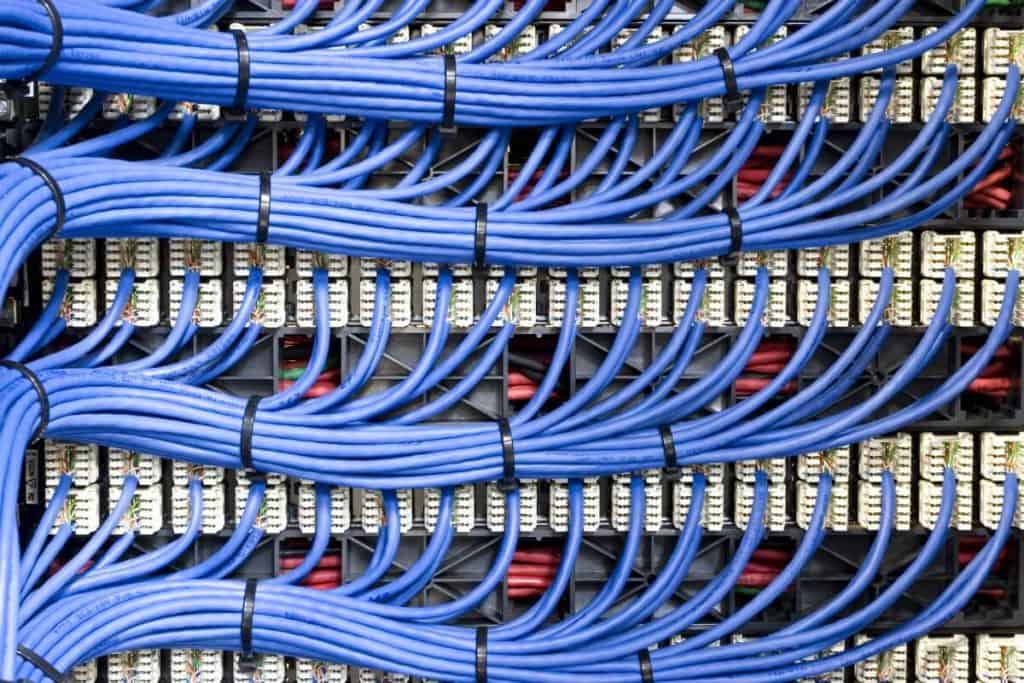
Posted on

Strategic Y Power Cable Usage: Unlock Power Efficiency and Cost Reduction for Crypto Mining Centers

Y Power Cable featured image

Modern crypto mining operations are pushing the limits of traditional data centers. With high-density servers, mounting energy costs, and tight profit margins, efficiently powering all your equipment can make or break your success. Enter Y power cables – sometimes called a y cable power, y power splitter cable, or even a C14 Y Cable – a simple but strategic way to power multiple devices from a single power source. Used correctly, these cables help streamline operations, reduce hardware costs, and improve rack organization in crypto mining facilities. Below, we explore how they work, why they matter, and the considerations you must keep in mind to harness their full potential safely. Learn the ultimate y power cable usage here!


Key Takeaways

By the end of this article, you’ll know:

  • The cost savings and efficiency benefits of Strategic Y Power Cable Usage.
  • How Strategic Y Power Cable Usage streamlines cable management and allows for faster deployment.
  • The critical safety and best practices for Strategic Y Power Cable Usage.

The Crypto Mining Challenge

High-Density Power Demands

Crypto mining hardware (like ASIC rigs or GPU-based setups) demands robust, continuous power. Racks filled with mining rigs can draw thousands of watts per server, so operators often find themselves juggling multiple power cables and outlets to feed each device. This is where a y splitter power cable or power cord y splitter comes into play, allowing you to power more than one mining rig from a single outlet (within safe limits).

Balancing Costs and Capacity

In a competitive mining environment, finding ways to reduce capital expenditure (CapEx) and operational expenses (OpEx) is vital. Traditional data center designs might use separate power cables and additional power distribution units (PDUs) for each device, leading to higher costs and more complex deployments. Y power cables can help cut down on the number of PDUs and cables, potentially lowering both material costs and the time spent managing them.

Speed of Deployment

Crypto mining operators often need to move fast – whether entering new facilities or scaling existing ones. Minimizing setup time can mean the difference between capturing market opportunities and missing out. A y power splitter cable or 2-Way Power Cable setup is straightforward, enabling faster deployment while maintaining enough flexibility to handle typical expansions and upgrades.

Person pointing Y Power Cable usage as a solution for crypto mining centers

What Exactly Are Y Power Cables?

Multiple Names, One Function

Y power cables go by many names: y cable power, y splitter power cable, extension cord y splitter, power cord y splitter cable, C14 to C13 Splitter, C14 to C13 y splitter power cord, 2x nema 5 15p to c13 wall plug, and more. Regardless of the terminology, the core concept is the same: a single cable that “splits” one male connector into two or more female connectors (or vice versa), enabling two devices to share one power source.

How They Differ from Standard Power Cables

A standard power cable connects one device to a single power source. A Y cable, however, takes that same feed and distributes it to two devices. Variations include:

  • C14 to C13 Splitter: Commonly used in data center racks, where a C14 inlet from a PDU splits into two C13 outlets for servers or other equipment.
  • NEMA 5-15P Splitters: More common in North America, turning a single NEMA outlet (like a household wall socket) into two female connectors (C13 or otherwise).
  • High-Amperage Variants: Some Y cables are designed for heavier loads, suitable for more powerful ASIC rigs.

Why So Many Variants Exist

Different crypto mining centers have diverse setups – some rely on specialized PDUs with C14 or C19 connectors, while others tap into traditional NEMA receptacles. Consequently, Y power cables are manufactured in various configurations to match the available outlet types and device inlets, ensuring a safe and standardized connection.

Key Benefits for Crypto Mining

Cost Savings

One of the most direct advantages of using y splitter power cable solutions is reducing hardware and outlet requirements. A single PDU outlet can effectively power two moderate-load mining rigs if total power draw remains within safety limits. This can translate to fewer PDUs, less cabling, and lower upfront investment – crucial in a business model where every dollar counts.

“Reduced PDU costs and simplified installations are a real benefit when Y-splitters are used correctly and within their limitations,” notes one expert in professional crypto mining operations.

Streamlined Cable Management

Messy cables can hinder cooling efficiency, making fans work harder and raising electricity bills. They can also slow down your ability to troubleshoot hardware issues. With power cord y splitter cables, you halve the number of long cords in your racks. This streamlined setup creates better airflow, more organized racks, and makes your maintenance routine that much simpler.

Faster Deployment and Expansion

Mining operators who need to get rigs online quickly appreciate the plug-and-play nature of Y cables. You spend less time navigating a tangle of cords and hooking up extra PDUs. Plus, when it’s time to add more capacity, using C14 Y Cable or C13 Splitter Cable solutions can mean one less step in the expansion process – no waiting on additional electrical circuits if your existing circuits have capacity.

Optimized Rack Space

By reducing the number of PDUs and individual power cables, you gain valuable physical space in your racks. This extra room can house more mining rigs or better airflow. Over time, that could significantly impact your ability to achieve higher hash rates within the same footprint.

Safety and Best Practices

Power Calculations Are Critical

While Y power cable usage brings efficiency, especially to the power demands of crypto mining, they’re not a free pass to exceed circuit ratings. Each connected rig still draws power, and the sum of two devices on one cable must be within the rated capacity of the cable, the PDU outlet, and the circuit breaker. For example, if you have a 20A (240V) circuit supplying 4,800W, and each mining rig draws 1,500W, you could theoretically power two rigs (3,000W total), leaving a safety margin. Going above rated thresholds can lead to dangerous overloading or tripping breakers.

Use High-Quality Cables from Reputable Brands

Cheap or uncertified cables are a recipe for fire hazards. Choose cables that are UL-listed (Underwriters Laboratories), CE-certified (if in Europe), or meet IEC (International Electrotechnical Commission) standards. This ensures they’ve undergone rigorous testing for durability and safety.

Single Point of Failure Awareness

With a power cord y splitter cable, you’re doubling down on one power source. If that connection fails, both devices lose power simultaneously. In crypto mining, this might be less catastrophic than in other data center environments, but it still can cost you money in lost mining time. For critical rigs, consider your redundancy options.

Not a Magic Bullet

While Y cables can optimize your setup, they won’t fix poor overall power design. You’ll still need adequate cooling, reliable PDUs, and proper electrical distribution. Look at y power cable usageas part of a broader strategy for efficient and safe operations.

When to Avoid Y-Splitters

Overloading Circuits: Never use a Y-splitter to exceed the rated capacity of the outlet, cable, or PDU. This is a serious fire hazard.

High-Power ASICs: Avoid using Y-splitters with very high-power ASICs that individually draw close to the outlet’s maximum capacity.

Daisy-Chaining: Never connect multiple Y-splitters together (daisy-chaining) to power even more devices.

For general advice on power cable safety, read our article: Power Cable Red Flags – Avoid for Safety and Better Data Center Performance.

Y Power Cable Usage in Your Mining Center

Conduct a Full Power Audit

Before you decide how many Y cables you can safely run, audit your total power usage. Account for each rig’s current draw and any future expansions. Work with an electrician or data center professional to confirm that circuits won’t exceed safe limits once the Y cables are in place.

Choose the Right Cable Type

Depending on your location and rack setup, you’ll likely opt for a c14 to c13 y splitter power cord, C14 to C13 Splitter, or a 2x nema 5 15p to c13 wall plug extension cord y splitter. Pick the configuration that aligns with your PDU outlets and device inlets. Confirm the cable’s rating supports your combined load.

C14 to C13 Splitter, C19/C20 splitters, and other variations

Label Everything

When you’re using multiple Y cables, labeling becomes essential. Mark each cable with its load capacity and identify which rigs it powers. This practice simplifies troubleshooting and lowers the risk of accidentally overloading a circuit.

Test and Monitor

Don’t just plug everything in and walk away. Monitor the rigs for a test period, ensuring no breakers trip and no cables overheat. Keep an eye on temperature, hashing performance, and any anomalies in power draw.

Adjust and Scale Strategically

As your farm grows, regularly revisit your power distribution strategy. Maybe your existing circuits can handle additional rigs via Y cables, or perhaps you need new lines to safely support your expansion. Stay flexible, and don’t be afraid to redesign as new equipment and higher-power ASICs become available.

Get Your Y Power Cables at AnD Cable Products

AnD Cable Products offers a wide selection of high-quality Y power cables, including C14 to C13 y splitter power cords and C19/C20 splitters, designed to meet the demanding requirements of crypto mining operations.

Y Power Splitter Cable featured item in AnD Cable Products promotion

Y power cables – otherwise known as a y power splitter cable, C14 Y Cable, or 2-Way Power Cable – can be a powerful ally in the world of crypto mining. By consolidating two mining rigs under one safely rated circuit, you reduce costs, streamline your racks, and accelerate deployment. That said, strategic usage is key. Proper power calculations, high-quality cables, and ongoing monitoring ensure you don’t sacrifice safety or reliability for the sake of efficiency.If you’re ready to maximize rack space and cut power-related expenses, consider adding y splitter power cables to your toolkit. Used well, they’re more than just a convenience – they’re a competitive edge in an ever-evolving crypto landscape. With the right planning, you’ll see tangible benefits in your bottom line, all while maintaining a secure and efficient mining operation.

Your Y Power Cable Usage Starts Here!

FAQs

What are Y power cables?

Y power cables, also known as Y splitter power cables, C14 Y cables, or 2-Way power cables, are designed to power multiple devices from a single power source. The cable has one male connector that splits into two or more female connectors.

What are the key benefits of using Y power cables?

–Cost reduction: By allowing a single power distribution unit (PDU) outlet to power two devices, you can reduce the number of PDUs and cables, lowering material and management costs.

-Streamlined cable management: Y cables can halve the number of long cords in your racks, leading to a more organized setup, better airflow, and simpler maintenance.

-Faster deployment and expansion: The plug-and-play nature of Y cables can accelerate the process of getting new equipment online, as you may not need to install additional circuits if existing ones have capacity.

Where are Y power cables commonly used?

Y power cables are particularly useful in environments like crypto mining facilities and data centers, where efficiently powering high-density equipment is critical for reducing costs and improving operations.

What are the safety considerations when using Y power cables?

–Avoid overloading circuits: Never use a Y cable to exceed the rated capacity of the cable, PDU outlet, or circuit breaker. The total power draw of all connected devices must be within safety limits to prevent a serious fire hazard.

–High-power ASICs: It is not recommended to use Y splitters with very high-power ASICs that individually draw close to the outlet’s maximum capacity.

–Single point of failure: Using a Y cable means both devices connected to it will lose power if the single source connection fails. This should be considered in environments where uninterrupted power is critical.

How can I ensure safe and efficient usage?

–Proper power calculations: Always calculate the total power draw of your devices to ensure they are within the rated capacity of your cables and circuits.

–High-quality cables: Use high-quality Y power cables that are properly rated for your equipment.

–Ongoing monitoring: Regularly monitor your power usage and equipment to ensure everything is operating safely.

About the Author – John Lester

John Lester - General Manager, AnD Cable Products

John Lester, General Manager at AnD Cable Products, brings a rich tapestry of IT and project management experience to the forefront of cable management solutions for data centers. His career, spanning over three decades, includes significant roles in IT project management and consultation with renowned companies. John served in the Marine Corps during Desert Storm. John’s journey in the tech world is further distinguished by his proficiency in advanced programming and systems expertise. 

His leadership at AnD Cable Products encapsulates a blend of innovation, strategic planning, and a relentless commitment to delivering excellence in the field of data center infrastructure.  John was with AnD Cable Products when Louis was designing his innovative Zero U cable management racks and Unitag cable labels, both of which have become industry-leading network cable management products. AnD Cable Products only offer products that are intelligently designed, increase efficiency, are durable and reliable, re-usable, easy to use or reduce equipment costs. He is the co-author of the Cable Management Blog, where you can find network cable management ideas, server rack cabling techniques and rack space saving tips, data center trends, latest innovations and more. Visit https://andcable.com or shop online at https://andcable.com/shop/
Posted on

Optimizing NVIDIA AI Data Centers with Intelligent Cable Management Following New Reference Architectures

NVIDIA AI Data Centers using GPU - featured image

Have you heard about NVIDIA’s groundbreaking AI reference architectures, which are revolutionizing AI Data Centers? With their latest certified systems and blueprints, NVIDIA is making it easier than ever to deploy AI solutions at scale.

But here’s something that often flies under the radar: the critical role of cable management in these advanced data centers. Believe it or not, intelligent cable management can significantly enhance any NVIDIA AI data center’s performance, scalability, and reliability.

Let’s explore how.


Key Takeaways

By the end of this article, you’ll know:

  • The importance of Cable Management in High Performance Environments like NVIDIA AI Data Centers.
  • How AI reference architectures simplify deployment.
  • How intelligent solutions and best practices are key to mitigating risks.
NVIDIA AI Data Centers using GPU

NVIDIA’s New Reference Architectures: A Game Changer

Simplifying AI Deployments

NVIDIA has partnered with industry leaders like HPE, Dell, and Supermicro to offer optimized, certified AI systems.

These reference architectures (RAs) are designed to guide vendors in building systems that are not only powerful but also reliable and efficient.

NVIDIA ensures that the hardware and software components work seamlessly together by providing detailed blueprints and certification guidelines.

Scale-Up and Scale-Out Deployments

One of the standout features of NVIDIA’s RAs is their support for both scale-up and scale-out deployments:

  • Scale-Up Deployments: Utilize NVLink connections to create high-bandwidth, multi-node GPU clusters. This approach effectively turns multiple GPUs into a single, massive computational unit, ideal for intensive AI workloads.
  • Scale-Out Deployments: Leverage optimized PCIe connections to build larger clusters that can scale from four to 96 nodes or more. This model distributes workloads across multiple servers, each possibly with different optimization levels.

Benefits for Businesses

By adopting these RAs and certified systems, businesses can expect:

  • Improved Performance: Optimized hardware configurations ensure maximum computational efficiency.
  • More Accessible Support and Maintenance: Standardized systems simplify troubleshooting and upgrades.
  • Reduced Complexity: Detailed guidelines eliminate guesswork in system design.
  • Faster Time to Market: Accelerated deployment schedules help businesses stay competitive.
  • Lower Costs: Efficient designs reduce total cost of ownership (TCO) over the system’s lifespan.

The Cable Management Connection

Active Optical Cables (AOC) set

Why Cable Management is Crucial

In high-performance environments like NVIDIA AI data centers, cable management isn’t just about aesthetics—it’s a functional necessity. Proper cable management impacts:

  • Data Flow and Latency: Well-organized cables reduce interference and signal degradation, ensuring faster data transmission.
  • Cooling Efficiency: Neat cabling improves airflow, preventing hotspots and reducing cooling costs.
  • System Reliability: Organized cables minimize the risk of accidental disconnections and make it easier to identify and replace faulty components.

Supporting Advanced Technologies

NVIDIA’s architectures include advanced components like Spectrum-X networking and BlueField Data Processing Units (DPUs). These technologies require intricate cabling setups to function optimally. Effective cable management ensures that these components perform at their best, offering maximum throughput and minimal latency.

Challenges in NVIDIA AI Data Centers

High-Density GPU Deployments

With the increasing density of GPUs in modern servers, the number of cables needed for power, data, and networking grows exponentially. Managing this web of network cables and power cables becomes a significant challenge that can impact performance and maintenance.

Complex Networking Requirements

Advanced networking technologies like NVIDIA’s Spectrum-X Ethernet require precise cabling configurations to achieve optimal performance. Mismanaged cables can lead to network bottlenecks and increased latency.

Scalability Issues

As data centers grow, the complexity of the cabling infrastructure can become a limiting factor. Without a scalable cable management solution, expanding your data center can lead to increased downtime and operational costs.

Maintenance and Downtime Risks

Disorganized cables make performing routine maintenance or troubleshooting issues difficult, leading to longer downtimes. In environments where uptime is critical, this can have significant financial implications.

Intelligent Cable Management Solutions from AnD Cable Products

Who We Are

At AnD Cable Products, we specialize in providing intelligent cable management solutions tailored for high-performance data centers like those built on NVIDIA’s architectures. Our products are designed to meet the specific needs of modern, scalable, and efficient data centers.

Custom Solutions for NVIDIA Systems

We understand that NVIDIA’s reference architectures have unique requirements. That’s why we offer:

  • Custom Cable Assemblies: Designed to fit perfectly with NVIDIA’s hardware configurations, reducing clutter and improving performance.
  • Durable Proprietary Products: Our proprietary products are made with 16- or 18-gauge cold rolled steel and guaranteed to last.
  • Space-Saving Designs: Our cable management products – specifically our Zero U Cable Managers – help optimize server rack space, allowing for more hardware within the same footprint.
Horizontal Zero U Cable Manager for NVIDIA AI data centers

Benefits of Our Solutions

  • Improved Airflow and Cooling: Our solutions help maintain optimal temperatures, enhancing hardware longevity.
  • Simplified Maintenance: Easy-to-manage cables reduce downtime during upgrades or repairs.
  • Cost Efficiency: By optimizing space and reducing energy costs, our solutions contribute to a lower TCO.

Best Practices Aligned with NVIDIA’s Reference Architectures

Planning Your Cable Infrastructure

Aligning your cable management plan with NVIDIA’s RAs is crucial. Early planning helps in:

  • Identifying Cable Pathways: Determine the optimal cable routes to minimize length and interference.
  • Allocating Space: Ensure enough room for future expansions without overcrowding.
  • Compliance with Standards: Meet industry standards for safety and performance.

Using High-Quality Materials

Invest in quality materials like:

Modular and Scalable Designs

Implementing modular designs allows for:

  • Easy Upgrades: Add or replace components without overhauling the entire system.
  • Flexibility: Adapt to changing technologies and requirements.
  • Cost Savings: Reduce the need for expensive redesigns in the future.

Regular Maintenance and Audits

  • Routine Checks: Regularly inspect cables for wear and tear.
  • Documentation: Keep detailed records of cable layouts and configurations.
  • Training: Ensure your team is knowledgeable about best practices.

Future-Proofing with Intelligent Cable Management

Staying Ahead of Technological Advancements

NVIDIA continues to innovate with new hardware and software solutions. By investing in intelligent cable management now, you’re better prepared to integrate future technologies seamlessly.

Reducing Total Cost of Ownership

Efficient cable management contributes to:

  • Energy Savings: Improved airflow reduces cooling costs.
  • Hardware Longevity: Optimal operating temperatures extend the life of your equipment.
  • Operational Efficiency: Reduced downtime and maintenance costs.

Mitigating Risks

  • Reduced Error Rates: Organized cables lower the chance of human error during maintenance.
  • Enhanced Security: Proper cable management can help in quickly isolating and addressing security threats.
  • Compliance: Meeting industry regulations and standards becomes more straightforward.

Partnering with Experts

You’re not in this alone. Collaborating with experts like AnD Cable Products ensures that your data center is optimized for both current and future needs.

Optimize With AnD Cable Products Today

Bringing it all together, effective cable management is the unsung hero in unlocking the full potential of NVIDIA’s AI data centers. It enhances performance, ensures scalability, and contributes to overall operational excellence. Consider looking closely at how your current setup aligns with NVIDIA’s reference architectures and where improvements can be made.

Ready to optimize your NVIDIA AI data center? Let’s collaborate to design a cable management solution that meets your unique needs and will set you up for long-term success.

FAQs

What are NVIDIA’s new reference architectures?

NVIDIA’s new reference architectures are blueprints and certified systems that simplify the deployment of AI solutions at scale. They provide detailed guidelines and configurations for hardware and software to ensure seamless performance.

What is the role of intelligent cable management in NVIDIA AI data centers?

Intelligent cable management is crucial for unlocking the full potential of NVIDIA’s AI data centers. It enhances performance, ensures scalability, and contributes to overall operational excellence.

How does proper cable management improve data center performance?

Well-organized cables reduce interference and signal degradation, which ensures faster data transmission. This is particularly important for high-speed components like NVIDIA’s Spectrum-X networking and BlueField Data Processing Units (DPUs).

What are the benefits of intelligent cable management for cooling and energy efficiency?

Neat cabling improves airflow within server racks, preventing hotspots and reducing cooling costs. This contributes to lower total cost of ownership (TCO) and can lead to energy savings.

How does intelligent cable management from AnD Cable Products help?

AnD Cable Products offers solutions like Zero U Cable Managers that optimize server rack space, simplify maintenance, and improve airflow. These products help maintain optimal temperatures, extend hardware longevity, and reduce downtime.

About the Author – John Lester

John Lester - General Manager, AnD Cable Products
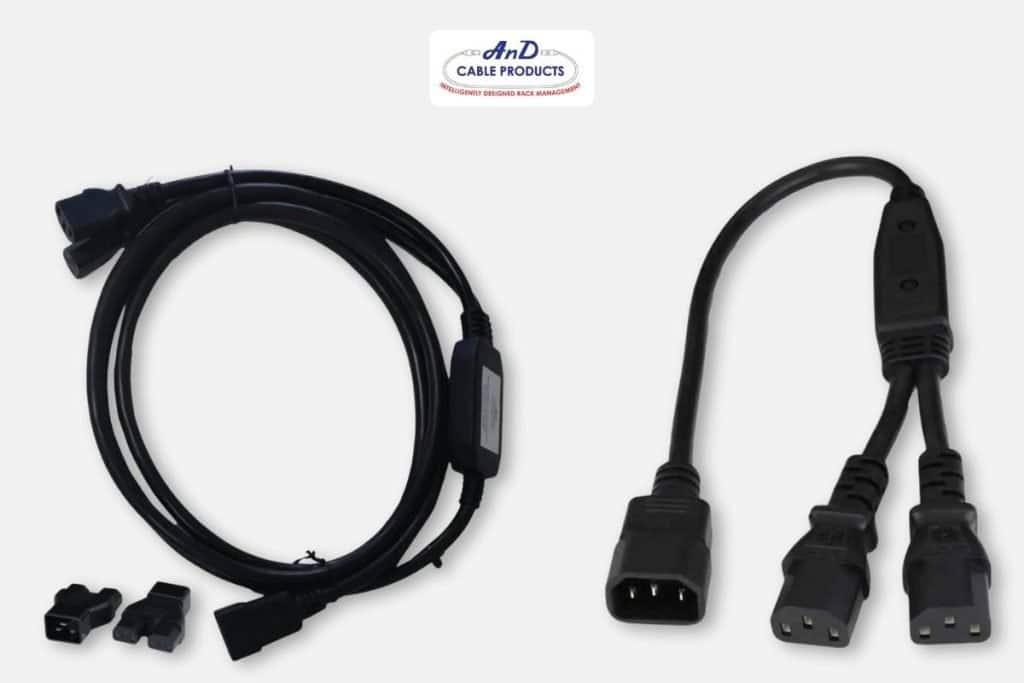
John Lester, General Manager at AnD Cable Products, brings a rich tapestry of IT and project management experience to the forefront of cable management solutions for data centers. His career, spanning over three decades, includes significant roles in IT project management and consultation with renowned companies. John served in the Marine Corps during Desert Storm. John’s journey in the tech world is further distinguished by his proficiency in advanced programming and systems expertise. 

His leadership at AnD Cable Products encapsulates a blend of innovation, strategic planning, and a relentless commitment to delivering excellence in the field of data center infrastructure.  John was with AnD Cable Products when Louis was designing his innovative Zero U cable management racks and Unitag cable labels, both of which have become industry-leading network cable management products. AnD Cable Products only offer products that are intelligently designed, increase efficiency, are durable and reliable, re-usable, easy to use or reduce equipment costs. He is the co-author of the Cable Management Blog, where you can find network cable management ideas, server rack cabling techniques and rack space saving tips, data center trends, latest innovations and more. Visit https://andcable.com or shop online at https://andcable.com/shop/