Posted on

Modular or Traditional Data Center Builds – Which is Better?

Modular or Traditional Data Center Build - Which is Better? Cable Management Blog

“The future of data centers is modular,” one popular website states. “The traditional data center is not dead,” says another. Who is right? What is the future of data centers? Is one better than the other, and if so, why?

Here are some pros and cons, and some potential answers data center managers might want to consider. 

Key Takeaways

By the end of this article, you’ll know:

  • The financial and real estate considerations when choosing between modular and traditional.
  • The deployment speed considerations between modular and traditional data centers.
  • The considerations of power usage and security when choosing between modular and traditional data centers.

Jump to Section:

Modular and Traditional Data Center

Modular vs. Traditional Data Center PUE

One of the first things we talk about with modular or traditional data centers is PUE, or Power Usage Efficiency. Most of the time, modular data centers have a lower PUE. However, there is a cost associated with that number.

Traditional data center builds often have a higher PUE initially because there is space for expansion and adding additional equipment. This can sometimes come with higher HVAC and other costs until the data center is at capacity and running at maximum efficiency. We’ll talk about that factor more in a moment. 

For modular data centers, because they are constructed with tight specifications and already at an efficient capacity per module, the PUE is lower from the start. All components are easily matched, and compact spaces are easier to control when it comes to cooling, humidity, and other factors.

What is the downside? When a brick and mortar data center is up and running at capacity and the design has been well executed, PUE levels can be similar, and it can be much simpler to make moves and changes without additional modules and construction. 

Security

As with PUE, there are two sides to this coin. The modular data center can be easier to secure, as they are more compact and self-contained. When installed behind a secure barrier with video and other surveillance measures, the physical security of a modular data center can be assured.

The flip side? Modular data centers may evolve and require additions over time, meaning the physical space will also have to be modified. Proper planning can mitigate this issue, but a traditional data center build can be easier to manage from this perspective, with security built into the construction itself, along with remote monitoring and other security features that must be handled differently with modular data centers. 

The argument over which is better can go either way, but the permanence of a traditional data center build often wins out when it comes to security discussions.

Modular vs. Traditional Real Estate

When locating a data center, we have talked about things like accessibility to a green power grid, the ability to construct your own green energy backups, and more. Real Estate that satisfies all of those requirements can be hard to find, and prices reflect that premium. 

So in this case, the more compact modular data center build has some distinct advantages. The less real estate you need, the less initial costs will be to purchase (or lease) space for the data center. This also has an impact on another factor: the cost of the build. 

Building Costs

Constructing a modular data center is much cheaper than constructing a traditional one, effectively 30% less. That is a huge number when you talk about initial costs. Combined with the lower cost of real estate, deploying a modular data center is much more efficient for those looking towards hyperscaling and co-location. 

This has been shown to be especially true as more “work from anywhere” options become available, and the need for high-speed data center capacity shifts from city centers and similar areas to residential and suburban ones.  

This leads us to our next advantage:

Deployment Speed

The time needed to construct a traditional data center is much greater than that needed to deploy a modular data center. The average data center takes 18-24 months from start to finish, but you can save around 30% of that time by going the modular data center route.

In part, this is because you avoid traditional construction delays due to bad weather, seasonal construction, and more.  

This is not to say modular deployment is better – it is simply faster. It could be argued that a traditional build will last longer and the overall construction will be of higher quality, but that is not always the case. Many modular data centers are created with a similar lifespan in mind and can last just as long as a traditional build.

So which one is better?

The bottom line when it comes to which one is better, a modular or traditional data center build, the answer is, it depends. Ask these questions:

  • How urgent is the need for this data center? 
  • Where will the data center be located? What is the costs associated with a greater holding of real estate?
  • What is the purpose of this data center? Is the need for moves and changes anticipated?
  • What kind of security is needed, and what is possible in the data center location?
  • What is the long-term plan for this data center?

The answers in your situation may vary, but as much as the traditional data center is not dead, the modular data center is on the rise, and for many situations, it’s the best option. 

No matter whether you are creating a modular data center or doing a traditional build, your rack and cable management matter, as does your labeling system and your physical layer security. At AnD Cable Products, we can help with all of these things. Give us a call today, tell us about your situation, and we’d be happy to have a conversation about how we can help. 

We’re here for all of your data center needs. 

Physical Layer Environment Network Security Monitoring and Control

A150 Physical Layer Environment Network Security Monitoring and Control System Brochure

Full visibility, network security and control of your physical layer environment. Monitor your entire hybrid cloud and IT infrastructure from a cloud-based, integrated dashboard:

  • Introducing the A150 System
  • A150 System Architecture – High-Level Overview
  • A150 System Features
  • System Controller Hardware and Specifications
  • Monitoring Controllers, Probes and Sensors

FAQs

What is the main difference between a modular and a traditional data center?

A traditional data center is a large, purpose-built facility constructed on-site over a long period. In contrast, a modular data center is built off-site in pre-fabricated modules that are later assembled on location, allowing for faster deployment and greater flexibility.

Which type of data center is more cost-effective?

Modular data centers are typically more cost-effective. They are about 30% cheaper to construct due to their prefabricated nature and require less real estate.

How do their deployment times compare?

Modular data centers have a significant advantage in terms of deployment speed. They can be deployed in a fraction of the time, saving approximately 30% of the time compared to traditional builds, which can take 18-24 months.

What about energy efficiency (PUE)?

Modular data centers generally have a lower initial Power Usage Effectiveness (PUE) because their compact, self-contained design is highly efficient from the start. Traditional data centers may have a higher PUE initially and become more efficient as they reach full capacity.

Is one more secure than the other?

Modular data centers are often easier to secure initially because they are compact and self-contained units. However, a traditional build with integrated security systems may offer more manageable, long-term security management.

Which option is better for my business?

The best choice depends on several factors, including your budget, real estate availability, timeline, and long-term expansion plans. Modular data centers are ideal for rapid deployment and situations where space is limited, while traditional builds are suited for large-scale, long-term investments.

About the Author

Louis Chompff - Founder, AnD Cable Products, Rack and Cable ManagementLouis Chompff, Founder & Managing Director, AnD Cable Products
Louis established AnD Cable Products – Intelligently Designed Cable Management in 1989. Prior to this he enjoyed a 20+ year career with a leading global telecommunications company in a variety of senior data management positions. Louis is an enthusiastic inventor who designed, patented and brought to market his innovative Zero U cable management racks and Unitag cabel labels, both of which have become industry-leading network cable management products. AnD Cable Products only offer products that are intelligently designed, increase efficiency, are durable and reliable, re-usable, easy to use or reduce equipment costs. He is the principal author of the Cable Management Blog, where you can find network cable management ideas, server rack cabling techniques and space saving tips, data center trends, latest innovations and more.
Visit https://andcable.com or shop online https://andcable.com/shop/

Posted on

4 Steps to Prepare Your Data Center for Net Zero Carbon Emissions

4 Steps to Prepare Your Data Center for Net Zero Carbon Emissions - AnD Cable Management Blog

The race to net zero carbon emissions is on – our economy and our world depend on it. The data center industry, one that tends to gobble up lots of power is at the forefront of a number of initiatives being implemented around the world. How will you prepare your data center for net zero carbon emissions? Here’s 4 steps that will get you started.


Key Takeaways

By the end of this article, you’ll know:

  • Why to make a commitment to reducing carbon footprint and decarbonization
  • How using sustainable energy sources and operating at peak efficiency cuts carbon footprint.
  • The importance of reaching net zero carbon emissions while maximizing uptime.

Jump to Section:

4 Steps to Prepare Your Data Center for Net Zero Carbon Emissions - AnD Cable Management Blog

The Situation Now

Data centers first became the focus of Greenpeace and other groups back in the mid-to-early 2010 boom. The focus at that time was on enterprise-level data centers – the big guys, in other words. The fact that data centers used lots of power became evident and so the move toward minimizing that impact grew in both urgency and popularity.

So much so that the position of Chief Sustainability Officer (CSO) grew to overtake the emerging position of Chief Security Officers. Those in charge of cybersecurity ended up having to change their title to CISO (Chief Information Security Officer) because CSO had already been widely recognized.

Since then, smaller edge computing data centers have become the new focus. With COVID hastening the transition, today, cloud computing, AI, remote monitoring and other data center management trends have now established a level of control and sustainability not previously thought possible.

Thanks in part to these technological developments, net zero carbon emissions now feels more achievable and less like the plot-line in a futuristic sci-fi flick. So, in what areas of the data center can emissions be reduced?

Step One – Make a Commitment

There are several individual measures that promote sustainability. The key is to take all of those individual components and standards and work them into an ecosystem that supports your emissions goal.

Companies and countries alike are making a commitment to reducing carbon emissions as a part of their brand. However, words are not enough, and these companies – including the largest hyperscaling data center companies in the world – are taking action. Advances are happening quickly in the area of artificial intelligence (AI), remote management and data center design. Being on the leading edge of these developments shows that your data center is part of this commitment to a “greener cloud infrastructure.”

Like most strategies, it’s only once a firm commitment at the top of the organization has been made that the necessary actions can be taken, including providing leaders with the authority to make decisions that align with the goal and that resources, responsibilities and accountabilities are allocated.

Step Two – Use Sustainable Energy Sources

Solar, wind and even hydroelectric power are all sustainable sources of power that can make dependence on coal and other carbon-intense fuels a thing of the past. Companies like Tesla and Microsoft are testing and deploying battery technology that can run data centers longer than ever before, even with no sun or wind available.

This means only using the local grid as your primary power source if sustainable energy is available 24+7. Otherwise, the data center will need to provide at least some sustainable sources of its own, like a solar or wind farm designed to directly support a data center.

Because this is expensive, only the largest, hyperscale companies with large data centers can be 100% self-sufficient. Hybrid solutions could help to bridge the gap, such as supplementing local power supplies with solar and wind on site. Selecting a site that’s close to a local, sustainable power grid should be a factor in choosing where to locate your data center and will support the goal of net zero carbon emissions.

Step Three – Operate at Peak Efficiency

For data centers, not only should your power be sourced responsibly, but your data center needs to operate efficiently. One way to reduce carbon dependency is to simply use less power. Strategies can include initiatives such as pro-active device monitoring to identify ‘Zombie Servers’ – stacks that contribute little to performance, but still use significant resources to maintain.

The efficient and responsible use of power, as covered by the United Nations Sustainable Development Goal 12, is about Responsible Production and Consumption. Some other standards include:

  • PUE (Power Use Effectiveness) – Determined by dividing the power coming into the data center by the power used by the computer infrastructure.
  • LEED (Leadership in Energy & Environmental Design) – A green building certification program that rates building design
  • PAR4 – A new form of power measurement that accurately measures IT equipment power usage to help optimally plan for capacity.
  • ASHRAE (The American Society of Heating, Refrigerating and Air-Conditioning Engineers) – Standards for the temperature and humidity operating ranges for IT equipment and data centers.
  • CCF (Cooling Capacity Factor) – CCF is a metric used to evaluate rated cooling capacity against how that capacity is actually used.

These standards are just a few of those used to rate the efficiency of a data center and are designed to help data centers move toward net zero through more effective use of the power they have available.

Step Four – Build-in Resilience and Agility

The real job of a data center is uptime. Yes, customers want a green data center that is moving toward, if not already achieving, net zero emissions. However, at the same time, they expect that there will be no reduction in service. They expect full uptime, speed, and data protection.

This means that systems must not only be green, but must be reliable and include redundancies, power backups, and other protections, including cybersecurity and physical layer security to protect both customer assets and their data.

The good news is that not only is clean energy better for the environment, but it is also more reliable in many cases, allowing data centers to keep uptime near 99.999% standards. This is a balance that sustainable data centers must constantly monitor, adjust to and plan for.

Net zero carbon emissions is the standard of the future. Your data center can prepare now. Use clean energy, and plan to scale with that energy use in mind. Use the energy you have efficiently and plan for resiliency as part of your transition strategy. It’s what clients and customers and the world deserves.

Have questions about optimizing your physical layer, monitoring and remote control or ways to use your floor space efficiently? Contact Us at AnD Cable Products. We’re here to help.

Physical Layer Environment Network Security Monitoring and Control

A150 Physical Layer Environment Network Security Monitoring and Control System Brochure

Full visibility, network security and control of your physical layer environment. Monitor your entire hybrid cloud and IT infrastructure from a cloud-based, integrated dashboard:

  • Introducing the A150 System
  • A150 System Architecture – High-Level Overview
  • A150 System Features
  • System Controller Hardware and Specifications
  • Monitoring Controllers, Probes and Sensors

FAQs

What is the first and most critical step to a more sustainable data center?

The first step is to measure energy usage. The most commonly used industry standard for this is Power Usage Effectiveness (PUE).

Why is measuring PUE important?

PUE is an individual benchmark for performance and a starting point for measuring success. It helps identify changes in power usage, trends, and spikes, enabling informed decisions for upgrades and infrastructure changes to improve sustainability.

What are the four key steps outlined in the article for preparing a data center for net-zero carbon emissions?

–Make a Commitment: Embrace individual measures that promote sustainability.

–Use Sustainable Energy Sources: Utilize sources like solar, wind, and hydroelectric power, and consider hybrid solutions.

–Operate at Peak Efficiency: Reduce power consumption by strategies such as proactive device monitoring and identifying “Zombie Servers” (servers that contribute little to performance but still use significant resources).

–Build-in Resilience and Agility: Ensure systems are not only green but also reliable, with redundancies and power backups to maintain uptime.

What is the goal of operating at peak efficiency?

The goal is to use less power. The article mentions strategies like using PUE, LEED, and PAR4 standards to rate efficiency.

About the Author

Louis Chompff - Founder, AnD Cable Products, Rack and Cable ManagementLouis Chompff, Founder & Managing Director, AnD Cable Products
Louis established AnD Cable Products – Intelligently Designed Cable Management in 1989. Prior to this he enjoyed a 20+ year career with a leading global telecommunications company in a variety of senior data management positions. Louis is an enthusiastic inventor who designed, patented and brought to market his innovative Zero U cable management racks and Unitag cabel labels, both of which have become industry-leading network cable management products. AnD Cable Products only offer products that are intelligently designed, increase efficiency, are durable and reliable, re-usable, easy to use or reduce equipment costs. He is the principal author of the Cable Management Blog, where you can find network cable management ideas, server rack cabling techniques and space saving tips, data center trends, latest innovations and more.
Visit https://andcable.com or shop online https://andcable.com/shop/

Posted on

8 Critical Data Center Practices for Floor Design and Delivery

Woman Drawing Data Center Floor Plan Designs on Glass Wall

The physical layer of the internet, the data center, is largely dependent on floor plans, not only the floor design and type of the floor itself, but where you put everything, and how that impacts data accessibility and delivery for your clients.

Perhaps the most important feature of any data center is agility and flexibility. To prepare for the future, floor plans must have the ability to adapt built-in. How do we get there?


Key Takeaways

By the end of this article, you’ll know:

  • The best practices to achieve agility and flexibility in floor design and delivery.
  • The importance of balancing density and capacity.
  • How to accomplish a holistic approach to floor design and delivery.

Jump to Section:

  1. Density and Capacity
  2. Prepping for Future Architecture and Changes
  3. Storage and Cooling
  4. Building Management Systems
  5. Built-in Redundancy
  6. Remote Management
  7. Physical Layer Security
  8. Using Renewable Energy
Woman Drawing Data Center Floor Plan Designs
To prepare for the future, data center floor plans must have the ability to adapt built-in

1. Density and Capacity

First, we must think in terms of both density and capacity: there is always a tradeoff between power and space. A denser server system will require a more sophisticated power and cooling strategy, which may in the long run be more costly per watt than a less aggressive approach.

The most common answer is a blend of both high and low-density rack layouts to get the maximum benefits of each. Modular density allows for the addition of capacity over time and with energy costs higher than the cost of space (at least currently) a less dense approach makes more sense for most applications and data center floor designs.

2. Prepping for Future Architecture and Changes

This brings us nicely to the next point. Server configurations are constantly changing, and likely will continue to do so going forward. Balancing density and capacity when it comes to data center floor design makes it easier to make moves and changes when the need arises.

A forward-thinking floor design simply means you are ready when whatever technology is next taking over the market. Think of how your current layout can be adapted to new forms and layouts.

3. Storage and Cooling

This naturally leads to storage and cooling, which is directly related to density and capacity, and future thinking. You must consider how you will store data, what kind of servers and racks you will use, and even where you will source them and other materials.

A part of that will also be your cooling plan. How will you cool your systems? Will you have an underfloor wiring plan or an overhead one? What kind of floor will you have? What will your HVAC system look like, and how will access to the building be controlled? This is all something to think about while looking at your floor designs.

4. Building Management Systems

What does your building management system look like, and how well does it meet your data center needs. There are several aspects to consider, including your maintenance services

  • Generators
  • UPS Batteries and backups
  • Electrical supply infrastructure
  • Mechanical systems maintenance

All these various pieces require various levels of maintenance, and physical accessibility must be a consideration. This also leads to our next point.

5. Built-in Redundancy

When maintenance occurs or disaster strikes, redundant systems need to be in place to keep the stellar uptime customers demand. This must be a part of your data center floor design from the start. This is a part of not only data center service, but physical and data layer security as well.

6. Remote Management

If 2020 has taught us anything, it’s that people can do many things remotely in an amazing way. While remote monitoring and even management of data centers have been possible for quite some time, the pandemic propelled it to a mainstream priority. Any data center design conceived going forward must be structured to enable remote monitoring and management.

This goes relates to everything, from building management systems to server management systems. Sensors can detect when something is wrong, in many cases take action to correct the issue, and inform human data center management of the issues, so that permanent corrections can be implemented.

7. Physical Layer Security

Of course, a part of remote management leads to physical layer network security. This includes everything from digital locks for entrances with biometric security in place to door alarms, AI monitoring of camera systems, and more.

These systems are far better than an on-premises security team, can be monitored from anywhere, and both managers and if necessary the appropriate authorities can be notified of any incident requiring attention.

8. Using Renewable Energy

Finally, an important part of data center management and development going forward is the use of renewable energy. While this does not always impact the physical layout of the interior of your data center, it may impact your power and electrical configurations, the redundancies you need to have built into your data center, and the area you have to expand the physical footprint of your data center going forward.

A big part of your data center floor design and how you arrange both high and low-density areas of the data center is related to the server racks, cable management products, and physical layer security systems you choose.

At AnD Cable Products, we can make sure you have everything you need to set things up properly from the start or to make moves and changes as you need to. Contact Us today! We’d love to discuss your data center needs.

Physical Layer Environment Network Security Monitoring and Control

A150 Physical Layer Environment Network Security Monitoring and Control System Brochure

Full visibility, network security and control of your physical layer environment. Monitor your entire hybrid cloud and IT infrastructure from a cloud-based, integrated dashboard:

  • Introducing the A150 System
  • A150 System Architecture – High-Level Overview
  • A150 System Features
  • System Controller Hardware and Specifications
  • Monitoring Controllers, Probes and Sensors

FAQs

Why is density and capacity a key consideration in data center floor design?

There is a trade-off between power and space in a data center. A denser server system requires more sophisticated power and cooling. A flexible floor design should balance high-density and low-density layouts to get the maximum benefits of each, allowing for capacity additions over time.

How does a forward-thinking floor design prepare for future changes?

A forward-thinking design ensures the floor plan can adapt to future server configurations and technological changes. By balancing density and capacity, the design makes it easier to make moves and changes as new technology takes over the market, ensuring the data center is ready for what’s next.

What is the relationship between data center floor design, storage, and cooling?

Storage and cooling are directly related to density and capacity. The floor design must consider how data will be stored, the types of servers and racks used, and the cooling plan. This includes decisions on underfloor vs. overhead wiring, the type of floor, and the HVAC system.

How do Building Management Systems (BMS) fit into data center design?

A BMS is an essential component that manages various aspects of a data center, including maintenance services, generators, UPS batteries, and electrical and mechanical systems. Sensors within the BMS can detect issues, take corrective action, and alert human management.

What is the role of built-in redundancy?

Built-in redundancy is crucial for minimizing downtime. It involves creating a system that can continue to function correctly despite failures by incorporating network diversity, system redundancies, and disaster recovery planning.

How does remote management impact data center floor design?

Remote management allows for control and visibility of the data center’s physical layer environment from a central dashboard. This includes monitoring physical security, network security, and infrastructure to ensure the system runs smoothly without requiring constant on-site management.

Why is physical layer security important in a data center floor design?

Physical layer security is critical for preventing on-site breaches and protecting corporate data. This includes access control, CCTV surveillance, and intrusion detection systems, which work alongside cybersecurity measures to safeguard the entire IT environment.

How can data center design incorporate renewable energy?

A forward-thinking design should consider sourcing renewable energy to reduce the data center’s environmental impact and operating costs. Incorporating efficient cooling systems and optimizing power distribution are also key practices for energy efficiency.

About the Author

Louis Chompff - Founder, AnD Cable Products, Rack and Cable ManagementLouis Chompff, Founder & Managing Director, AnD Cable Products
Louis established AnD Cable Products – Intelligently Designed Cable Management in 1989. Prior to this he enjoyed a 20+ year career with a leading global telecommunications company in a variety of senior data management positions. Louis is an enthusiastic inventor who designed, patented and brought to market his innovative Zero U cable management racks and Unitag cabel labels, both of which have become industry-leading network cable management products. AnD Cable Products only offer products that are intelligently designed, increase efficiency, are durable and reliable, re-usable, easy to use or reduce equipment costs. He is the principal author of the Cable Management Blog, where you can find network cable management ideas, server rack cabling techniques and space saving tips, data center trends, latest innovations and more.
Visit https://andcable.com or shop online https://andcable.com/shop/

Posted on

Is The Future of Data Centers Hyperscale and Colocation?

Feature - Is The Future of Data Centers Hyperscale and Colocation? AnD Cable Management Blog

Whenever we talk about data centers, we talk about the fact that many businesses, even large enterprises, have moved to a cloud version of a data center, allowing someone else to manage their servers, storage, and other network elements. But colocation, born in the cloud DVR era, has started to make a comeback and is in fact, its own type of business. What’s driving this trend, and is it the future of data centers?


Key Takeaways

By the end of this article, you’ll know:

  • The use case for colocation as an alternative to cloud and on-premise data centers.
  • The various benefits of colocation.
  • What hybrid cloud options at colocation centers are and the solutions they offer.

Jump to Section:

Future of Data Centers

What is Colocation?

Colocation is essentially where instead of installing servers in a certain area or a certain room in your business location, you rent space for your servers and equipment in an established data center owned by a third party. This space can consist of a small area, a room, or even a cage of sorts. Since the data center already has the power and cooling capacity needed to house servers, a business doesn’t need to invest in building and equipping a new space of their own.

Colocation started as a way for two companies, Comcast and Charter Communications worked with yet another company to set up a data center that could provide users of online “cloud DVR” services with the speed they needed to “re-stream” content they had recorded.

Today, colocation companies are really real estate brokers of sorts: they sell or rent space that meets a company’s specific needs. Space is located within a large (sometimes very large) data center where “tenants” share the cost for power, cooling, and maintenance.

But why the surge in popularity now and is the future of data centers?

The Cost of the Cloud

When data reaches a certain speed and volume needs, a cloud data center can sometimes be more expensive than a physical network. Businesses, as they grow, often discover this, and move at least part of their cloud computing back onto colocated servers where they own and maintain their own servers.

Another reason involves data sovereignty requirements: certain data cannot cross country or other boundaries, limiting the type and location of cloud data operations a company can use. The need for additional physical protection of data also feeds this trend.

Edge computing, the option of deploying IT assets in multiple, smaller, more geographically diverse locations, is changing the conversation around data centers. Digital assets are widely distributed between the cloud and colocation and the objectives of this type of distribution is constantly changing depending on company needs.

The Value of Space

One key here is space. Often a smaller business might only need a single rack of space: others might have greater needs. Ensuring that any rented space is used to the best advantage is key: the less space used, the lower the cost. After all, data center relocation companies are often simply real estate and property brokers, and many don’t understand exactly what their customers are trying to accomplish and what needs they might have.

But to “sell” their services effectively, they need to learn the language of computing rather than real estate. Square footage and “a killer window vies” must be replaced with terms like workload, performance, speed, and reliability. It’s important that they can share with customers how colocation in a large data center can meet their computing needs.

However, in another way, it’s important that the business understand things like an efficient use of rack space such as using Zero U cable routing systems, power allocation, proper cabling and labeling, and the physical protection the data center offers their network.

Some Benefits of Colocation

There are several benefits of colocation vs. building your own data center in your own business space.

  • Reliability – An established data center and shared computing with other businesses means your uptime is assured, and you have greater peace of mind when it comes to reliability.
  • Security and compliance – There are a variety of standards regarding physical and digital data security, and a colocated data center already meets those requirements. These concerns are more difficult to deal with when you have an on-site data center.
  • Cost of ownership – all the concerns related to data center security and reliability come with costs: those costs can quickly escalate. Colocation keeps those costs steady.
  • Scalability – Should you grow and need to scale your own data center, that could be quite costly. The potential space you have available in a colocated space makes scaling much simpler.
  • Interconnection – Being located with other businesses means you can do business together and share resources.
  • Hybrid cloud options – many colocation data centers also include cloud servers, meaning a hybrid cloud approach can be easier to adopt.

Of course, as with any data center solution, there can be some drawbacks. However, there are only a few, and most are related to cloud vs. colocation issues, including cost factors. These often come into play when a company is at a “tipping point” in growth, where they are on the verge of needing colocation, but cloud solutions are still working for them.

Physical Layer Environment Network Security Monitoring and Control

A150 Physical Layer Environment Network Security Monitoring and Control System Brochure

Full visibility, network security and control of your physical layer environment. Monitor your entire hybrid cloud and IT infrastructure from a cloud-based, integrated dashboard:

  • Introducing the A150 System
  • A150 System Architecture – High-Level Overview
  • A150 System Features
  • System Controller Hardware and Specifications
  • Monitoring Controllers, Probes and Sensors

FAQs

What is data center colocation?

Colocation is a service where a business rents space for its servers and other network equipment within a third-party, established data center. Instead of building and maintaining a data center on-site, a company can house its own hardware in a shared facility that provides power, cooling, security, and maintenance.

What are the key benefits of using colocation?

The main benefits of colocation are cost-effectiveness, scalability, security, and interconnection. By renting space, businesses avoid the high capital expenditures of building their own data center. Colocation also makes it easier to scale up or down as needed and provides robust physical and digital security measures. Being in a shared facility also allows for easier business partnerships and resource sharing.

How does colocation differ from cloud computing?

With cloud computing, you are renting a complete service, including the servers and infrastructure, which are managed by a third party. With colocation, you still own and manage your physical hardware; you are simply renting the physical space, power, and cooling within the data center. While cloud solutions can be more expensive at high data volumes, colocation allows for greater control over your own equipment.

Why is there a surge in the popularity of colocation?

The popularity of colocation is surging due to the growing volume of data that can sometimes make cloud solutions more expensive than physical networks. As businesses grow and their data needs increase, they often find that a hybrid approach—or even a complete move to colocation—can be a more efficient and cost-effective solution for handling specific workloads and maintaining control over their own infrastructure.

About the Author

Louis Chompff - Founder, AnD Cable Products, Rack and Cable ManagementLouis Chompff, Founder & Managing Director, AnD Cable Products
Louis established AnD Cable Products – Intelligently Designed Cable Management in 1989. Prior to this he enjoyed a 20+ year career with a leading global telecommunications company in a variety of senior data management positions. Louis is an enthusiastic inventor who designed, patented and brought to market his innovative Zero U cable management racks and Unitag cabel labels, both of which have become industry-leading network cable management products. AnD Cable Products only offer products that are intelligently designed, increase efficiency, are durable and reliable, re-usable, easy to use or reduce equipment costs. He is the principal author of the Cable Management Blog, where you can find network cable management ideas, server rack cabling techniques and space saving tips, data center trends, latest innovations and more.
Visit https://andcable.com or shop online https://andcable.com/shop/

Posted on

3 Steps to Avoid Cable Management Troubles

Feature - 3 Steps to Avoid Cable Management Troubles - AnD Cable Management Blog

Do you ever have one of those projects that just turns into, well, a problem at every turn? You see it on your to-do list or as you walk by that area in the data center, and think, “I should finish that.” But the pain of the project, and the problems you’ve had with it, are just too much? Here are 3 steps to help you avoid cable management troubles before they become a problem project you need to try to ignore.


Key Takeaways

By the end of this article, you’ll know:

  • The importance of planning out cable management in detail ahead of installations or changes.
  • How gathering the necessary tools and supplies ensures your plan will come to fruition.
  • Why staying up-to-date is important.

Jump to Section:

  1. Plan to Solve Cable Issues
  2. Gather Your Supplies
  3. Use the Latest Technology
European lab in the international space

Well, you aren’t alone. The European Lab in the International Space Station had a similar problem, according to the Associated Press and Tulsa World. A science research platform, one that has been waiting to go active for about a year, was targeted by a spacewalk that would also replace an out-of-date antenna.

But only four of six data cables needed could be hooked up, NASA told the associated press. The other two cable connectors wouldn’t close, so had to be capped and the completion of the hookup tabled for another spacewalk. You may not have to take spacewalks to fix issues in your data center, but there are 3 lessons we can learn from this cosmic misstep.

Plan to Solve Cable Issues

Cable issues are all too common in data centers: cables that are the wrong length, that have the wrong connector, or that cannot be routed properly. If you “wing it” you’ll likely end up with the familiar “spaghetti mess” that will end up costing you time and potentially money later on.

When preparing for new installations, moves, or changes, make sure you have everything you need on hand to avoid cable management troubles. You don’t want to come up short, or have cables that won’t connect, even if you are not in the vacuum of space.

Gather Your Supplies

It’s one thing to have a plan. It’s another to make sure you have everything on hand to execute that plan. When it comes to installations, do you have the racks you need? The cable organization (lacing bars) you need to keep cables well routed? How about the sensors you may need to install for any remote monitoring and physical security solutions?

Don’t forget things like cable labels (and a labeling system). Future proof your data center and prevent problems down the road.

The same can be said for moves and changes. The old carpenter adage of “measure twice, cut once” is also applicable here. Be sure you have cables of the right length, the right cable connectors, labels, zip ties, Velcro, and other critical supplies to avoid cable management troubles.

Use the Latest Technology

Datacenter needs are forever changing, and it is important that you keep up and even be ahead of the game. Thinner cabling, in some cases larger servers and server racks, and new power cable connections and insulation all drive innovation. Prevent having to go back and make cable changes and replacements by meeting and exceeding the latest data center standards and practices.

Preparation is key. Before you “exit the airlock” to fix your data center issues, be sure you’re ready.

And if you need help, give us a call. We’re here to help you avoid cable management troubles with all the supplies you need, from ZeroU cable management solutions to physical security solutions. Contact us today and prevent the need for future “spacewalks” because you missed something critical.

Physical Layer Environment Network Security Monitoring and Control

A150 Physical Layer Environment Network Security Monitoring and Control System Brochure

Full visibility, network security and control of your physical layer environment. Monitor your entire hybrid cloud and IT infrastructure from a cloud-based, integrated dashboard:

  • Introducing the A150 System
  • A150 System Architecture – High-Level Overview
  • A150 System Features
  • System Controller Hardware and Specifications
  • Monitoring Controllers, Probes and Sensors

FAQs

What is the first step to avoiding cable management troubles?

The first and most important step is to plan to solve cable issues before they happen. This means anticipating problems like incorrect cable lengths or connectors and improper routing, and creating a strategy to prevent a “spaghetti mess.”

What kinds of supplies should I gather for effective cable management?

To execute your plan, you should gather all the necessary supplies. This includes having the correct racks, cable organization tools like lacing bars, sensors for monitoring, and a system for cable labels. The article advises following the “measure twice, cut once” rule.

Why is it important to use the latest technology for cable management?

Using the latest technology helps you stay ahead of changing data center needs. Newer technologies, such as thinner cabling, new power connections, and improved insulation, can prevent the need for future changes and replacements, saving time and money in the long run.

About the Author

Louis Chompff - Founder, AnD Cable Products, Rack and Cable ManagementLouis Chompff, Founder & Managing Director, AnD Cable Products
Louis established AnD Cable Products – Intelligently Designed Cable Management in 1989. Prior to this he enjoyed a 20+ year career with a leading global telecommunications company in a variety of senior data management positions. Louis is an enthusiastic inventor who designed, patented and brought to market his innovative Zero U cable management racks and Unitag cabel labels, both of which have become industry-leading network cable management products. AnD Cable Products only offer products that are intelligently designed, increase efficiency, are durable and reliable, re-usable, easy to use or reduce equipment costs. He is the principal author of the Cable Management Blog, where you can find network cable management ideas, server rack cabling techniques and space saving tips, data center trends, latest innovations and more.
Visit https://andcable.com or shop online https://andcable.com/shop/

Posted on

Dead Servers Walking – Zombie Servers and Data Center Efficiency

Feature - Dead Servers Walking - Zombie Servers and Data Center Efficiency - AnD Cable Management Blog

Data centers use a lot of power, and while the move to renewable energy helps, other efficiencies must be created to keep these power-hungry behemoths in check. It is estimated that 2% of the carbon emissions in the world come from data centers, and that will only increase as we stream more, save more on the cloud, and demand internet that is faster and faster. However, there is a monster or monsters lurking in nearly every data center – zombie servers.


Key Takeaways

By the end of this article, you’ll know:

  • What zombie servers are and their impact on carbon footprint.
  • The challenge of identifying zombie servers.
  • Solutions for identifying and managing zombie servers.

Jump to Section:

Rather than roaming the world dragging their feet and looking for brains, these zombie servers quietly draw power, making a data center much less power efficient that it could be. It’s not just power either. There is also the hidden cost of the space these servers take up. What are “zombie servers” and what do we do about them?

Just Resting?

Even as demand for larger, faster data centers increases, there is a significant push for those data centers to be more efficient. So many data centers use less power as they expand. This is in part due to Power Useage Effectiveness (PUE) standards that determine how well a data center uses the power available to them.

Zombie servers are servers that still use power… but don’t actually do any work. These energy wasters can be difficult to find, especially in large data centers with thousands of servers. Part of the problem is that unlike powering off your laptop, a server is always using energy even when it is “idle.” It’s never truly off. Since the idea is to get equipment to use less energy by doing more work, it is vital that these servers be identified.

“Power! Power!”

The reason quite simply is power usage. Since the server is never truly idle, it is hard to find, because all the servers in a stack may appear to be pulling equal amounts of power, but it can be hard to determine which ones are doing the most work. While AI monitoring helps, it is still not a foolproof solution.

Not to mention the fact that many data centers have not yet implemented that technology. Traditional Data Center Infrastructure Management (DCIM) software can help with power usage and cooling, but in order to achieve newer and stricter efficiency standards, data centers must take additional steps we’ll talk about in a moment.

In fact, as recently as 2015, a study found that 1 in 3 servers in data centers were “zombies”, either comatose or consuming energy and doing little to no work. Immediately, many data centers began to take steps to locate, isolate, and remove these zombie servers. “It’s a matter of technical efficiency,” Jonathan Koomey, a research fellow at Stanford University told Computer World.

Wake Me Up or Just Go-Go

There are two choices when it comes to zombie servers: once located, you can either wake them up and put them to work, or you can move them out of the system. Alternatively, you can move their computing functions to the cloud. The problem is a bit more complex though.

Data centers are often fearful of removing some zombie servers in case they may be needed, or are more mission critical than first thought. This can result in zombies staying online and sucking power longer than necessary. However, as power savings have been proven in other instances, more data centers have become proactive in seeking and taking these servers offline.

Zombie Hunting

What’s the answer? In concept, it is pretty simple. An intelligent DCIM can help by creating certain reports either regularly or on demand. They include information like:

  • Charting of trends
  • Power capacity trend and analysis
  • Power charge back reporting
  • Failover testing
  • Active power by month and device

The active power by month and device can help you establish baseline power needs and consumption. Then changes can be tracked to determine what servers are underutilized or even not doing any work at all.

The key is a truly holistic approach using all the modern tools at our disposal. The piecemeal approach of shutting down a server here or there will result in only minimal power savings. Optimizing all aspects of on-site infrastructure is essential.

Need help understanding zombie servers? Are you looking for other solutions to free up space in your data center? Or are you in need of remote monitoring and physical network security options? We’re here to help.

Physical Layer Environment Network Security Monitoring and Control

A150 Physical Layer Environment Network Security Monitoring and Control System Brochure

Full visibility, network security and control of your physical layer environment. Monitor your entire hybrid cloud and IT infrastructure from a cloud-based, integrated dashboard:

  • Introducing the A150 System
  • A150 System Architecture – High-Level Overview
  • A150 System Features
  • System Controller Hardware and Specifications
  • Monitoring Controllers, Probes and Sensors

FAQs

What are zombie servers?

Zombie servers are underutilized or completely unused servers that remain powered on and consume energy, space, and cooling resources within a data center. They are “undead” because while they are technically operational, they aren’t actively performing useful work. A 2015 study found that as many as one in three servers in some data centers were zombies.

Why are zombie servers a problem?

Zombie servers cause two main problems: wasted power and wasted space. They quietly draw electricity, making a data center much less power-efficient than it could be. They also take up valuable physical space that could be used for active, revenue-generating servers. This inefficiency goes against the industry-wide push for higher Power Usage Effectiveness (PUE) standards.

Why are they so difficult to find?

Finding zombie servers is difficult, especially in large data centers with thousands of machines. Servers are never truly “off” and always draw some power, even when idle. This makes it challenging to distinguish them from servers that are doing work. While modern tools like AI monitoring can help, many data centers have yet to implement such technology.

What can be done about zombie servers?

-Once identified, there are two main options for dealing with zombie servers:

-Recommission them: Put the server to work on a new task. This is a good option if you have a need for the server’s computing power.

-Decommission them: Take the server offline and remove it from the data center. This frees up space and reduces power consumption.

-Alternatively, some organizations opt to migrate the functions of a zombie server to the cloud.

How can my organization proactively hunt for zombie servers?

Proactive zombie hunting requires a holistic, systematic approach rather than a piecemeal one. The most effective method is using an intelligent Data Center Infrastructure Management (DCIM) system. This software can generate reports to help you:

-Establish baseline power needs and consumption.

-Track changes to identify underutilized servers.

-Analyze power capacity trends.

-Monitor active power by month and device.

-By using these tools, data centers can locate, isolate, and remove or repurpose these servers, leading to significant power savings and improved efficiency.

About the Author

Louis Chompff - Founder, AnD Cable Products, Rack and Cable ManagementLouis Chompff, Founder & Managing Director, AnD Cable Products
Louis established AnD Cable Products – Intelligently Designed Cable Management in 1989. Prior to this he enjoyed a 20+ year career with a leading global telecommunications company in a variety of senior data management positions. Louis is an enthusiastic inventor who designed, patented and brought to market his innovative Zero U cable management racks and Unitag cabel labels, both of which have become industry-leading network cable management products. AnD Cable Products only offer products that are intelligently designed, increase efficiency, are durable and reliable, re-usable, easy to use or reduce equipment costs. He is the principal author of the Cable Management Blog, where you can find network cable management ideas, server rack cabling techniques and space saving tips, data center trends, latest innovations and more.
Visit https://andcable.com or shop online https://andcable.com/shop/

Posted on

Proper Power Cable Usage Prevents Poor Performance

Feature - Proper Power Cable Usage Prevents Poor Performance - AnD Cable Management Blog

Data centers are moving away from under floor cooling and cabling, and in many cases to overhead cables and more advanced cooling systems. At the same time, what may seem the simplest of things, power cables, are evolving and changing as well. The reasons are quite simple. New angles, new cable types, and even new connection types are designed to ensure maximum uptime, no cable failures and the prevention of disastrous accidental disconnects or power loss.


Key Takeaways

By the end of this article, you’ll know:

  • Power cable considerations to minimize power loss, improve efficiency and future-proof data centers.
  • What to look for in power cables to easily trace power paths and prevent electromagnetic interference.
  • The importance of proper cable management and locking connections.

Jump to Section:

So what do these cables look like, and how can proper power cable usage prevent poor data center performance? Here are seven things to consider.

Cable Length Matters

In the case of power cables, the shorter the cable the better. No matter how good the power cord is, what gauge it is, or how it is insulated, aggregate power loss occurs over the length of the cord. The longer the cord, the greater the loss. In a large data center this can add up to thousands of dollars of wasted power annually.

Not only does this harm the data center’s overall power usage efficiency (PUE) but it is also harmful to the environment, increasing carbon emissions or even just diminishing efficiency in centers that rely on renewable energy sources.

Use the shortest cable you can for the application, but one that is long enough to prevent any breaks or damage caused by odd connection angles or cable stress.

Choose Your Gauge

While shorter cables are better, larger gauge cables are better than their smaller counterparts, and for good reason. First, they carry power more efficiently. Even if smaller cables might meet your needs now, moves and changes or new equipment can increase the demand on power cables.

In that case, a larger gauge cable can future proof your data center, eliminating the need to change cables later on. Larger gauge cables also run cooler, so there is no additional burden on your HVAC systems or cooling plans.

Color Coding

We often talk about color coding data center cords, but color coding and labeling power cords is just as essential for avoiding the “spaghetti mess” server we have all encountered. But there’s more. Color coding helps you trace power from equipment to source, prevents duplicate power paths, and helps prevent accidental disconnects during moves or changes.

Choosing to color code power cords now will save you a lot of time and effort later on.

Use Shielded Power Cords

Electromagnetic Interference (EMI) can be a nightmare in data centers. Unshielded data cables used in the same area as unshielded power cords can have a serious impact on data transmission and can result in data loss. Shielded power cords can reduce or even eliminate those odd “data drops” that are hard to find and isolate.

As with other power cable properties, a little foresight here can go a long way to preventing problems down the road.

Grab a Jacket

Power cables are required to be jacketed, and the type of jacket is often dictated by local regulations and building codes. There are different materials you can and often must use based on where the cord is located, how it is used, and the restriction of the use of certain materials in various areas.

The key is to know the rules where you are, work with a vendor who can get the right cables for you consistently, and pay attention if regulations were to change.

Work the Angles

The right length of cable is important, but so is the placement of equipment in relation to those cables. The wrong angle, too tight of turns, and other issues can cause cable breakage, disconnection and more. If necessary, use angled connectors and plugs.

Keep power cords tidy, angles to a minimum, and avoid crimping, bending, and tangling them with data cables.

Lock it Up

Locking connections ensure that your cables stay where they are supposed to, and stay connected. There are several different types of locks, and each serves its own purpose. Be sure any connections you have, male, female, or otherwise, are appropriately locked in place with a tight and secure connection.

This prevents accidental disconnects, power loss through slight separation or loose connection, and other common power problems.

Are you planning your data center? Making moves and changes? Or are you looking for new, long term power cord solutions? Contact us here at AnD Cable. We have the cables you need to future proof your data center and ensure maximum uptime.

Shop Our Power Cable Range


FAQs

What is the ideal length for a power cable?

The ideal length for a power cable is the shortest one possible that still allows for a safe connection. Using the shortest cable helps minimize power loss, improve a data center’s power usage efficiency (PUE), and reduce environmental impact.

Why are larger gauge cables better than smaller ones?

Larger gauge cables are more efficient at carrying power and can handle greater demand, which helps “future-proof” a data center. They also run cooler than smaller gauge cables, which reduces the burden on cooling systems.

How can color coding power cords benefit a data center?

Color-coding power cords helps prevent the “spaghetti mess” of tangled cables and makes it easier to trace power from equipment to its source. It also helps prevent duplicate power paths and reduces the chance of accidental disconnections during equipment changes.

Why is using shielded power cords important?

Shielded power cords are crucial because they reduce or eliminate electromagnetic interference (EMI). This interference can be caused by unshielded data and power cables being in close proximity, which can lead to data loss or “data drops.”

Why is it important to pay attention to cable angles and placement?

The placement of power cables and equipment is critical because incorrect angles or tight turns can cause cable breakage and disconnections. Using angled connectors and keeping cables tidy and untangled can help prevent these issues.

About the Author

Louis Chompff - Founder, AnD Cable Products, Rack and Cable ManagementLouis Chompff, Founder & Managing Director, AnD Cable Products
Louis established AnD Cable Products – Intelligently Designed Cable Management in 1989. Prior to this he enjoyed a 20+ year career with a leading global telecommunications company in a variety of senior data management positions. Louis is an enthusiastic inventor who designed, patented and brought to market his innovative Zero U cable management racks and Unitag cabel labels, both of which have become industry-leading network cable management products. AnD Cable Products only offer products that are intelligently designed, increase efficiency, are durable and reliable, re-usable, easy to use or reduce equipment costs. He is the principal author of the Cable Management Blog, where you can find network cable management ideas, server rack cabling techniques and space saving tips, data center trends, latest innovations and more.
Visit https://andcable.com or shop online https://andcable.com/shop/

Posted on

Data Center Cabling Above and Below – Raised vs Concrete Floors

Feature - Data Center Cabling Above and Below - Raised vs Concrete Floors - Cable Management Blog

It used to be that data centers were simply built with raised flooring. This was for several reasons: to allow for airflow, power and other cable routing, and flexibility during moves and changes. However, for most modern data centers, concrete floors, or slabs, have become a more common choice, with cables and even cooling running above rather than below.

But what is best for data centers, and is there still room for raised flooring in new and more modern data centers?


Key Takeaways

By the end of this article, you’ll know:

  • Why concrete floors are increasingly preferred in modern data centers.
  • The contextual usefulness of raised floors in data centers.
  • How advancements in cabling and rack technology have influenced.

Jump to Section:

Feature – Data Center Cabling Above and Below – Raised vs Concrete Floors – Cable Management Blog

The Reasons for Concrete Flooring

First, let’s look at why some data centers might choose concrete floors or a slab rather than a raised floor during construction, including power density, cooling, and more.

First, today’s high power density data centers need a lot of cooling, and a raised floor may not be up to the task. New fresh air systems and “hot aisle” containment systems do a better job than air routing under the floor.

Second, data centers are getting larger and denser at the same time. Components are actually getting larger, and cables are getting thicker. As the need for storage capacity rises, so does the demand on a particular data center. These larger data centers need more sophisticated cooling, not to mention the ability to hold more weight than a raised floor.

Contrariwise, even smaller data centers often lack the space to add ramps on raised floors, making their application impractical. In compact spaces, it’s difficult to achieve the proper power density with a raised floor.

These are all good arguments for concrete floors in data centers, but does that mean raised floors don’t really have a place? Not really.

Reasons Data Centers Might Want Raised Floors

Raised floors still have some uses in various spaces, including two primary scenarios.

  • Low Power Density might mean a lot of moves and changes, and especially in some caged hosting spaces, a raised floor is often still the best choice.
  • If water is needed to cool the IT space. In the case of some modern cooling systems, water is needed as part of the process, so raised floors provide a place to transport that water safety, without compromising electronic equipment.

However, these are just a couple of potential scenarios. Let’s look next at raised and concrete floors in a side by side comparison.

The Debate About Raised Floors vs. Concrete Floors

Here are some things to consider:

  • Irregular layouts – Once quite common, these led to the need for space under the floor for cooling and the need for flexibility for moves and changes. As equipment is modernized and standardized in both size and configuration, layouts are more predictable.
  • Cable length and brackets – Cables once had to be much shorter to protect against signal degradation. As fiber optics and high bandwidth Ethernet cables are used, it is no longer critical that cables be short, and the need for a lot of brackets to hold them and route them under the floor is no longer prevalent.
  • Power cables – Power cables once came from the bottom up, and it was necessary to have a raised floor for access. Now, racks and cabinets allow power connections from above, meaning the underfloor space is no longer needed. However, for older systems still in use, a raised floor is still a necessity.
  • Equipment grounding – Copper mesh used to be used to achieve a strong ground between devices. Newer cabling options mean this is no longer a concern. Their grounding wires ensure the integrity of each circuit.

In short, the more technology advances, the less raised floors are needed. But not every data center moves forward and updates at the same pace, and raised floors still remain useful in many cases.

Dust and Static Electricity

There is a final concern when it comes to concrete floors. While most modern devices have anti-static protection, there are some that are still vulnerable, even at low voltages such as a static discharge from a technician.

Solid floors are often constructed with grounded statics that may also use either anti-static panels or floor coatings to prevent the buildup in the first place. For raised floors, anti-static panels have been in use for a long time.

Of course, many will argue that the gaps between floor panels or even grout between panels applied to hard floors is a dust magnet, and dust is a killer in any data center. However, concrete floors can be coated with anti-static material that is seamless, allowing for easy cleanup and the prevention of dust buildup.

But what is right for your data center? Only you can look at all the options and determine what will work best with your overall cooling plan, moves, changes, and updates.

Shop Our Network Cable Range


FAQs

What is the primary reason for the shift from raised floors to concrete floors in modern data centers?

Modern data centers have higher power densities, requiring more sophisticated cooling systems like fresh air and “hot aisle” containment, which are more effective than underfloor air routing. Additionally, concrete floors can support the increasing weight and size of modern IT equipment.

Are raised floors still used in any data centers today?

Yes, raised floors still have a place in specific scenarios. They are often a good choice for data centers with low power density that experience frequent moves and changes. They also provide a safe way to route water lines for certain modern cooling systems that require water.

How do modern cable technologies impact the need for raised floors?

Older cable technologies required a raised floor for routing and to keep cables short to prevent signal degradation. With the widespread use of fiber optics and high-bandwidth Ethernet cables, signal integrity is no longer as dependent on cable length. Furthermore, modern racks and cabinets often allow for power connections from above, eliminating the need for underfloor power routing.

What are the pros and cons regarding dust and static electricity for both raised and concrete floors?

Concrete floors can be coated with seamless, anti-static materials that prevent dust buildup and are easy to clean. Raised floors have traditionally used anti-static panels. However, both can be dust magnets due to gaps between panels or grout lines. Modern devices often have built-in anti-static protection, but solid floors can also be constructed with grounding statics to further mitigate static discharge.

How does the predictability of data center layouts affect the choice between raised and concrete floors?

Older, irregular layouts led to the need for raised floors to accommodate frequent changes and provide space for cooling. Modern equipment is more standardized in size and configuration, leading to more predictable layouts. This predictability reduces the need for the flexibility and underfloor space that a raised floor provides.

About the Author

Louis Chompff - Founder, AnD Cable Products, Rack and Cable ManagementLouis Chompff, Founder & Managing Director, AnD Cable Products
Louis established AnD Cable Products – Intelligently Designed Cable Management in 1989. Prior to this he enjoyed a 20+ year career with a leading global telecommunications company in a variety of senior data management positions. Louis is an enthusiastic inventor who designed, patented and brought to market his innovative Zero U cable management racks and Unitag cabel labels, both of which have become industry-leading network cable management products. AnD Cable Products only offer products that are intelligently designed, increase efficiency, are durable and reliable, re-usable, easy to use or reduce equipment costs. He is the principal author of the Cable Management Blog, where you can find network cable management ideas, server rack cabling techniques and space saving tips, data center trends, latest innovations and more.
Visit https://andcable.com or shop online https://andcable.com/shop/

Posted on

Data Center Planning Post COVID – 4 Drivers of Change

Feature Data Center Planning Post COVID - 4 Drivers of Change - Cable Management Blog

COVID and the other events of 2020 have had a huge impact on data centers. Traffic has shifted to residential areas with the work from anywhere trend, and overloaded centers are in need of expansion. But that expansion has been slowed by the pandemic, and social distancing and other restrictions.

So what’s next for the post COVID world of 2021? How do data centers plan for the coming vaccine, the impact on their operations and expansion plans? Here are 4 drivers of change you should keep in mind when making your plans.

Key Takeaways

By the end of this article, you’ll know:

  • How remote work has effected data centers.
  • How faster connectivity has effected data center planning.
  • How remote monitoring and artificial intelligence have effected data center management.

Jump to Section:

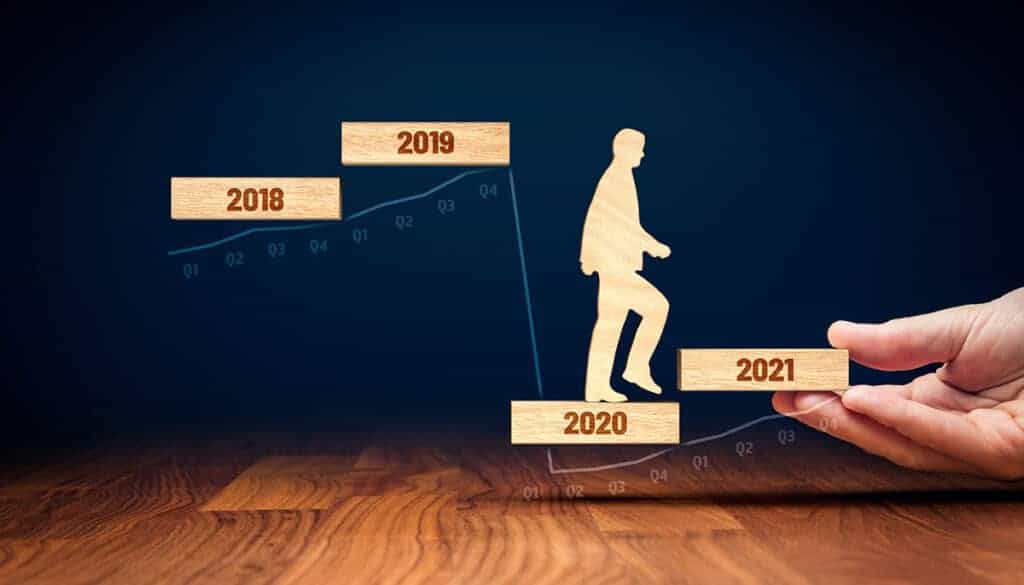
Wooden Business Man Progresses Post COVID Into 2021- Cable Management Blog
The post COVID era presents some unique challenges for data centers

Work From Anywhere is Here to Stay

Both businesses and employees have learned that working from anywhere, specifically from home, does not mean a less productive workforce. On the contrary, many people are more productive from home, value not having to commute to an office every day and have adjusted to the new normal.

Companies have discovered thousands in savings from a smaller physical footprint, and those savings are enhanced by benefits to the environment as well. Companies like Twitter and other tech giants have promised employees the option to work from anywhere indefinitely.

While some people remain anxious to return to the office (and will do so as soon as they’ve been vaccinated) many more are more than happy to continue working remotely. Whatever the post COVID workplace looks like, it seems work as we know it has already changed forever.

Faster Internet, More Data and 5G

Regardless of where people work from, the need for faster internet, more data transmission, and the continuing expansion of 5G mean data centers will experience more demand and require more moves and changes than ever before. This is about more than just technology and changing devices. It is also about the physical arrangement of data centers – an area likely to pick up once the vaccine becomes available.

The physical layer of data centers will change post COVID, as devices grow into the Internet of Things (IoT), high performance cables come into common use, and the demand for greener operations is prioritized. Perhaps the most important factor is that data center managers stay in touch with emerging trends and remain nimble, able to adapt when needed.

Remote Monitoring

Monitoring equipment, maintenance, and up time will become even more important – despite the vaccine. Customers have come to expect reliability, and it is no longer optional. However, the additional demand on human technicians to perform moves and changes means that monitoring should be automated whenever possible.

Remote monitoring systems can help do just that, allowing personnel to focus on more pressing tasks. A sensor network can send messages when human attention is needed, and can also monitor physical spaces for unauthorized access, providing an additional layer of physical security.

These monitoring systems continue to advance, and many can even react intelligently to many issues, readjusting HVAC and humidity systems and shifting loads away from problematic devices as needed. Automation creates a number of labor saving opportunities and can even alert human managers to issues before failures can cause service interruptions and additional issues.

Artificial Intelligence Adoption

Even as hardware evolves, cables become more sophisticated, and the physical spaces in data centers changes, software also continues to improve. From simple tasks like monitoring remote sensors and sending alerts, artificial intelligence can do much more.

Think of AI as the brain of the data center. It can monitor hardware, shift server loads as needed and intelligently, learn efficiency and streamline operations, prevent downtime, and even alert human managers as needed when software changes will not solve problems.

Artificial Intelligence can also be used to project future needs, generate expansion plans and ideas, and even develop plans for the physical layer of the data center. From optimal server rack placement to cabling choices to ventilation and HVAC needs, modeling can tell you what will and won’t work ahead of time, and AI can be a big part of that.

Post COVID, artificial intelligence will impact nearly every business going forward, and the increase in the number of enhanced data centers using this technology continues to rise.

What Will Next Year Bring to Data Centers?

“It is difficult to make predictions, especially about the future,” said the Danish Politician Karl Kristain Steincke in 1948. Nothing much has changed since then. The future is still hard to predict. But there are some things we do know:

Like 2020, next year will be one where many changes will happen. What changes are you making in your data center? What things do you think will be trending into the new year?

Introducing the Ultimate Data Center Cable Labeling System

Cable Management Just Got More Economical, Efficient and Robust

Ultimate Cable Labeling System - Epson Labelworks PX Printers and AnD Cable Products UniTag Cabel Labels
Ultimate Cable Labeling System – Epson Labelworks PX Printers and AnD Cable Products UniTag Cabel Labels

AnD Cable Products and Epson Labelworks have teamed up to develop the Ultimate Data Center Cable Labeling System with a selection of bundled cable labeling products that, when used together will revolutionize your cable management, efficiency and costs.

UniTag® Reusable Cable Labels – A plastic snap-on cable labeling system that provides a quick and easy way to mark and identify cables

Epson Labelworks PX Printers – A portable label and wire marker solution with exclusive time and costsaving features for creating custom labels

Epson’s PX Label Tapes Fit Onto AnD Cable’s UniTag® Cable Labels PERFECTLY!


FAQs

How has the “Work From Anywhere” trend affected data center planning?

The widespread shift to remote work has changed network traffic patterns, with more data moving to residential areas. This has increased the demand on data centers and requires them to expand to handle the new traffic distribution.

What role do high-performance cables and IoT play in post-COVID data centers?

With increased data demands from technologies like 5G, data centers need to adopt high-performance cables to handle the traffic. IoT devices are also being used to enable more efficient remote monitoring, allowing for better control over physical infrastructure.

Why is remote monitoring so critical for data centers today?

Remote monitoring has become a necessity for ensuring reliability, especially with fewer on-site staff. Automated monitoring systems with sensor networks allow technicians to oversee operations and respond to issues like HVAC and humidity problems from a distance.

How is Artificial Intelligence (AI) being used to manage data centers?

AI is functioning as the “brain” of the data center, helping to monitor hardware, shift server loads, and prevent downtime. It can also analyze data to predict future needs and generate expansion plans for the physical infrastructure.

What are the key certainties for data centers in the post-COVID era?

The article identifies several certainties, including the continuation of a hybrid work approach, the creation of more data, rising customer expectations for speed, and a larger role for AI in data center management.

About the Author

Louis Chompff - Founder, AnD Cable Products, Rack and Cable ManagementLouis Chompff, Founder & Managing Director, AnD Cable Products
Louis established AnD Cable Products – Intelligently Designed Cable Management in 1989. Prior to this he enjoyed a 20+ year career with a leading global telecommunications company in a variety of senior data management positions. Louis is an enthusiastic inventor who designed, patented and brought to market his innovative Zero U cable management racks and Unitag cabel labels, both of which have become industry-leading network cable management products. AnD Cable Products only offer products that are intelligently designed, increase efficiency, are durable and reliable, re-usable, easy to use or reduce equipment costs. He is the principal author of the Cable Management Blog, where you can find network cable management ideas, server rack cabling techniques and space saving tips, data center trends, latest innovations and more.
Visit https://andcable.com or shop online https://andcable.com/shop/

Posted on

Artificial Intelligence in Data Centers: The New Reality

Artificial Intelligence in Data Centers - AnD Cable Management Blog

For years, artificial intelligence, or AI has been the topic of science fiction, from Skynet in the Terminator movies to more benevolent systems. But AI has now become a reality, and that reality has put artificial intelligence in data centers, and the trend is growing. Data centers employing this technology are often referred to as enhanced data centers.


Key Takeaways

By the end of this article, you’ll know:

  • How AI can increase efficiency and emissions control.
  • How AI improves server and human resource management.
  • How AI enhances uptime and security.

Jump to Section:

Artificial Intelligence in Data Centers - AnD Cable Management Blog
Use of artificial intelligence in data centers continues to grow

But this idea of an enhanced data center will likely become the norm, as customer expectations rise. Unprecedented demand means and centers rapidly reaching capacity mean a need for one of two solutions: increased capacity and increased efficiency. Artificial intelligence can help with both. Here’s how.

Artificial Intelligence and Data Center Emissions Control

Data centers use a lot of power, and that power often converts to carbon emissions. While technology advances and the use of solar can help, there are other solutions as well. It’s all about the efficient use of power, HVAC efficiency and flow rates, and more.

How does it work? Well, sensors, relatively small ones, can be placed throughout the data center to measure airflow rates, temperature, humidity, and power consumption in detail, down to individual racks and components. The artificial intelligence algorithm will learn from data it gathers, and can do one of two things with that data:

  • The AI can take control – cycling HVAC systems as they are needed, redirect fans and other smart devices, increasing or decreasing speed to enhance flow rates, and more. This technique is being deployed in both new and existing data centers when possible.
  • AI can report – What the AI can’t control, such as physical placement of racks, wiring, and more can be reported on and recommendations made to human operators who can make those changes.

For instance, let’s say that you have a human maintenance crew who performs certain tasks at the data center such as cleaning, moves, additions, and transfers. This involves those bodies impacting airflow, opening and closing doors adding to HVAC loads, and more. The AI can recommend the best time when there is the lowest demand on these systems, to perform these tasks.

This reduces energy loads and therefore carbon emissions, but it can do even more.

It’s All About That Balance

Server balance is a critical function of data centers and has been overseen by human managers up until now. But smart data centers are using AI and predictive algorithms to assist these managers, freeing up their time to perform other important tasks.

Much like the advantages gained with sensors and algorithms that learn HVAC needs, the predictive management software will learn as it goes, and distribute loads to servers that will handle them best. This analysis and learning not only saves time but helps decrease wear and tear on overloaded equipment and removes the human error factor that can lead to critical mistakes and downtime.

AI has also made human resources management simpler. Through automating some processes, it frees up data center personnel, and makes scheduling simpler, helping to prevent short- staffing. Then, through video conferencing and using similar technology, companies can get even more done remotely.

Keeping it Up, Locking it Down

The concern of downtime is a real one, and one that can keep data center managers up at night. Keeping up with and preventing downtime manually can seem like an impossible task. AI can help, anticipating downtime based on server loads, traffic, and other factors. Not only can it predict downtime, but AI offers other advantages as well.

Because of the other things it has “learned” AI can devise solutions, and advise human managers on workarounds and prevention, keeping downtime to an absolute minimum. While it’s not yet possible to eliminate downtime completely, stellar numbers can be achieved using AI.

But what about data center security? Threats from malware, hackers, and other digital threats are an ever present danger. AI can analyze traffic at a granular level, and often stop such threats before they get a chance at a foothold.

Like downtime, security breaches are inevitable as new threats arrive all the time. But AI can help minimize risk, isolate threats, and remove them to minimize any damage and data loss.

Designing the Physical Layer of Data Centers

There’s more to the picture than just security, uptime, and human resources. There’s also the matter of the design of data centers themselves. What is the ideal placement for servers and server racks? What is the most efficient method to achieve maximum airflow in the data center? What impact will moves and changes have on HVAC and other systems?

There will always be a physical layer to every data center, and security related to that physical layer is nearly as vital as digital security. An AI algorithm, in combination with AR software, can help you design your data center physical layer the right way from the start, and even guide you as you make those inevitable moves and changes.

The same sensors that feed the AI data about efficiency and power savings can also detect pressure changes, unauthorized data center access, and other data points that help you keep the physical layer of your data center functioning properly and secure at the same time.

More to Come

This is by far simply the tip of the iceberg when it comes to physical layer security, the use of AI in data center enhancement, efficiency, and more. Artificial intelligence is set to impact every single business in one way or another, and the data center is no exception.

Want to learn more about the security of the physical layer of your data center? Need materials to make your enhanced data center design a reality? Contact AnD Cable Products today. We’d love to start a conversation about your needs and can provide you with the right solutions for your data center today and into the next innovations in data center management.

Introducing the Ultimate Data Center Cable Labeling System

Cable Management Just Got More Economical, Efficient and Robust

AnD Cable Products and Epson Labelworks have teamed up to develop the Ultimate Data Center Cable Labeling System with a selection of bundled cable labeling products that, when used together will revolutionize your cable mangaement, efficiency and costs.

UniTag® Reusable Cable Labels – A plastic snap-on cable labeling system that provides a quick and easy way to mark and identify cables

Epson Labelworks PX Printers – A portable label and wire marker solution with exclusive time and costsaving features for creating custom labels

Epson’s PX Label Tapes Fit Onto AnD Cable’s UniTag® Cable Labels PERFECTLY!


FAQs

What is the difference between an AI data center and a traditional data center?

AI data centers are specifically designed to support the immense computational demands of AI and machine learning. Unlike traditional data centers that primarily use CPUs for general computing tasks, AI data centers rely heavily on powerful GPUs (Graphics Processing Units) and other specialized AI accelerators.

How does AI improve data center efficiency and operations?

AI is used to optimize data center operations in several key ways. It can be used for predictive maintenance to anticipate hardware failures before they happen, for automating tasks like workload distribution to prevent resource shortages, and for optimizing energy consumption by adjusting cooling systems in real-time based on temperature and workload.

What are some of the main challenges of using AI in data centers?

The biggest challenges include managing the massive power and cooling demands of AI hardware, dealing with network bottlenecks caused by rapid data transfer between processors, and the overall high cost of specialized AI equipment and infrastructure.

Why are cooling and power consumption such big issues for AI data centers?

AI computations, especially training deep learning models, generate significantly more heat than traditional computing tasks. This requires advanced cooling solutions, such as liquid cooling, to prevent overheating. As a result, AI data centers consume a much larger amount of energy, which puts a significant strain on power grids and operational costs.

How do AI data centers handle the massive amounts of data required for AI?

AI workloads require high-speed networking and low-latency interconnects to move large volumes of data quickly between processors. They also need high-performance storage solutions, such as NVMe SSDs and parallel file systems, to handle the vast amounts of both structured and unstructured data, including images, videos, and sensor data.

About the Author

Louis Chompff - Founder, AnD Cable Products, Rack and Cable ManagementLouis Chompff, Founder & Managing Director, AnD Cable Products
Louis established AnD Cable Products – Intelligently Designed Cable Management in 1989. Prior to this he enjoyed a 20+ year career with a leading global telecommunications company in a variety of senior data management positions. Louis is an enthusiastic inventor who designed, patented and brought to market his innovative Zero U cable management racks and Unitag cabel labels, both of which have become industry-leading network cable management products. AnD Cable Products only offer products that are intelligently designed, increase efficiency, are durable and reliable, re-usable, easy to use or reduce equipment costs. He is the principal author of the Cable Management Blog, where you can find network cable management ideas, server rack cabling techniques and space saving tips, data center trends, latest innovations and more.
Visit https://andcable.com or shop online https://andcable.com/shop/